Skip to content
| Marketplace
Sign in
Visual Studio Code>Other>ant icon HelperNew to Visual Studio Code? Get it now.
ant icon Helper

ant icon Helper

cheng wang

|
3 installs
| (0) | Free
Installation
Launch VS Code Quick Open (Ctrl+P), paste the following command, and press enter.
Copied to clipboard
More Info

VSCode Test Code

🚀 A simple VS Code extension demo for automatically handling code snippets and icon imports.


✨ Features

  • ⚡ Fast snippet transformation
  • 📦 Auto import handling
  • 🧠 Smart code insertion
  • 🔥 Lightweight & no config required

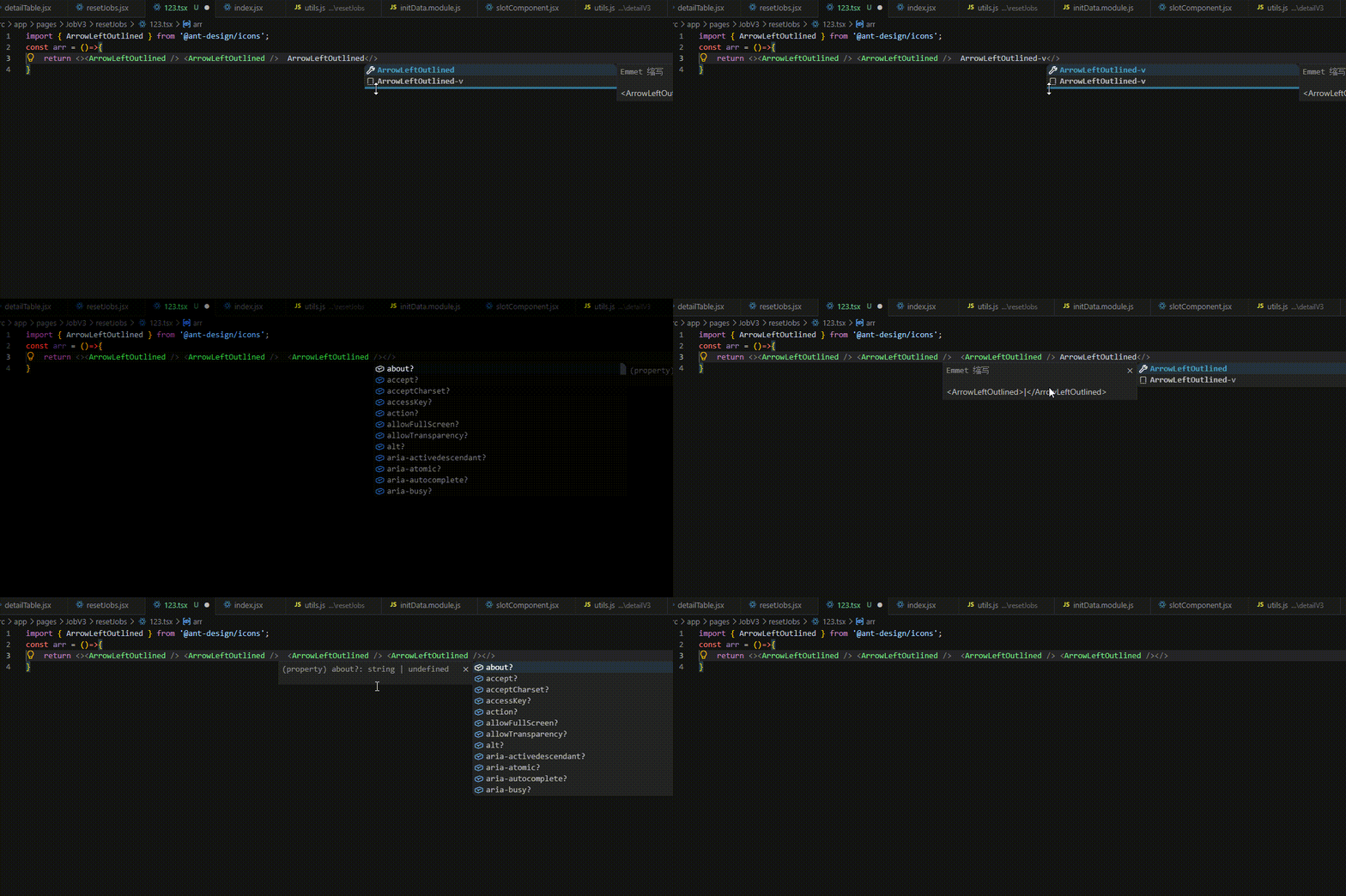
🎬 Demo

Replace with your own GIF if needed

Demo


📸 Screenshots

Before

ArrowDownOutline-v

After

<ArrowDownOutline />

Automatically imports:

import { ArrowDownOutline } from '@ant-design/icons';

🚀 Usage

Step 1

Type in your editor:

ArrowDownOutline-v

Step 2

The extension automatically converts it into:

<ArrowDownOutline />

Step 3

It will also automatically add import:

import { ArrowDownOutline } from '@ant-design/icons';

If the import already exists, it will not duplicate it.


📦 Installation

From Marketplace

  1. Open VS Code
  2. Go to Extensions
  3. Search:
    VSCode Test Code
    
  4. Click Install

🧩 Example

Input

const App = () => {
  return (
    ArrowDownOutline-v
  );
};

export default App;

Output

import { ArrowDownOutline } from '@ant-design/icons';

const App = () => {
  return (
    <ArrowDownOutline />
  );
};

export default App;

⚙️ Supported Environments

  • VS Code
  • TypeScript
  • JavaScript
  • React (TSX / JSX)

📁 Project Structure

src/
images/
out/
package.json
README.md

❤️ Tips

  • Keep GIF under 5MB for better loading
  • Use raw.githubusercontent.com for images
  • Keep extension lightweight for better performance

📝 Changelog

1.0.0

  • Initial release
  • Auto icon transform
  • Auto import handling

📄 License

MIT


⭐ Support

If you like this extension, please consider giving it a ⭐ on GitHub.

  • Contact us
  • Jobs
  • Privacy
  • Manage cookies
  • Terms of use
  • Trademarks
© 2026 Microsoft