ChatonLM for VS Code
Use the AI models of ChatonLM from VS Code: chat about
your code, talk it through out loud, dictate, get suggestions as you type. The
models run on your own computer, through the ChatonLM desktop app (built on
Ollama). No account, no subscription.
This extension is a companion of the ChatonLM app, on Linux and Windows. It
does nothing on its own: install ChatonLM 0.9.4 or later first.
Getting started
- Install ChatonLM and choose a model in it.
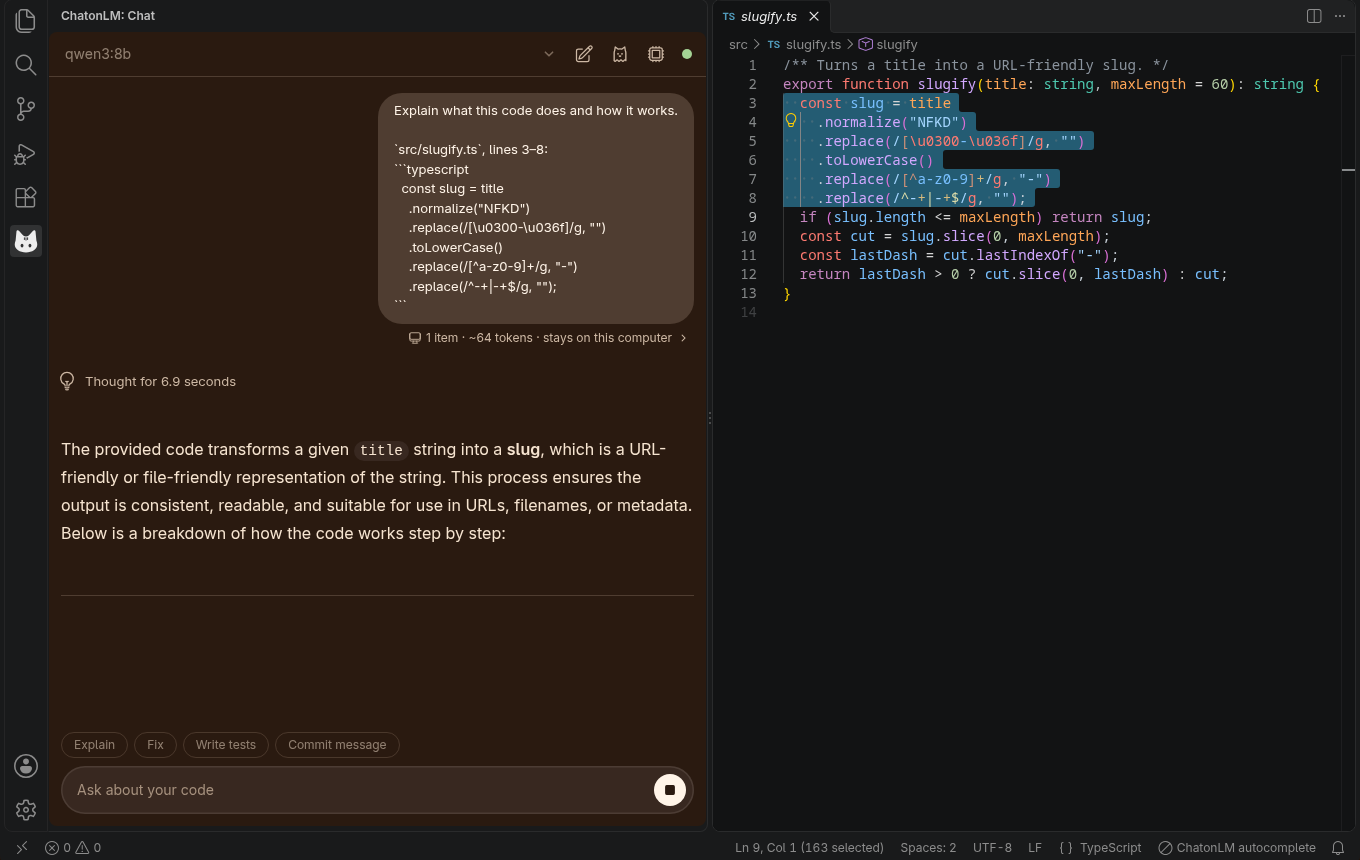
- In ChatonLM, open Settings › VS Code, turn on Allow VS Code to
connect, then click Pair an editor. A code appears.
- In VS Code, run ChatonLM: Pair from the Command Palette and type the
code.
The cat in the activity bar opens the chat panel.
What it does
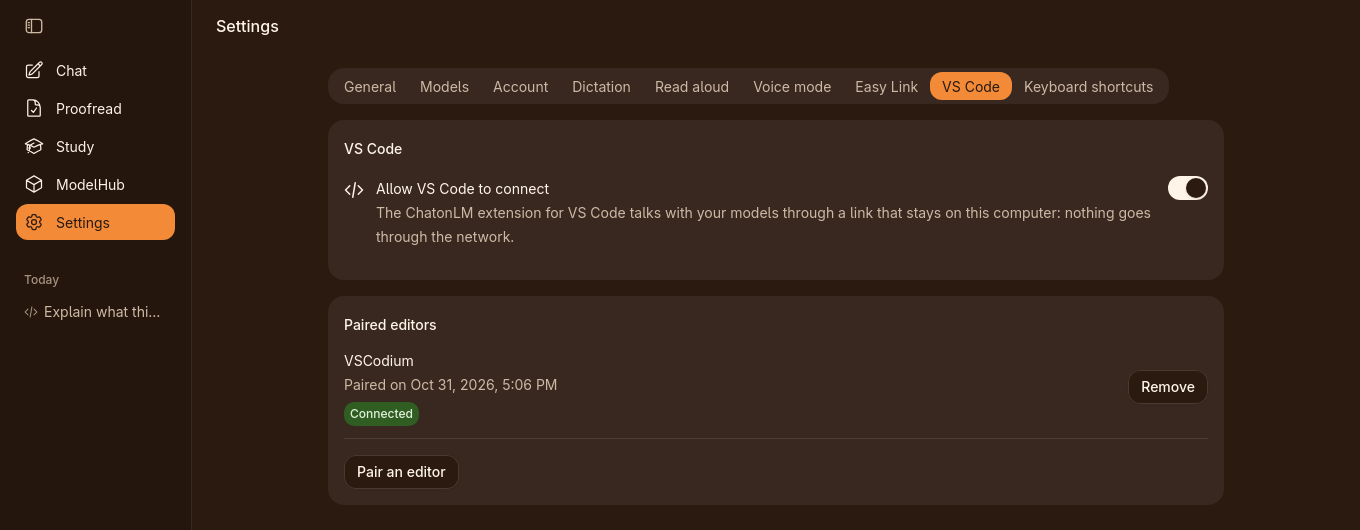
Chat panel. Select code, then Explain, Fix, Write Tests or
Write Commit Message, or ask anything. Before you send, the panel shows
what will be shared and whether it stays on this computer.
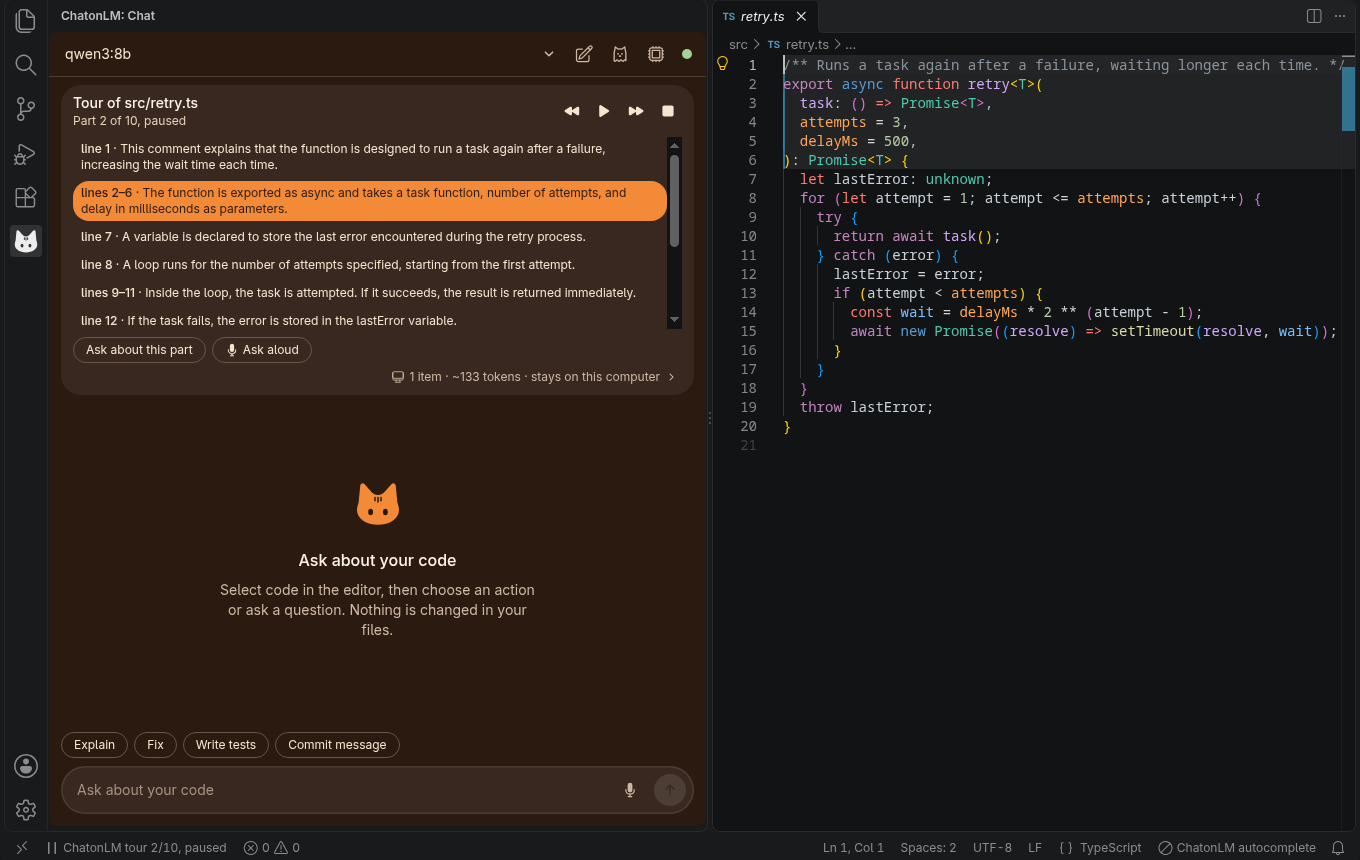
Voice. Talk It Through starts a hands-free conversation about the code
in front of you. Guided Tour of This Code (or of the Changes) walks you
through a file, read aloud part by part. Dictate (Shift+Alt+D) types what
you say at the cursor; Escape stops it. Speech recognition and voices run on
this computer.
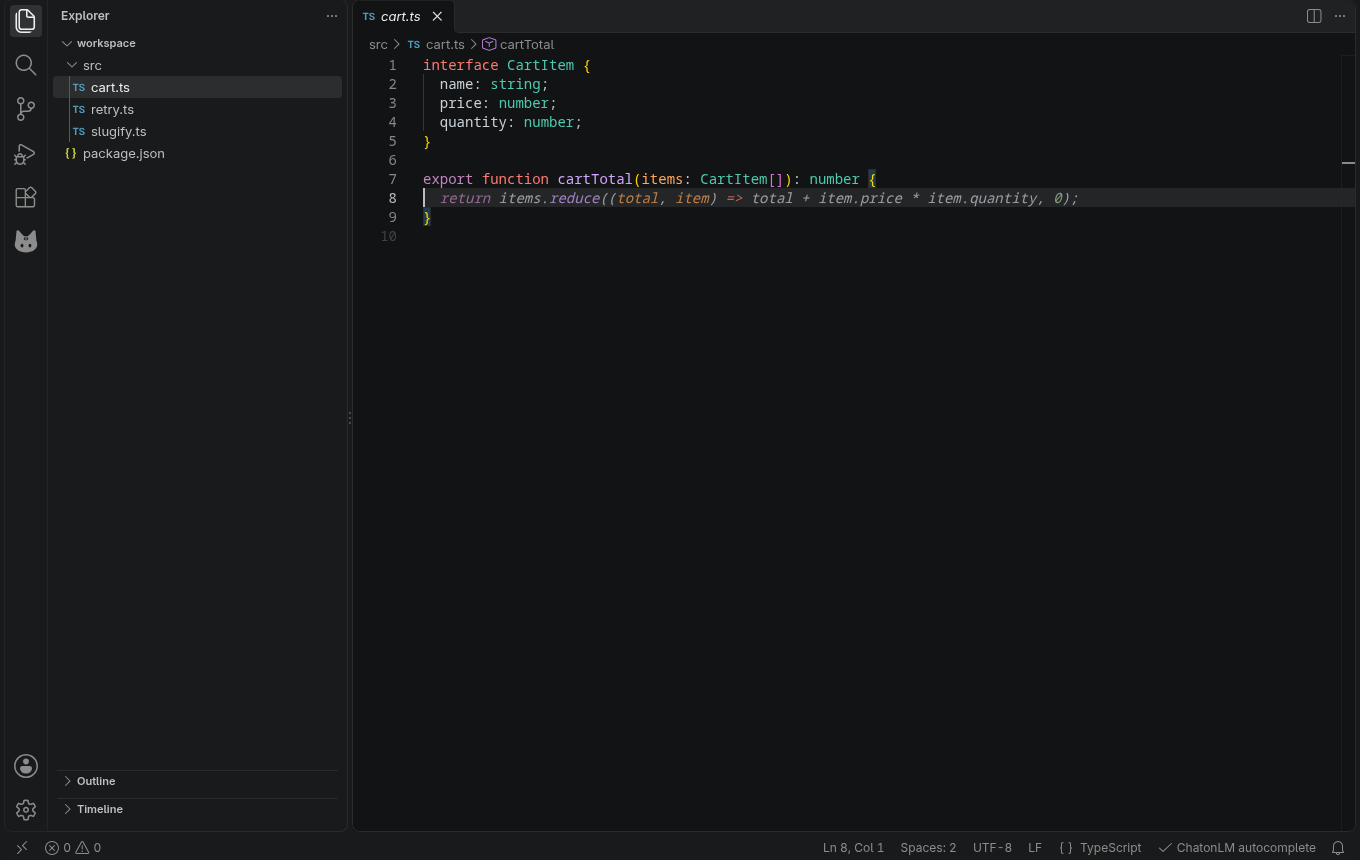
Autocomplete (off by default). Suggestions as you type, from a small code
model on this computer. ChatonLM loads it only if there is room for it next to
the chat model on your graphics card, and stays quiet where another
autocomplete extension is on.
Notifications through Easy Link (off by default). A message on Telegram or
Discord when a long build, terminal command or answer finishes: only its name,
how long it took and whether it worked, never code or output.
More from the app. Make a course about this project or this language (in
ChatonLM's Study tab), generate an image from a description, proofread the
comments of a file or a whole document.
For agents: MCP server (off by default). The agents of the editor (agent
mode of the chat, Cline, Cursor…) can ask a model on this computer, generate
an image, read a text aloud, proofread a text and list the models. They get an
access of their own, limited by ChatonLM to these tools: not your chats, not
your settings. Every call is shown in the panel, where you can stop it.
ChatonLM in VS Code's chat (off by default). ChatonLM's local models in the
model picker of the built-in chat.
Privacy
The extension talks to ChatonLM through a link that stays on this computer (a
private socket on Linux, a named pipe on Windows): nothing goes through the
network. The link only accepts editors you paired with a code, and you can
unpair one at any time in ChatonLM. What reaches a model depends on the model
you choose in ChatonLM: a model on this computer keeps everything on it, and the
panel tells you when a model runs in the cloud or on another computer.
The extension is off in folders you have not marked as trusted.
Settings
| Setting |
Default |
What it does |
chatonlm.completion.enabled |
off |
Suggest code as you type. |
chatonlm.completion.model |
auto |
Autocomplete model; auto is the one ChatonLM recommends. |
chatonlm.completion.multiline |
on |
Suggest several lines at the end of a line. |
chatonlm.completion.ignoreOthers |
off |
Suggest even where another autocomplete extension is on. |
chatonlm.notify.enabled |
off |
Notify through Easy Link when a long task finishes. |
chatonlm.mcp.enabled |
off |
Let the agents of the editor use ChatonLM through MCP. |
chatonlm.nativeChat.enabled |
off |
Offer ChatonLM's local models in the model picker of VS Code's chat. |
Requirements
- ChatonLM 0.9.4 or later, on Linux or Windows, on the same computer as VS Code.
- VS Code 1.105 or later (or VSCodium, Cursor and other editors that install
extensions from Open VSX).
Feedback and license
Questions and bug reports: GitHub issues.
Source code: github.com/Elwynn18/chatonlm.
MIT License. The libraries compiled into the extension and their licenses are
listed in dist/THIRD_PARTY_NOTICES.txt.
| |

