Skip to content
| Marketplace
Sign in
Visual Studio Code>Other>ADB Wireless ConnectNew to Visual Studio Code? Get it now.
ADB Wireless Connect

ADB Wireless Connect

chandan2612

|
3 installs
| (0) | Free
Connect Android devices over WiFi using ADB directly from VS Code.
Installation
Launch VS Code Quick Open (Ctrl+P), paste the following command, and press enter.
Copied to clipboard
More Info

ADB WiFi Connect

ADB WiFi Connect is a simple VS Code extension that helps Android and Flutter developers connect their Android device over WiFi using ADB directly from VS Code.

No need to manually type multiple ADB commands every time. Connect your phone with USB once, click one button, and continue debugging wirelessly.


Features

  • Connect Android device over WiFi from VS Code
  • Automatically detects the USB-connected Android device
  • Enables ADB TCP/IP mode on port 5555
  • Detects the phone's WiFi IP address
  • Runs adb connect <ip>:5555 automatically
  • Useful for Flutter and Android development
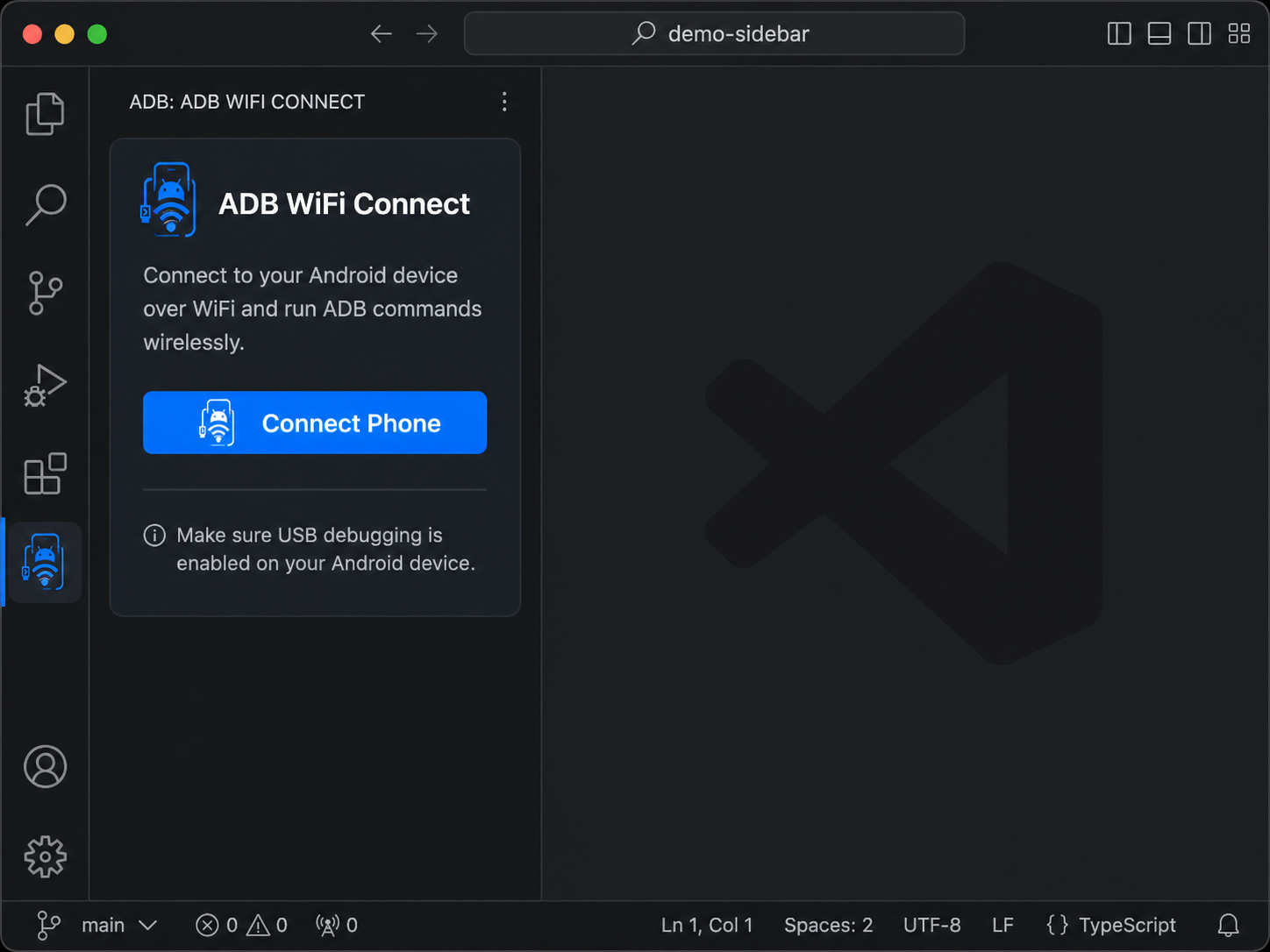
  • Simple sidebar UI inside VS Code

Preview

ADB WiFi Connect Preview

  • Contact us
  • Jobs
  • Privacy
  • Manage cookies
  • Terms of use
  • Trademarks
© 2026 Microsoft