VS Context Menu is a Visual Studio Code extension that adds practical copy, path, terminal, and editor layout commands to native VS Code context menus.
Translations: 🌐 简体中文 | 繁體中文 | 日本語 | Русский | 한국어
The project root is this directory: source/we-vs-contextmenu.
Features
- Copy the active editor file name.
- Copy the editor title file name.
- Copy selected text as a formatted Markdown code block with file path and line range.
- Copy selected line references.
- Copy resource names from the Explorer context menu.
- Copy the current Git remote URL.
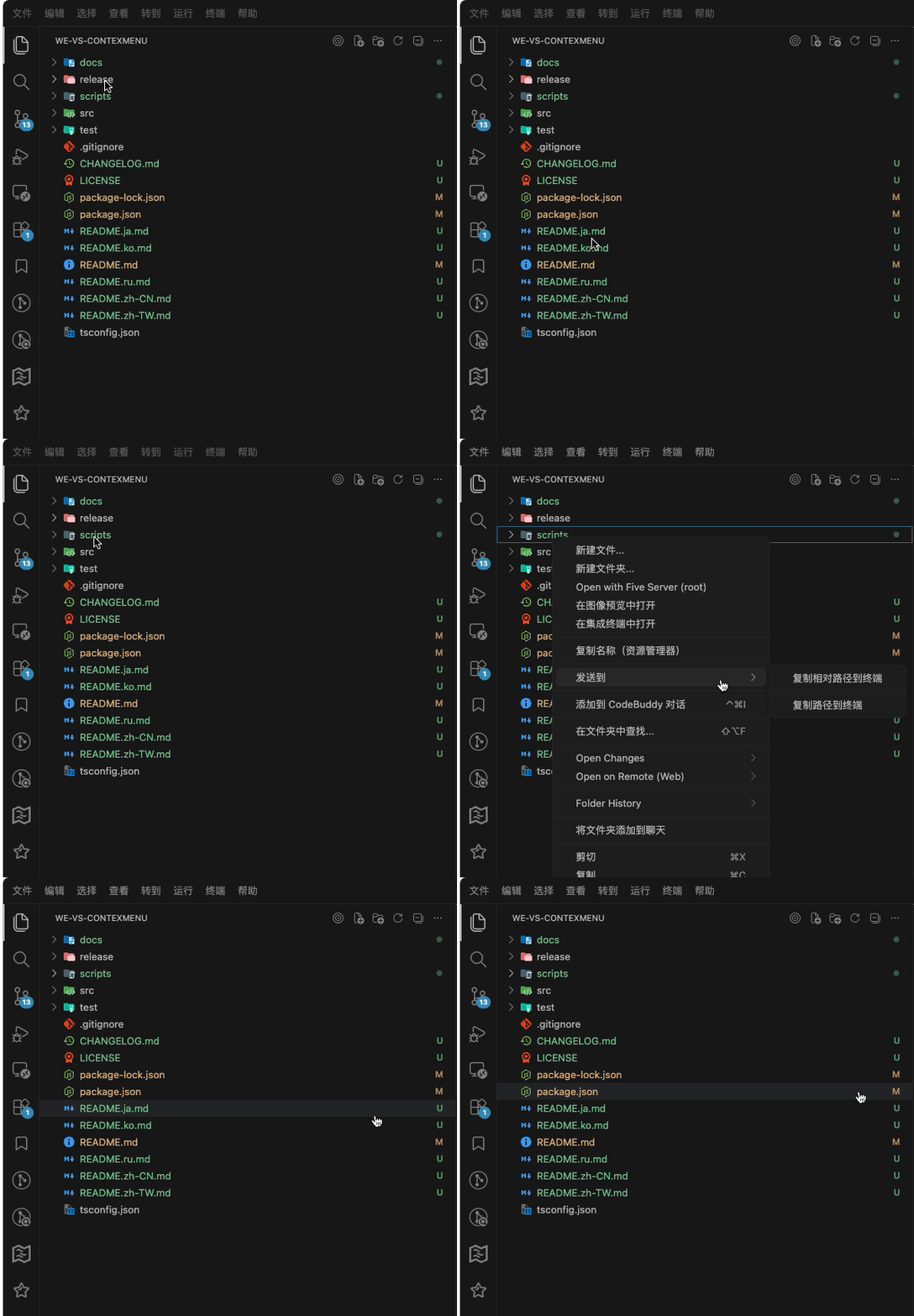
- Send relative paths, absolute paths, selected line references, or selected text to the terminal.
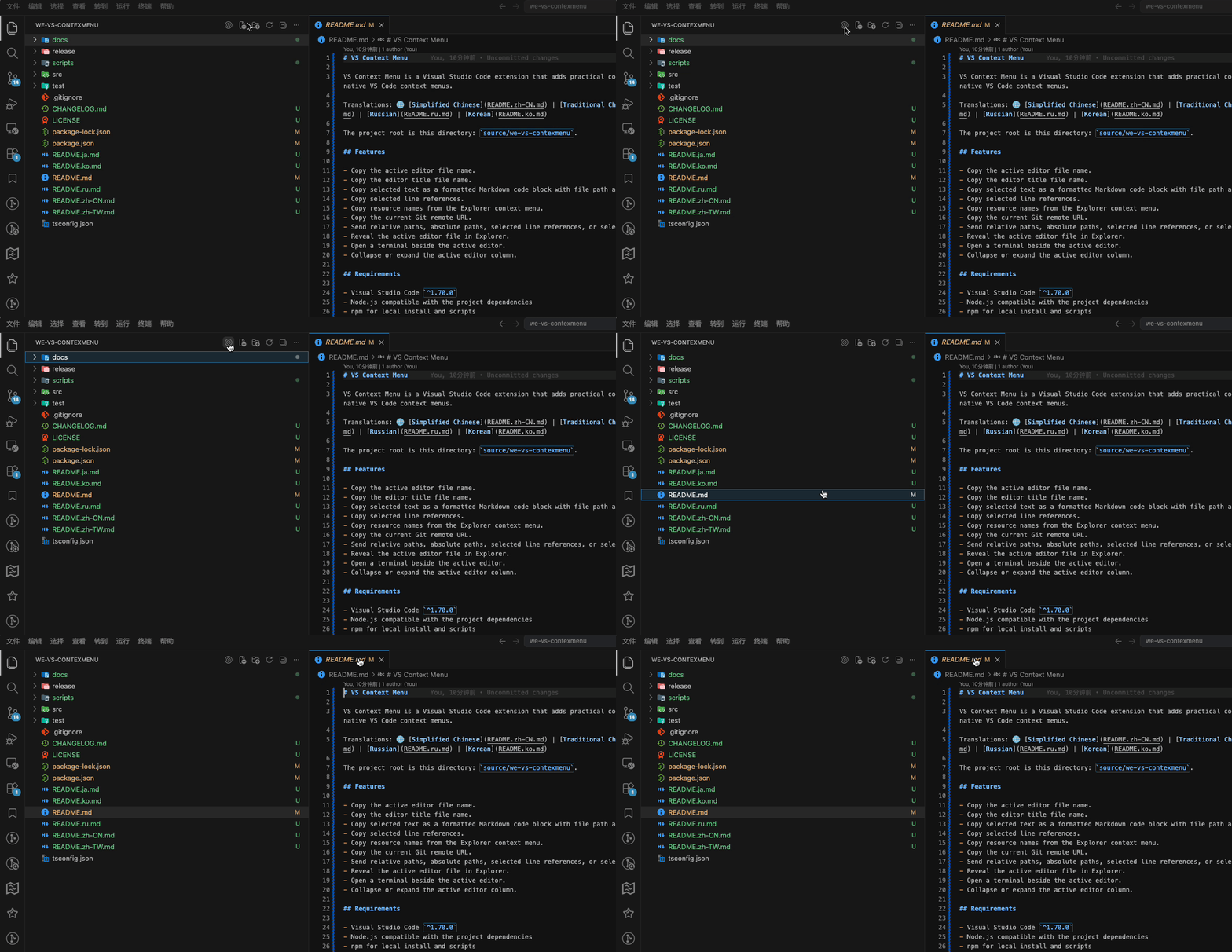
- Reveal the active editor file in Explorer.
- Open a terminal beside the active editor.
- Collapse or expand the active editor column.
Quick Preview
Send a relative path from the context menu to the terminal:
Reveal the active editor file in Explorer:
Requirements
- Visual Studio Code
^1.70.0
- Node.js compatible with the project dependencies
- npm for local install and scripts
Install Dependencies
npm install
Build
npm run compile
npm run build currently runs the same TypeScript compile step.
Run in Extension Development Host
npm run open-dev-host
This opens VS Code with the current directory as the extension development path.
Test
Install Playwright browsers once:
npx playwright install
Run the end-to-end test suite:
npm run test:e2e
Package
npm run package
The packaging script lives at scripts/package-to-release.js.
Install Local VSIX
npm run install-vsix
The install script lives at scripts/install-vsix.js.
Project Structure
package.json: VS Code extension manifest, commands, menus, configuration, and npm scripts.tsconfig.json: TypeScript compiler configuration.src/extension.ts: Extension activation entry and command registration.src/commands/: Command implementations.src/utils/: Shared helpers for paths, selections, clipboard, Git, and probe logging.test/e2e/: Playwright end-to-end tests.scripts/: Packaging and local installation scripts.docs/: User operation manual for the extension.CHANGELOG.md: Release and change history.
User Manual
The extension operation manual lives in docs/.
Commands
| Command ID |
Purpose |
extension.copyEditorName |
Copy the active editor file name. |
extension.copyEditorTitleName |
Copy the editor title file name. |
extension.copySelectionFormatted |
Copy the selected text with path, line range, and Markdown code fencing. |
extension.copySelectionLineReference |
Copy selected line references. |
extension.copyResourceName |
Copy selected Explorer resource names. |
extension.copyGitRemoteUrl |
Copy the Git remote URL for the selected resource. |
extension.sendRelativePathToTerminal |
Send a relative path to the terminal. |
extension.sendAbsolutePathToTerminal |
Send an absolute path to the terminal. |
extension.sendSelectionLineReferenceToTerminal |
Send selected line references to the terminal. |
extension.sendSelectionTextToTerminal |
Send selected text to the terminal. |
extension.revealActiveFileInExplorer |
Reveal the active file in Explorer. |
extension.openTerminalBeside |
Open a terminal beside the active editor. |
extension.collapseEditorColumn |
Collapse the active editor column. |
extension.expandEditorColumn |
Expand the active editor column. |
Configuration
| Setting |
Default |
Purpose |
vsContextmenu.enableProbeLogs |
false |
Enables temporary JSONL probe logs for diagnostics. Keep disabled during normal use. |
When text is selected, extension.copySelectionFormatted copies content in this format:
@path/to/file.js(lines:10-15)
```js
console.log('selected lines');
```
If no workspace folder exists, the extension falls back to the absolute file path.
Development Notes
- Keep source code, comments, README, CHANGELOG, package metadata, and user-facing extension text in English.
- Prefer VS Code Extension API behavior over custom editor or terminal state tracking.
- Keep shared formatting, path, Git, clipboard, and selection logic in
src/utils/.
- Update
CHANGELOG.md for user-visible changes, bug fixes, configuration changes, test coverage updates, packaging changes, and releases.

