
Bíblia (biblia-cli)Bible verses in several translations, with the original Hebrew/Greek, Strong's numbers, dictionary senses and parallel passages — through the biblia command-line tool. Versículos em várias traduções, original, Strong e paralelos. Installation Launch VS Code Quick Open ( Ctrl+P), paste the following command, and press enter.Copied to clipboard |

Bíblia (biblia-cli)Look up Bible verses without leaving the editor: in several translations at once, with the original Hebrew/Greek, Strong's numbers, dictionary senses and parallel passages, and insert them into Markdown or Typst ready to cite. Built around Portuguese references and translations (ARA, NVI, NAA...), but English, Spanish and the other translations of Bíblia Online work too. The commands and the program's output are in Portuguese. Leia isto em português.
Requirement: the
|
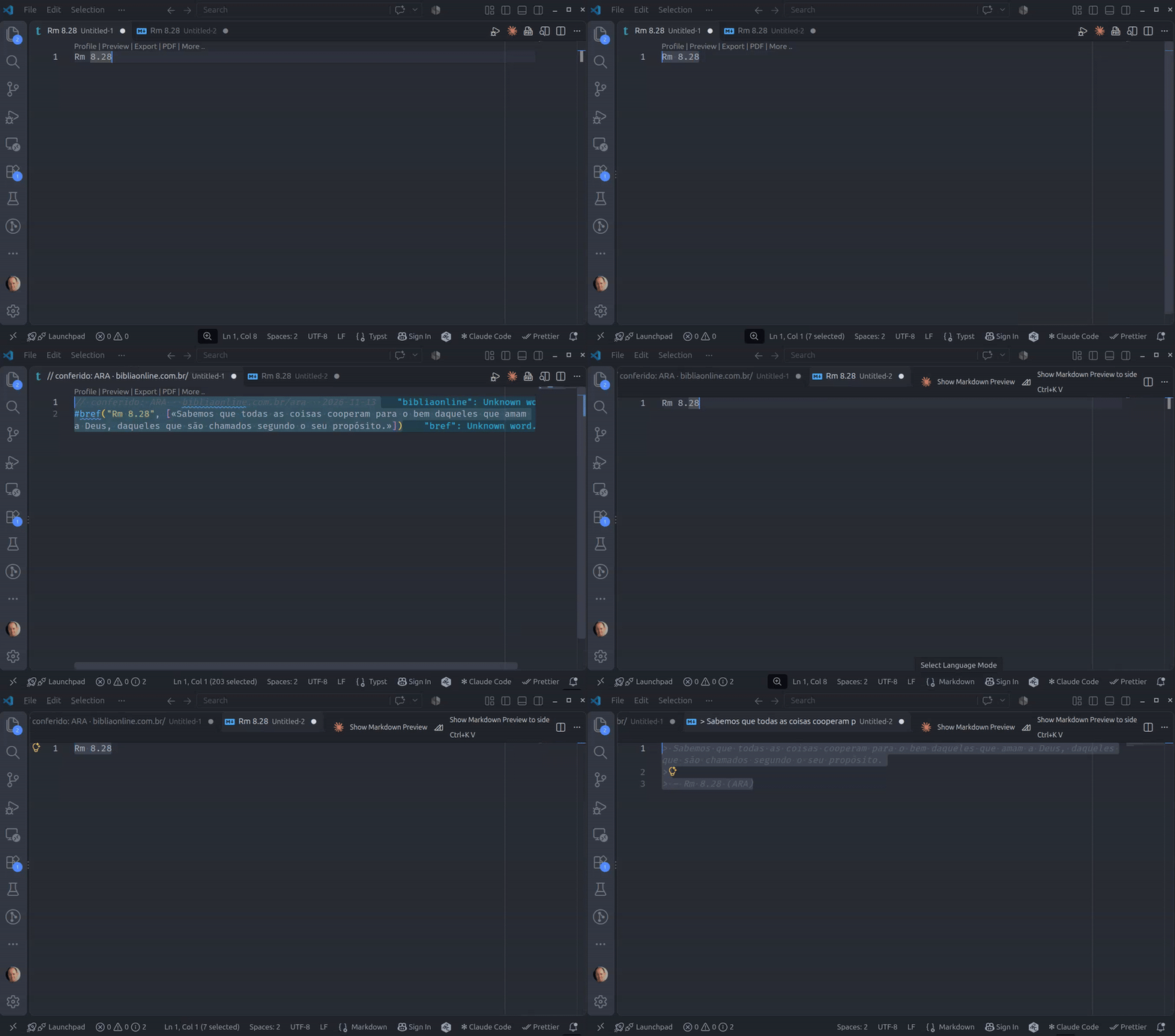
| Command | Shortcut | What it does |
|---|---|---|
| Bíblia: consultar referência selecionada | Ctrl+Alt+B |
shows the text in the Bíblia output panel, leaving the file alone |
| Bíblia: inserir texto no lugar da referência | Ctrl+Alt+Shift+B |
replaces the selected reference with its text |
| Bíblia: consultar… | — | asks for a reference and shows its text |
| Bíblia: passagens paralelas da referência selecionada | Ctrl+Alt+L |
shows the text and the list of parallel passages (Old Testament quotations in the New, Gospel parallels...) |
| Bíblia: inserir o texto das passagens paralelas | Ctrl+Alt+Shift+L |
keeps the reference and inserts, on the lines after it, the text of each parallel passage, saying what it is |
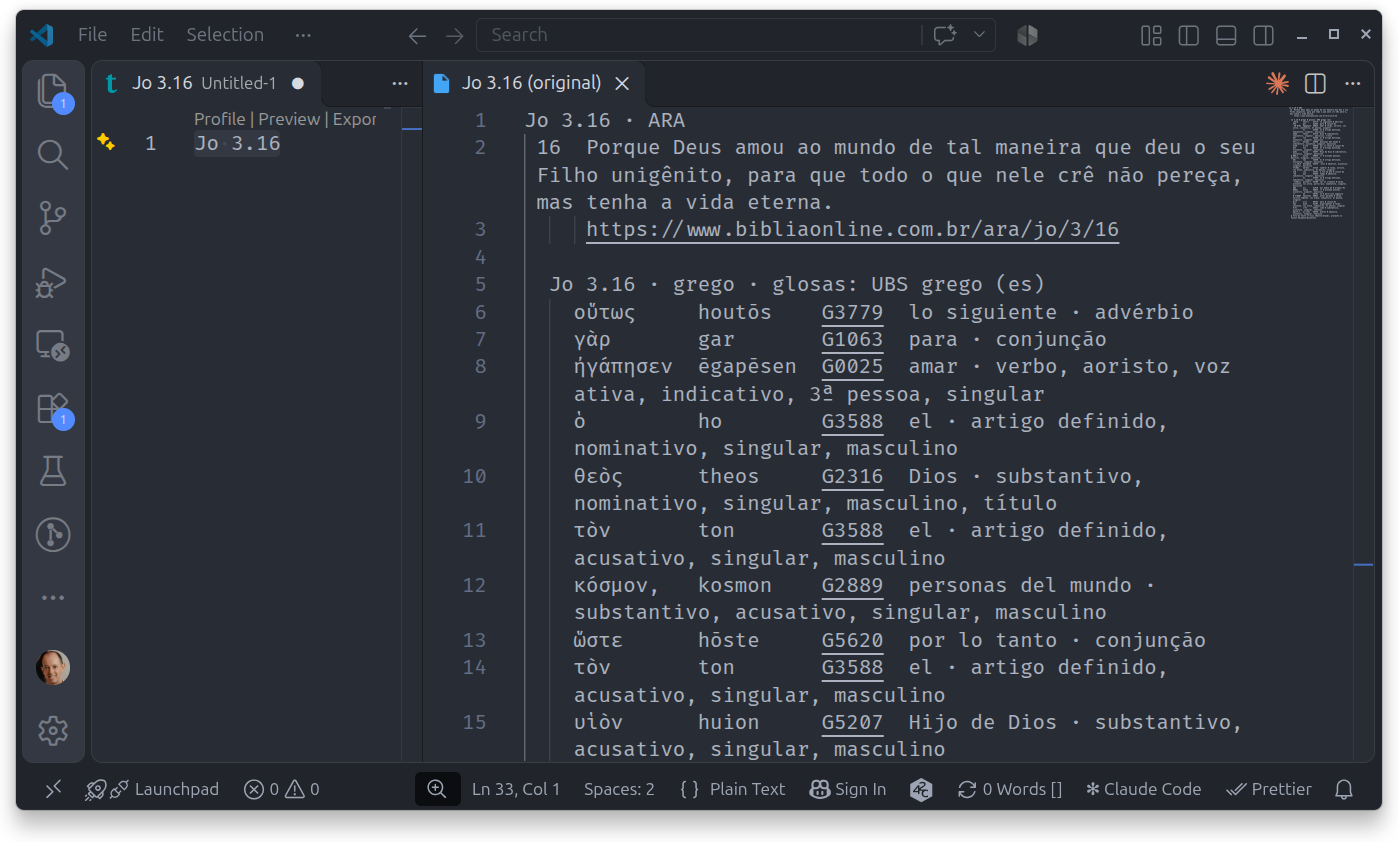
| Bíblia: consultar com o original (hebraico/grego e Strong) | Ctrl+Alt+O |
opens a read-only tab with the text and, word by word, the Hebrew/Greek original, transliteration, Strong number, gloss and grammar |
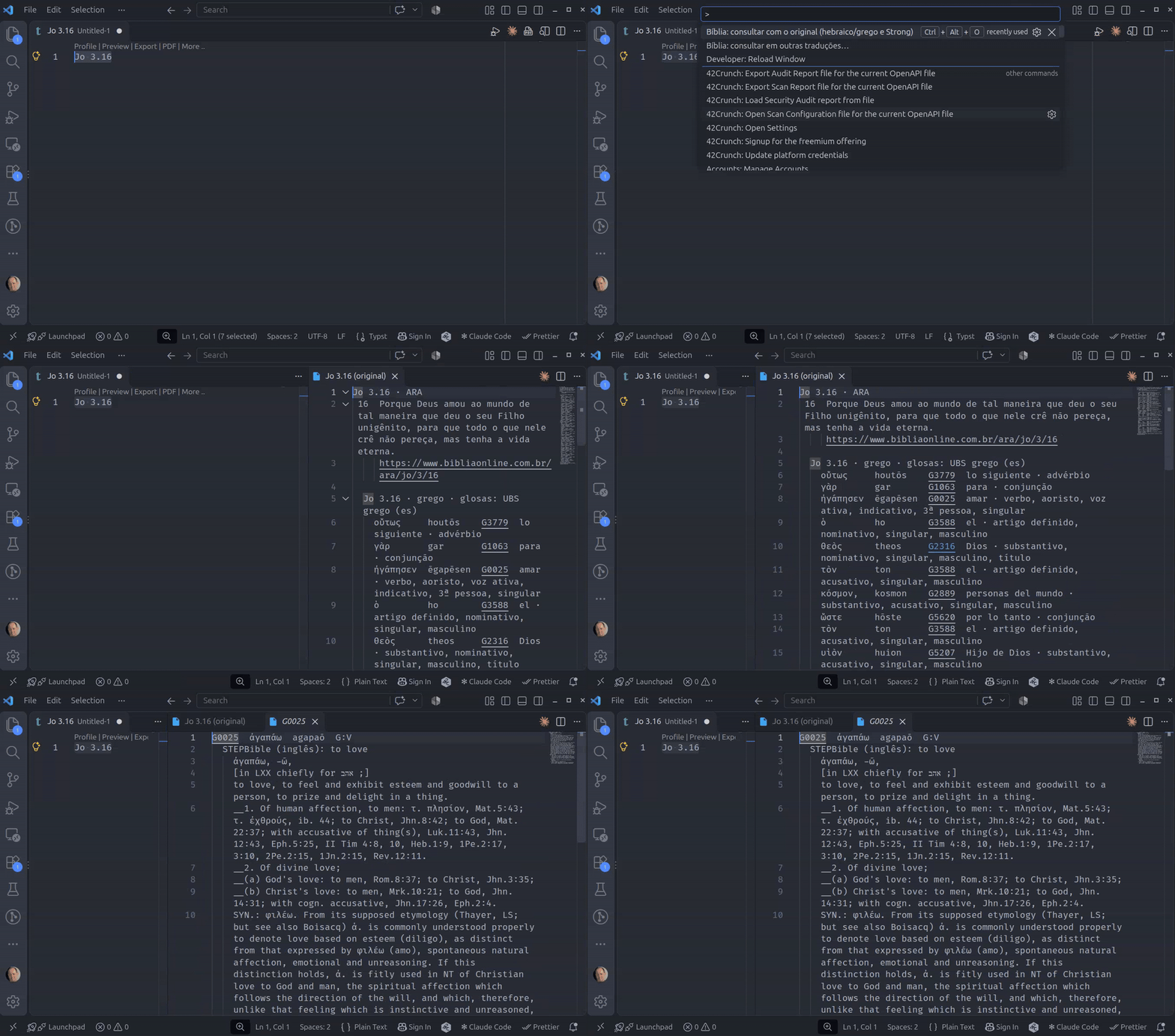
| Bíblia: Strong… | — | the lexicon entry of the Strong number under the cursor (G25, H7451b); otherwise asks for a number, transliteration or gloss |
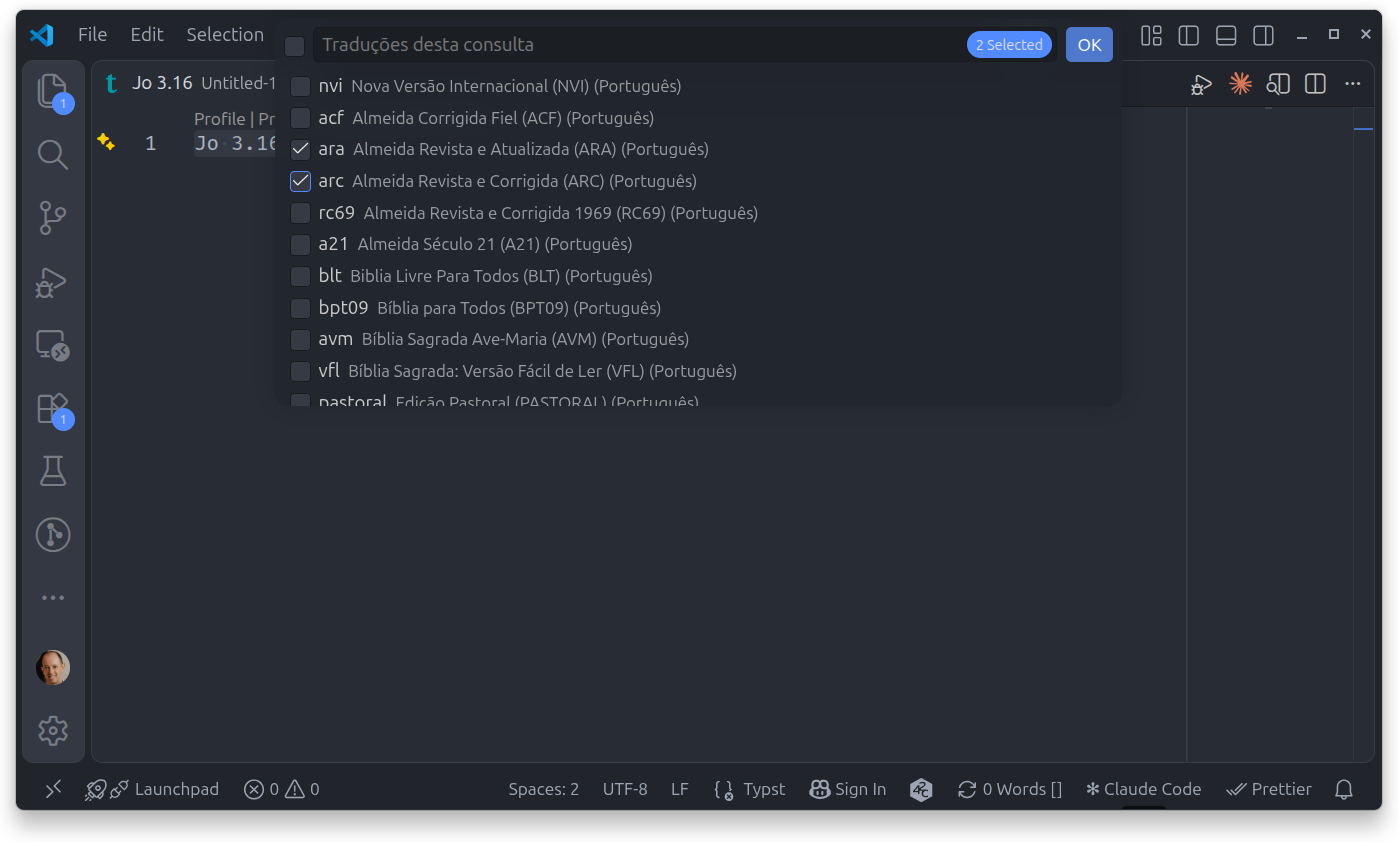
| Bíblia: consultar em outras traduções… | — | asks which translations to use this time, then works like consultar |
| Bíblia: inserir texto em outras traduções… | — | asks which translations to use this time, then works like inserir |
With no selection, the cursor line counts. References are typed the
Brazilian way: Jo 3.16, 1 Co 13.4-7, Rm 5.8; 6.23, Sl 23.
The Strong numbers in the original tab are links: Ctrl+click
(Cmd+click on macOS) opens the entry beside it in the same group,
leaving the interlinear open; so does Bíblia: Strong… with the cursor
on a number. The gloss search uses the dictionaries' language:
Portuguese for Hebrew, Spanish for Greek (the UBS has no Portuguese
Greek dictionary yet). The translation picker remembers the last choice;
biblia.versoes stays as it is. The original and Strong commands need
biblia dados baixar.
Ctrl+Alt+B replaces VS Code's own shortcut for the secondary side bar;
change any of them under Keyboard Shortcuts.
Settings
| Setting | Default | What it does |
|---|---|---|
biblia.executavel |
biblia |
the program, by name or full path |
biblia.versoes |
(empty) | translations, comma-separated (ara,naa); empty uses the program's config file |
biblia.formato |
auto |
format of the inserted text: auto, linha, md, typ or a template of your own |
biblia.formatosPorExtensao |
.md → md, .typ → typ |
for auto: file extension → format |
In auto, Markdown files get a quotation with the reference, Typst
files get #bref(...) preceded by a // conferido: ARA · ... · date
line, and other files use the program's formato_filtro setting. The
formats, the template fields and the program's config file are
documented in the
biblia README.
Sources and credits
- Bible text: Bíblia Online, through the service the site publishes for programs, at most 5 verses per lookup. Each translation has its own rights holders; neither the extension nor the program ships Bible text.
- Original languages, lexicons and grammar: STEPBible (Tyndale House, Cambridge, CC BY 4.0), downloaded on demand.
- Dictionaries and parallel passages: United Bible Societies (ubs-open-license, CC BY-SA 4.0), downloaded on demand.
License
MIT. The data keeps its sources' licenses.