🍑 Peachy
your editor, but make it linen.
A VS Code theme that feels like a slow morning — warm light through sheer curtains, the scent of a cup of coffee, nowhere to be. Built on natural beiges and linen tones, with accents that show up only when they have something to say. Comes in Peachy, Peachy Cocoa, and Peachy Cherry. ✨
Because your workspace should feel as considered as your code.
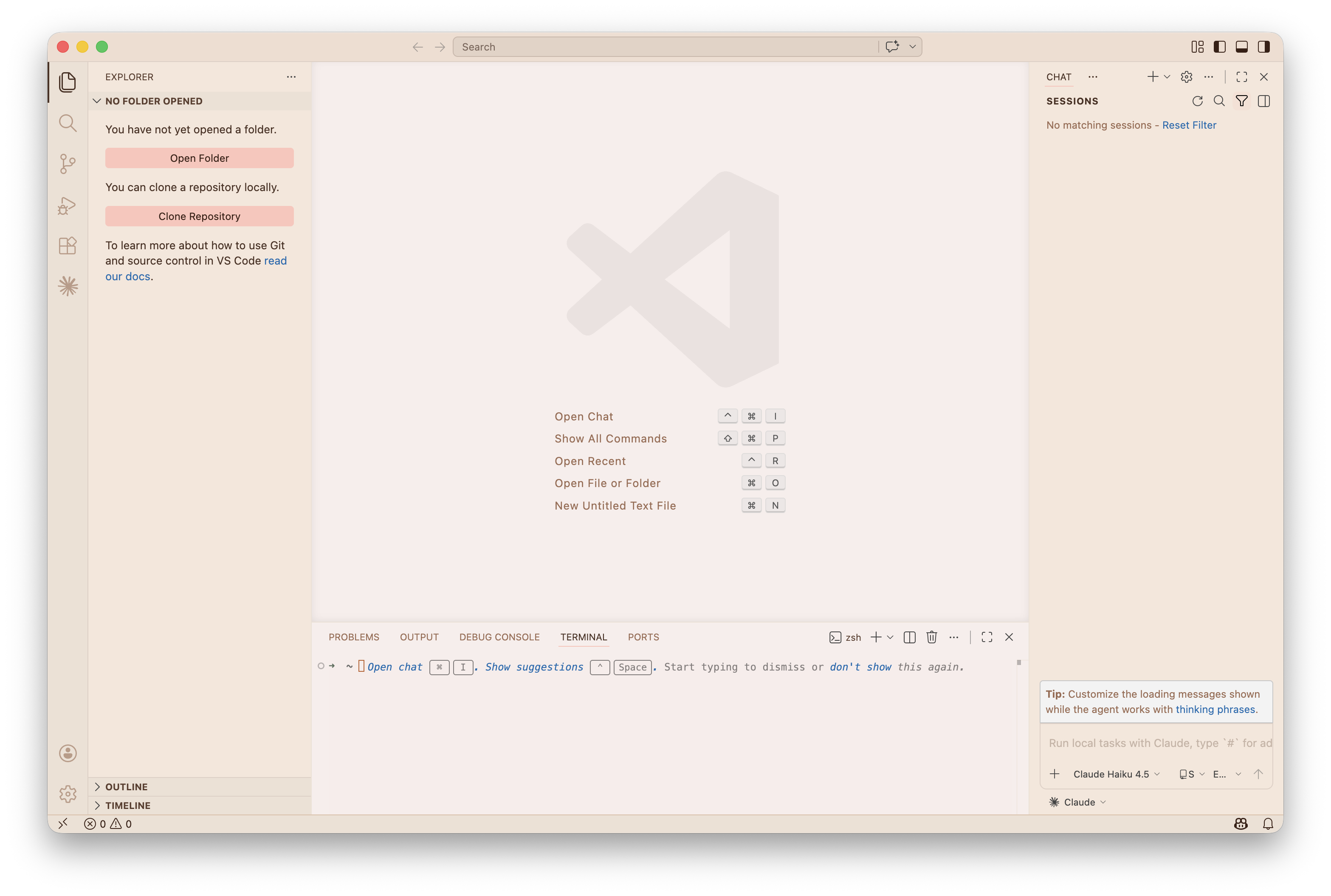
the palette
Beige does the heavy lifting. Pink knows when to speak.
Peachy (light)
|
Color |
Hex |
 |
Warm linen — editor |
#F8EDEB |
 |
Soft sand — sidebar |
#F5E6DA |
 |
Natural beige — activity bar |
#EDE0D4 |
 |
Warm tan — status bar |
#E8CDB8 |
 |
Blush — accent |
#FEC5BB |
 |
Dark espresso — text |
#4A2F22 |
Peachy Cocoa
Same linen soul, evening light.
|
Color |
Hex |
 |
Mocha — editor |
#2A211C |
 |
Espresso — sidebar |
#241C18 |
 |
Deep roast — activity bar |
#1E1714 |
 |
Warm umber — status bar |
#3A2E28 |
|
Blush — accent |
#FEC5BB |
 |
Soft linen — text |
#F0E0D4 |
Peachy Cherry
Dark, but make it cherry.
|
Color |
Hex |
 |
Burgundy — editor |
#2A1C20 |
 |
Wine — sidebar |
#24161A |
 |
Deep cherry — activity bar |
#1A1215 |
 |
Mulberry — status bar |
#3A242A |
 |
Cherry — accent |
#E8788A |
 |
Soft rose — text |
#F5E4E8 |
get it
Via .vsix — the one-click way:
- Download
peachy-theme-1.0.0.vsix from the latest release
Cmd+Shift+P → Extensions: Install from VSIX...Cmd+Shift+P → Color Theme → Peachy, Peachy Cocoa, or Peachy Cherry
Via git — for tinkerers:
git clone https://github.com/carolinejardimsiqueira/vscode-peachy-theme
cp -r vscode-peachy-theme ~/.vscode/extensions/caroljardims.peachy-theme-1.2.0
Reload VS Code. You know what to do.
what it does
- the UI wraps around your code quietly — no loud sidebars, no distracting chrome
- blush pink surfaces only on the things that matter: active tabs, selections, focus rings
- semantic highlighting across JS/TS, HTML/JSX, CSS, JSON, Markdown and more
- soft enough for hours, distinct enough to read
support
If Peachy made your workspace a little more beautiful, a coffee and a Pix would mean a lot. ☕

🇧🇷 Pix (oi Brasil!) 🇧🇷

license
MIT © 2026 Caroline Jardim Siqueira

