Skip to content
| Marketplace
Sign in
Visual Studio Code>Themes>micro:bit Inspired ThemesNew to Visual Studio Code? Get it now.
micro:bit Inspired Themes

micro:bit Inspired Themes

carlosperate

|
2 installs
| (1) | Free
Six VS Code colour themes, Pixel, Spark, Halo (light and dark) inspired by micro:bit.
Installation
Launch VS Code Quick Open (Ctrl+P), paste the following command, and press enter.
Copied to clipboard
More Info

micro:bit Inspired Themes for VS Code

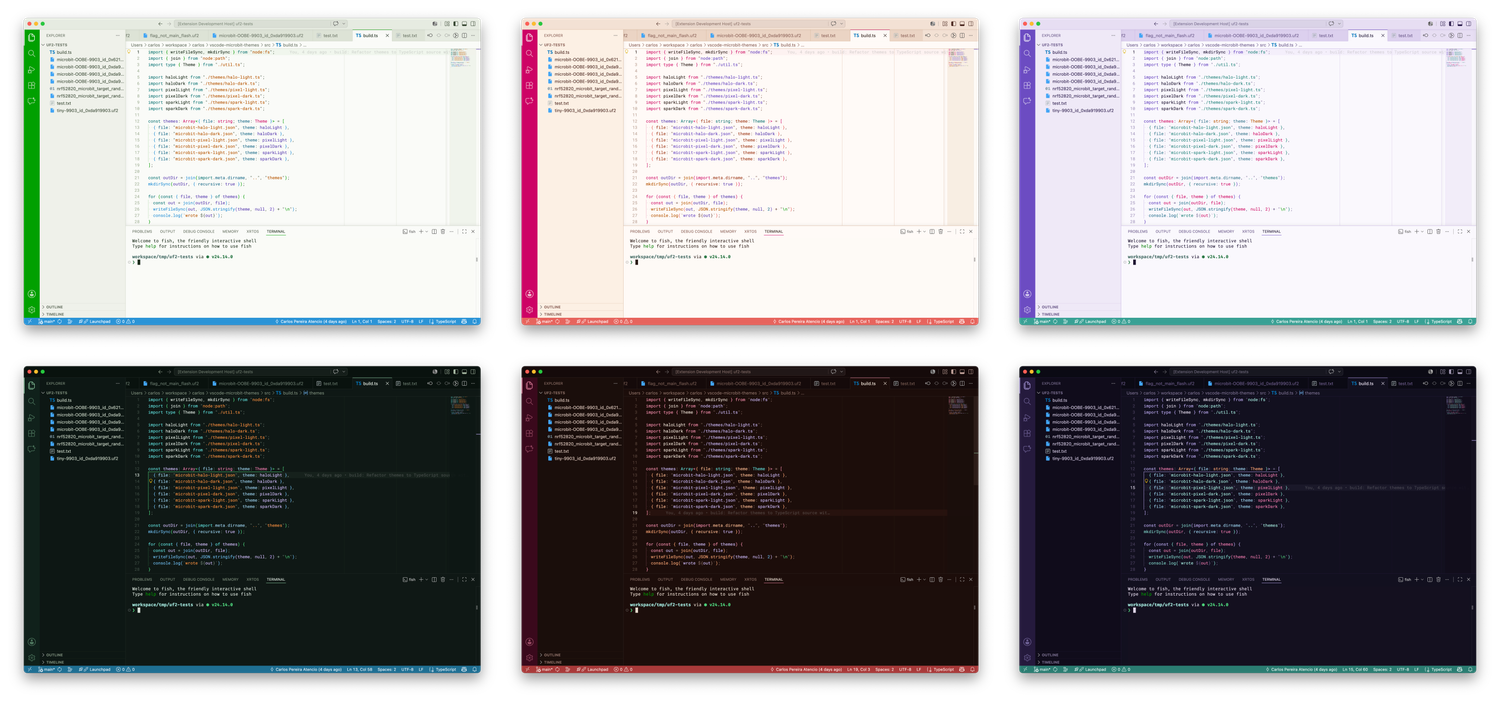
Six VS Code colour themes inspired by the BBC micro:bit. Pixel, Spark, and Halo, each in light and dark versions.

screenshot with all themes

Themes

Theme Mode Chrome pair
micro:bit Pixel Light Light Green / Blue
micro:bit Pixel Dark Dark Green / Blue
micro:bit Spark Light Light Red / Orange
micro:bit Spark Dark Dark Red / Orange
micro:bit Halo Light Light Purple / Teal
micro:bit Halo Dark Dark Purple / Teal

Install

From the Marketplace

  1. Open the Extensions view (⇧⌘X / Ctrl+Shift+X).
  2. Search for micro:bit Themes.
  3. Click Install.

Activate a theme

  1. Press F1 (or ⇧⌘P / Ctrl+Shift+P).
  2. Run Preferences: Color Theme.
  3. Pick any micro:bit … entry.

License

MIT.

These themes are not affiliated with or endorsed by the Micro:bit Educational Foundation.

  • Contact us
  • Jobs
  • Privacy
  • Manage cookies
  • Terms of use
  • Trademarks
© 2026 Microsoft