MdRun
Executable Markdown for VS Code
Run code blocks in .md files using your installed languages.
No extra runtime. No kernels. Just your languages.
Features •
Getting Started •
Languages •
Shared State •
Commands •
Settings
Features
- 8 languages — Go, Python, JavaScript, TypeScript, Rust, C, C++, Bash
- Zero configuration — detects languages from your system PATH
- Shared state — variables and functions carry across cells automatically
- Isolated mode —
exec isolated for independent cell execution
- Syntax highlighting — powered by highlight.js
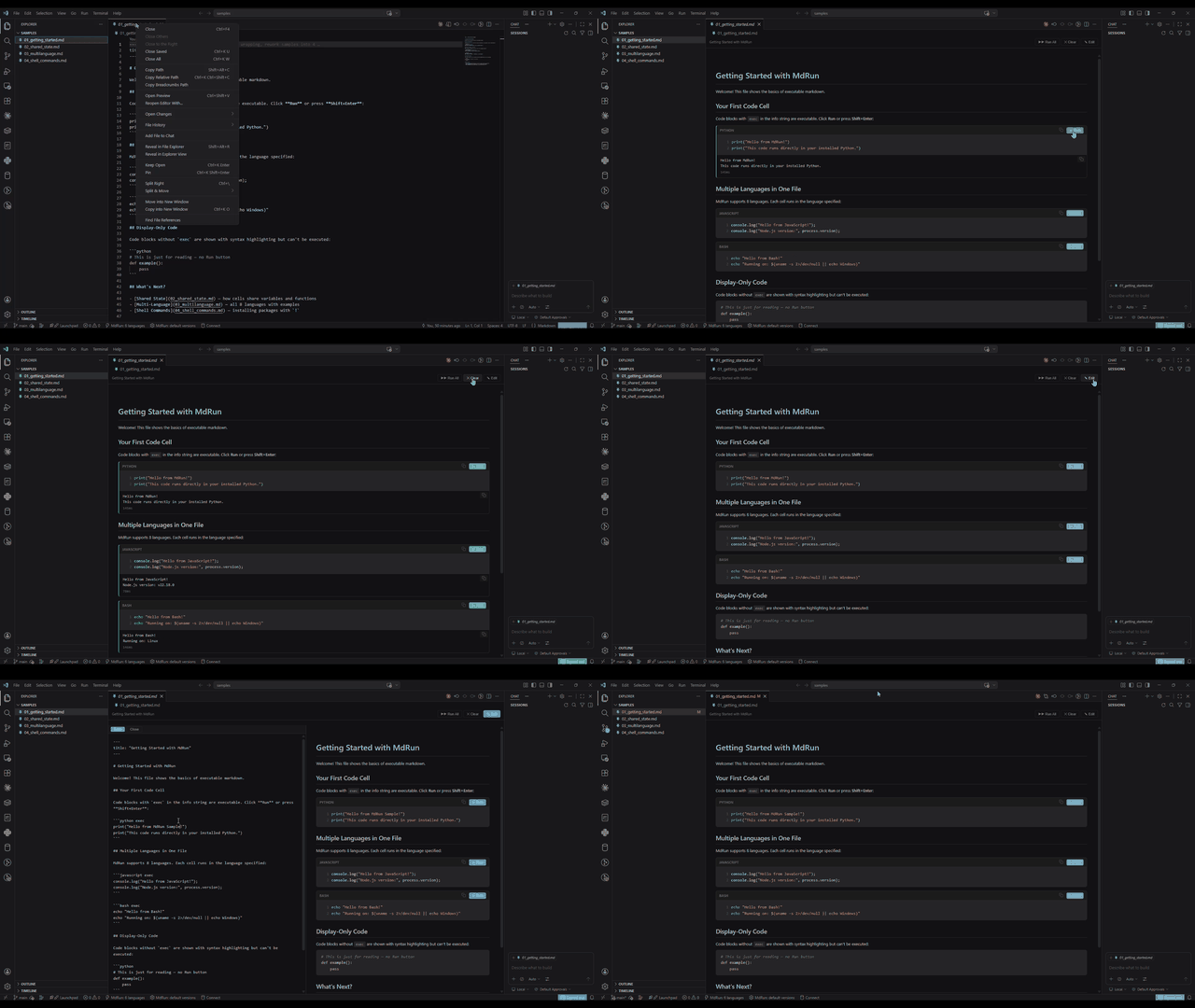
- Built-in editor — split view with live preview and synchronized scrolling
- TOC sidebar — navigate headings from the activity bar
- Shell commands —
!pip install, !go get, !npm install from any cell
- Version selector — choose between multiple language installations
- Run All with stop support, keyboard shortcuts, copy buttons
Getting Started
- Install the extension
- Open any
.md file
- Right-click the file tab → "Reopen Editor With..." → "MdRun"
- Click Run on any code cell
Or use the command palette: Ctrl+Shift+P → "MdRun: Open as Executable Markdown"
Add exec to a fenced code block to make it executable:
# My Document

Some explanation...

```python exec
primes = [n for n in range(2, 30) if all(n % i != 0 for i in range(2, int(n**0.5) + 1))]
print(f"Primes: {primes}")
```

```go exec
import "fmt"
fmt.Println("Hello from Go!")
```

Regular code blocks without `exec` are display-only:

```python
# Syntax highlighted but not executable
```
Supported Languages
| Language |
Runtime |
Shared State |
Install Libraries |
| Python |
python |
✓ |
!pip install pkg |
| Go |
go build + run |
✓ |
Auto-fetches imports |
| JavaScript |
node |
✓ |
!npm install -g pkg |
| TypeScript |
Node 22.6+ / Deno / tsx |
✓ |
!npm install -g tsx |
| Rust |
rustc |
✓ |
Standalone compilation |
| C |
gcc |
✓ |
Standalone compilation |
| C++ |
g++ |
✓ |
Standalone compilation |
| Bash |
bash |
✓ |
System commands |
Auto-wrapping: Go, Rust, C, and C++ cells are automatically wrapped in main() if needed. Functions and type definitions are placed at the top level.
Shared State
Cells of the same language share state by default:
```python exec
data = [1, 2, 3, 4, 5]
print(f"Data: {data}")
```

```python exec
# data is available from the previous cell
print(f"Sum: {sum(data)}")
print(f"Mean: {sum(data) / len(data)}")
```
Isolated Mode
Use exec isolated to run a cell without shared state:
```python exec isolated
# Fresh Python — no access to previous cells
print("I'm independent")
```
Shell Commands
Use the ! prefix to run shell commands from any cell:
```python exec
!pip install requests
```

```bash exec
!go version
!python --version
!node --version
```
Libraries install to your system — they persist across files and restarts.
Commands
| Command |
Description |
MdRun: Open as Executable Markdown |
Open .md file in MdRun |
MdRun: Open with Source (Split View) |
Built-in editor + preview |
MdRun: Installed Languages |
Show detected languages |
MdRun: Select Language Version |
Choose version per language |
Keyboard Shortcuts
| Shortcut |
Action |
Shift+Enter |
Run the focused cell |
Ctrl+S |
Save source in edit mode |
Settings
| Setting |
Default |
Description |
mdrun.executionTimeout |
30 |
Timeout in seconds |
mdrun.languages |
{} |
Override binary paths |
{
  "mdrun.languages": {
    "python": "/usr/bin/python3.12",
    "go": "/usr/local/go/bin/go"
  }
}
Building from Source
git clone https://github.com/c0de1nd3x/mdrun-vscode.git
cd mdrun
npm install
npm run compile
npm test
Press F5 in VS Code to launch the Extension Development Host.
Contributing
Contributions are welcome! Please open an issue or pull request.
License
MIT

