RC File Editor
A visual editor for Windows RC (Resource Script) files in Visual Studio Code.
Features
- Visual Dialog Editor - Drag-and-drop dialog designer with control placement, resizing, and property editing
- Menu Editor - Hierarchical menu/popup editor with indent/outdent support
- String Table Editor - Searchable string table with inline editing
- Accelerator Editor - Keyboard shortcut editor with modifier checkboxes
- Version Info Editor - Structured VERSIONINFO block editor
- Toolbar Editor - Button list editor with reordering
- File Reference Editor - File browser for ICON, BITMAP, CURSOR, FONT, HTML, MANIFEST resources
- Multi-Language Support - Language-grouped resource tree for multi-language RC files, with language-aware resource creation
- Full Round-Trip - Preserves preamble (
#include, #pragma, #define) through edits
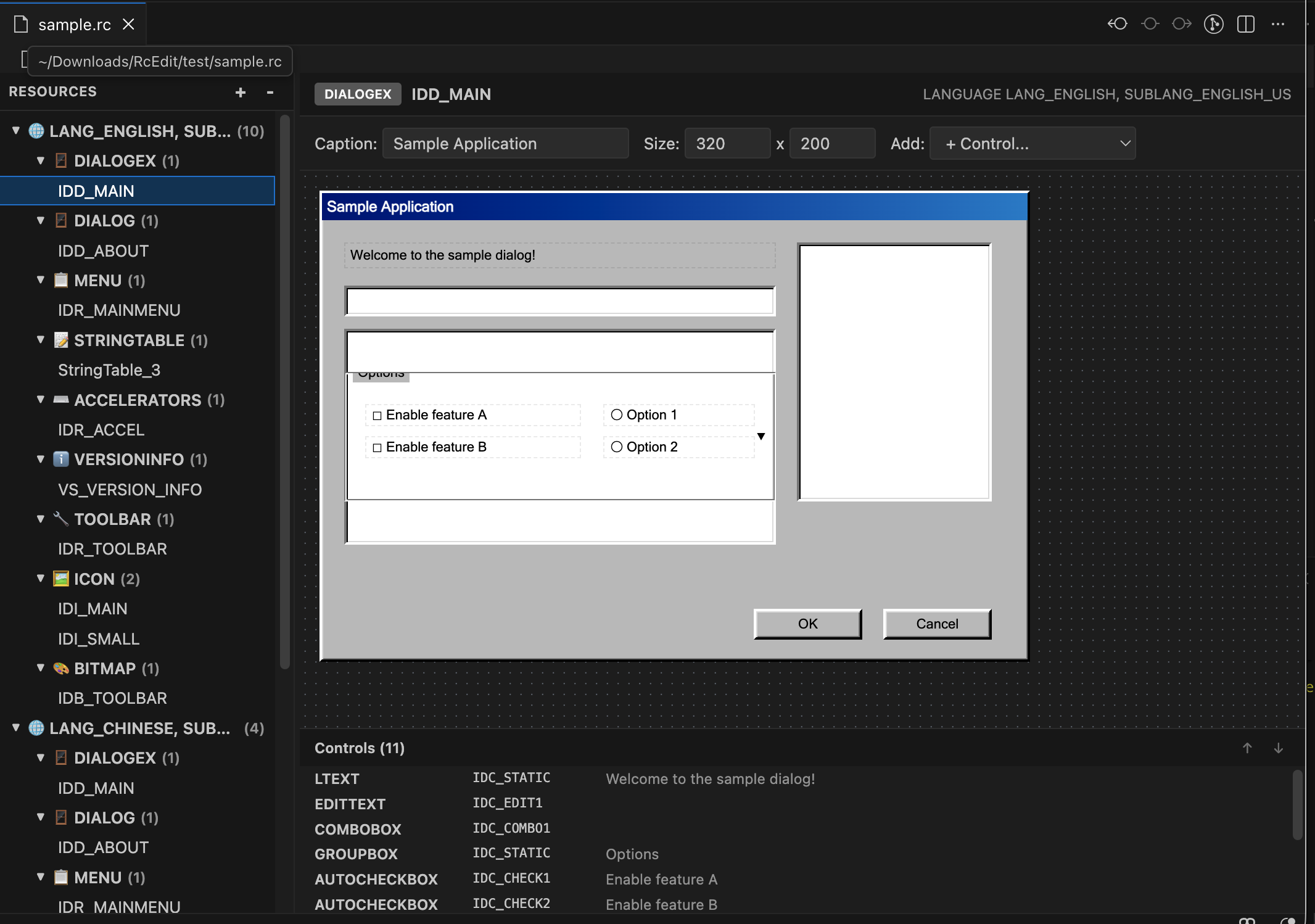
Screenshot
Supported Resource Types
| Type |
Editor |
| DIALOG / DIALOGEX |
Visual drag-and-drop designer |
| MENU / MENUEX |
Hierarchical tree editor |
| STRINGTABLE |
Filterable table editor |
| ACCELERATORS |
Table with modifier checkboxes |
| VERSIONINFO |
Structured block editor |
| TOOLBAR |
Button list editor |
| ICON, BITMAP, CURSOR, FONT, HTML, MANIFEST, RCDATA |
File path browser |
| Unknown types |
Raw text editor |
Getting Started
- Install the extension from the VS Code Marketplace
- Open any
.rc file
- The visual editor opens automatically
Requirements
- Visual Studio Code 1.85.0 or later
| |

