The Islands Theme for VS Code
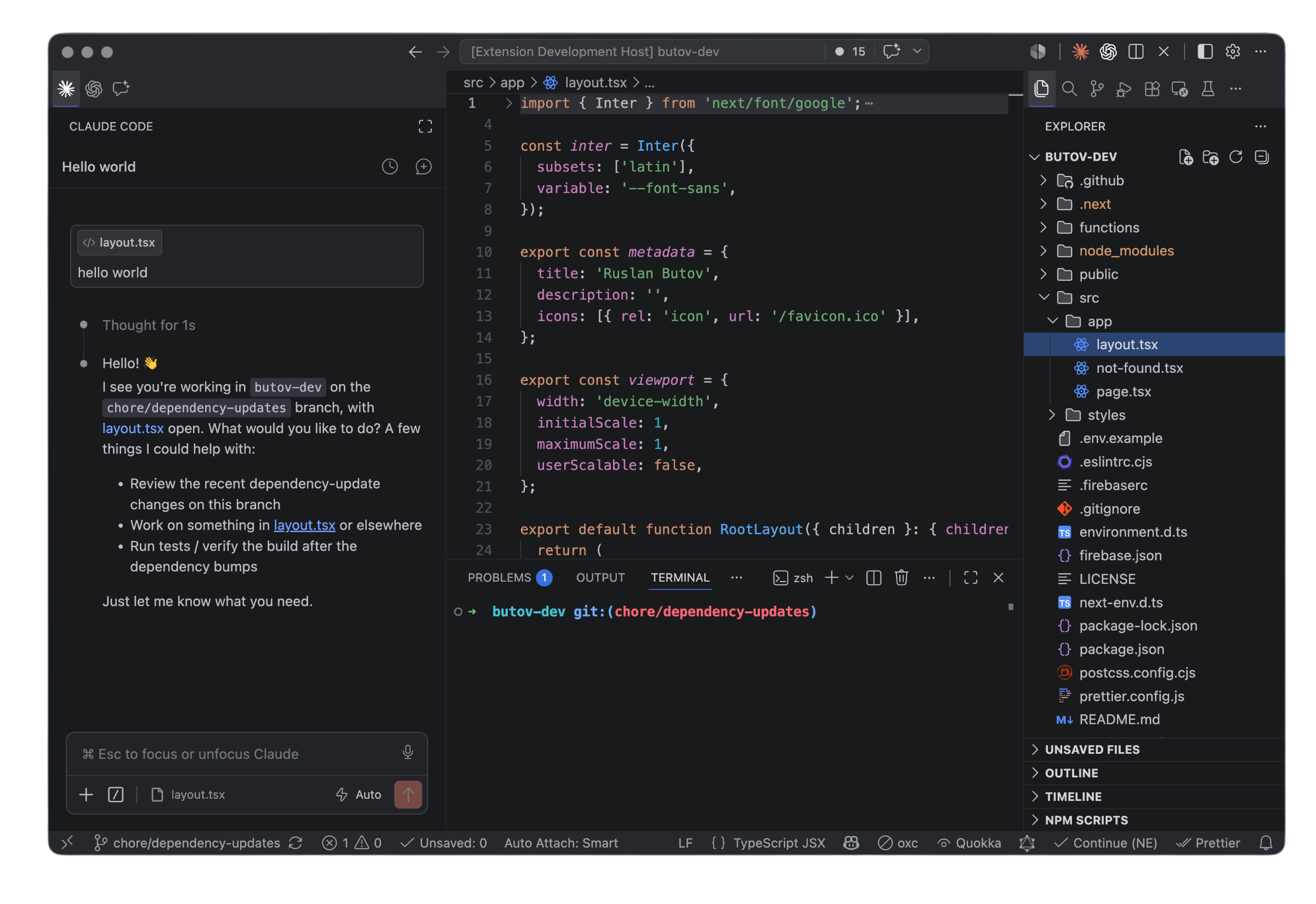
The Islands Theme is a Visual Studio Code theme pack designed to replicate the soft, layered aesthetics of JetBrains Islands — the new default look across JetBrains IDEs. It includes three variants matching the JetBrains theme picker: Islands Dark, Islands Light, and Islands Darcula.
Whether you're a seasoned coder working long hours or just someone who appreciates elegant design, this theme offers the perfect blend of style and functionality.
Screenshots
Features
- Three Islands Variants: Islands Dark, Islands Light, and Islands Darcula — the same trio shipped with JetBrains IDEs.
- Layered Chrome: Soft separation between the main window, editor islands, and tool windows, inspired by JetBrains Islands.
- Enhanced Readability: Carefully selected colors for syntax highlighting ensure that your code is easy to read and work with, even during extended sessions.
- Consistent Color Scheme: Works seamlessly across a variety of languages and file formats, ensuring that your coding environment remains cohesive.
- Eye-Strain Reduction: Dark and Darcula variants are optimized for low-light environments; Light keeps high contrast for daytime work.
Installation
- Open Extensions in VSCode's sidebar. (or From Command Palette (Ctrl+Shift+P),
View: Show Extensions)
- Search for
The Islands Theme.
- Click Install to install it.
- From Command Palette (Ctrl+Shift+P), select
Preferences: Color Theme and choose Islands Dark, Islands Light, or Islands Darcula.
Customization
Want to make the theme your own? You can easily customize it:
- Open the Command Palette (
Ctrl+Shift+P).
- Search for
Preferences: Open Settings (JSON) and select it.
- From there, you can adjust settings like editor colors, font styles, and more to create a personalized look.
Why Choose This Theme?
- Focus on Productivity: With its clean, layered design and carefully balanced colors, this theme helps you stay focused on your code.
- Inspiration from JetBrains: Enjoy the familiar, polished look of JetBrains' Islands theme in your favorite code editor.
- Pick Your Mood: Dark for the default Islands look, Light for daytime, Darcula for the classic low-contrast feel.
Issues and Feedback
Found any bugs or have suggestions to improve the theme? Please report issues in the GitHub repository. Your feedback helps us make this theme even better!
Recommended Editor Settings
{
  "editor.fontFamily": "JetBrains Mono",
  "editor.fontLigatures": true,
  "terminal.integrated.fontFamily": "monospace",
  "editor.bracketPairColorization.enabled": false,
  "workbench.iconTheme": "vscode-jetbrains-icon-theme-2023-auto"
}
Contributing
We welcome contributions from the community! To contribute:
- Fork the repository on GitHub.
- Create a new branch for your feature or bug fix.
- Push your changes and submit a pull request.
License
The Islands Theme is released under the MIT License.
JetBrains, IntelliJ, and related marks are trademarks of JetBrains s.r.o. This extension is an independent, unofficial recreation and is not affiliated with or endorsed by JetBrains.
Enjoy a smoother, more focused coding experience with The Islands Theme – where elegance meets functionality!

