Skip to content
| Marketplace
Sign in
Visual Studio Code>Other>NextJS CodeNew to Visual Studio Code? Get it now.
NextJS Code

NextJS Code

Preview

bullptr

|
2 installs
| (1) | Free
Next.js for VS Code
Installation
Launch VS Code Quick Open (Ctrl+P), paste the following command, and press enter.
Copied to clipboard
More Info

NextJS Code

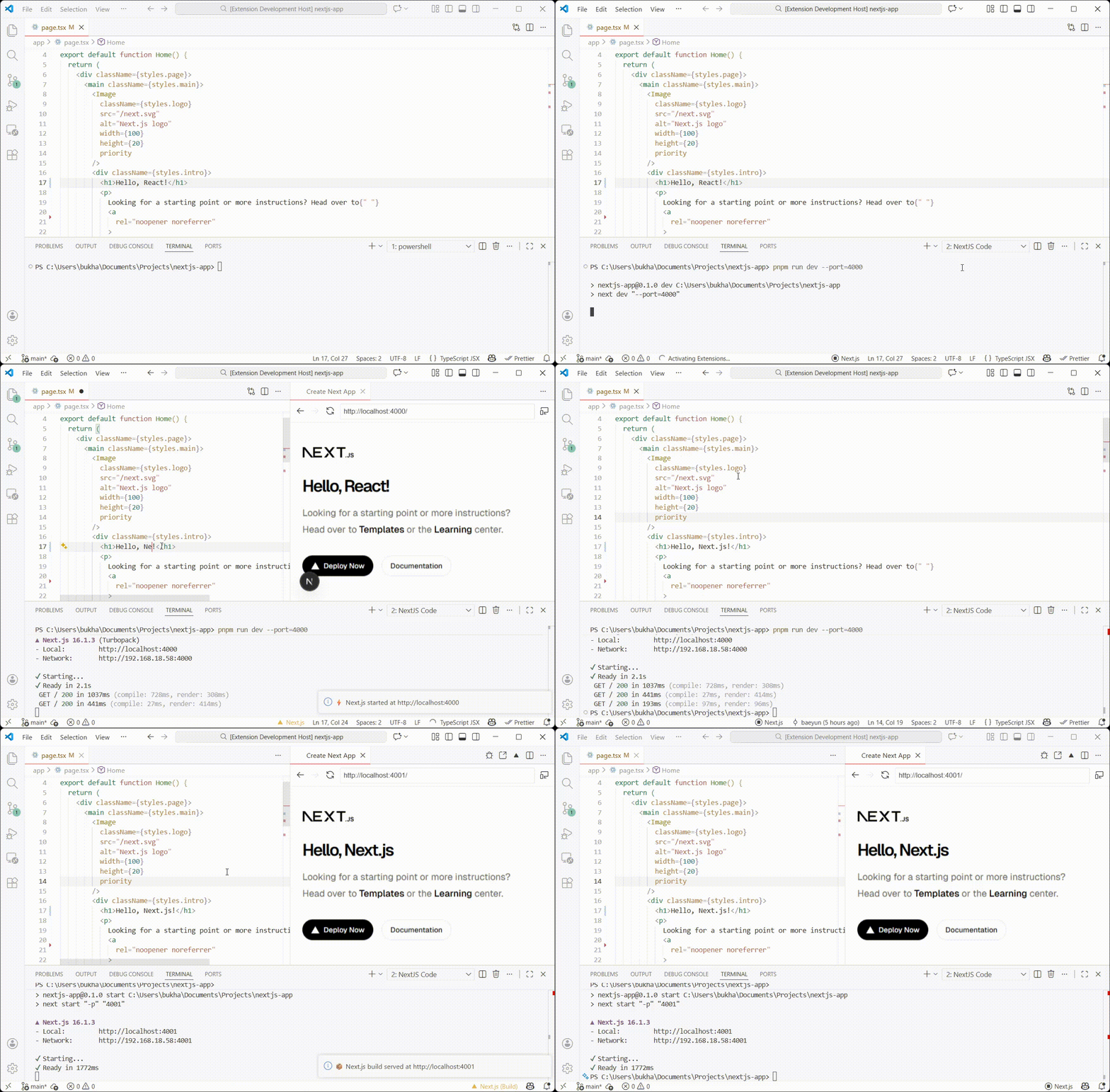
An interactive extension to streamline your Next.js development workflow. Start coding instantly, preview your changes, and manage builds, all from within your editor.

Preview

Features

  • Instant Dev Server: Automatically start the Next.js development server when you open the project.
  • In-Editor Preview: Debug and preview your app without ever leaving your editor.
  • One-Click Build & Serve: Build and serve your app with a single click.
  • Easy Server Restart: Restart the server at any time with one click.

Requirements

  • Node.js installed on your machine
  • An existing Next.js project

Contributing

We welcome contributions! If you have suggestions, report a bug, or want to propose new features, please open an issue or submit a pull request.

License

This project is licensed under the MIT License.

Acknowledgements

Inspired by the excellent Vite for vscode extension by antfu.

  • Contact us
  • Jobs
  • Privacy
  • Manage cookies
  • Terms of use
  • Trademarks
© 2026 Microsoft