Autorminal
Auto Split Terminal Extension (Autorminal)
Features
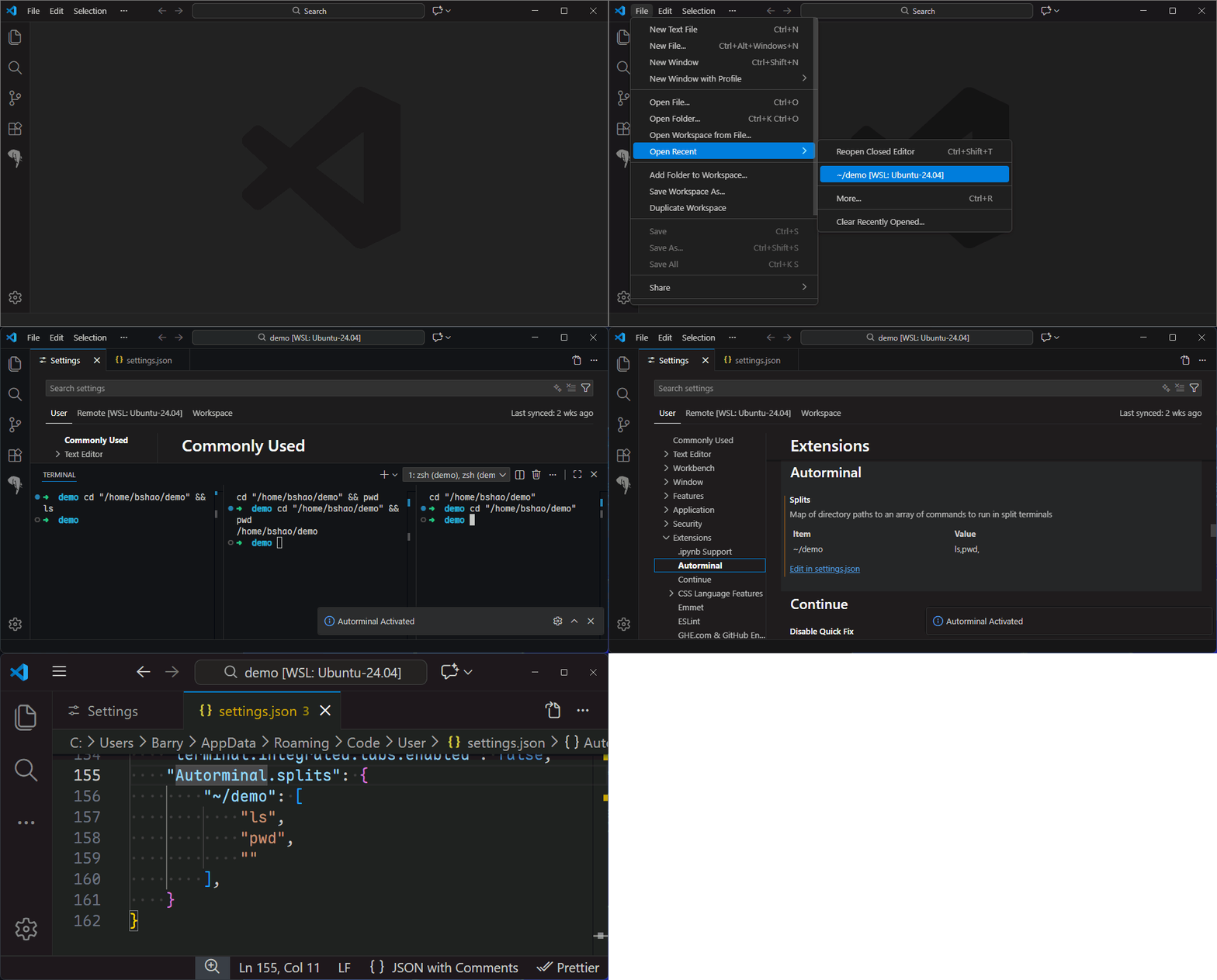
- Automatically creates multiple split terminals for specified directories when the workspace opens
- Each terminal runs preset commands automatically
- Supports configuring different commands for different directories
- Supports
~ as the home directory path
Getting Started
- Install this extension.
- Add the following configuration to your VS Code settings (settings.json):
"Autorminal.splits": {
  "~/project": ["ls", "npm start"],
  "/tmp": ["echo Hello"]
}
- Reload the window or restart VS Code.
- When you open a workspace containing the specified directories, terminals will be automatically created and commands executed.
Configuration
- Autorminal.splits: An object where each key is a directory path (supports ~), and the value is an array of commands.
- Example:
"Autorminal.splits": {
  "~/mydir": ["ls", "pwd"],
  "/tmp": ["echo Hello"]
}
FAQ
- Terminals are only created for directories that exist in the current workspace.
- The
~ path is automatically expanded to your home directory.
- The configuration must be edited manually in settings.json.
License
MIT License
| |


