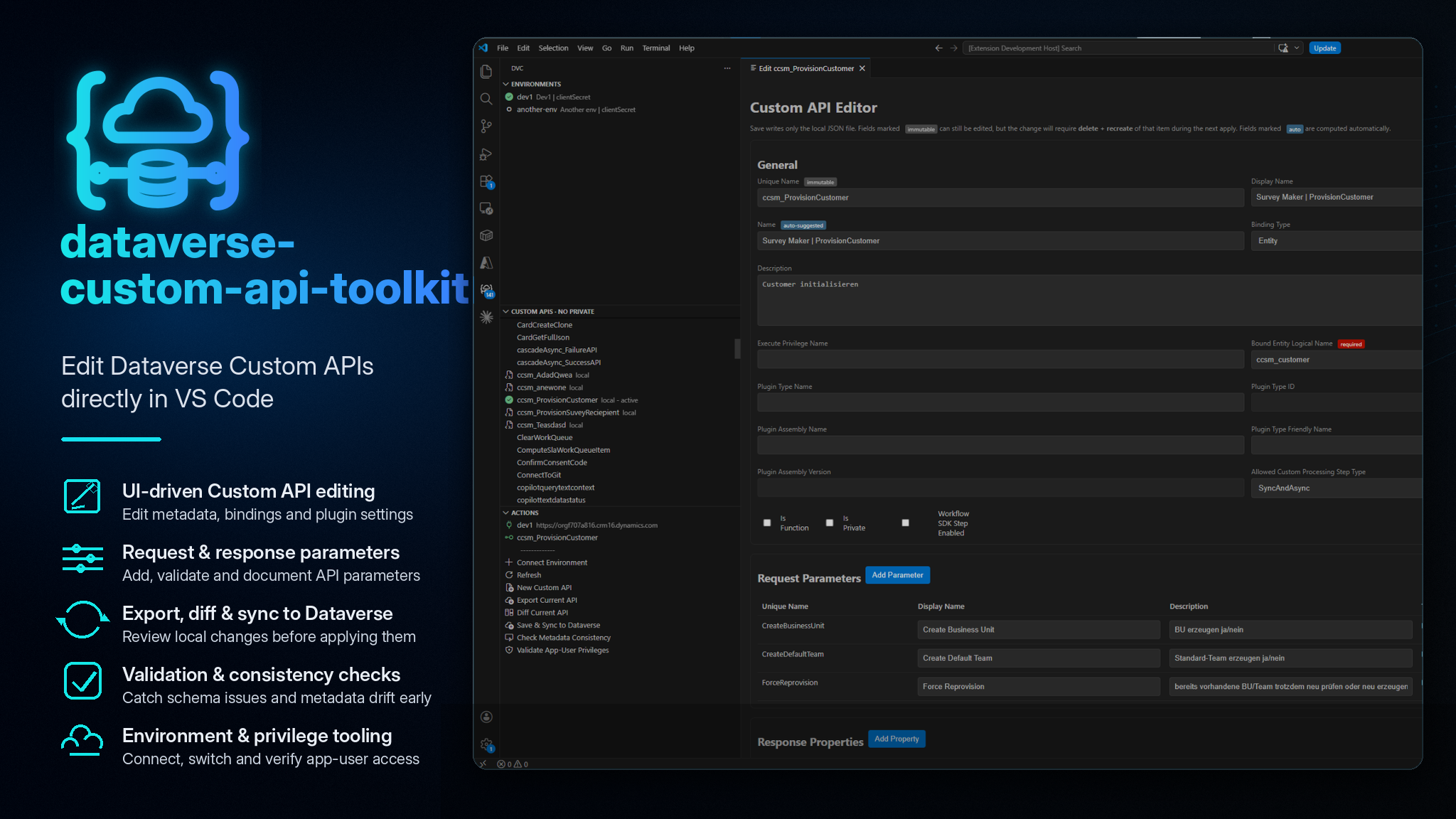
Manage Microsoft Dataverse Custom APIs directly from VS Code.
The Dataverse Custom API Toolkit gives you a developer-friendly UI for working with Custom API metadata, request parameters and response properties without constantly switching back to the Dataverse Maker Portal. It is built on top of the @brunsforge/dataverse-custom-api CLI and brings environment management, export, validation, diff, sync planning and privilege checks into the VS Code sidebar.
Instead of editing Custom APIs field by field in make.powerapps.com, you can connect to an environment, export an API definition, review and edit it locally, compare it with Dataverse metadata, and sync changes back in a controlled way.
Why use this extension?
Edit Custom APIs in a proper developer UI
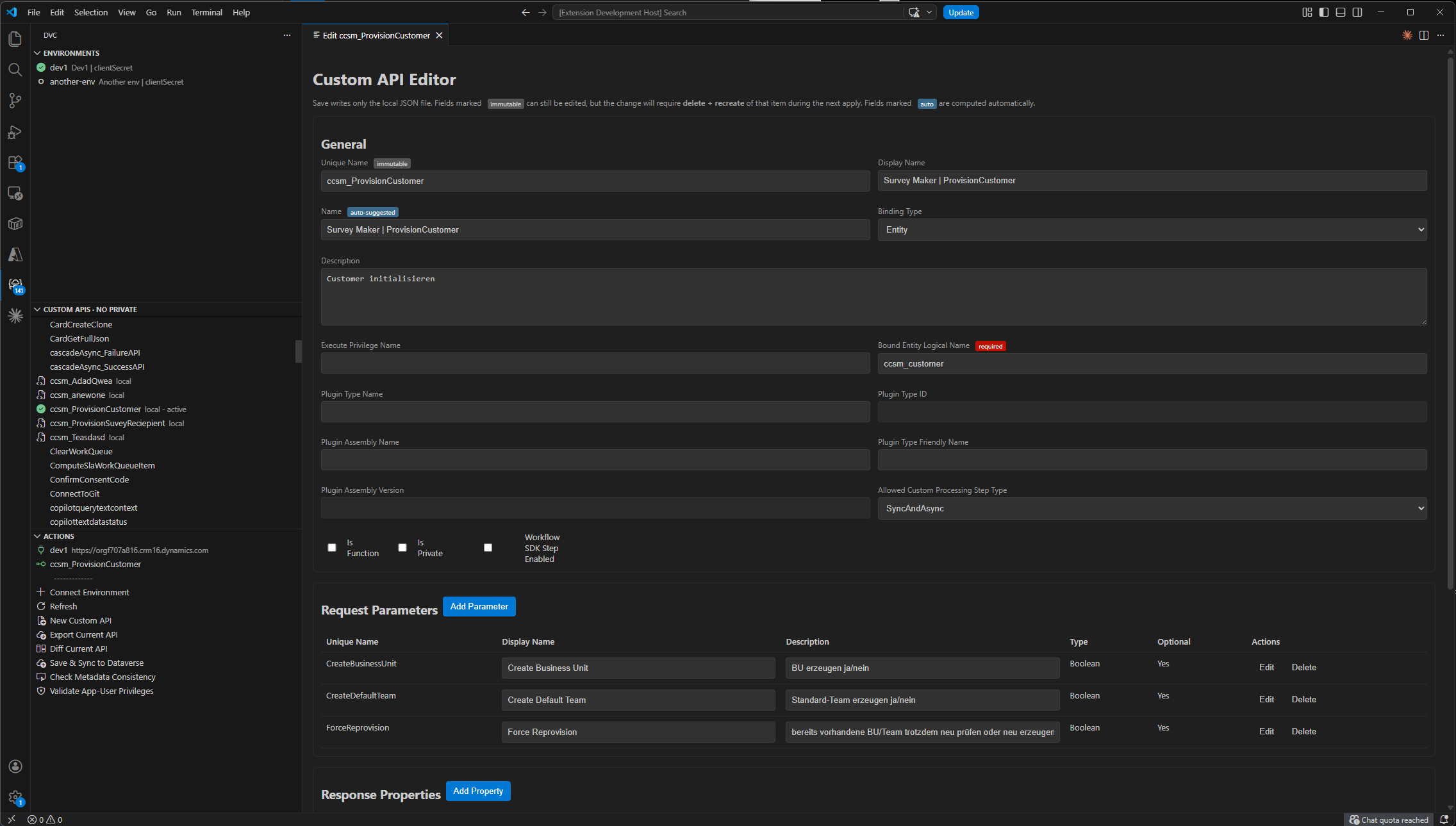
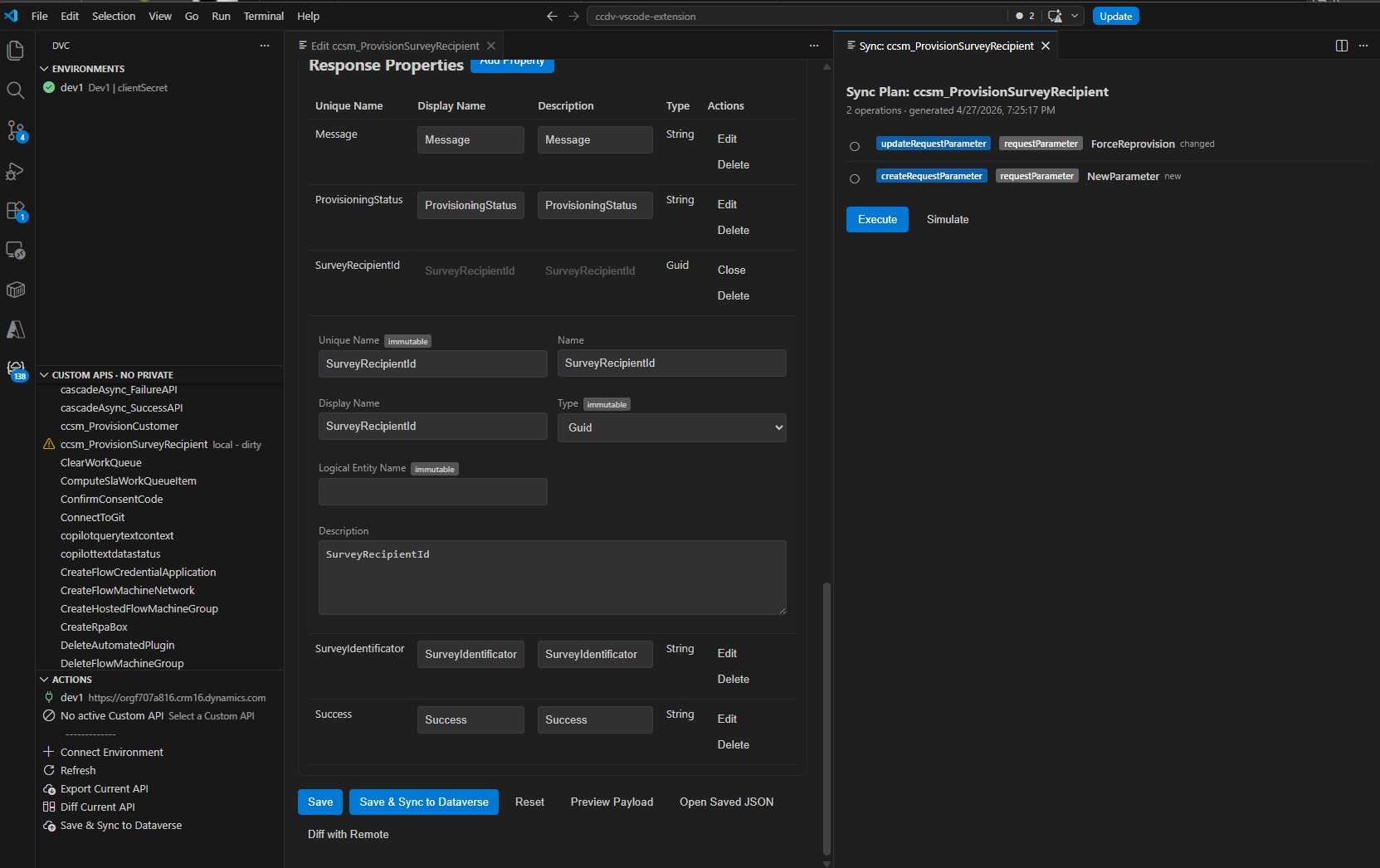
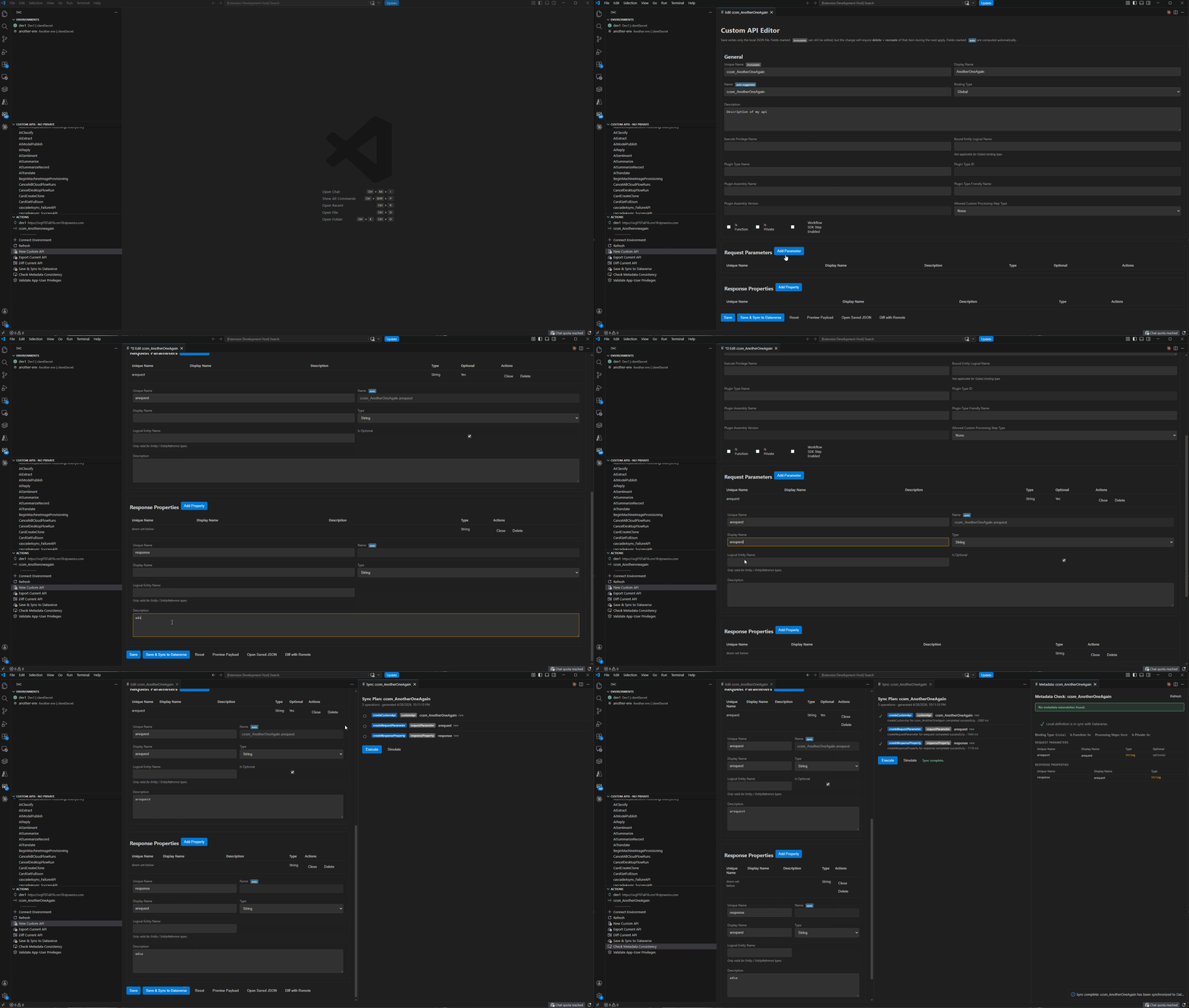
The main value of the extension is the Custom API Editor. It exposes the relevant Dataverse Custom API metadata in a structured VS Code editor view, including:
- Custom API unique name, name, display name and description
- binding type and bound entity logical name
- function/private/workflow SDK flags
- allowed custom processing step type
- plugin type and plugin assembly metadata
- request parameters
- response properties
This is especially useful when working with APIs that have several parameters or response properties. The editor gives you a clearer overview than the Maker Portal and keeps the definition close to your development workflow.
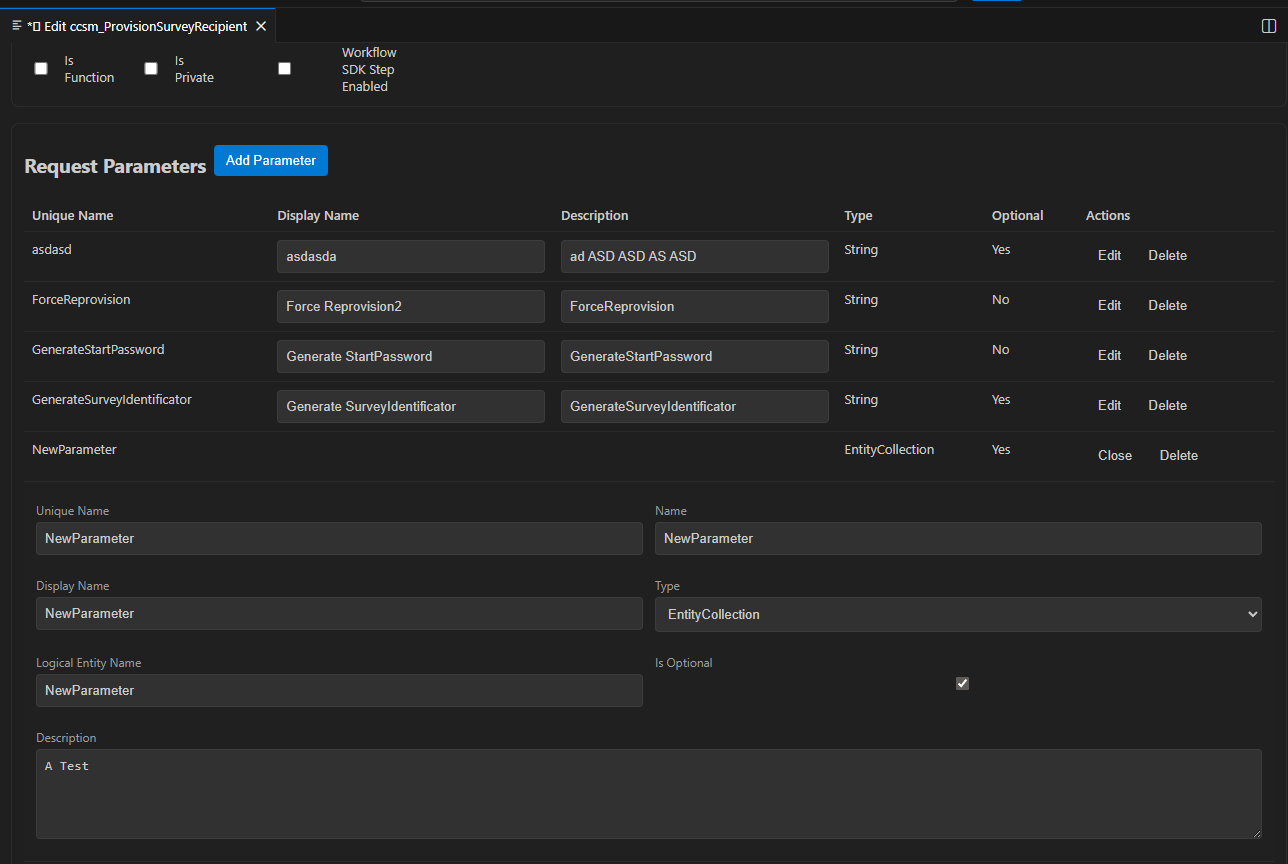
Edit request parameters
Add or update request parameters with display name, description, type and optional flags.
|
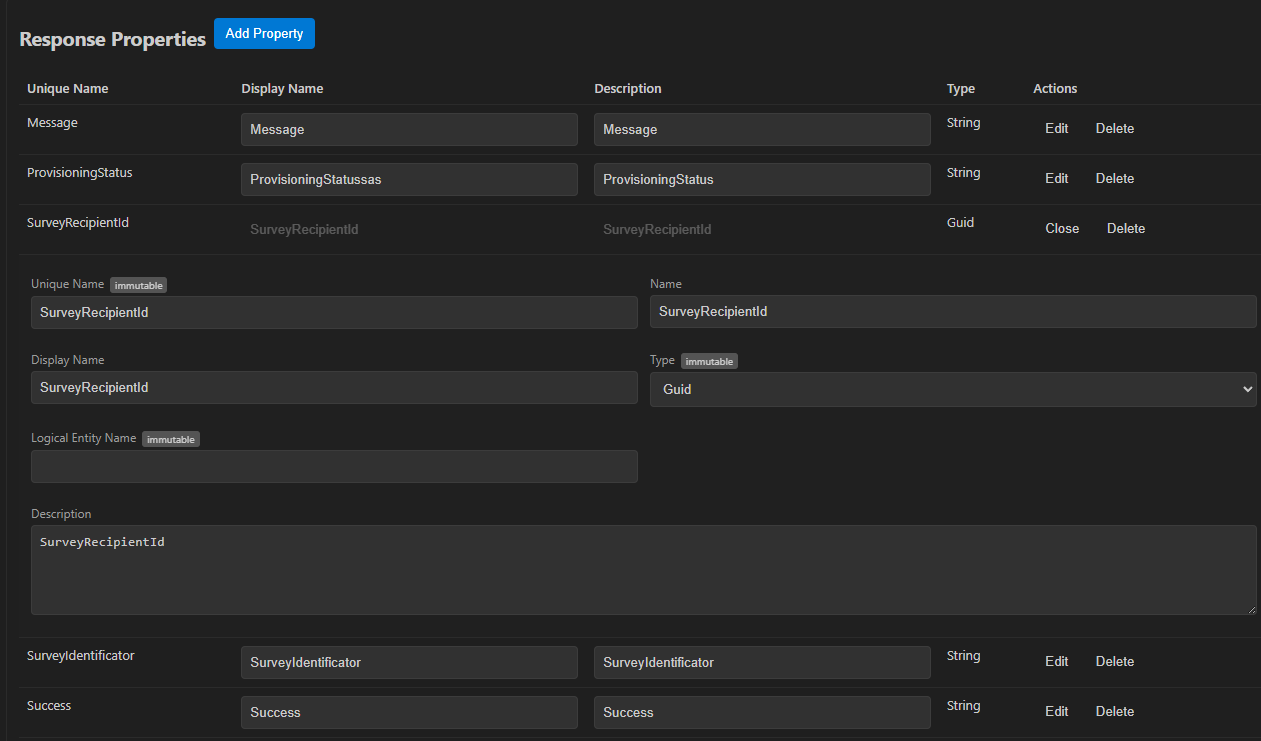
Edit response properties
Maintain response properties in the same UI-driven workflow.
|
Work locally, review safely, then sync
The toolkit exports Custom API metadata as local JSON. That makes changes easier to inspect, diff, version and review before they are applied to Dataverse.
Typical workflow:
- Connect to a Dataverse environment
- Select or export a Custom API
- Edit the local definition in the UI
- Compare local changes with Dataverse metadata
- Build and review a sync plan
- Save and sync the changes back to Dataverse
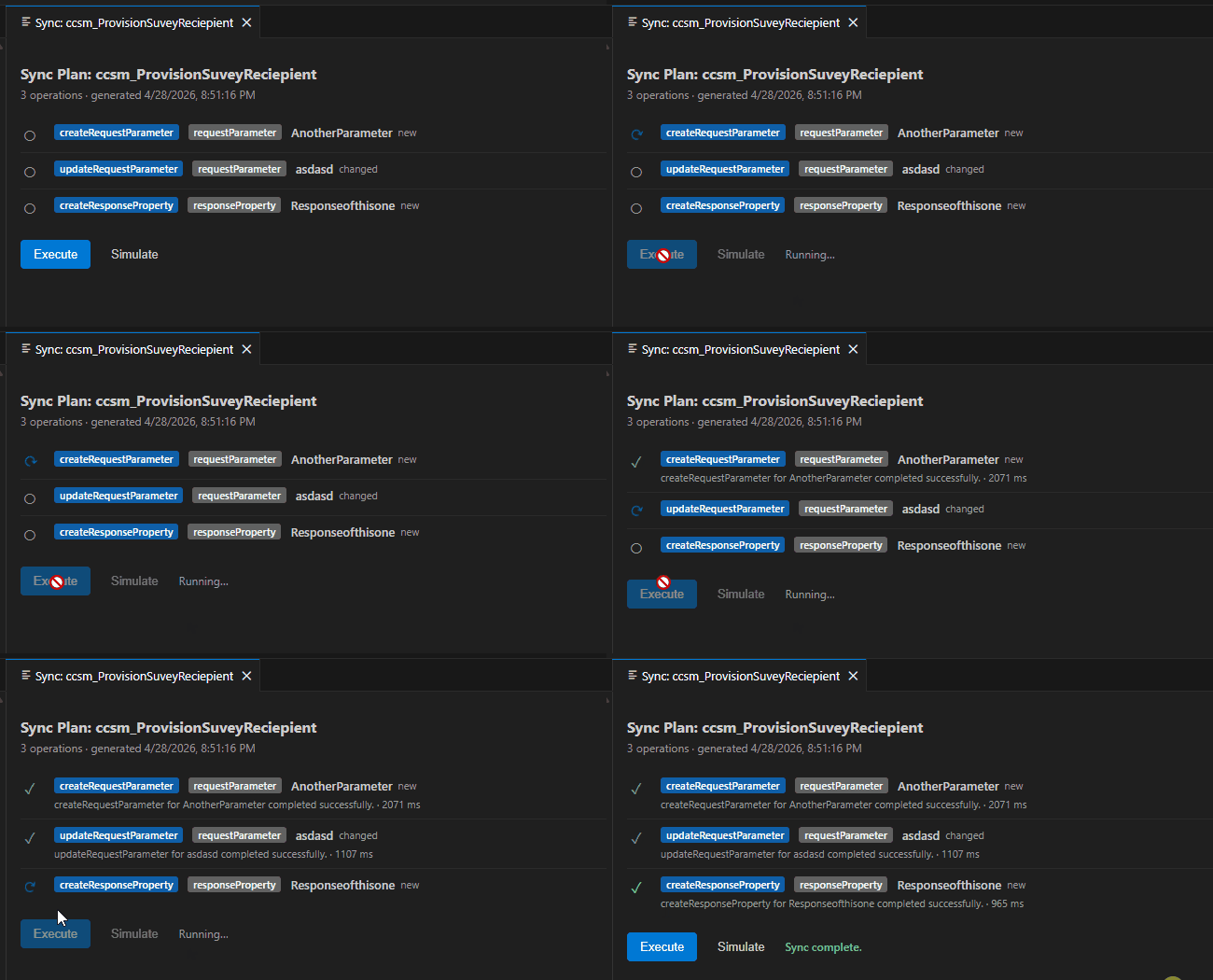
The extension keeps the important operations visible in the DVC sidebar:
- which environment is active
- which Custom API is active
- whether an API exists only locally or also in Dataverse
- what will change before a sync
- whether the app user has the required privileges
Features
- Connect to multiple Dataverse environments
- Store, edit, switch and remove environment profiles
- List Custom APIs from the active Dataverse environment
- Filter Custom APIs by category and search by name
- Select an active Custom API
- Export Custom API definitions as local JSON
- Create new local Custom API definitions
- Edit Custom API metadata in a UI-driven editor
- Edit request parameters
- Edit response properties
- Open the underlying JSON definition when needed
- Compare local definitions against Dataverse metadata
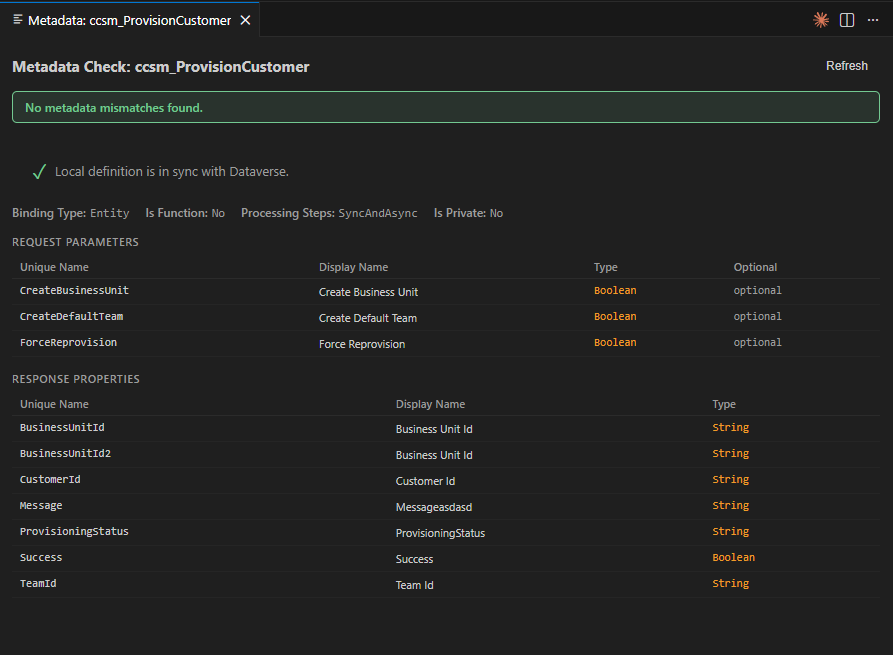
- Check metadata consistency
- Build and review sync plans
- Save and sync Custom API changes back to Dataverse
- Validate app-user privileges required for Custom API management
- Use graceful fallback behavior when plugin type binding privileges are missing
The extension adds a dedicated DVC Activity Bar view to VS Code.
The sidebar is split into three main sections:
| Section |
Purpose |
| Environments |
Manage saved Dataverse environments and select the active connection. |
| Custom APIs |
Browse, filter, select, export and edit Custom APIs. |
| Actions |
Run common workflow actions for the active environment or active Custom API. |
Environments section
The Environments section shows all saved Dataverse connections. The active environment is marked in the tree.
| Action |
Description |
| Connect Environment |
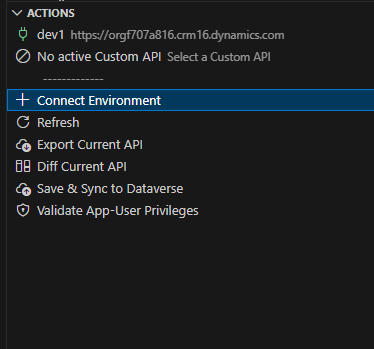
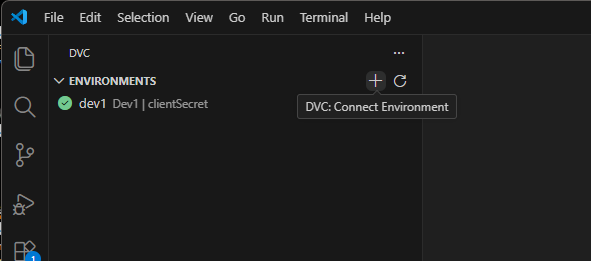
Adds a new Dataverse environment connection. Available from the plus button in the Environments section and from the Actions panel. |
| Use Environment |
Sets the selected environment as the active environment. |
| Edit Environment |
Opens the stored environment configuration so you can update display name, URL or authentication settings. |
| Remove Environment |
Removes the saved environment profile from the local extension configuration. |
| Refresh |
Reloads the sidebar state from the local cache and active environment. |
Connect from Actions
|
Connect from Environments
|
Connect to a Dataverse environment
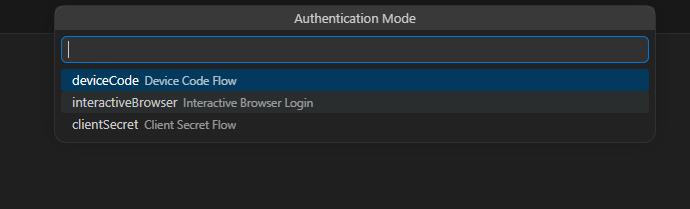
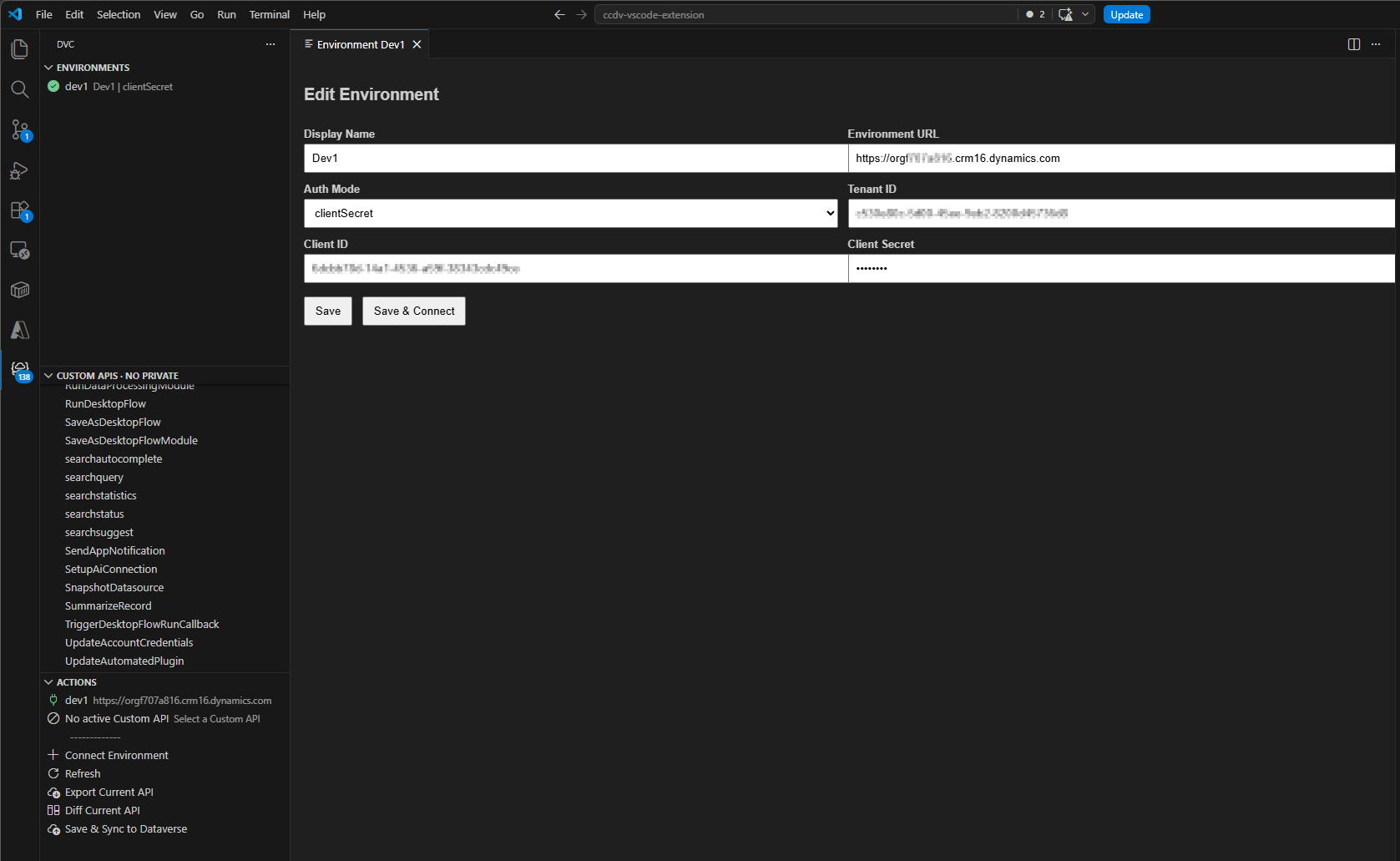
When connecting to an environment, the extension prompts for the required settings. Supported authentication modes come from the underlying Azure Identity-based CLI configuration, including device code, interactive browser and client secret based authentication.
|
The environment configuration can be edited later. This is useful when you want to rename a connection, change the environment URL or adjust authentication-related settings.
|
|
Custom API section
The Custom APIs section lists Custom APIs from the active Dataverse environment and local Custom API artifacts.
Visual indicators help distinguish remote APIs, local artifacts and the currently active API.
| Action |
Description |
| Refresh |
Reloads the Custom API list. |
| Filter Custom APIs |
Opens category filters, for example to focus on public/private APIs or local/remote entries. |
| Search Custom APIs by Name |
Applies a name-based filter to the Custom API list. |
| Use Custom API |
Sets the selected Custom API as the active API. |
| Export Custom API |
Exports the selected Dataverse Custom API into a local JSON artifact. |
| Open Custom API JSON |
Opens the local JSON artifact directly. |
| Edit Custom API |
Opens the UI-driven Custom API Editor. |
| Save & Sync Custom API to Dataverse |
Applies local changes back to Dataverse after validation and planning. |
| Diff Custom API vs Remote |
Compares the local JSON definition with the current Dataverse metadata. |
| Remove Local Custom API Artifact |
Deletes the local JSON artifact without deleting the Dataverse Custom API. |

Export Custom APIs as JSON
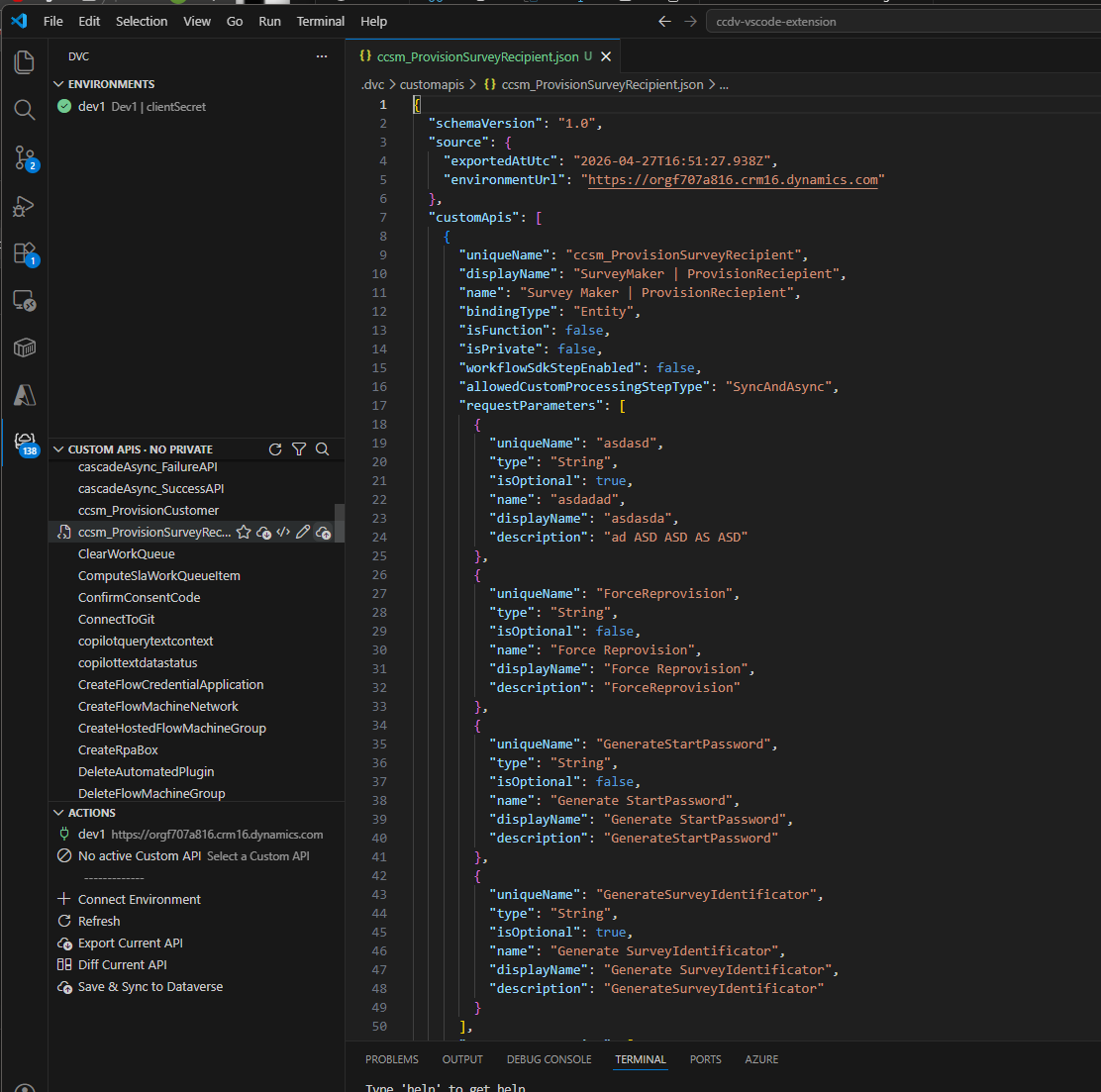
Exporting creates a local JSON representation of the selected Custom API. The JSON file can be inspected, versioned or edited manually if needed.
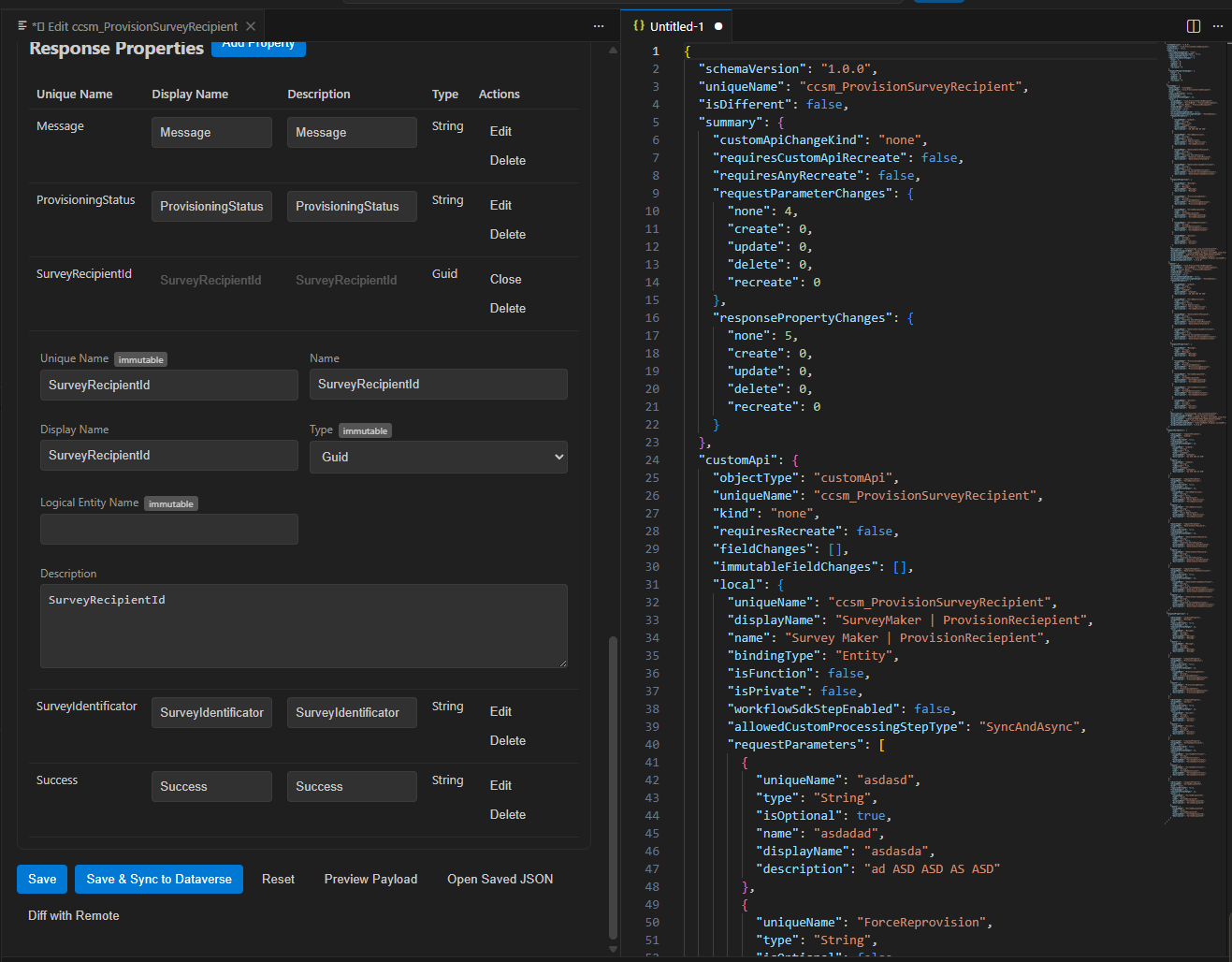
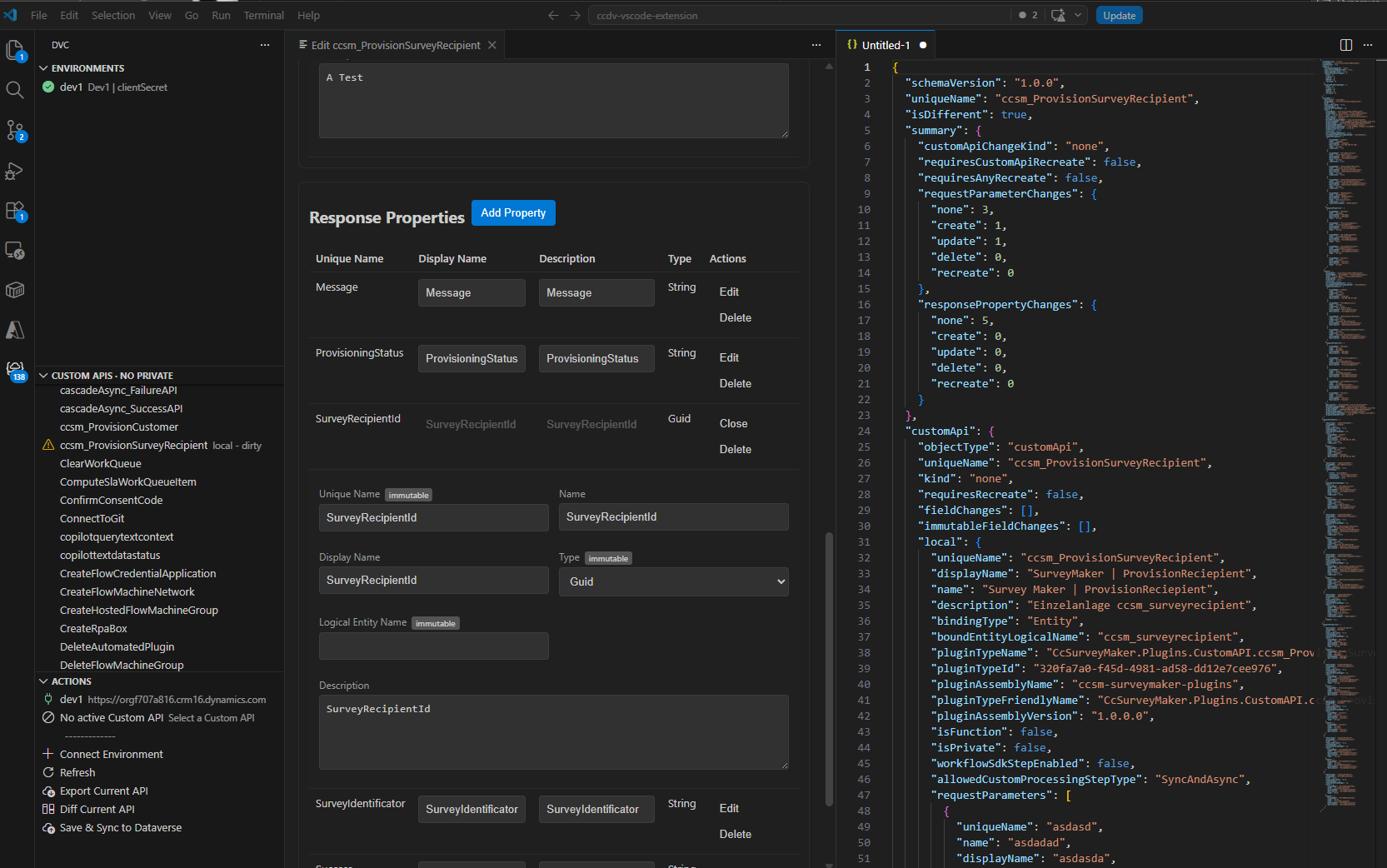
Before applying changes, the extension can compare the local definition with the current Dataverse metadata. This makes it easier to understand what changed and which operations are required.
| Action |
Description |
| Diff Current API |
Compares the local JSON artifact against Dataverse metadata. |
| Check Metadata Consistency |
Reports metadata mismatches between local and remote definitions. |
| Save & Sync to Dataverse |
Builds and executes the required operations to bring Dataverse in line with the local definition. |
Build diff
|
Diff details
|
Actions panel
The Actions section contains the most important commands for the active workflow.
| Sidebar action |
What it does |
When to use it |
| Connect Environment |
Starts the environment connection flow. |
When setting up the extension or adding another Dataverse environment. |
| Refresh |
Reloads environments, Custom APIs and local state. |
After connecting, exporting, syncing or changing files manually. |
| New Custom API |
Creates a new local Custom API definition. |
When you want to design a new Custom API locally before syncing it to Dataverse. |
| Export Current API |
Exports the active Dataverse Custom API to JSON. |
Before editing an existing API. |
| Diff Current API |
Compares local and remote metadata. |
Before syncing or when checking whether Dataverse has drifted. |
| Save & Sync to Dataverse |
Applies local changes to Dataverse. |
After reviewing the local definition and diff. |
| Check Metadata Consistency |
Runs a metadata consistency check. |
When you suspect manual changes in the Maker Portal or a stale local file. |
| Validate App-User Privileges |
Checks whether the configured app user has the required Dataverse privileges. |
Before creating, updating or syncing Custom APIs. |
App-user privileges
The service principal used to connect to Dataverse requires specific privileges. You can check the current status at any time using Validate App-User Privileges in the Actions panel. Results are written to the DVC output channel.
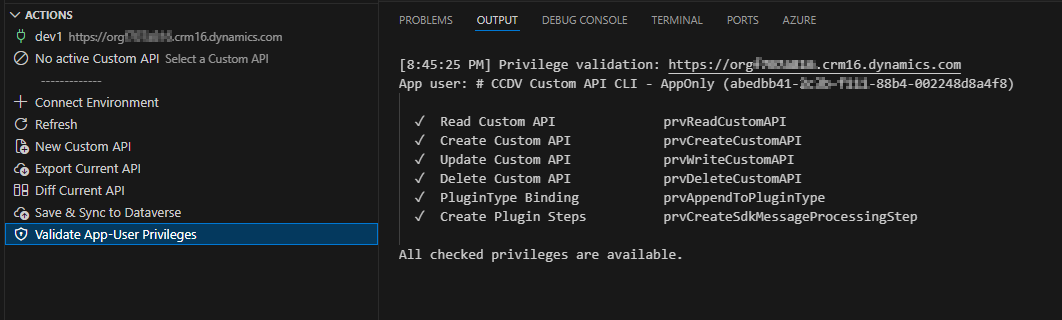
Required privileges
| Feature |
Privilege |
Entity |
Scope |
| Read Custom APIs |
prvReadCustomAPI |
customapi |
Organisation |
| Create Custom APIs |
prvCreateCustomAPI |
customapi |
Organisation |
| Update Custom APIs |
prvWriteCustomAPI |
customapi |
Organisation |
| Delete Custom APIs |
prvDeleteCustomAPI |
customapi |
Organisation |
| Link a Plugin Type |
prvAppendToPluginType |
plugintype |
Organisation |
| Register Plugin Steps |
prvCreateSdkMessageProcessingStep |
sdkmessageprocessingstep |
Organisation |
The first four privileges are covered by the System Customizer role. The last two are not included in any standard role and must be assigned through a custom security role.
Graceful fallback for missing prvAppendToPluginType
When a Custom API is created with a pluginTypeId but the app user lacks prvAppendToPluginType, Dataverse returns HTTP 403. The toolkit automatically retries the create operation without the PluginTypeId@odata.bind field so the API itself is still created successfully.
A warning is shown in the Sync panel and logged to the DVC output channel.
To resolve permanently, create a custom security role with:
- Entity:
Plug-In-Typ / plugintype
- Privilege:
AppendTo / prvAppendToPluginType
- Scope: Organisation
Assign this role to the app user in addition to System Customizer.
prvCreateSdkMessageProcessingStep — no fallback
This privilege is required to register plugin execution steps. There is currently no automatic fallback for this operation. A missing privilege will cause a hard failure when syncing Custom API definitions that include step registrations.
Requirements
- VS Code
- Node.js
- Access to a Dataverse environment
- Microsoft Entra app registration for authentication
- Sufficient Dataverse privileges for Custom API metadata
Getting started
- Install the extension.
- Open the DVC Activity Bar view.
- Use Connect Environment to add a Dataverse environment.
- Select the environment.
- Export an existing Custom API or create a new local definition.
- Open the Custom API Editor.
- Edit metadata, request parameters and response properties.
- Run Diff Current API or Check Metadata Consistency.
- Use Save & Sync to Dataverse when you are ready to apply the changes.
Notes
Live sync operations may create, update or delete Dataverse Custom API metadata. Review diffs and sync plans before applying changes to production environments.
License
MIT
Author
Andreas Brunsmann
GitHub: https://github.com/brunsforge

