your friendly, encouraging and brainrotted coding companion
Inspiration
Inspired by vscode-pets, we wanted a VSCode pet that was #relatable, like Bibble. At the same time, we wanted a coding companion that was encouraging, entertaining and engaging, which led us to develop brainrot buddy.
What it does
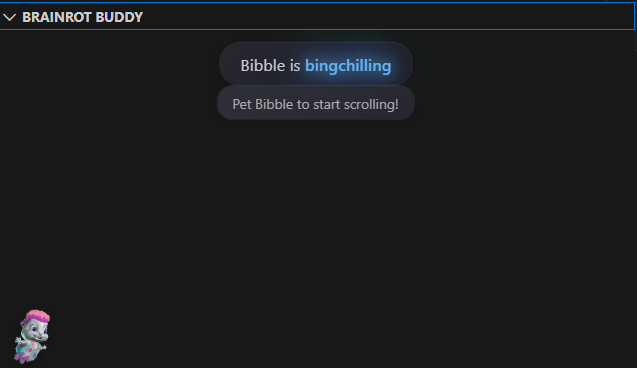
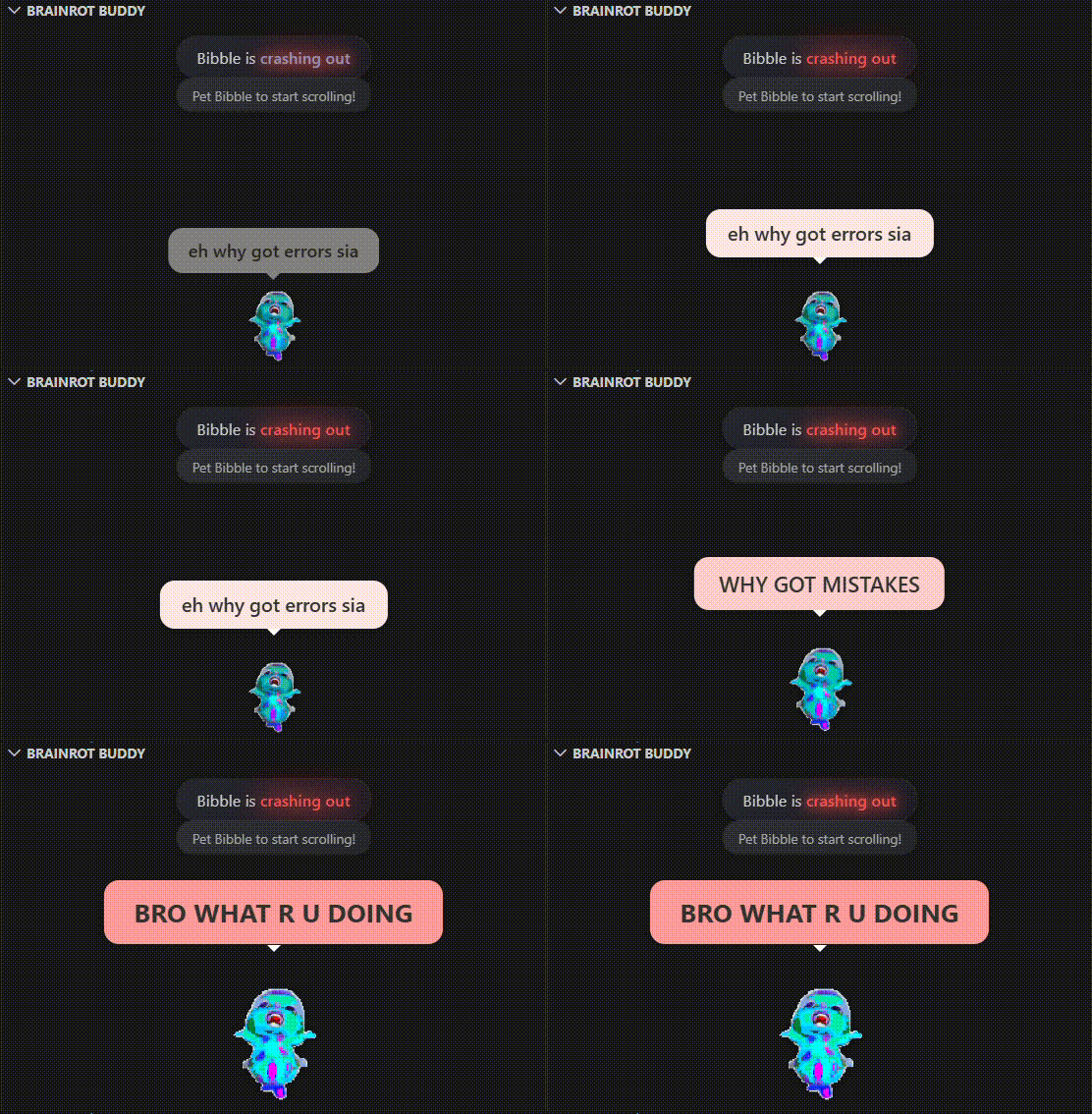
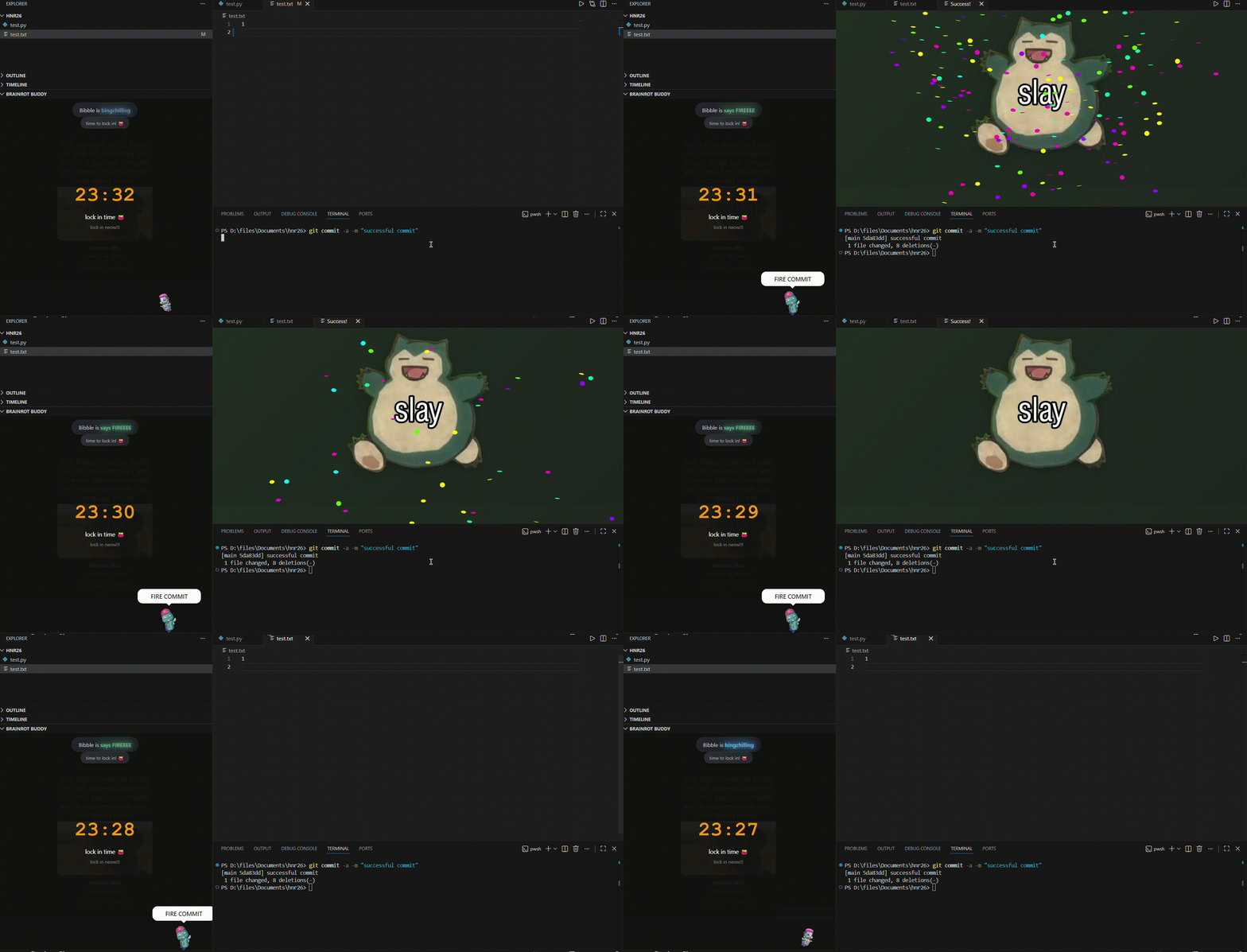
brainrot buddy is a VSCode extension that loads a pet (Bibble). Bibble reacts according to the user's workspace state, such as:
Errors
Successful commits
Bad coding practices
Regular scheduled programming
An encouraging animation is also generated upon successful commits.
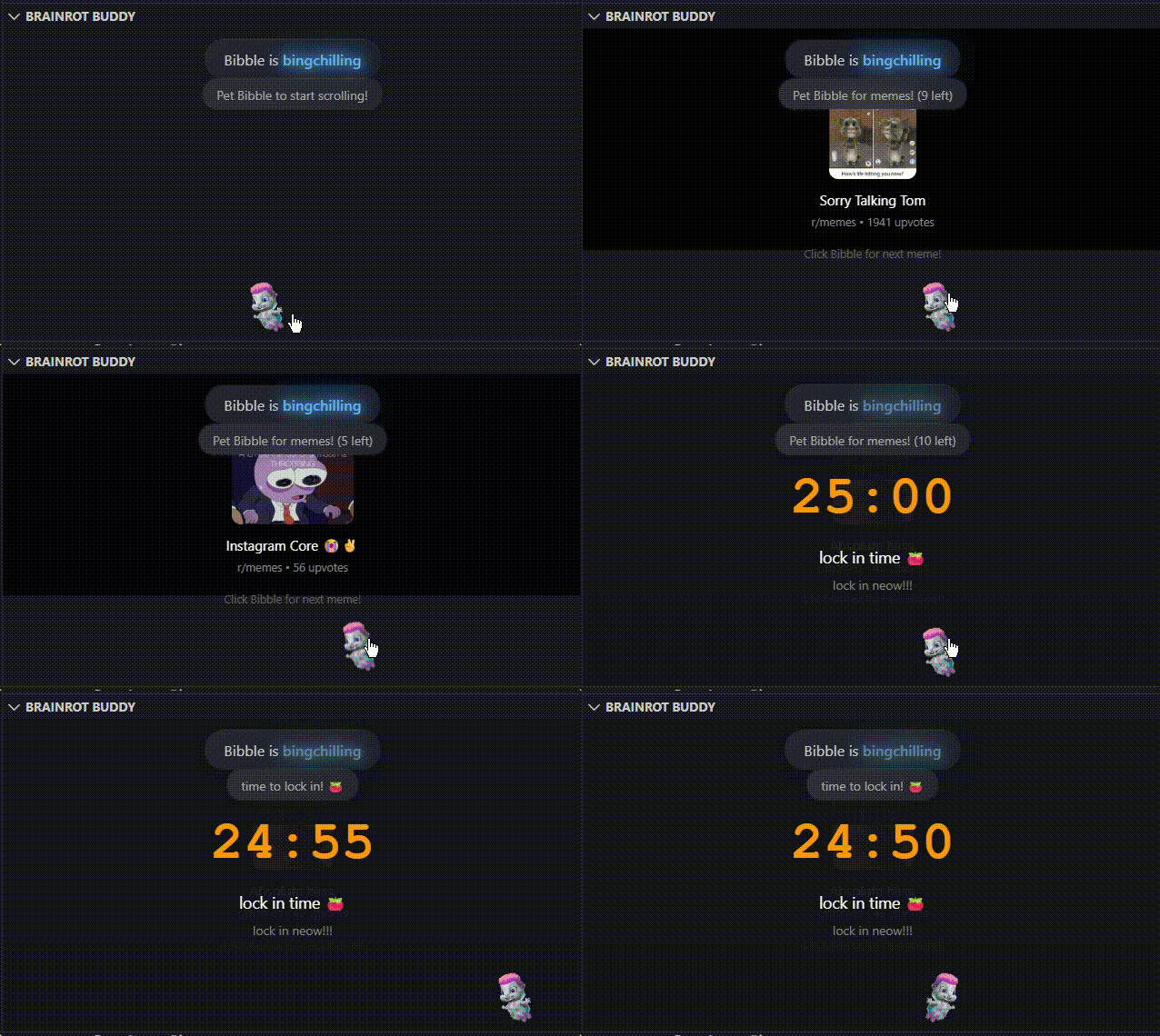
A Pomodoro Brainrot Doomscroll panel, which allows the user to doomscroll during Pomodoro breaks, reducing the need to navigate to other devices/tabs. For peak efficiency (bumness).
How we built it
VSCode Extension API
Handles activation, commands, events, diagnostics, and Git hooks
Enables integration directly into the editor workflow
Node.js
Powers the extension backend and API interactions
TypeScript
Primary development language
Improves reliability when handling editor events with type specification
Challenges we ran into
With no prior experience with building VSCode extensions and its API, we spent a fair bit of time scouring the documentation for an API that suited our needs
eepys
Accomplishments that we're proud of
Our first VSCode extension: It's fun, entertaining, and doesn't break
Staying up till 4am: No easy feat, pulled through sheer willpower and caffeine
What we learned
We learnt how to create a VSCode extension, experimenting with VSCode extension APIs, WebViews and WebPanels. Most importantly, we learnt how to bring silly ideas to life.
What's next for brainrot buddy
Integration with Instagram Reels and Tiktok, for the peak doomscroll experience
An API to update success animations, because staying trendy is important
Installation & Usage
Ensure the latest version of Node.js is installed on your machine.
Install Yeoman and the VS Code Extension Generator globally using npm:
Press F5 to open a new VS Code window with the extension loaded. You should see a heart icon in the activity bar on the left. Drag it to your desired location.
Screenshots
Bibble bingchillings with you (bro walks around)
Bibble can be rather savage :(
Bibble serving you dopamine hits but preventing excessive doomscrolling