TestPulse — AAA / RADIUS / TACACS AI Diagnostics (VS Code)
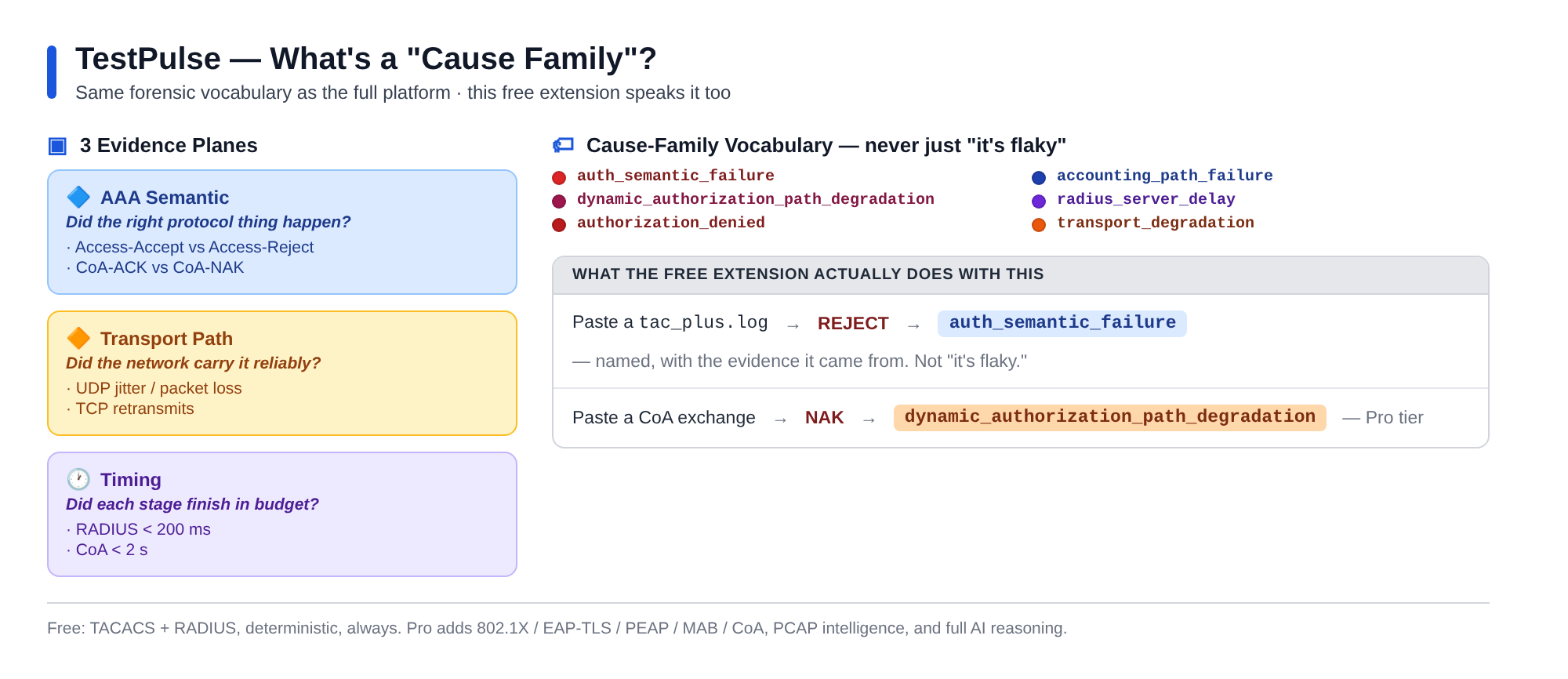
Free AI diagnosis for TACACS & RADIUS authentication failures, right in your editor —
it names the cause family with the proving evidence, not just "it's flaky." Upgrade for
802.1X / EAP-TLS / PEAP / MAB / CoA, full AI reasoning, PCAP intelligence, and teams.
Commands
- TestPulse: Diagnose AAA Failure — pick a protocol, select the raw log file
(
tac_plus.log for TACACS, radiusd -X output for RADIUS), and get a decision + named
cause family + the evidence it's drawn from in the TestPulse Diagnosis output panel.
Free covers TACACS/RADIUS, 10 diagnoses/day; paid/other protocols prompt to upgrade.
- TestPulse: Activate License — paste a license key (stored in VS Code SecretStorage);
unlocks your plan's protocols.
- TestPulse: License Status — shows your current plan + entitlements (status bar too).
How licensing works
The extension calls the License/Entitlement service (testpulse.apiBase,
default https://api.bmi2.com) /v1/license/validate. No key = Free (TACACS/RADIUS).
A Pro/Team/Enterprise key unlocks the rest. Buy or manage at https://bmi2.com/pricing/.
Validating a license fails open to Free if the service is unreachable — that check
never hard-blocks. Submitting a diagnosis does not fail open — a network error there
shows a clear "couldn't reach the service" message instead of fabricating a result.
How diagnosis works
POST /v1/diagnose runs the deterministic parser + evaluator path only (no AI/LLM call in
this path — see testpulse/api/routes/diagnose.py): it parses the log you selected into
structured events, infers accept/reject/inconclusive, and names a cause family from the
documented counter-pattern rules. The full narrative reasoning chain, PCAP intelligence, and
other protocols stay paid/lab-only. Free-tier quota (10/day) is tracked per VS Code
installation (vscode.env.machineId) and resets at UTC midnight.
Settings
| Setting |
Default |
Description |
testpulse.apiBase |
https://api.bmi2.com |
License/diagnosis API base URL |
Dev / test
Plain CommonJS — no build step. Run the client tests:
cd extension && npm test # node test/licenseClient.test.js + test/diagnoseClient.test.js
Backend route tests:
pytest tests/test_diagnose_route.py -v
End-to-end commercial flow (free → Pro → cancel) against the real service:
python scripts/demo_commercial_flow.py
Part of TestPulse by BMI2. Contract:
docs/specs/TestPulse_License_Entitlement_Service_Contract.md.


