NestedText data format extension for Visual Studio Code
Visual Studio Code extension that provides both strict and lax syntax highlighting grammars for the NestedText data format.
Features
Strict highlighting: Implements the canonical NestedText file format rules.
Lax highlighting: A more permissive grammar that accepts a wider range of leading whitespace.
File associations: Recognizes .nt files (and other configured extensions) for highlighting.
Lightweight: Token-based grammar suitable for quick editing and large files.
Installation
From the VS Code Marketplace: search for "NestedText".
Or build and install locally:
npm install
npm run package
Then install the produced .vsix via "Extensions: Install from VSIX..." in VS Code
Usage
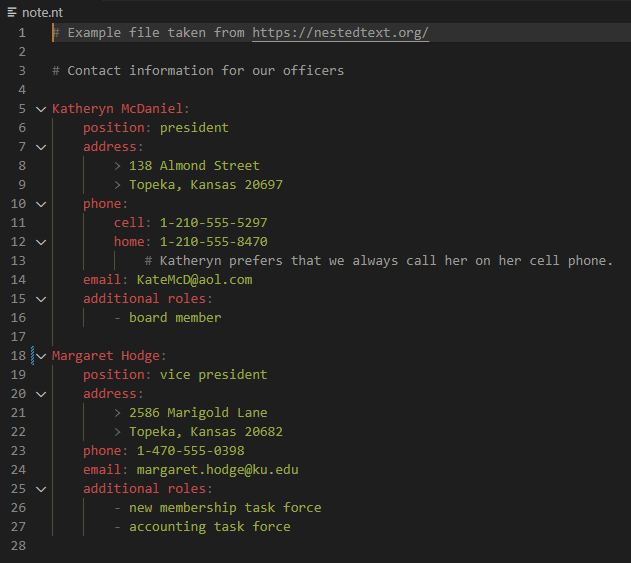
Open a file with a supported extension (for example note.nt) to enable syntax highlighting.
The extension activates on file open and applies token-based highlighting automatically.
Both strict and lax grammars are included. To switch grammars manually, use the language mode picker in the VS Code status bar and select the desired NestedText grammar.
Example
NestedText example content:
book:
  title: The Little Prince
  author: Antoine de Saint-Exupéry
  chapters:
    - Chapter 1
    - Chapter 2
Strict mode: only space characters are allowed where the spec requires them.
Lax mode: accepts other whitespace characters (tabs, etc.) before tokens.
Development
Install dependencies:
npm install
Build the grammar JSON (used by the extension):
npm run build
Run and debug the extension using the VS Code Debug panel (Launch Extension).
Contributing
Open issues for bugs or feature requests.
Fork, create a branch, and submit a Pull Request for changes.
Please include tests or samples when adding grammar changes.