◈ DriftScope
Semantic logic drift detection for VS Code — see not just what changed, but what it means.


What is DriftScope?
git diff shows you lines. DriftScope shows you meaning.
It scans your file's entire git history and surfaces risk-prone semantic changes like:
| Detection |
What it catches |
| 🔴 Return Value Change |
return { a, b } changed to return { a } |
| 🔴 Condition Added |
New guard or branch added to logic |
| 🔴 Functional Change |
Call arguments or signature changed |
| 🟡 Algorithm Change |
Loop/comparator/recursion changes |
| 🟡 New Function Added |
New function/method/class introduced |
| 🔴 Dependency Change |
package.json dependencies changed |
No external APIs. Pure static diff heuristics. Fast.
Usage
Right-click any file → DriftScope: Analyze This File
Or open Command Palette → DriftScope: Analyze This File
Or click the $(history) DriftScope button in the status bar.
Features
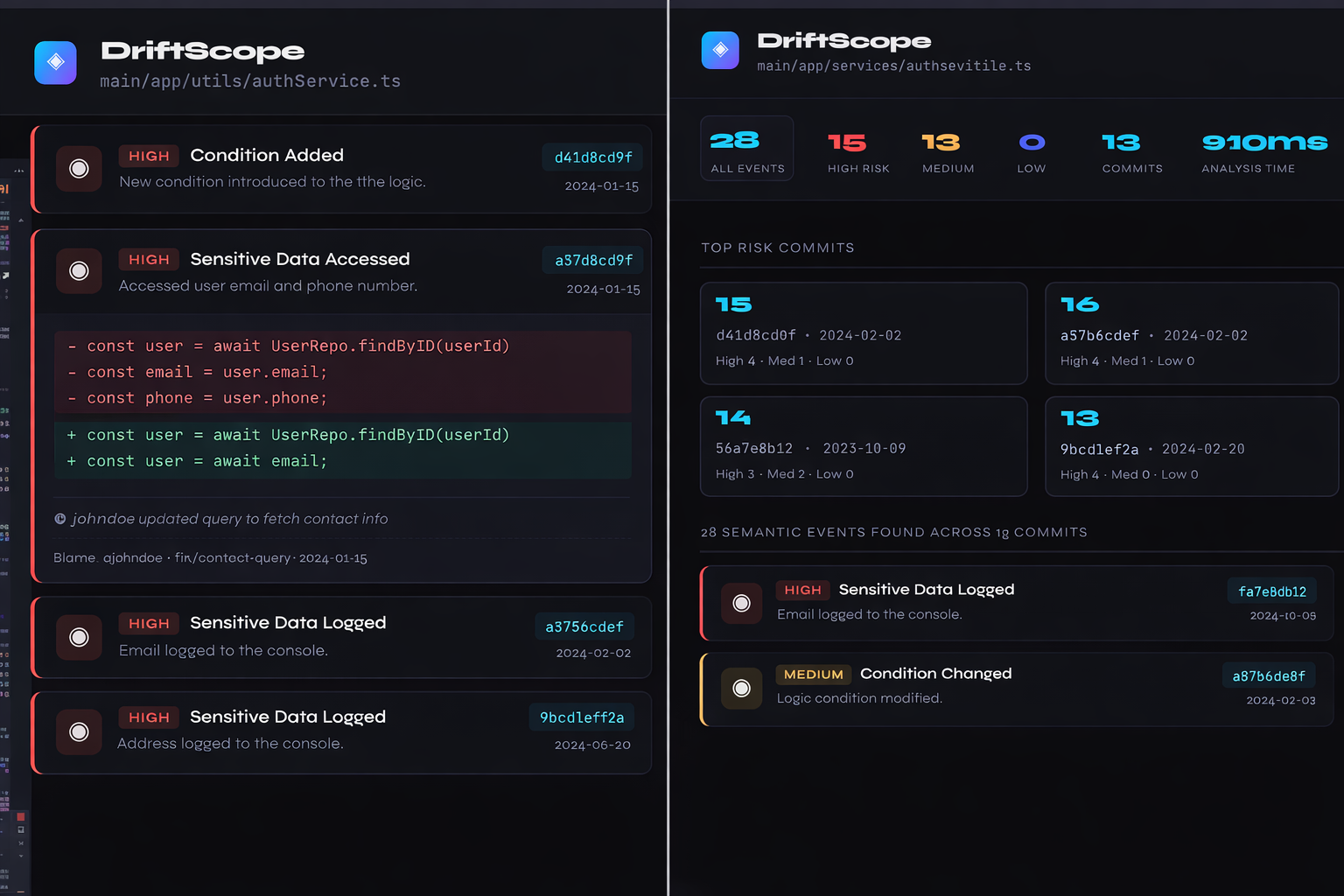
- 🎯 WebView panel with severity-coded event cards (click to expand diffs)
- 🌲 Activity Bar tree view grouped by detector type
- 🔦 Inline gutter decorations showing drift severity at a glance
- 🧭 Severity filters (All/High/Medium/Low) in the panel header
- 🧾 Blame context on events (author + commit)
- 🧮 Risk score per commit to highlight riskiest changes
- ⚡ Fast — analyzes 200 commits in under 2 seconds
Configuration
{
  // Max commits to scan per file
  "driftscope.maxCommits": 200,

  // Which detectors to run
  "driftscope.enabledDetectors": [
    "returnChange",
    "conditionAdded",
    "algorithmChange",
    "functionalChange",
    "newFunction",
    "dependencyChange",
  ],

  // Show inline editor decorations
  "driftscope.showInlineDecorations": true,

  // Minimum severity to show: "low" | "medium" | "high"
  "driftscope.severityThreshold": "low",

  // File path patterns to ignore during analysis
  "driftscope.ignoreFilePatterns": [
    "/__tests__/",
    "/tests/",
    "/test/",
    ".test.",
    ".spec.",
    "jest.config",
    "vitest.config",
    "tsconfig",
    "webpack.config",
    "vite.config",
    "rollup.config",
    "babel.config",
    "eslint",
    "prettier",
    "postcss.config",
    "tailwind.config",
  ],

  // Function names to ignore when detecting functional changes
  "driftscope.ignoreFunctionNames": ["log", "logger", "console"],
}
Demo
Workflow
- Open any file in your repo.
- Right-click →
DriftScope: Analyze This File.
- Review high/medium/low events in the DriftScope panel.
- Click any event to expand its diff.
- Use the Activity Bar view to browse events by type.
Screenshots

Development
git <>
cd driftscope
npm install
npm run compile
# Press F5 in VS Code to launch Extension Development Host
Adding Custom Detectors
- Create
detectors/yourDetector.ts
- Export a function matching
DetectorFn from types.ts
- Register it in
engine.ts
import { CommitContext, DriftEvent, DetectorFn } from "../types";

export const myDetector: DetectorFn = (
  ctx: CommitContext,
): DriftEvent | null => {
  const { removed, added } = ctx.diff;
  // Your heuristic logic here
  return null;
};
Roadmap
- [x] Severity filters in panel header
- [x] Core logic detectors (return/condition/function/algorithm)
- [x] Ignore test/config files and noisy functions
- [x] Dependency change detection
- [x] Blame context in event cards
- [x] Risk score per commit
- [x]
git blame integration for line-level mapping
- [ ] Branch-to-branch comparison mode
- [ ] HTML timeline export
- [ ] Risk score per commit
- [ ] AST-aware semantic diff (Phase 2)
- [ ] GitHub Actions CI integration
Author
Sagar Jain
License
MIT © Sagar Jain

