ArchMap — Visual Architecture Diagrams for VS Code
ArchMap automatically scans your project and builds an interactive architecture diagram right inside VS Code — no backend, no config, no internet required.
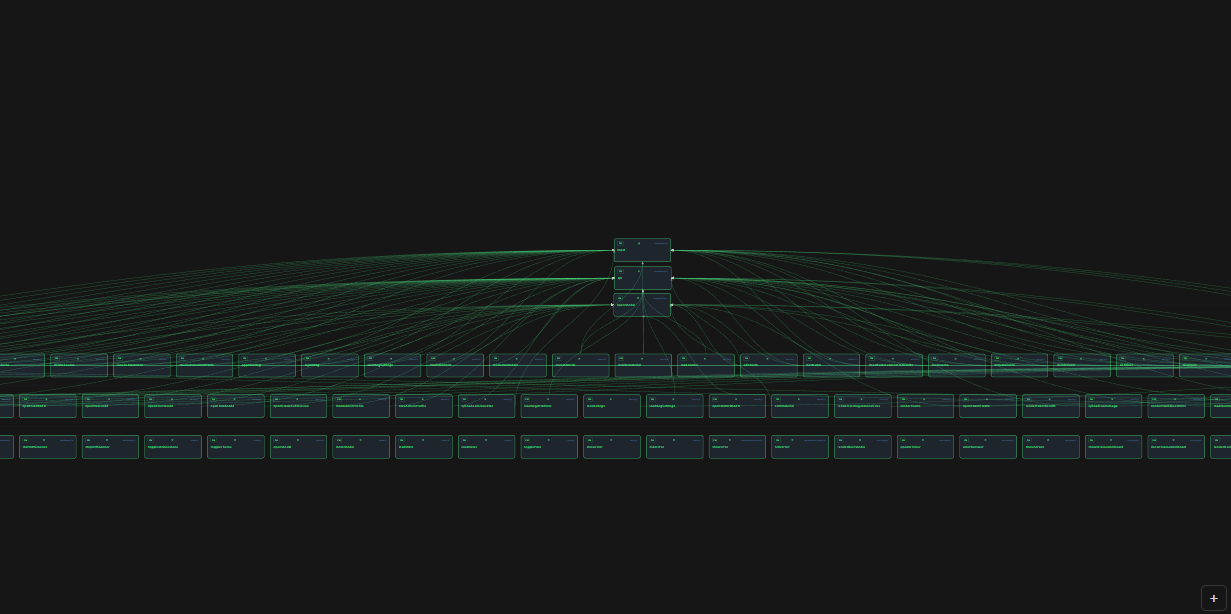
Features
4 Views in one panel
| View |
What it shows |
| Modules |
Top-level folders as architectural layers (Frontend, Backend, API, Services, DB…) with health scores |
| Files |
Every source file as a node — sorted by how many other files import it (most-used at top) |
| Inside |
Click any file → see its functions, classes, interfaces, enums and how they call each other |
| All |
Project-wide graph — all exported functions/classes from all files with cross-file connections |
Works with any language
ArchMap uses VS Code's built-in Language Server Protocol — if you have a language extension installed (TypeScript, Python, Go, Rust, Java, C#, etc.) ArchMap will parse that language automatically. No manual config.
Built-in regex fallback covers: TypeScript · JavaScript · Python · Go · Rust · Java · Kotlin · C# · Ruby · PHP · CSS/SCSS · SQL · GraphQL · Prisma · Shell
Interactive diagram
- Drag any node to rearrange
- Zoom with mouse wheel or
+ / - buttons
- Click a node → detailed info in the sidebar (exports, imports, dependencies, health issues)
- Position preserved when switching between tabs
- Live indicator — diagram auto-updates when you save files
Health scores
Every module and file gets a score (0–100%) based on:
- File size (lines of code)
- Number of dependencies (imports)
- Whether it has any exports
- Test coverage presence
Integrated process runner
- Open any
.ts, .js, .py file in the editor
- Click ▶ Run in the ArchMap panel
- See stdout/stderr with timestamps in the built-in log panel
- Click ■ Stop to kill the process
Quick Start
- Open a project folder in VS Code
- Press
Ctrl+Shift+P → ArchMap: Generate Architecture Diagram
- The diagram panel opens beside your editor
Or use the command palette: Ctrl+Shift+P → ArchMap
Requirements
- VS Code
1.85.0 or higher
- No backend, no external tools needed
Configuration
| Setting |
Default |
Description |
archmap.ignoredDirs |
["node_modules", "dist", "out", ".git", "build", ".next", "coverage"] |
Directories to skip during scan |
Supported Languages
| Language |
Symbols |
Call Graph |
| TypeScript / JavaScript |
✅ Full (via LSP + regex) |
✅ Yes |
| Python |
✅ Full (via LSP + regex) |
— |
| Go, Rust, Java, Kotlin, C#, Ruby, PHP |
✅ via LSP (if extension installed) |
— |
| CSS / SCSS / SASS / LESS |
✅ Variables & selectors |
— |
| SQL |
✅ Tables, views, procedures |
— |
| GraphQL / Prisma |
✅ Types, models |
— |
| Shell / PowerShell |
✅ Functions |
— |
How it works
- File scan — ArchMap walks your workspace, reads imports/exports from each file using regex patterns
- Module detection — folders are classified by name/contents into architectural types (frontend, backend, api, services, database, etc.)
- Diagram generation — files and modules are laid out in layers based on their role and connection count
- Symbol parsing — when you open a file in Inside/All view, ArchMap asks VS Code's Language Server for symbols, then augments with call-graph data from its own parser
Author
blacksibainu
License
MIT
| |


