Live UML
Visualize your logic in real-time with Live UML for VS Code. This extension instantly transforms C, C++, Java, JS/TS, and Python code into dynamic PlantUML flowchart, sequence diagram, state machine diagram and class diagram as you type. All generation and rendering is processed locally on your machine, you get blazing-fast performance and total privacy with zero latency. Both PlantUML and Mermaid are supported and rendered live on sidebar.
Features
- Multi-language support: C, C++, Java, JavaScript, TypeScript, Python
- Live diagram generation: Automatically generates diagrams as you type
- Multiple diagram types: Flowcharts and sequence diagrams
- Real-time synchronization: Diagrams update automatically when code changes
- Sidebar integration: View and generate diagrams from the sidebar
- PlantUML export: Copy PlantUML code to use in other tools like Confluence
- Auto-detection: Automatically detects functions/methods in your code
Demo
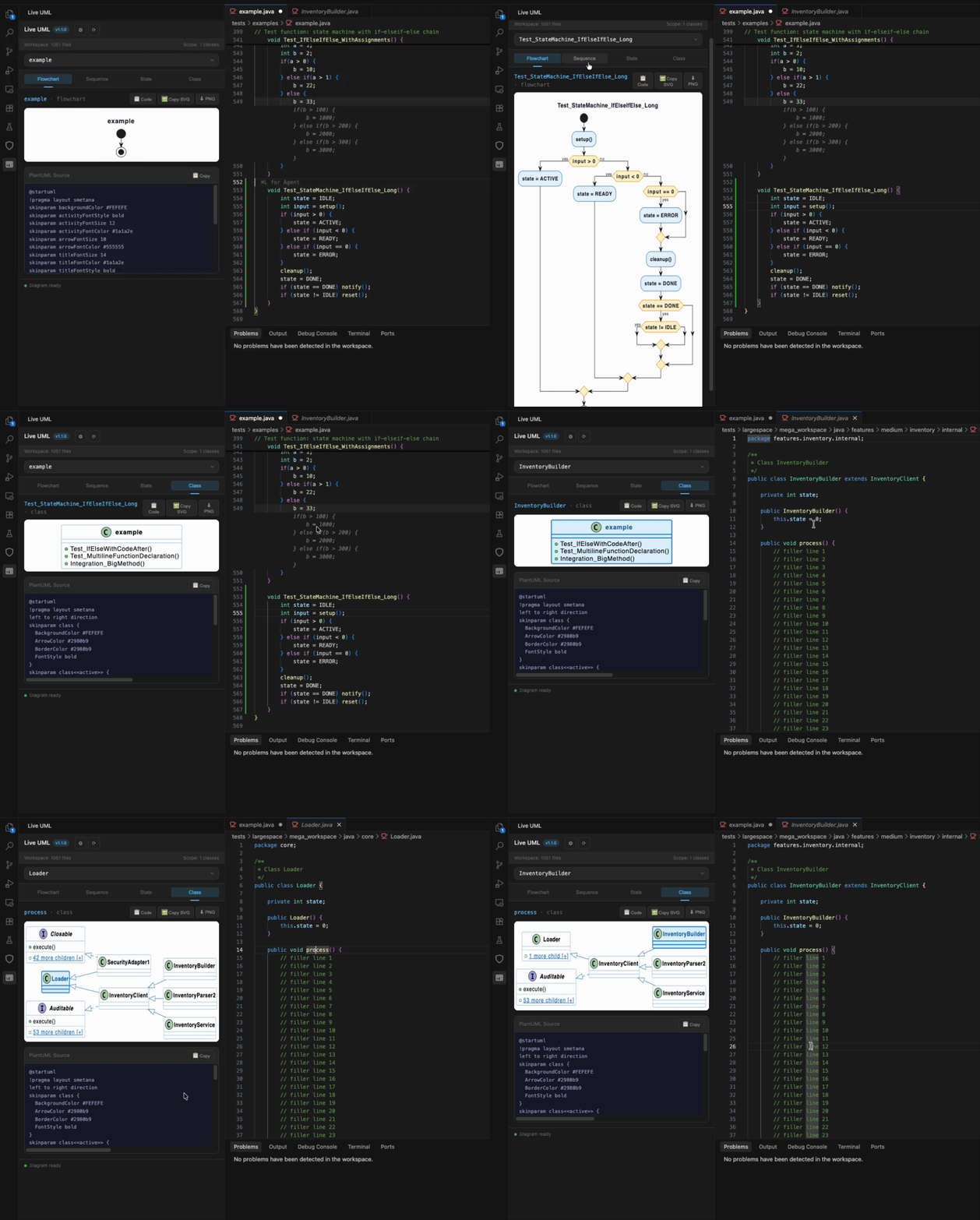
Click a Function → Instant Diagram
Click on code in IDE and visualize it instantly.
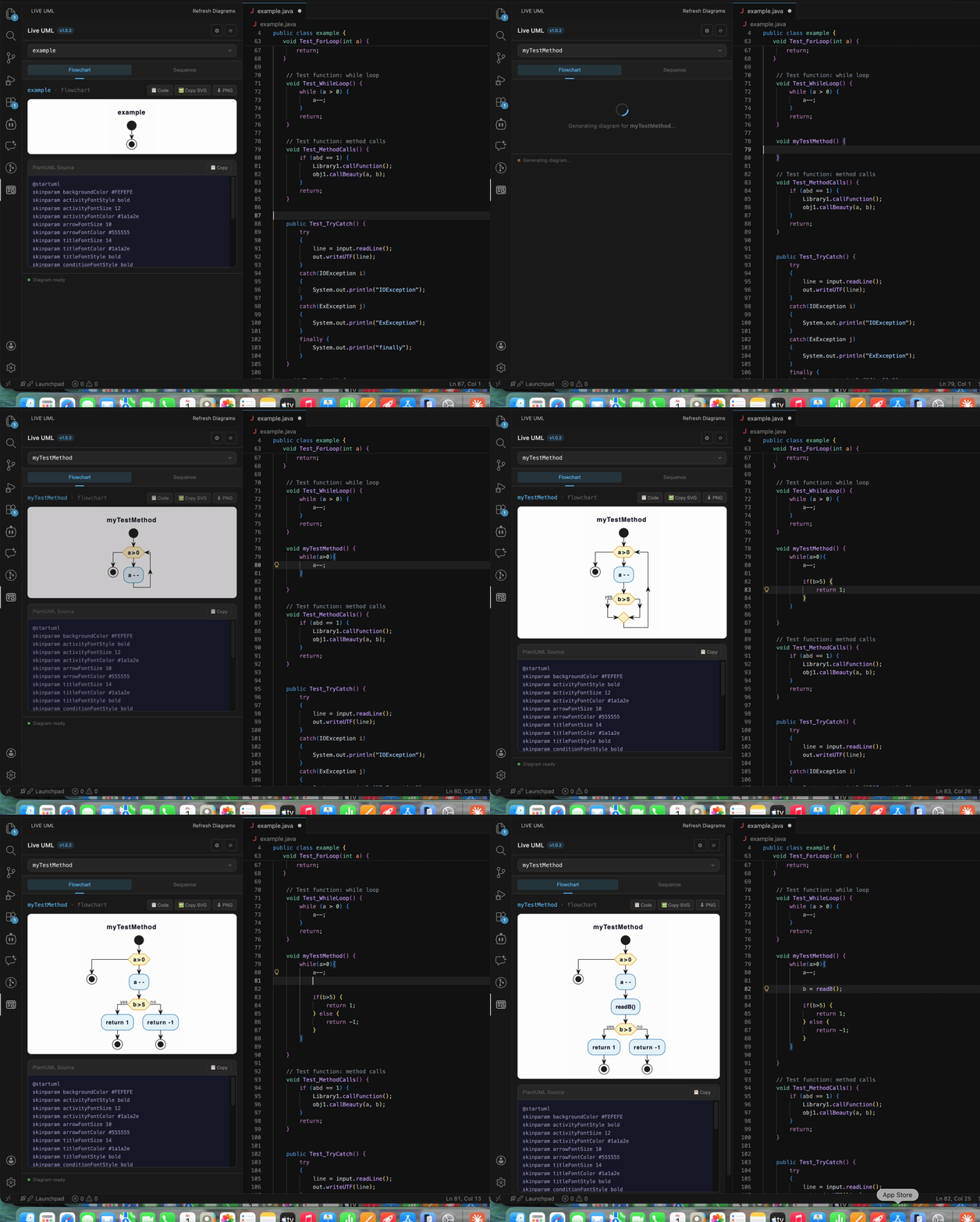
Live Diagram as You Type
Diagrams update in real-time as you write code — no need to click anything.
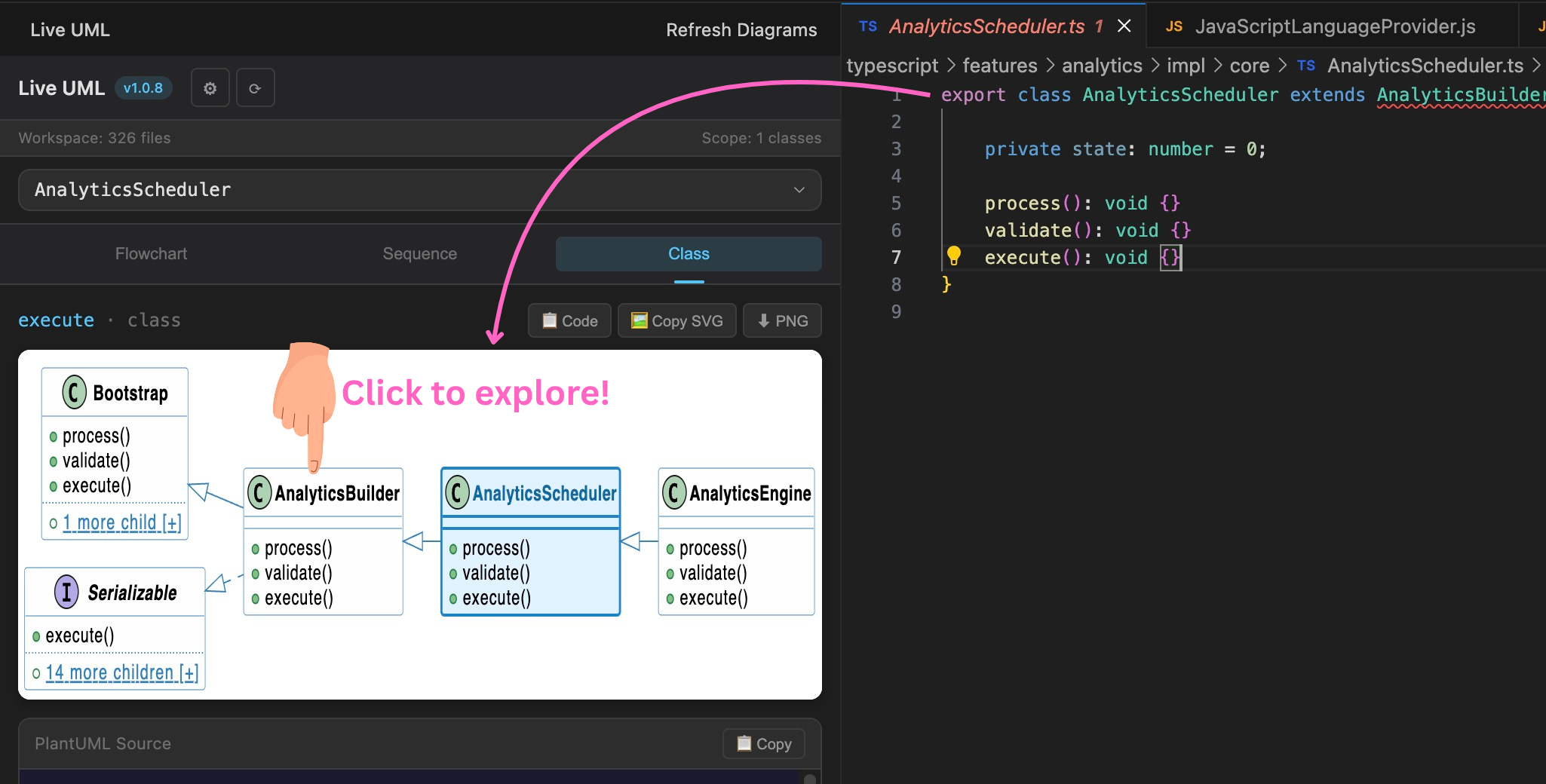
Class Diagram
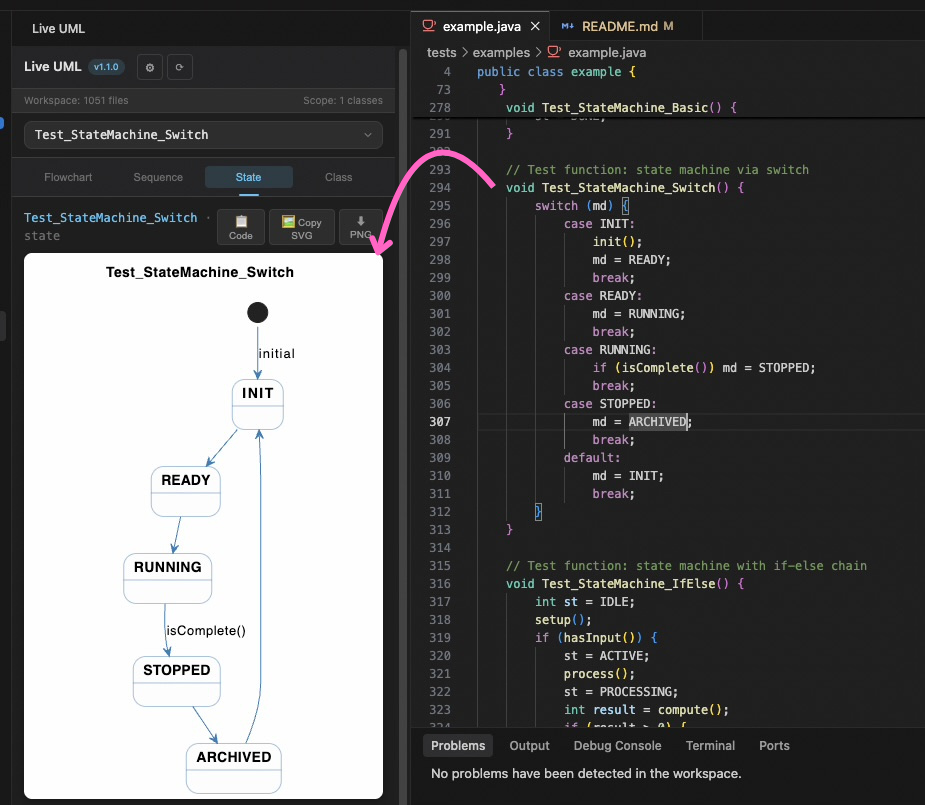
State Diagram
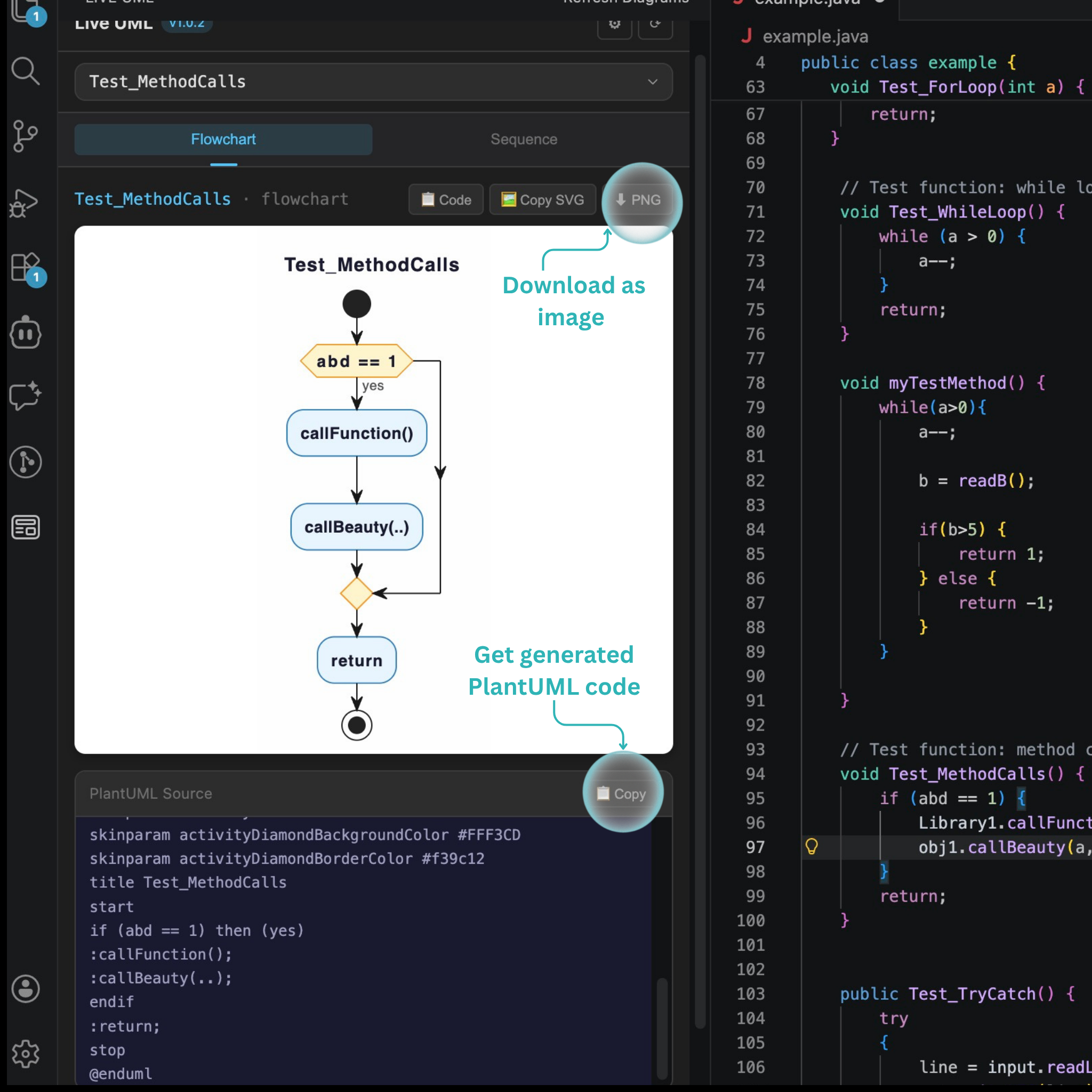
Export & Copy
Download the generated diagram as PNG or copy the PlantUML code for use in Confluence and other tools.
Usage
- Open a supported file (C, C++, Java, JavaScript, TypeScript, Python) in VS Code.
- Click the Live UML icon in the activity bar to open the sidebar.
- The sidebar will list all functions and classes available in your current file.
- Select a diagram type from the tabs:
- Flowchart: Control flow visualization for a function.
- Sequence: Function call sequences for a function.
- Class: Workspace-wide object-oriented hierarchy for a class.
- State Machine: State machine visualization for a function.
- Diagrams update automatically as you type or change files.
- Interact: In Class Diagrams, click on any class box to instantly jump to its source code and re-center the diagram.
- Click "📋 Code" or "🖼️ Copy SVG" to export your diagram for Confluence or other tools.
Supported Languages
| Language |
File Extensions |
| C/C++ |
.c, .h, .cpp, .cc, .cxx, .hpp |
| Java |
.java |
| JavaScript |
.js |
| TypeScript |
.ts, .tsx |
| Python |
.py |
Diagrams are rendered live on sidebar in following formats:
Diagram Types
Flowchart
Visualizes the control flow of a function, showing:
- Decision points (if/else, switch)
- Loops (for, while)
- Function calls
- Return statements
Sequence Diagram
Shows the sequence of function calls and interactions within a method:
- Function/method calls
- Return values
- Interactions between components
Class Diagram (OO Languages)
Visualizes the object-oriented structure of your codebase with intelligent navigation:
- Workspace-Wide Discovery: Automatically finds all classes and interfaces across your entire project, not just the current file.
- Contextual Bounding: To prevent massive, unreadable diagrams, the view is strictly scoped to the active class's context. It displays the full inheritance path up to the root, the path down to the leaves, and immediate siblings.
- Information Scent: If a class has connections outside the current focused view, it displays a clickable indicator (e.g.,
+ 2 hidden subclasses [+]) so you know there's more to explore.
- Click-to-Navigate: Click any class box in the diagram to instantly open that file in your editor. This automatically re-centers the diagram around the new class, allowing you to seamlessly "pan" around your entire software architecture!
State Machine Diagram
Infers a state machine from a function. Each detected state variable gets its own state section in PlantUML. Scope: current file.
1. Variable Detection
Scans all functions for candidate variables, scores them:
| Signal |
Points |
| Switch discriminant |
+3 |
| Assignment inside switch body |
+3 |
Compared (≥2 distinct values) via ==/!=/>/</>=/<= |
+2 |
| ≥3 distinct assigned values |
+1 |
| ≥4 distinct assigned values |
+1 |
Name hints (state/status/phase/mode/step/stage, or ending in *State/*Status) |
+1 |
Score ≥2 → candidate.
2. Call Graph Expansion
Traverses callees up to depth 2 (cycle-guarded). When a callee assigns its parameter to a state variable.
In some cases, callee is not found in found in the current file then heuristically determines the transition.
Requirements
- VS Code 1.60 or higher
- Java 8+ (required for PlantUML diagram generation)
Java is not bundled with the extension to keep the download size small
Extension Settings
This extension contributes the following settings:
liveUml.javaPath: Path to the Java executable used to run PlantUML. Set this if Java is not in your system PATH, or to use a specific Java installation.
Additional Info
The extension generates standard PlantUML code that can be used with:
- Confluence PlantUML macros
- PlantUML desktop applications
- Online PlantUML editors
- Documentation tools with PlantUML support
Credits
License
MIT

