Styled Markdown (.smd) for VS Code
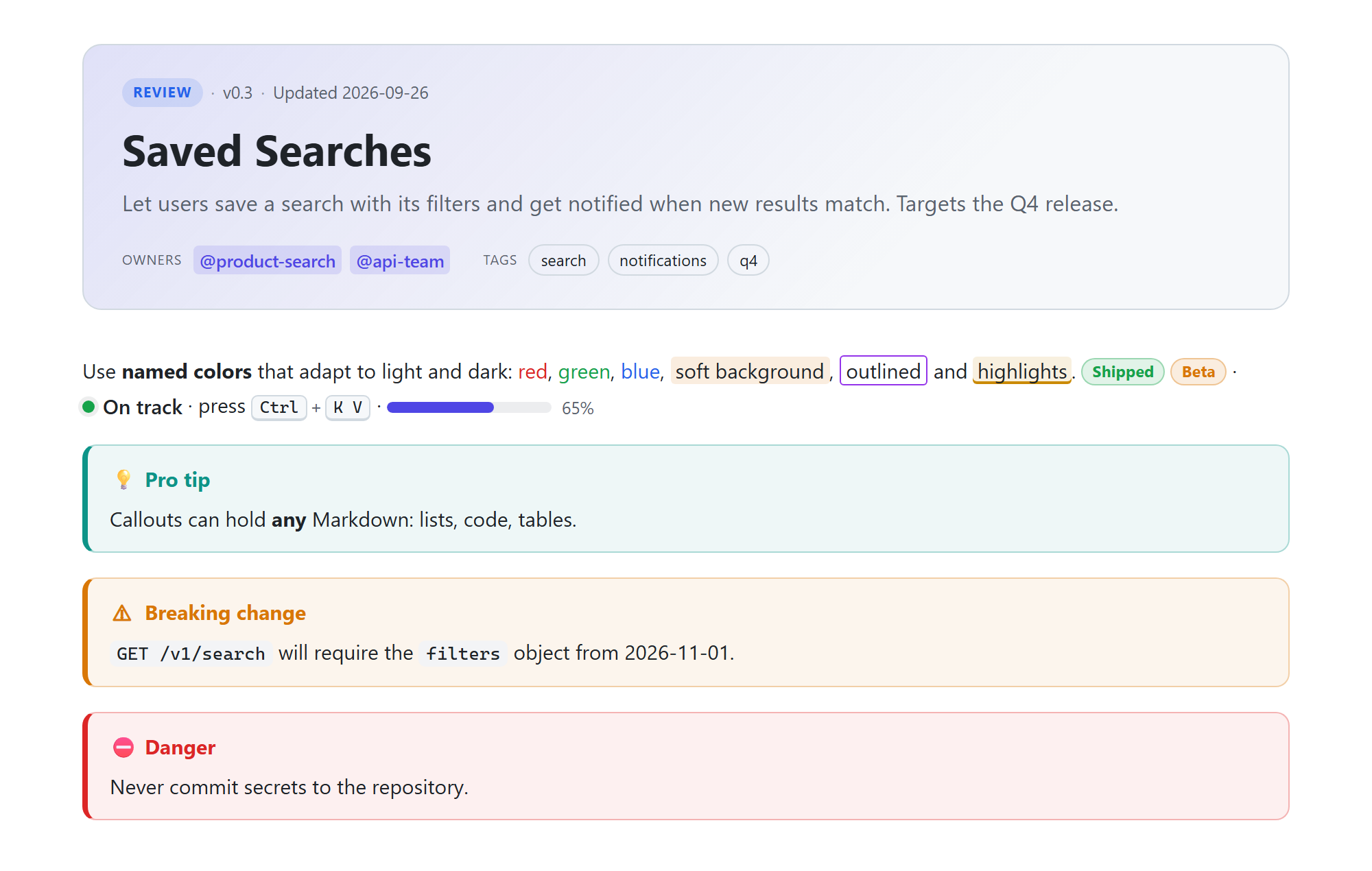
One document format for developers, product managers and AI agents. Styled Markdown is Markdown plus callouts, colors, diagrams, decisions, risks, API blocks, KPIs and audience-aware content, with a live preview, validation, and token-efficient views for AI agents.
Every .md file is already valid .smd, so you can rename a file and start adding structure.
Highlights
- Live preview (
Ctrl+K V): themed to match VS Code, scroll sync, double-click to jump to source, clickable tasks, Mermaid diagrams, KaTeX math, tabs and columns.
- Project blocks:
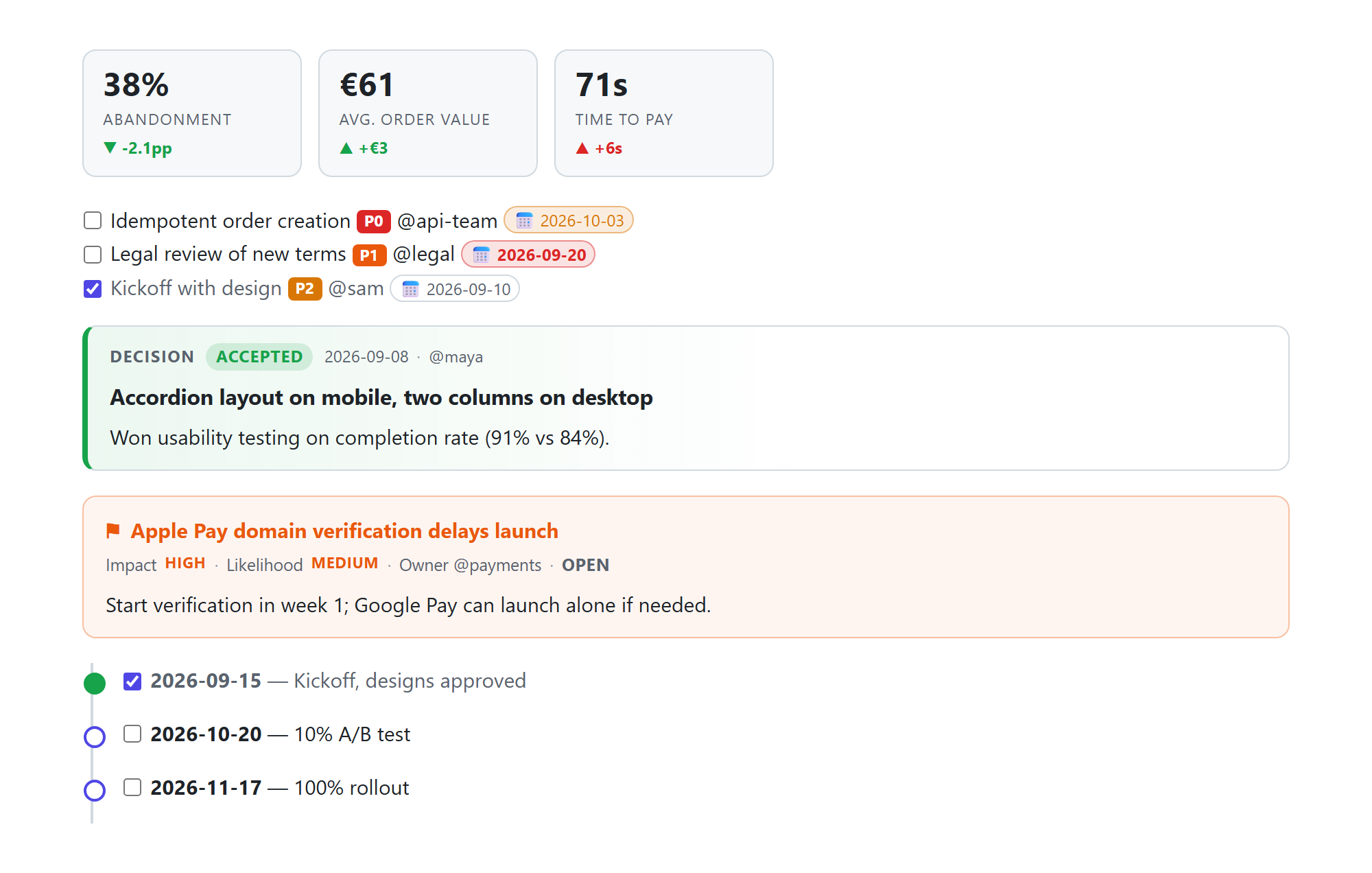
:::decision, :::risk, :::timeline, KPI tiles (:metric), priorities, and due dates that turn red when overdue. Tasks carry owners.
- Developer blocks:
:::api endpoint cards, code line highlights {2,5-7}, and live source embeds file="…" lines="…" so docs never drift from code.
- Validation with quick fixes as you type (
:::warnign → :::warning, flowchat → flowchart, blu → blue).
- IntelliSense: completion for blocks, directives, attributes and allowed values; hover docs; color picker; outline; folding; 34 snippets.
- Agent view: 🤖 shows exactly what an AI agent reads, with styling, layout and human-only sections stripped and meaning kept (typically 37–85% fewer tokens). Copy the whole view or selected sections to any chat tool. A status-bar token counter shows the size.
- Export to standalone HTML or GitHub Markdown, and convert
.md → .smd.
Commands
| Command |
Default key |
| Styled Markdown: Open Preview to the Side |
Ctrl+K V |
| Styled Markdown: Open Preview |
Ctrl+Shift+V |
| Styled Markdown: Show Agent View / Show Brief Agent View |
🤖 in the title bar |
| Styled Markdown: Copy Agent View / Copy Sections for an Agent… |
— |
| Styled Markdown: Export to HTML / Export to Plain Markdown (.md) |
— |
| Styled Markdown: Convert Markdown File to .smd |
Explorer context menu |
| Styled Markdown: Validate All .smd Files in Workspace |
— |
Settings
| Setting |
Default |
Description |
smd.preview.theme |
auto |
auto follows VS Code; or force light / dark |
smd.preview.showAgentBlocks |
collapsed |
How :::agent blocks appear to humans: collapsed, expanded, hidden |
smd.preview.allowHtml |
true |
Render raw HTML (scripts never run) |
smd.validation.enabled |
true |
Report problems |
smd.validation.checkLinks |
true |
Warn about relative links/images to missing files |
Syntax at a glance
---
smd: 1
title: Saved Searches
summary: Let users save a search and get notified about new results.
status: review
---

:::warning Breaking change
The `filters` parameter is now required.
:::

- [ ] Idempotent order creation :priority[P0] @api-team :due[2026-10-03]

:::decision{status=accepted date=2026-09-08 owner=@maya} Accordion layout on mobile
:::

```mermaid
flowchart LR
  A --> B
```

## Background {agent=skip}

:::agent
Constraints for AI agents working on this document.
:::
Learn more
Author: Roshan Alwis · License: MIT
| |

