RevloopRevloop lets you review local coding-agent changes with persistent inline threads in native VS Code diffs. Use it to inspect a working tree or compare a branch with its base, attach feedback directly to modified lines, and keep each conversation anchored as the code changes. Features
Only you can resolve or reopen a thread. Agent replies are read-only in VS Code. Requirements
Detached InstallationInstall Revloop from the VS Code Marketplace or run: If you installed a pre-Marketplace local build, remove its old extension ID before installing this release: Reload VS Code after migrating. Open the Revloop view from the activity bar after installation. Quick start
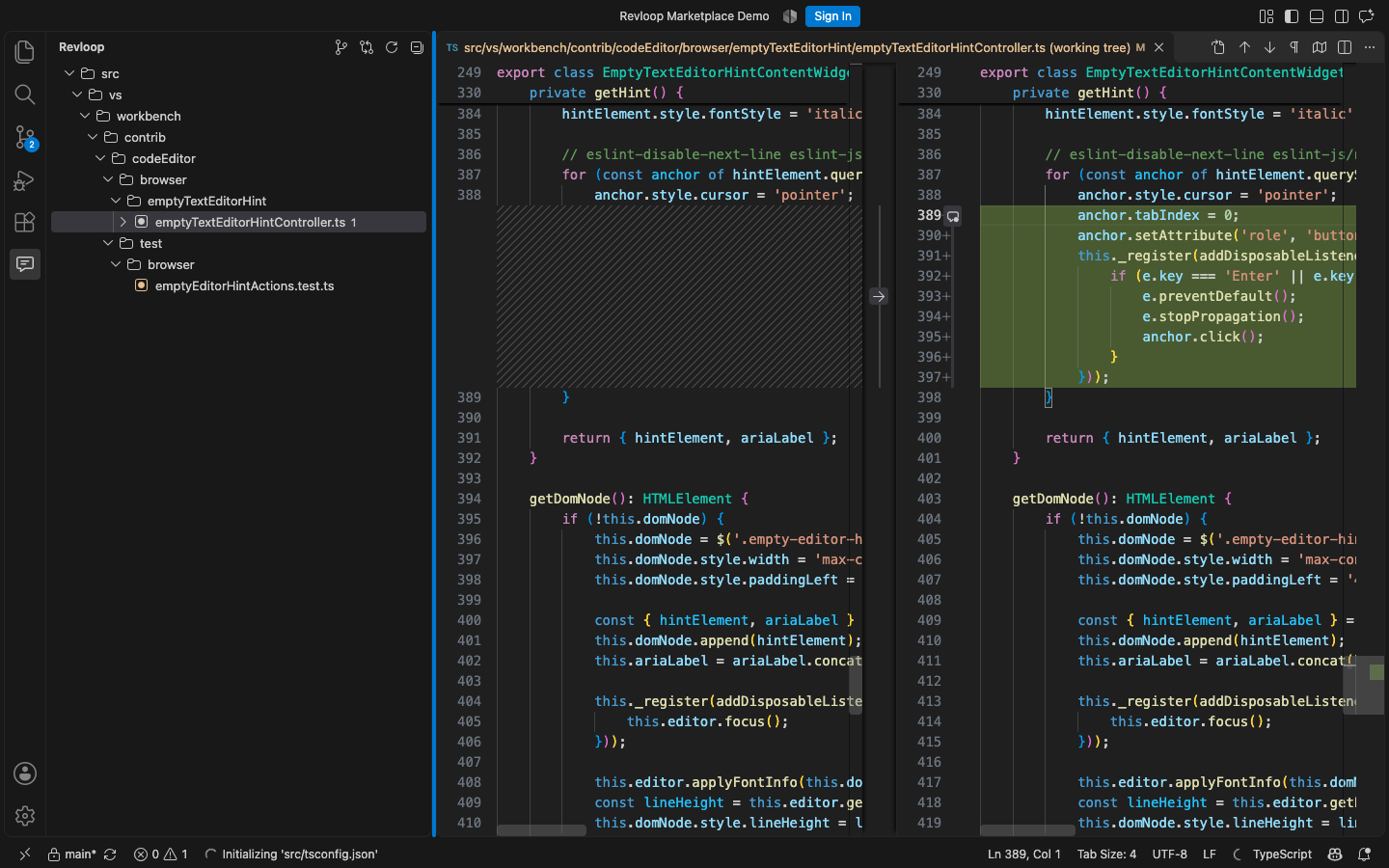
Revloop preserves unresolved, resolved, and outdated threads when you reload VS Code or reopen the repository. Review changed files and threadsThe Revloop view groups changed files by directory and shows each file's open thread count.
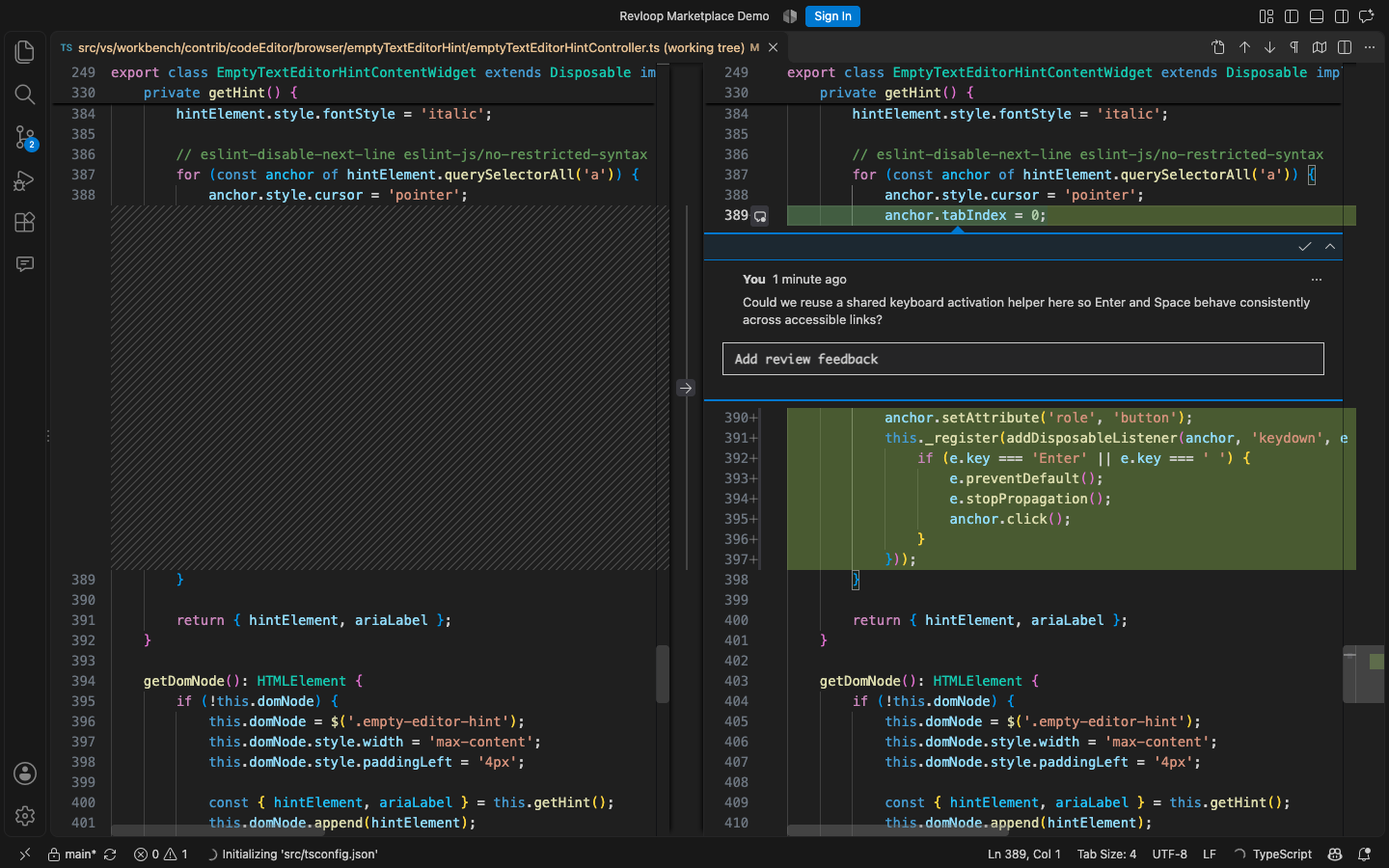
Keep feedback anchored to the diffThreads appear directly in VS Code's native diff editor and remain attached as the implementation changes.
Coding-agent integrationThe extension works independently for manual review. To let a compatible coding agent read comments and append replies, install the companion Agent Plugins bundle. With GitHub Copilot CLI: Restart Copilot CLI after the first installation, then run: The plugin requires Node.js 20 or later on Storage and privacyRevloop stores branch-scoped review state inside the repository's Git common directory: This location lets VS Code, linked worktrees, and local agent processes share the same review state without a background service. The Revloop extension and bundled MCP server do not collect telemetry, upload source code, or make network requests. Your editor, coding agent, and installed extensions may have their own data-handling policies. Limitations
SupportReport bugs and request features in the Revloop issue tracker. Revloop is available under the MIT License. |