gtv — Git Timeline Viewer
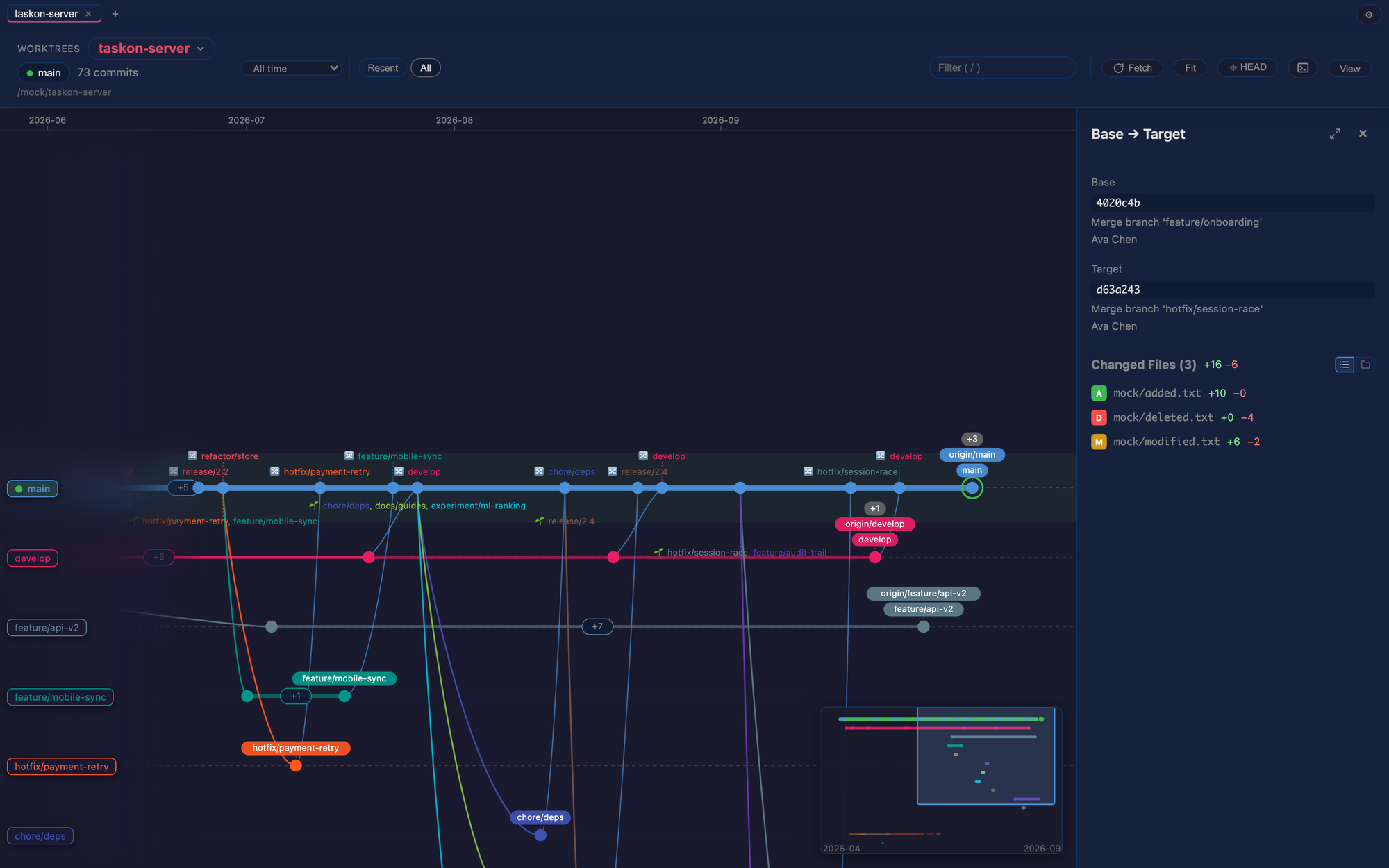
Every branch gets its own lane. gtv draws your repository's history as a
branch-lane timeline inside VS Code: a branch is born where it forks, lives on
its own colored track, and folds back into its parent at the merge — with time
flowing left to right.
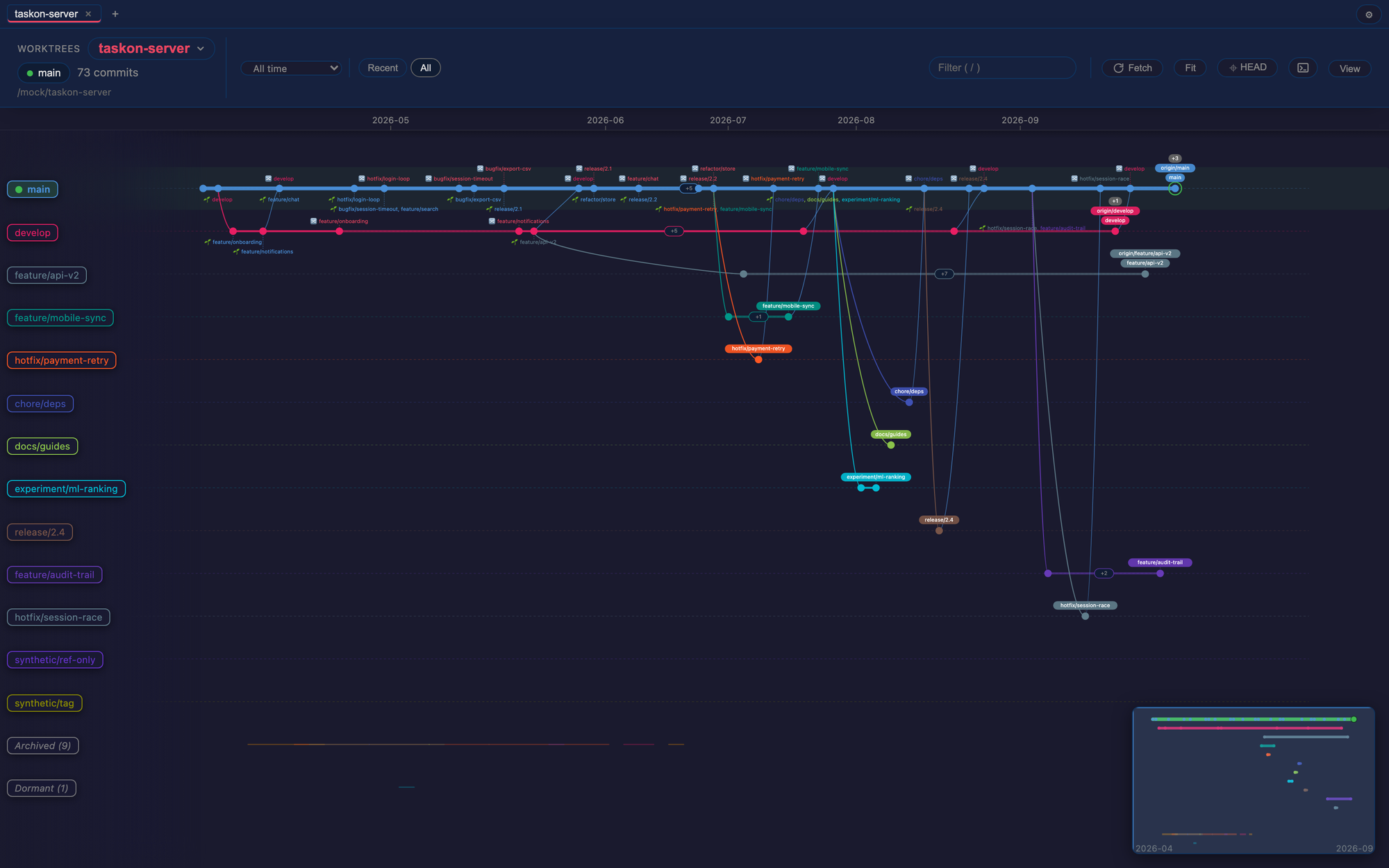
Why
git log is a pile of commits. git log --graph unravels the moment a repo
gets busy. Neither tells you at a glance:
- Which branch was this commit made on? — in gtv, position is the answer:
every commit sits on its branch's own lane.
- Where did this branch come from, where did it go? — forks and merges are
drawn explicitly; a merge commit shows its two parents joining, not a
cryptic message.
- What has been merged, what is still in flight? — live lanes, archived
lanes, and dormant lanes are grouped separately, so work-in-progress is
visually distinct from finished history.
- When did things happen? — a real time axis. History reads like a Gantt
chart of your development.
Use it for
- Reviewing a feature branch before merge — see exactly what the branch
did, in isolation on its lane, from fork point to tip.
- Onboarding onto an unfamiliar repo — understand years of branching
strategy in one view instead of hundreds of log lines.
- Release & hotfix archaeology — trace when a hotfix shipped, which
release lanes picked it up, and what else rode along.
- Untangling merges — compare any two commits, inspect what a merge really
brought in, and verify a rebase before pushing.
How to use
Open a folder that contains a git repository — the timeline opens
automatically (or run gtv: Open Git Timeline from the Command Palette, or
click the gtv button in the Source Control title bar). Additional repositories
open as tabs inside the same panel, and linked worktrees are listed per repo.
Look around — drag to pan, scroll to zoom, or jump with the minimap.
The Fit button frames everything; HEAD jumps to your checked-out
commit.
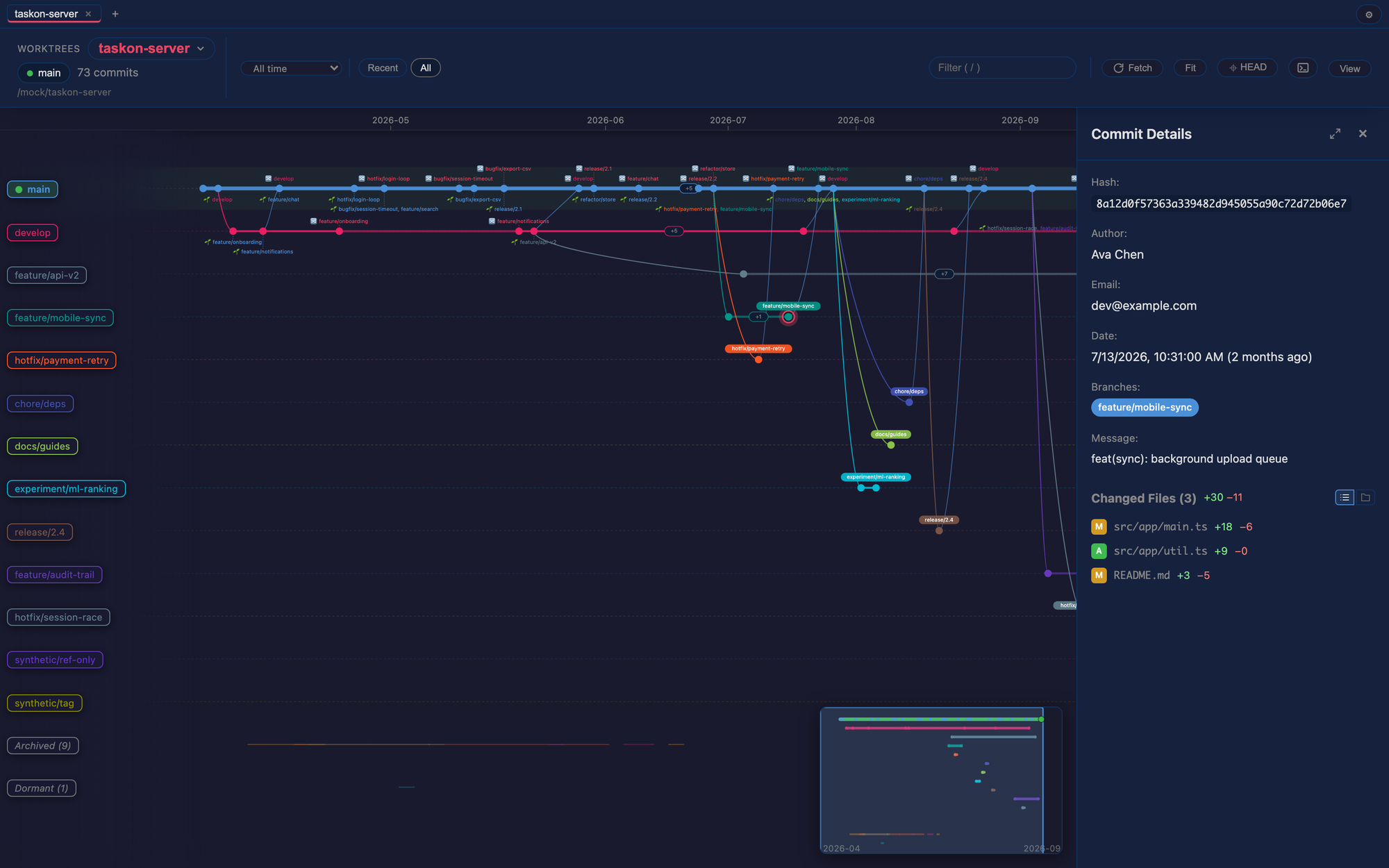
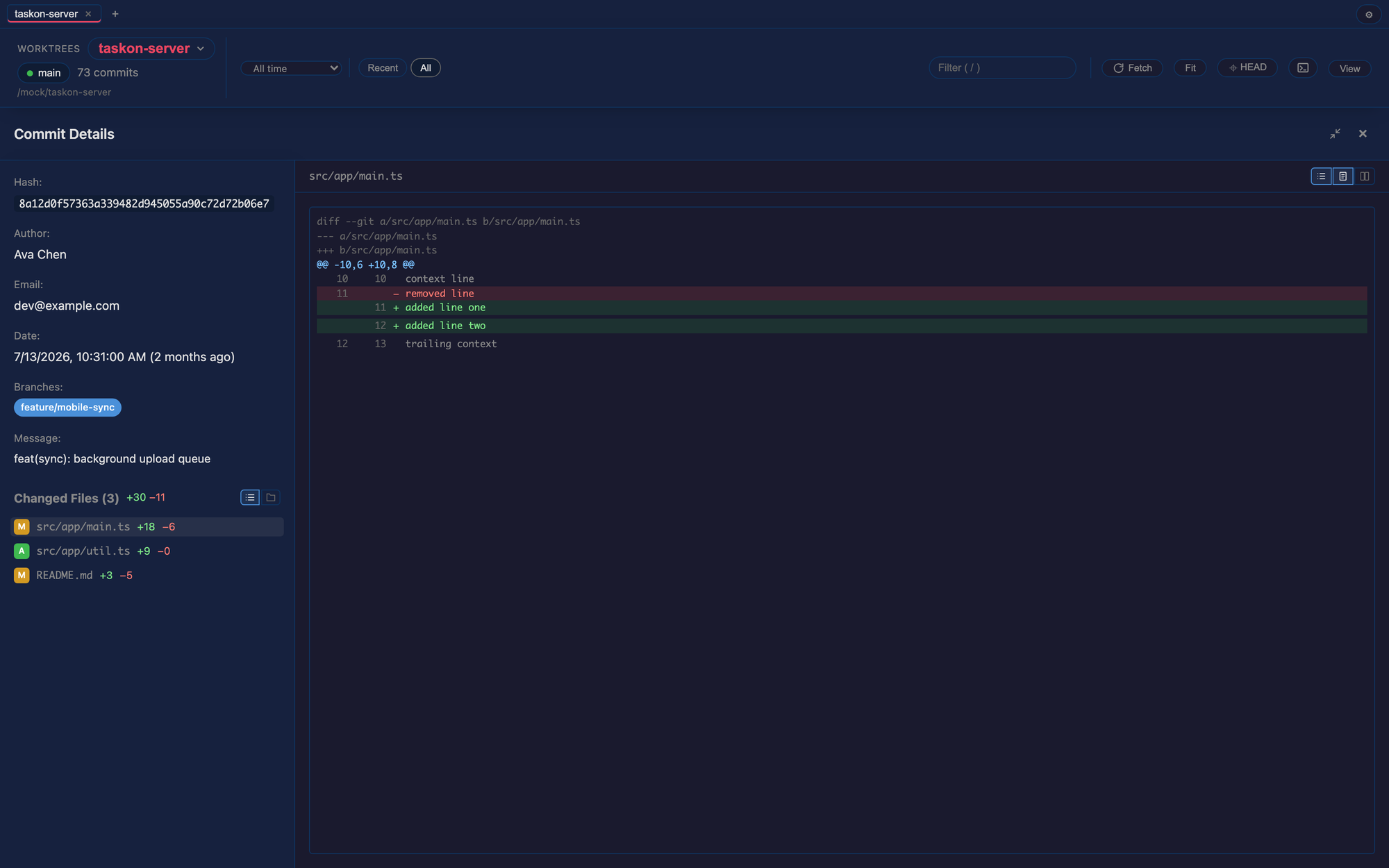
Inspect a commit — click any node: full message, author, date, branches
it sits on, and the changed-file list. Click a file for the full-width diff
split view, with flat or tree file lists and unified or side-by-side patch
modes.
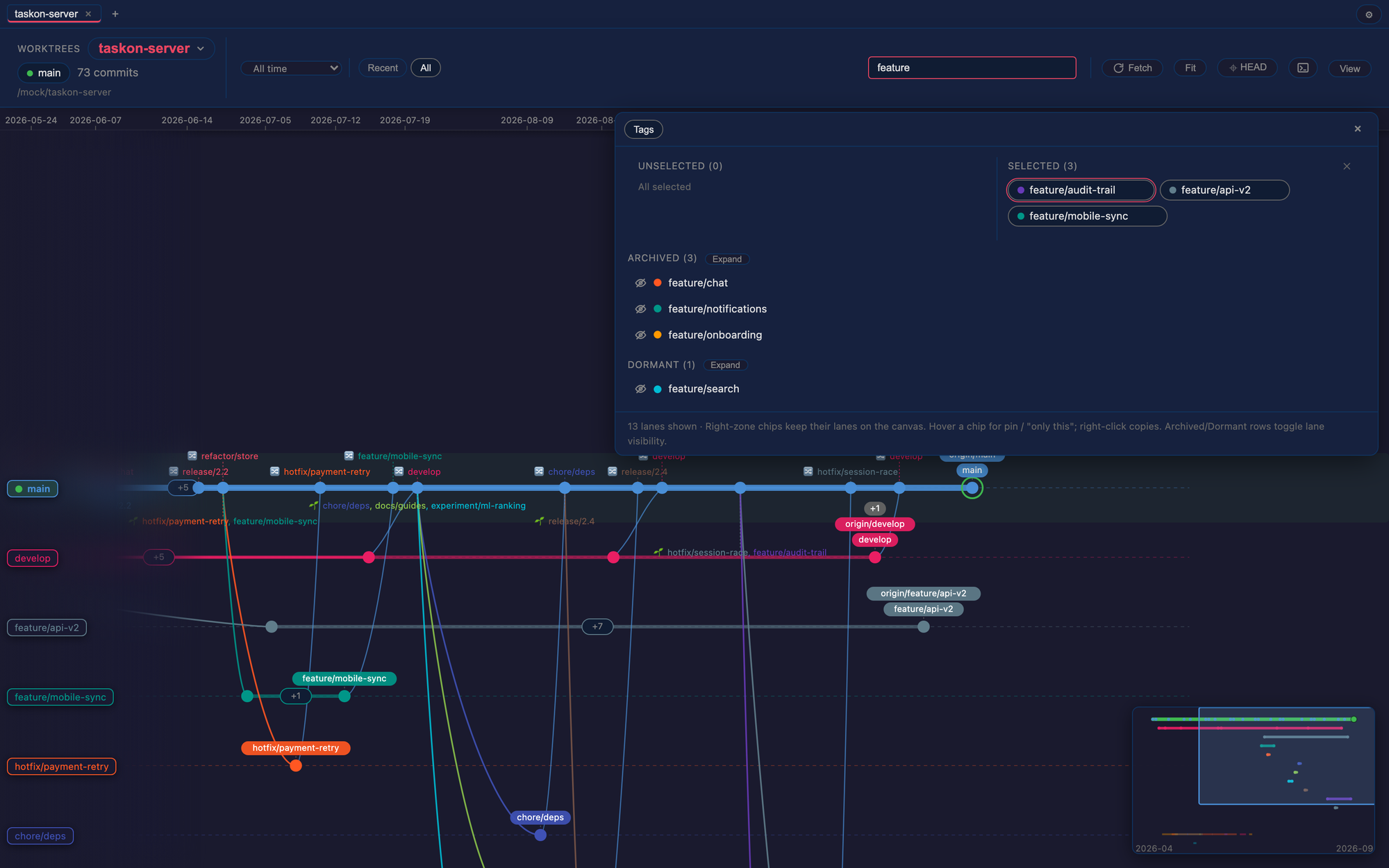
Focus on the branches you care about — press / (or use the filter box)
to filter lanes by name; pin branches, or collapse whole archived/dormant
groups. Filtered lanes keep their place on the canvas, so context survives.
Compare any two commits — Ctrl/Cmd+click two nodes to see everything
that changed between them, with per-file diffs.
More — search commit messages with Cmd/Ctrl+F; switch branches from the
branch panel (with a dirty-worktree guard so uncommitted work is never
silently carried or lost); fetch manually or automatically.
Good to know
- Talks to your system git directly — your credentials, your remotes, no
bundled binaries, nothing re-implemented.
- The layout engine is a pure function with an extensive test suite: the same
picture, every time.
- Also available as a standalone desktop app; the VS Code extension shares its
frontend and engine. See the repository
for the desktop app and development docs.
Not in v1: an embedded terminal (VS Code's own is better), cherry-pick link
detection, and drag-and-drop folder opening (webviews can't read dropped
folder paths — use the picker).
MIT License · Source & issues

