
dcmview
Open local DICOM files and folders in dcmview directly from VS Code or Cursor.
dcmview is a fast, temporary DICOM inspection tool for research and
development workflows. The extension starts a local loopback dcmview server
from the selected file or folder and displays the viewer in an editor webview.
dcmview is intended for developer and research inspection on secure networks,
not clinical diagnosis. Avoid public-facing server binds; the extension launches
the bundled server on loopback and displays it in an editor webview.
The extension reads the server's base_url and token, forwards the origin
through VS Code, and attaches the token afterwards so Remote-SSH forwarding
keeps API access working. Older binaries that report only url remain
supported. The output channel omits startup credentials; terminal and Python
bridge launches receive the full local launch URL with its token fragment.
Do not include PHI or sensitive DICOM content in public issue reports. Report
security issues privately to the maintainers before public disclosure.
For common install, binary resolution, VS Code interception, startup, remote access,
and annotation CSV problems, see the main
troubleshooting guide. For settings, binary
resolution order, and bridge environment variables, see the
configuration reference. For Python scripts and
notebooks that may route through the VS Code bridge, see the
Python reference. The main
documentation index links the user, configuration,
troubleshooting, API/debugging, development, and release references.
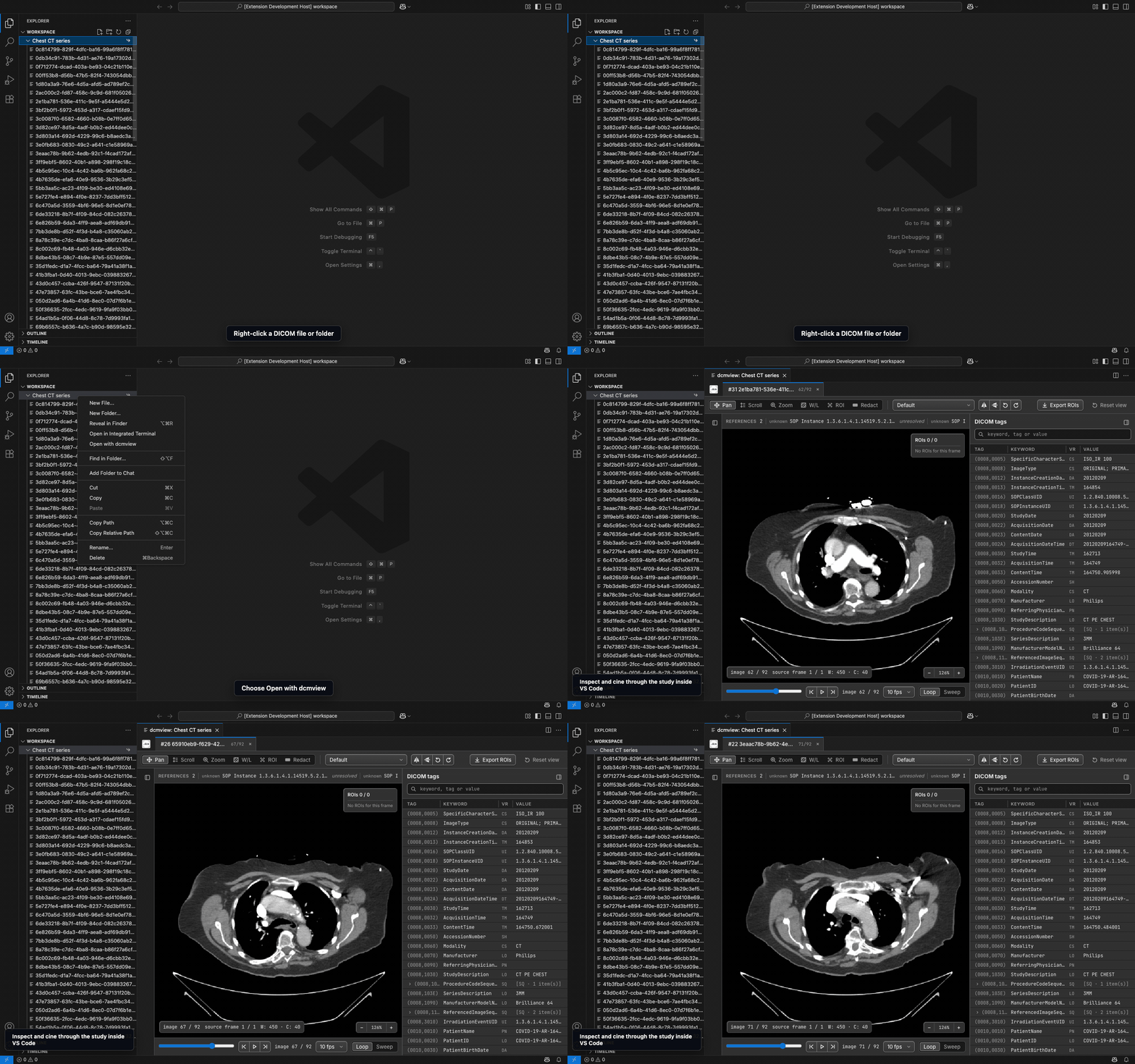
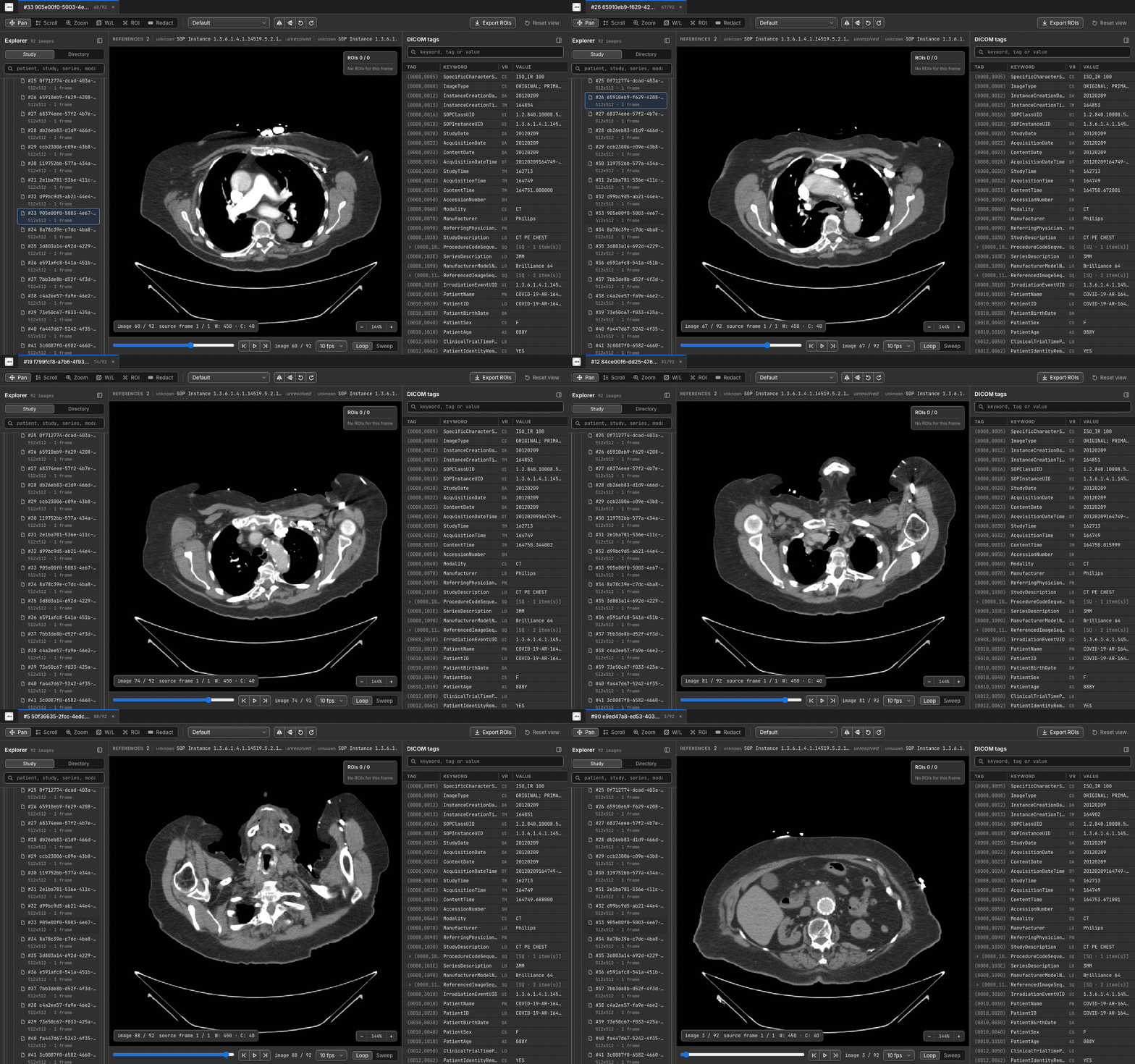
In VS Code
Source imagery attribution
Marketplace builds currently bundle dcmview binaries for:
- Linux x64
- macOS x64
- macOS arm64
- Windows x64
On unsupported platforms, or when you need to test a locally built binary, set
dcmview.binaryPath to an absolute path to a compatible dcmview executable.
Installation
- In VS Code, install
beatricebm.dcmview from the VS Code Marketplace.
- In Cursor, install
beatricebm.dcmview from Cursor's extension panel. Cursor
obtains the extension from Open VSX after its marketplace security review.
- For local testing, download the target-specific VSIX for your platform from a
tagged GitHub Release and use
Extensions: Install from VSIX....
Usage
Use the Explorer context menu command Open with dcmview on DICOM files or
folders. The extension launches dcmview --no-browser --port 0, waits for the
local server URL, and opens the viewer beside your current editor.
For files named *.dcm, *.dicom, or *.ima, use the editor's
Reopen With... command and choose dcmview to open the file in a readonly
dcmview editor tab.
Set dcmview as the default editor for those patterns if you want double-clicks
to open matching DICOM files directly in dcmview. Extensionless DICOM files and
folders should still use the Explorer context menu command.
The command dcmview: Open Workspace with dcmview opens a selected workspace
folder. The command dcmview: Stop All dcmview Sessions terminates extension
managed viewer sessions.
When dcmview.terminalInterception.enabled is true, new integrated terminals
route dcmview, dcmview-py, and python -m dcmview_py invocations into editor
webview panels. Set DCMVIEW_VSCODE_BYPASS=1 in a terminal to bypass that
integration for a single shell session.
Settings
dcmview.binaryPath: absolute path to a dcmview binary override.dcmview.defaultRecursive: recursively scan selected folders by default.dcmview.extraArgs: additional command-line arguments passed to dcmview,
for example ["--mask"] to mask patient identifiers on screen (a display
aid, not de-identification).dcmview.startupTimeoutSeconds: seconds to wait for startup.dcmview.terminalInterception.enabled: route integrated terminal launches
into editor webviews.
See the main configuration reference for binary
resolution order, environment variables, and how these settings map to
dcmview CLI arguments.

