Skip to content
| Marketplace
Sign in
Visual Studio Code>Programming Languages>Confit LSPNew to Visual Studio Code? Get it now.
Confit LSP

Confit LSP

Basile Dura

|
7 installs
| (0) | Free
LSP client for the Confit configuration system
Installation
Launch VS Code Quick Open (Ctrl+P), paste the following command, and press enter.
Copied to clipboard
More Info

Confit LSP

LSP client for the Confit configuration system.

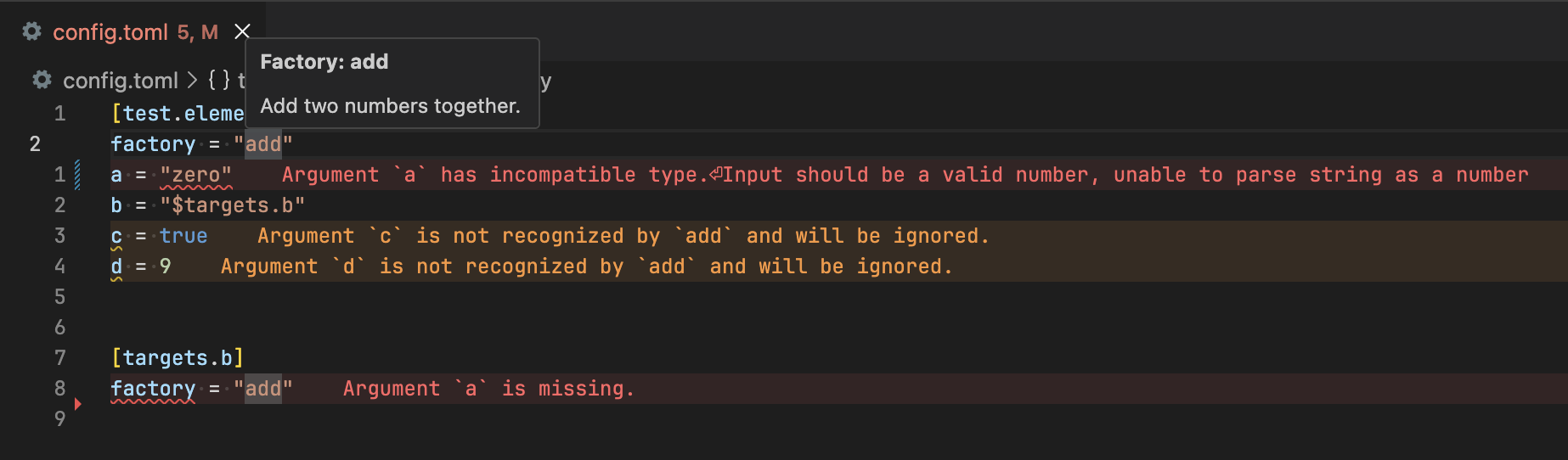
Example diagnostics

Getting started

This extension does not ship with the LSP itself, you need to install it separately:

pip install git+https://github.com/bdura/confit-lite[lsp]

Configuring the LSP

Declaring registries

You can declare registries in your project's pyproject.toml under the [tool.confit.registry] table. Sources are declared using the module.submodule:object.method syntax.

For instance, let's declare confit-lite's simplistic registry as a factory source:

[tool.confit.registries]
factory = "confit_lite.registry:REGISTRY.get"

You can declare any "getter" function as a valid registry source. The LSP expects that function to return an optional factory when given a factory name.

In the example above, the REGISTRY object is a dictionary, hence get adheres to the LSP's requirements.

Including configuration files

You can configure which files are processed by the LSP with the include and exclude configuration key, which both expect a RegEx pattern. Default values:

[tool.confit]
include = "confit\\.(toml|ya?ml)$"
exclude = "pyproject\\.toml$"

For instance, if you would like the LSP to process any TOML file (excluding pyproject.toml):

[tool.confit]
include = "\\.toml$"

If you wish to disable the default exclude key, give it an empty exclude = "" value.

See the confit-lite docs for more information.

  • Contact us
  • Jobs
  • Privacy
  • Manage cookies
  • Terms of use
  • Trademarks
  • Your Privacy Choices
  • Consumer Health Privacy
© 2026 Microsoft