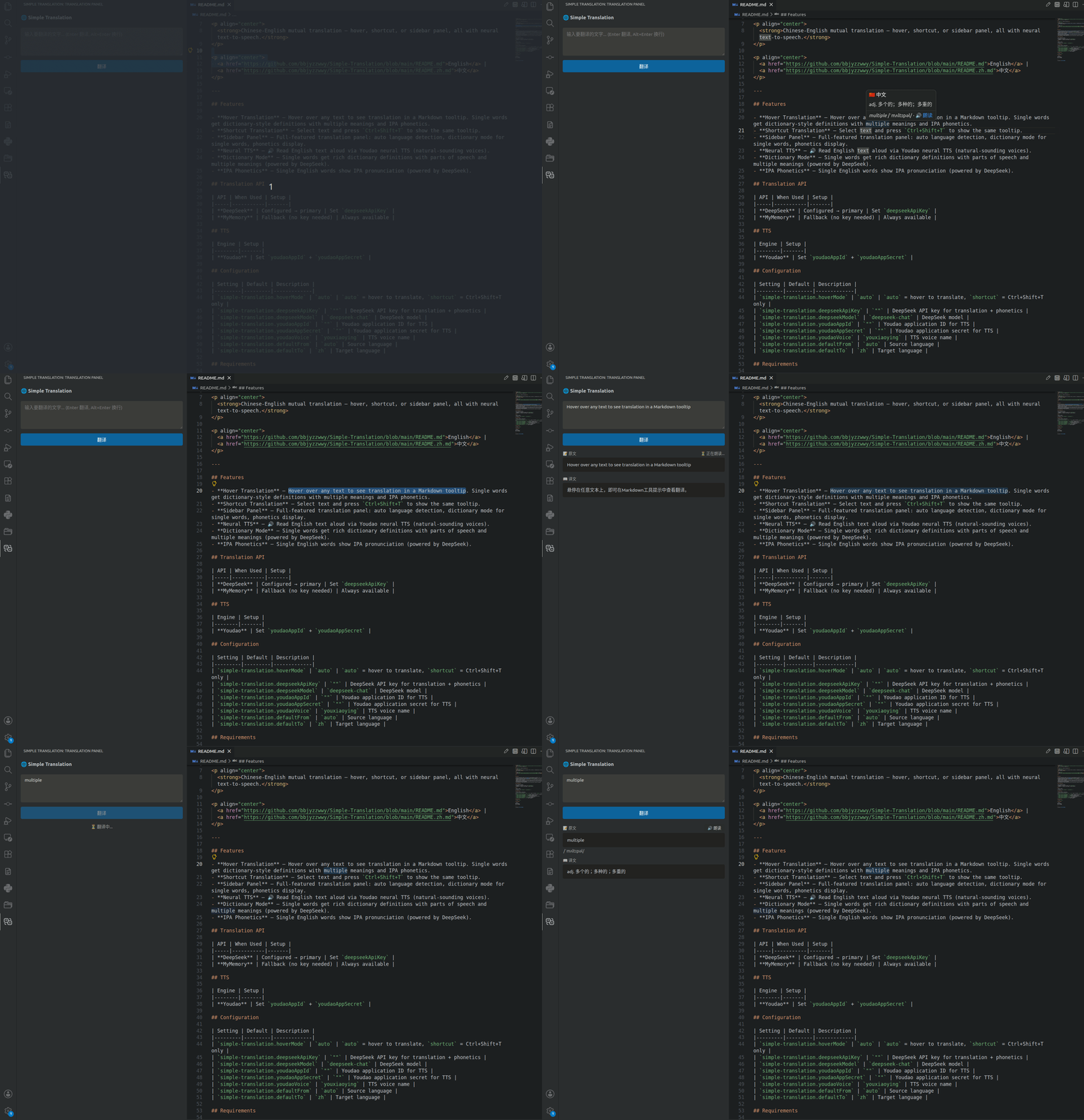
Hover Translation — Hover over any text to see translation in a Markdown tooltip. Single words get dictionary-style definitions with multiple meanings and IPA phonetics.
Shortcut Translation — Select text and press Ctrl+Shift+T to show the same tooltip.
Sidebar Panel — Full-featured translation panel: auto language detection, dictionary mode for single words, phonetics display.
Neural TTS — 🔊 Read English text aloud via Youdao neural TTS (natural-sounding voices).
Dictionary Mode — Single words get rich dictionary definitions with parts of speech and multiple meanings (powered by DeepSeek).
IPA Phonetics — Single English words show IPA pronunciation (powered by DeepSeek).
Translation API
API
When Used
Setup
DeepSeek
Configured → primary
Set deepseekApiKey
MyMemory
Fallback (no key needed)
Always available
TTS
Engine
Setup
Youdao
Set youdaoAppId + youdaoAppSecret
Configuration
Setting
Default
Description
simple-translation.hoverMode
auto
auto = hover to translate, shortcut = Ctrl+Shift+T only
simple-translation.deepseekApiKey
""
DeepSeek API key for translation + phonetics
simple-translation.deepseekModel
deepseek-chat
DeepSeek model
simple-translation.youdaoAppId
""
Youdao application ID for TTS
simple-translation.youdaoAppSecret
""
Youdao application secret for TTS
simple-translation.youdaoVoice
youxiaoying
TTS voice name
simple-translation.defaultFrom
auto
Source language
simple-translation.defaultTo
zh
Target language
Requirements
VS Code ^1.85.0
Linux only: ffmpeg + pulseaudio-utils for TTS playback