GSCLSP
Visual Studio Code language support for Call of Duty®'s scripting language .gsc, .gsh, .csc, and .csh files, powered by the GSCLSP C# language server.
Features
Syntax Highlighting
- Adds colored keywording
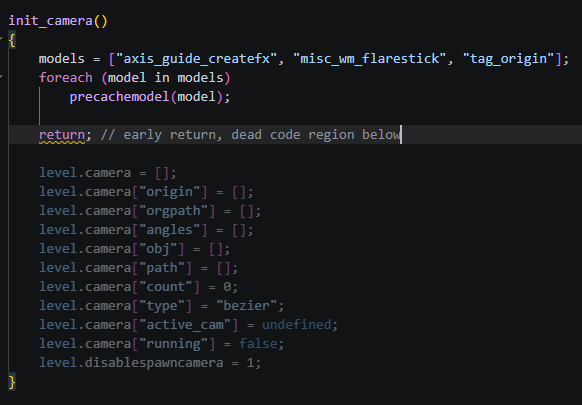
- "Dead code" zones for early returns & unused preprocessors
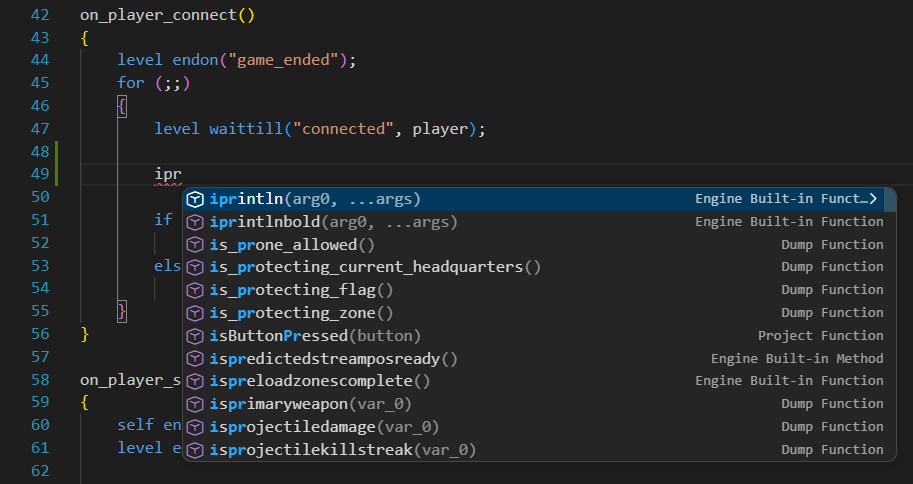
Code Completion
- Local workspace & your choice of dump symbols
- Engine built-ins per target game
- Context-aware suggestions, functions, and more
- Preprocessor directives and global/local variable completions
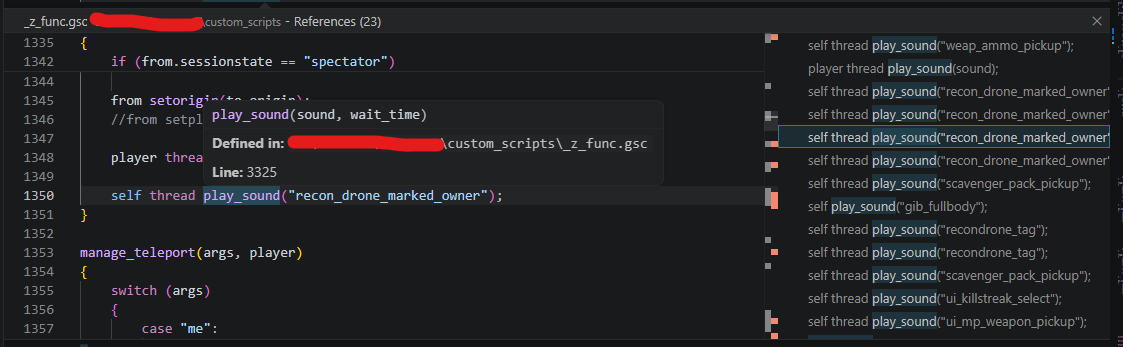
Go to Definition & Go to References
When you Right mouse click on any user-defined function or local variable, you can:
- use the
Go to Definition button to quickly jump to the line it's defined on
- use the
Go to References or Find All References button to find every place that calls it
This works for any function or local variable defined in GSC, including #include/#using GSC paths.
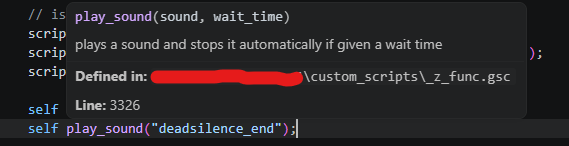
When you hover your mouse cursor over any sort of function, macro, variable, or file path, a hover box will appear giving detailed information about what you are hovering. This includes line information, any comments above the definition of the function/variable, and any additional comments official documents contain.
Diagnostics
gsclsp.unresolvedFunction: Unresolved function callsgsclsp.recursiveFunction: Recursive function warninggsclsp.missingSemicolon: Missing semicolongsclsp.invalidBuiltinArgCount: Built-in argument count warninggsclsp.earlyReturn: Early return cutting off code warninggsclsp.missingAnimtree: Sanity check #animtree for valid #using_animtree
Code Actions
- Quick fix to insert
#include ... for unresolved functions
Project Setup
When you open a workspace, the extension ensures a gsclsp.config.json file exists in the workspace root.
Dump folders are used per game by dumpPaths in the config. The current game selects which dump is in use. Switching games will swap the dump automatically.
{
  "game": "s4",
  "dumpPaths": {
    "iw5": "D:\\dumps\\iw5",
    "s4": "D:\\dumps\\s4"
  }
}
Custom Built-ins
You can extend the built-in function/method list per game with the builtins key in the config. Entries show up in autocompletion, hover, and are recognized by diagnostics — and they override a shipped built-in of the same name.
{
  "game": "iw4",
  "builtins": {
    "iw4": {
      "functions": [
        {
          "name": "mycustomfunc",
          "description": "Added by my mod's engine patch.",
          "args": ["player", "value"],
          "minArgs": 1,
          "maxArgs": 2
        }
      ],
      "methods": [
        { "name": "mycustommethod" }
      ]
    }
  }
}
Only the block matching the active game is applied. All fields except name are optional; args may also use the object form { "name": "player", "description": "..." }.
Choosing Your Target Game
Once you are inside a valid GSC file, you will see a GSC Target Game dropbox appear in the bottom right corner. Choosing the game you are working on will help GSCLSP change the built-ins list and gives accurate diagnostics.
If the active game has no entry in dumpPaths, no dump is indexed (workspace symbols and engine builtins still work).
JUP
If working with JUP, IW9's hashes are the same and are applied to JUP's target game. 3arc syntax is required for JUP scripts, and it is highly recommended to point at https://github.com/ate47/mwiii-source/tree/main/mp for your GSC dump. for SP, use the sp folder instead.
If you are overriding a GSC script but want the #using to resolve to your local file, make sure the first line of your source GSC includes a comment naming the file it's overriding.
Normal GSC path example:
// scripts\mp\art.gsc
Hashed GSC path example:
// script_13645532f846e433
How to disable warnings/errors
Warnings can be muted on either:
- the first line of the file
- or the line above the error
Supported format:
// gsclsp-disable: recursive-function// gsclsp-disable: missing-semicolon// gsclsp-disable: builtin-arg-count// gsclsp-disable: recursive, semicolon, builtin-args// gsclsp-disable: all
Aliases supported:
recursive -> recursive-functionsemicolon -> missing-semicolonbuiltin-args or arity -> builtin-arg-count
Command