Skip to content
| Marketplace
Sign in
Visual Studio Code>Other>Discord Rich Presence with GitNew to Visual Studio Code? Get it now.
Discord Rich Presence with Git

Discord Rich Presence with Git

barroit

|
1 install
| (0) | Free
Display repository and workbench status in rich presence
Installation
Launch VS Code Quick Open (Ctrl+P), paste the following command, and press enter.
Copied to clipboard
More Info

Discord Rich Presence with Git

Monitors editor state and Git repository status, reflecting them directly in Discord Rich Presence. Fast, accurate, and lightweight.

Features

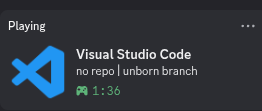
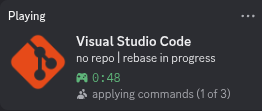
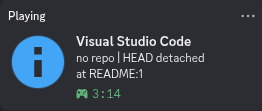
  • Advanced Git Integration: Accurately reflects repository state. Displays active branches, detached HEAD states, unborn branches, and ongoing rebase operations.
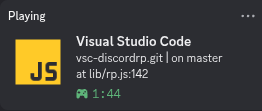
  • Precise Context Tracking: Broadcasts active file and current line number in real-time.
  • Dynamic Assets: Automatically switches presence icons based on the current repository state or file type in focus.

Requirements

  • Git can be run in the default shell.
  • A running instance of the Discord desktop client.

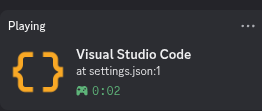
Samples

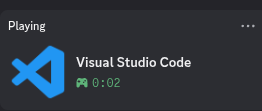
Standard Workspace

Unbord Branch

Rebase

Detached HEAD

Standalone File

Real World

  • Contact us
  • Jobs
  • Privacy
  • Manage cookies
  • Terms of use
  • Trademarks
© 2026 Microsoft