Parquetly - Parquet Viewer and EditorParquet viewer and editor for VS Code. Open .parquet, .pq and .parq files as a fast, searchable, sortable, editable data table with charts and SQL-style filters. Installation Launch VS Code Quick Open ( Ctrl+P), paste the following command, and press enter.Copied to clipboard |

ParquetlyOpen
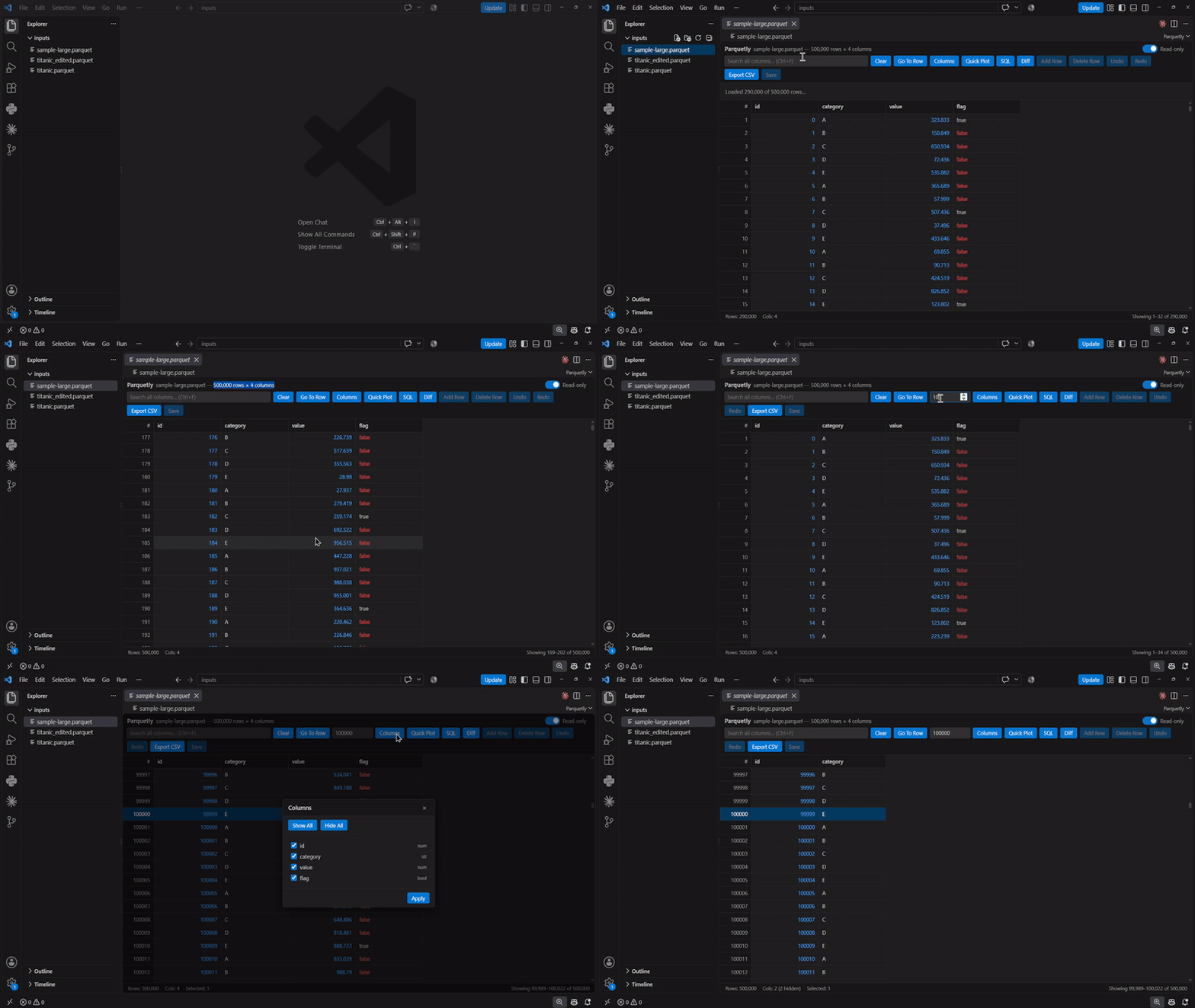
What makes it differentIt opens files that other viewers choke on. Rows are streamed out of the file in batches of 10,000 and rendered through a virtual-scrolled grid, so only the rows you can actually see exist in the DOM. A half-million-row file opens without freezing the window.
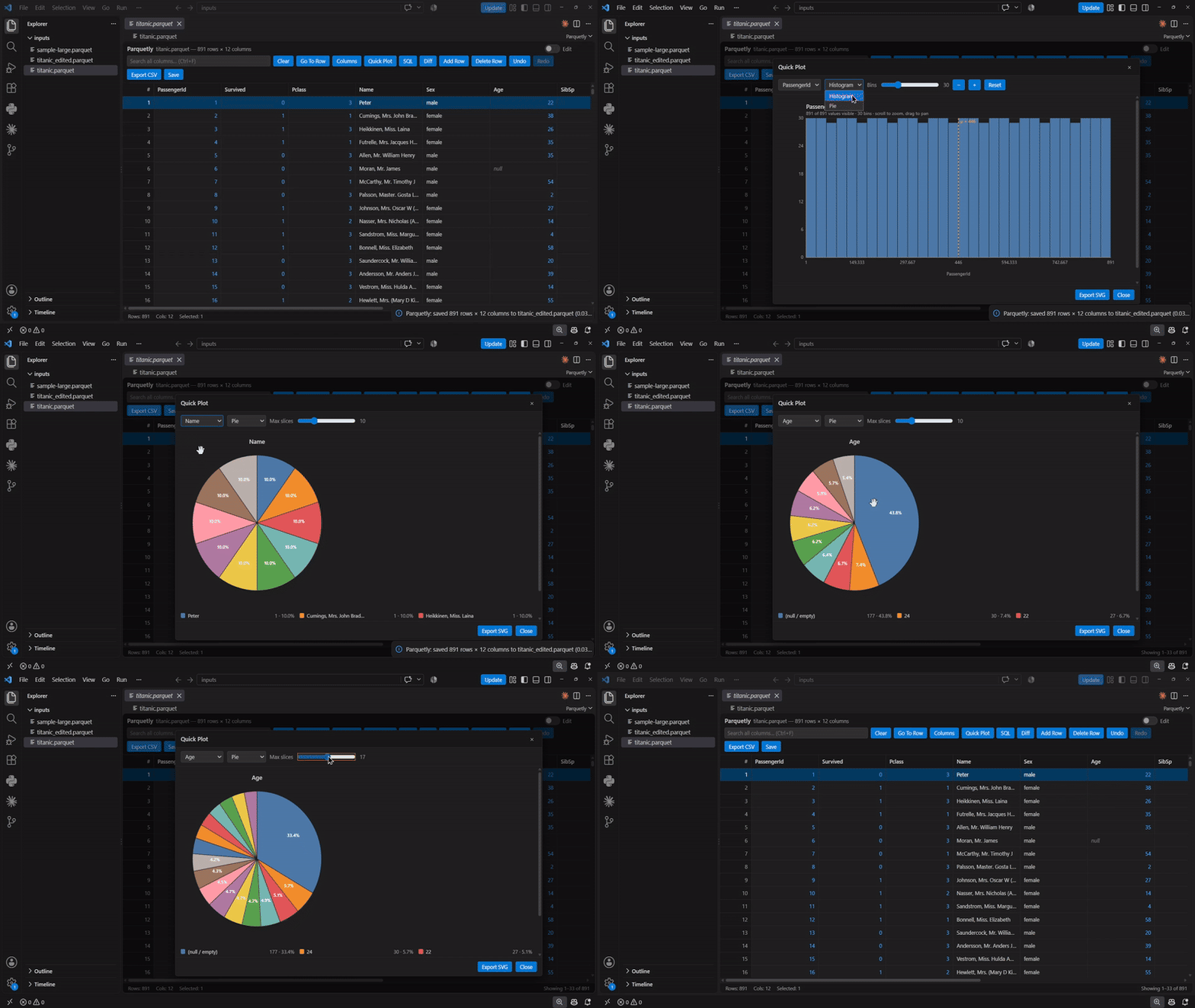
You can plot a column without leaving the editor. Right-click any column header → Plot. Histograms and pie charts are drawn as hand-built inline SVG — there is no chart library in the bundle — with a bins slider, a dashed mean line, mouse-wheel zoom, click-drag panning, and a live Count / Min / Max / Mean / Median / StdDev bar that recomputes over whatever range you have zoomed into. Plots always run over the rows currently visible after your filters, so filtering the table re-plots the chart.
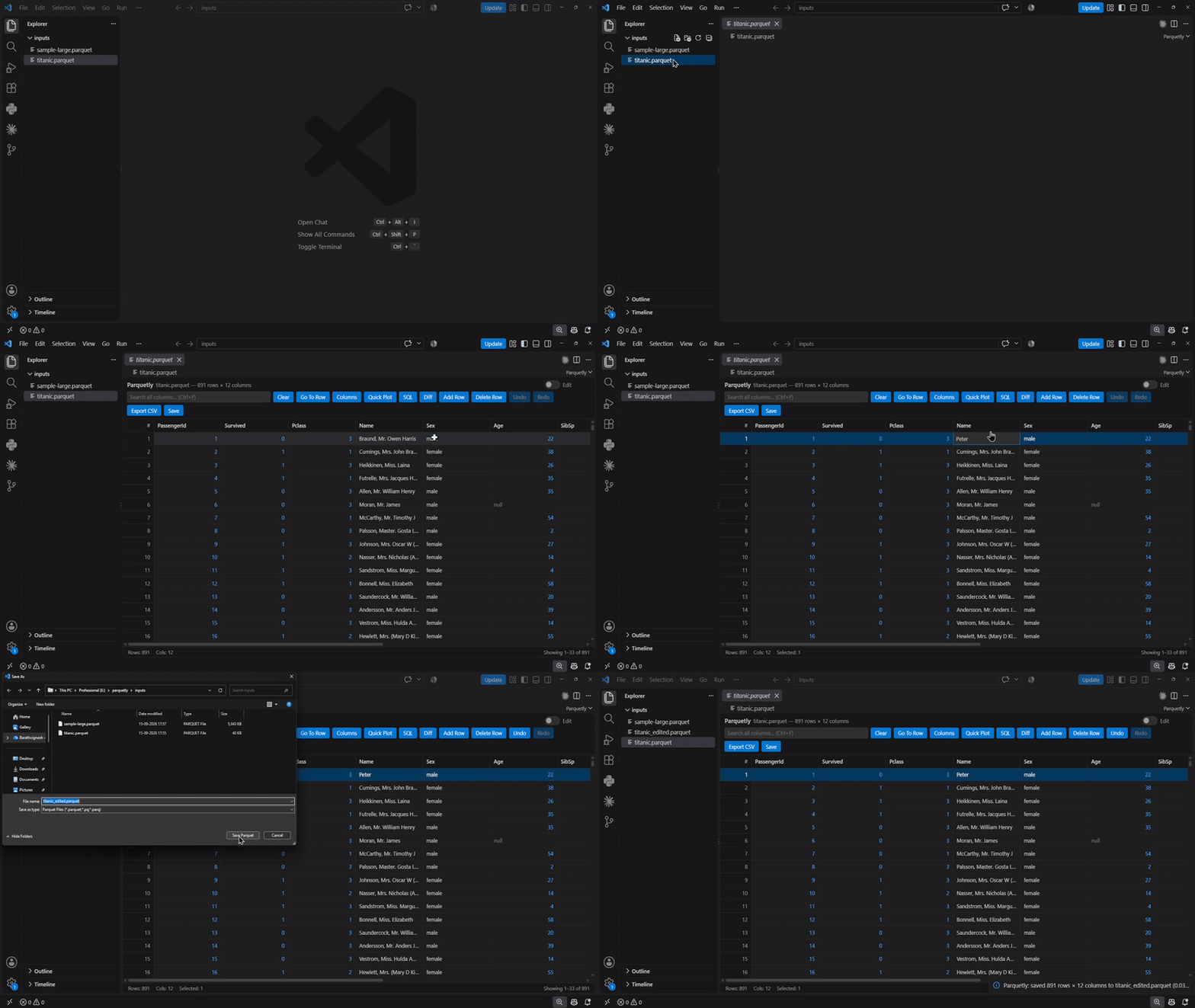
It writes real Parquet back out. Edit cells inline, then Save — column types are
taken from the source file, so an It has no dependencies you can see. The whole UI is vanilla JS and VS Code theme tokens: no grid library, no chart library, no web fonts. It follows your active light, dark, or high-contrast theme automatically. Features
UsageOpen any Or run Parquetly: Open Parquet File from the Command Palette (Ctrl+Shift+P) to pick a file from anywhere on disk. The file opens read-only. Flip the Read / Edit toggle in the toolbar to enable editing — double-click a cell to change it, and use the row buttons to add, duplicate, or delete rows. To go back to plain text or another viewer for one file: right-click it in the Explorer → Open With…. Keyboard shortcutsThese are scoped to the webview — they work while the table has focus and intentionally do not appear in the VS Code Keyboard Shortcuts UI, so they never collide with your own bindings.
Row selection: click to select, Ctrl+Click the row number to toggle, Shift+Click to select a range. Ctrl+Click on a data cell filters by that cell's value instead. The SQL bar is not SQLIt is a small regex grammar over the rows already loaded in the webview:
A header sort is applied before the SQL bar, so SavingSave writes a real Parquet file. It opens a save dialog pre-filled with
Column types are taken from the source file, so a round trip is lossless — an
Issues and sourcegithub.com/barathjk/parquetly — build and test instructions are in CONTRIBUTING.md. MIT licensed. |