Skip to content
| Marketplace
Sign in
Visual Studio Code>Linters>CSS Duplicate Detector and MergerNew to Visual Studio Code? Get it now.
CSS Duplicate Detector and Merger

CSS Duplicate Detector and Merger

balakrishnanbsk

| (0) | Free
Scans your stylesheets for classes that declare identical properties — merge duplicates with one click.
Installation
Launch VS Code Quick Open (Ctrl+P), paste the following command, and press enter.
Copied to clipboard
More Info

CSS Duplicate Detector & Merger

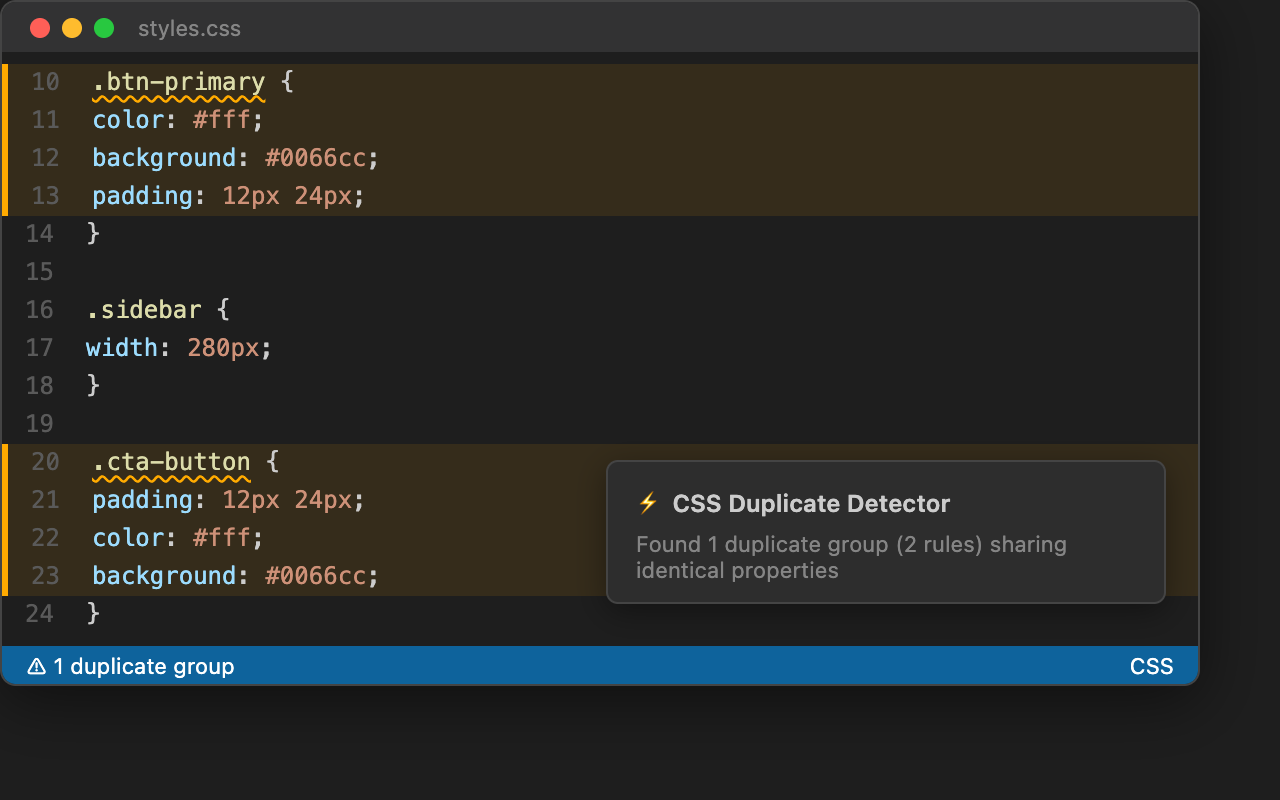
Finds CSS rules with identical property sets — regardless of selector name or declaration order — and lets you merge them safely with diff preview.

Detection

Why This Extension?

Large stylesheets accumulate duplicate rules over time. .btn-primary and .cta-button might declare the exact same color, background, and padding — but no linter will catch that. This extension does.

Unlike selector-name matchers, CSS Duplicate Detector compares the full property signature of every rule, so it catches duplicates that other tools miss entirely.

Features

Semantic Property-Set Matching

Finds rules with identical property sets across your CSS, SCSS, and LESS files — order-insensitive.

/* Detected as duplicates */
.card { padding: 16px; color: [#333](https://github.com/balakrishnanbsk/cssduplicatedetectorandmerger/issues/333); }
.box  { color: [#333](https://github.com/balakrishnanbsk/cssduplicatedetectorandmerger/issues/333); padding: 16px; }   /* same props, different order */

/* After merge → */
.card, .box { padding: 16px; color: [#333](https://github.com/balakrishnanbsk/cssduplicatedetectorandmerger/issues/333); }

Rich Results Panel

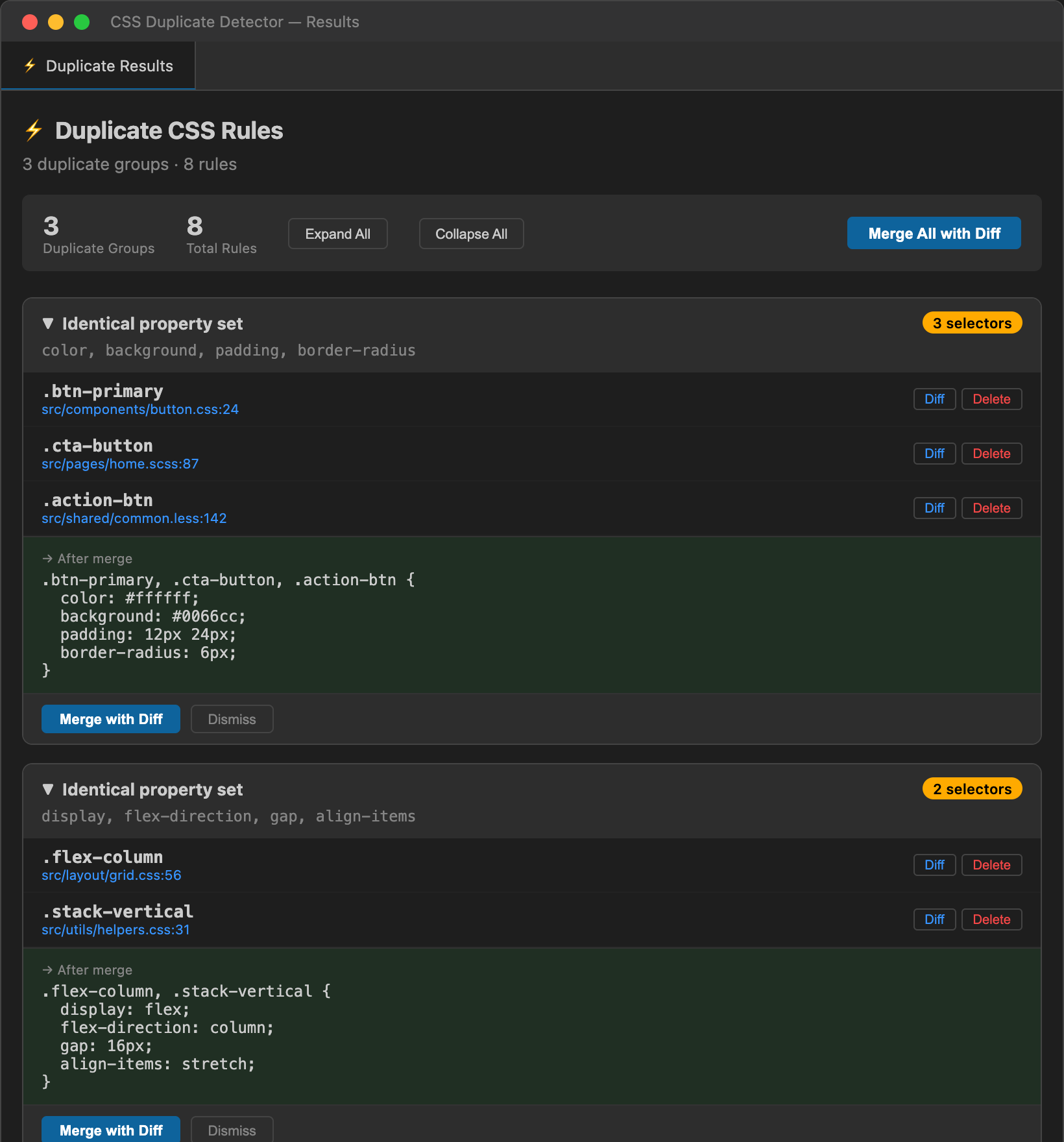
Collapsible group cards with per-rule Diff and Delete buttons, merge preview, and batch controls.

Results Panel

Safe Merge with Diff Preview

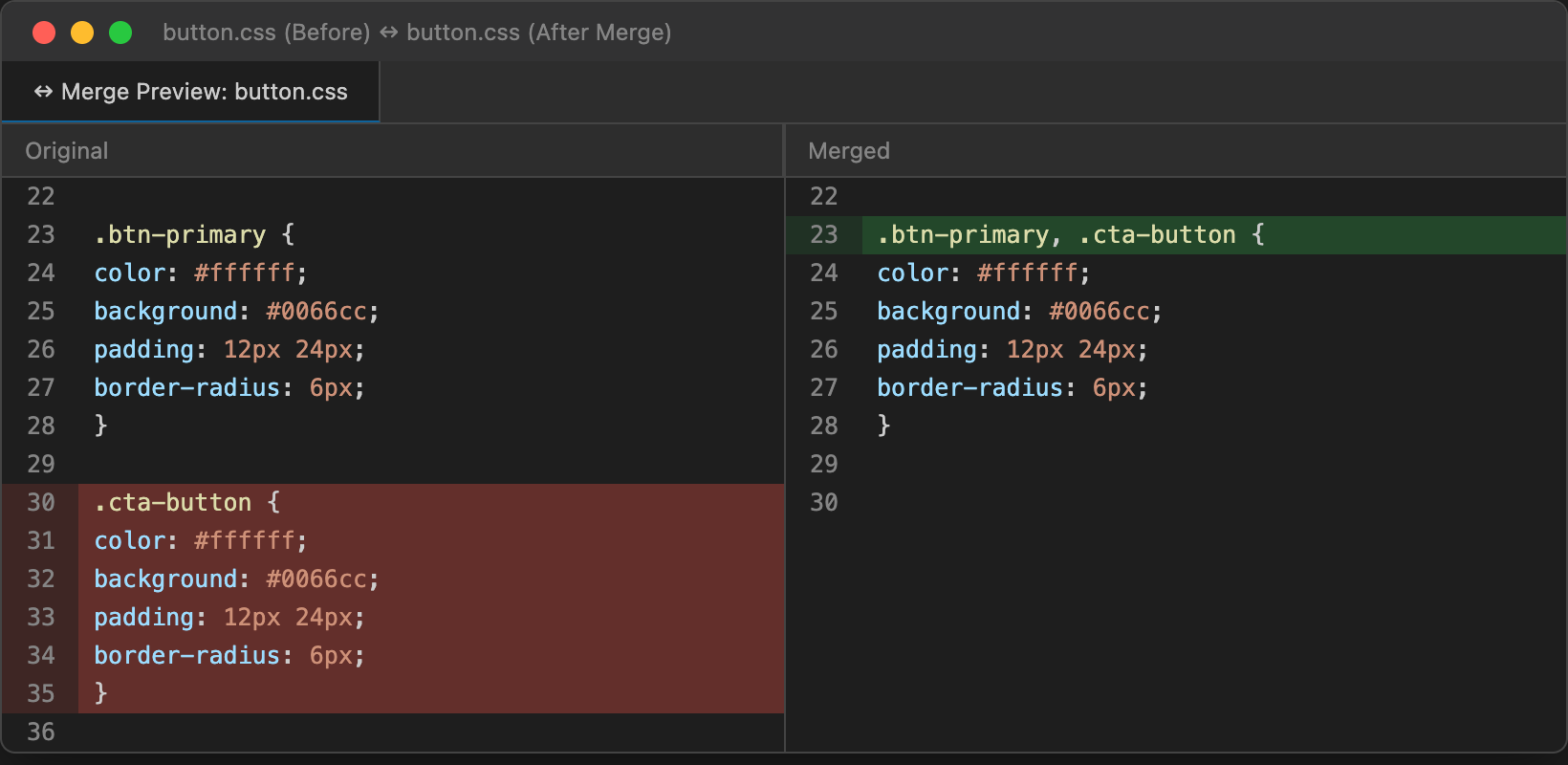
Every merge and delete opens a VS Code diff editor first — review the exact changes before applying. Nothing is auto-applied.

Diff Preview

Quick Fix Integration

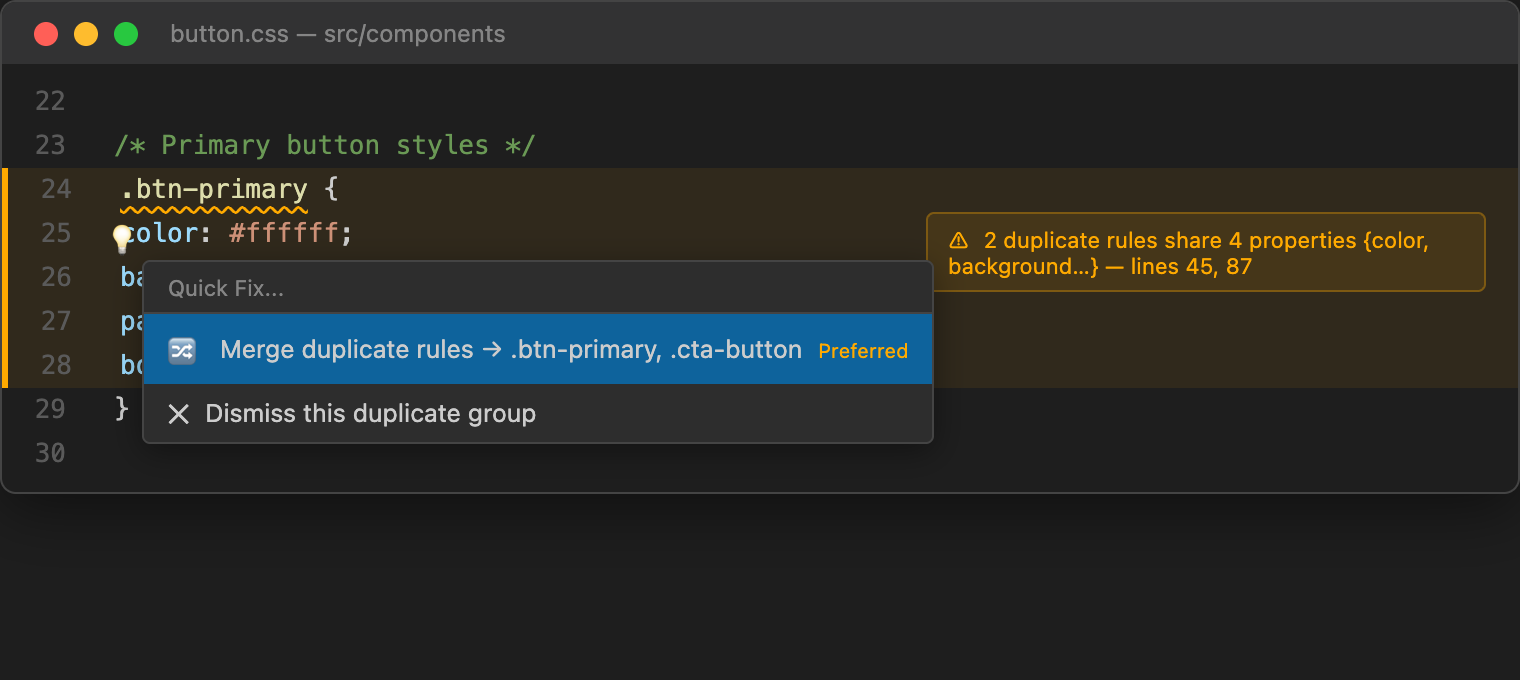
Lightbulb actions appear inline — merge a group or dismiss it directly from the editor.

Quick Fix

All Commands

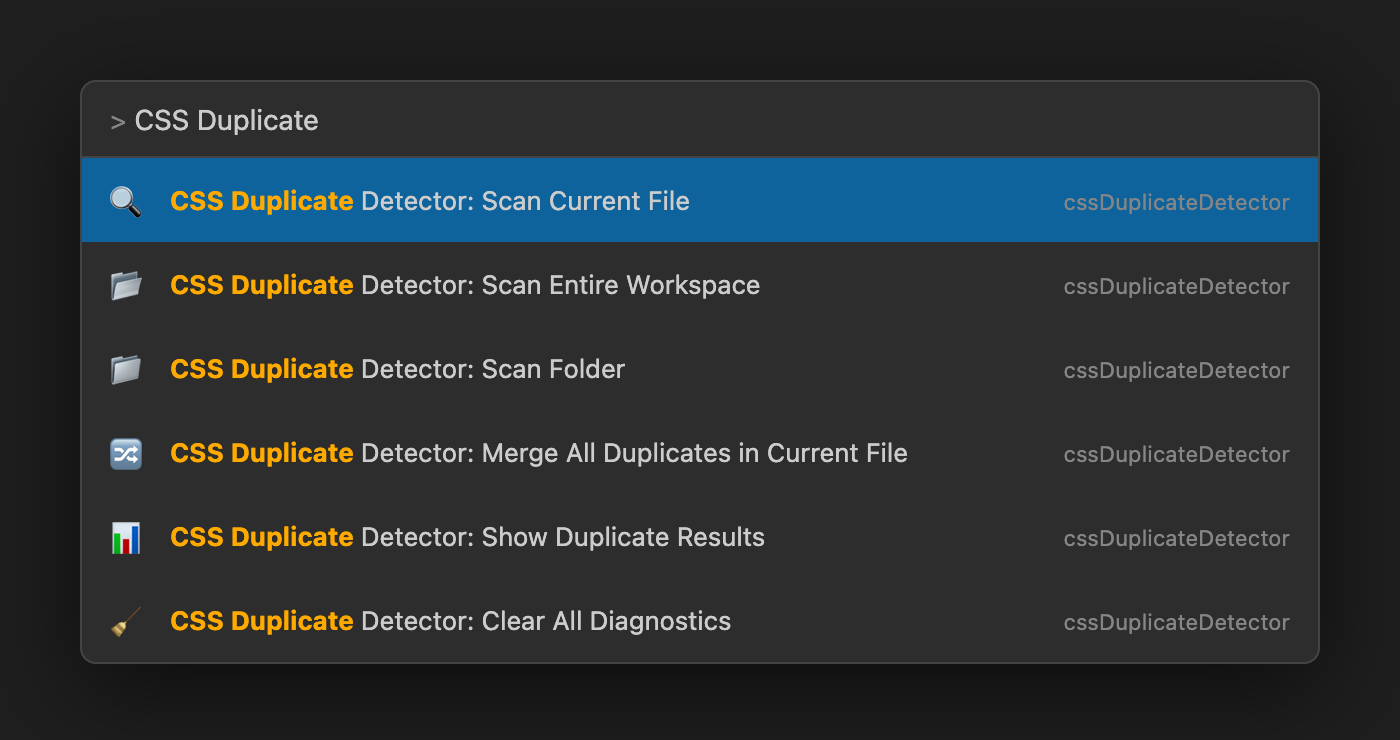
Access all features from the Command Palette.

Commands

Full LESS / SCSS Nesting Support

Recursive parser handles & parent references, deeply nested rules, and reports correct absolute line numbers.

Workspace-Wide Scanning

  • Scan Current File — single file analysis
  • Scan Workspace — all CSS/SCSS/LESS files in your project
  • Scan Folder — right-click any folder in the explorer

Settings

Setting Description Default
enableInlineHints Show gutter markers on duplicate rules false
severityLevel Diagnostic severity: error, warning, info, hint, none hint
excludeExtensions Skip files by extension (e.g. .min.css) []
excludeFiles Skip files by glob pattern (e.g. **/vendor/**) []

Context Menus

  • Editor right-click → Scan Current File, Merge All Duplicates
  • Explorer right-click on folder → Scan Folder, Scan Workspace

Supported Languages

  • CSS
  • SCSS / Sass
  • LESS

Requirements

  • VS Code 1.106.0 or later
  • No additional dependencies required

License

MIT

  • Contact us
  • Jobs
  • Privacy
  • Manage cookies
  • Terms of use
  • Trademarks
© 2026 Microsoft