Datakit
Connect to MySQL / MariaDB, PostgreSQL, MongoDB, Redis and Kafka from VS Code. Browse their
objects, run queries and commands, and view and edit data without leaving the editor.
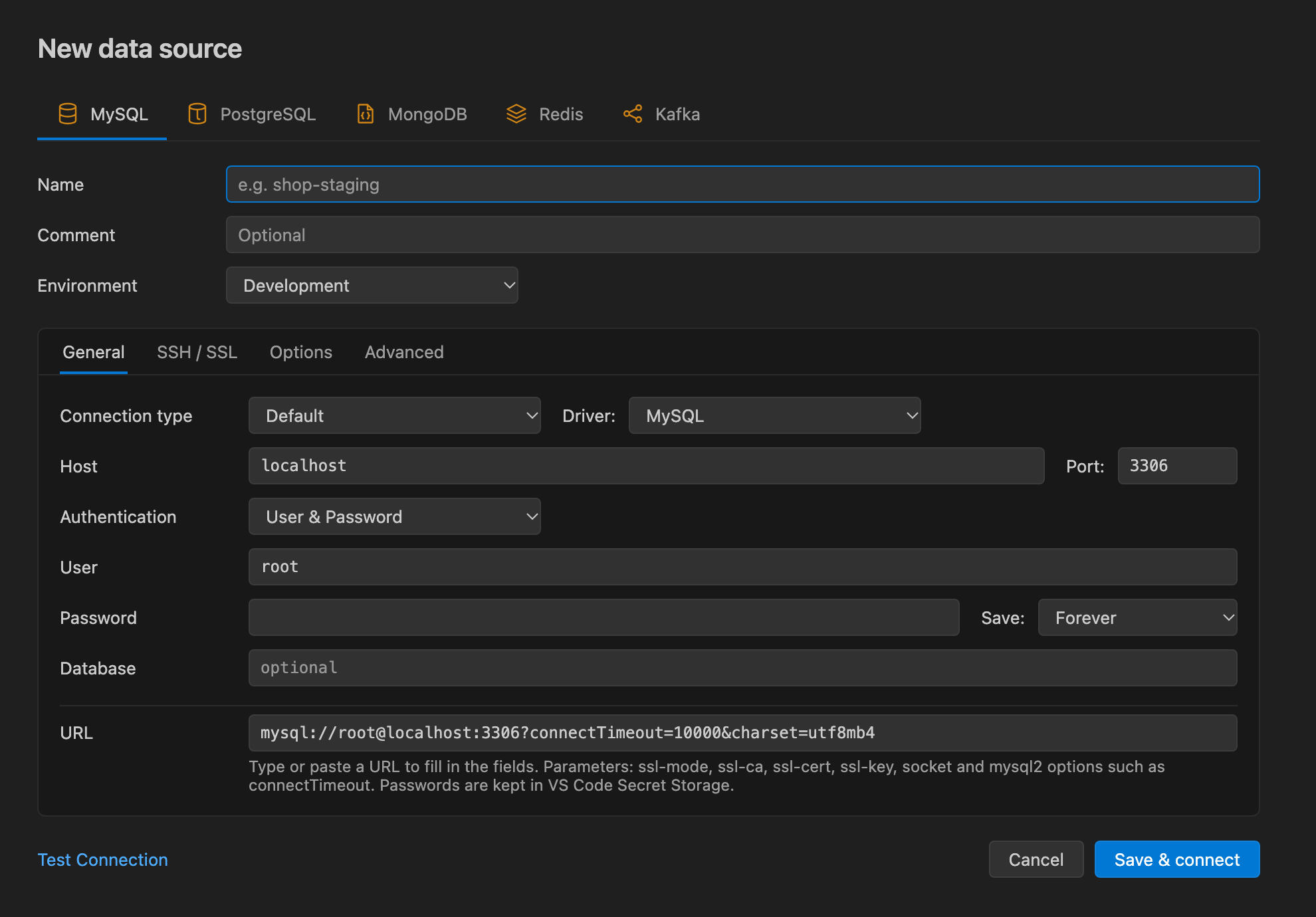
Getting started
- Open the Datakit view in the Activity Bar.
- Click New Data Source, pick the server type, and fill in the form or paste a connection URL.
- Click Test Connection, then Save & connect.
- Expand the data source in the Data Sources tree and double-click an object to open it.
Data sources
- Create and edit connections with a form or a connection URL, and test them before saving.
- Connect through an SSH tunnel (password, private key or SSH agent) and use SSL / TLS.
- Passwords are kept in VS Code's secret storage, never in settings.
- Data sources are grouped by their Environment into Development, Staging and Production folders. On
Production data sources, every write asks for confirmation.
- The filter in the Data Sources title bar matches data source names and searches the tables, views and routines of
connected MySQL, MariaDB and PostgreSQL data sources.
- The Query History view keeps the queries you ran, ready to open again or copy.
MySQL and MariaDB
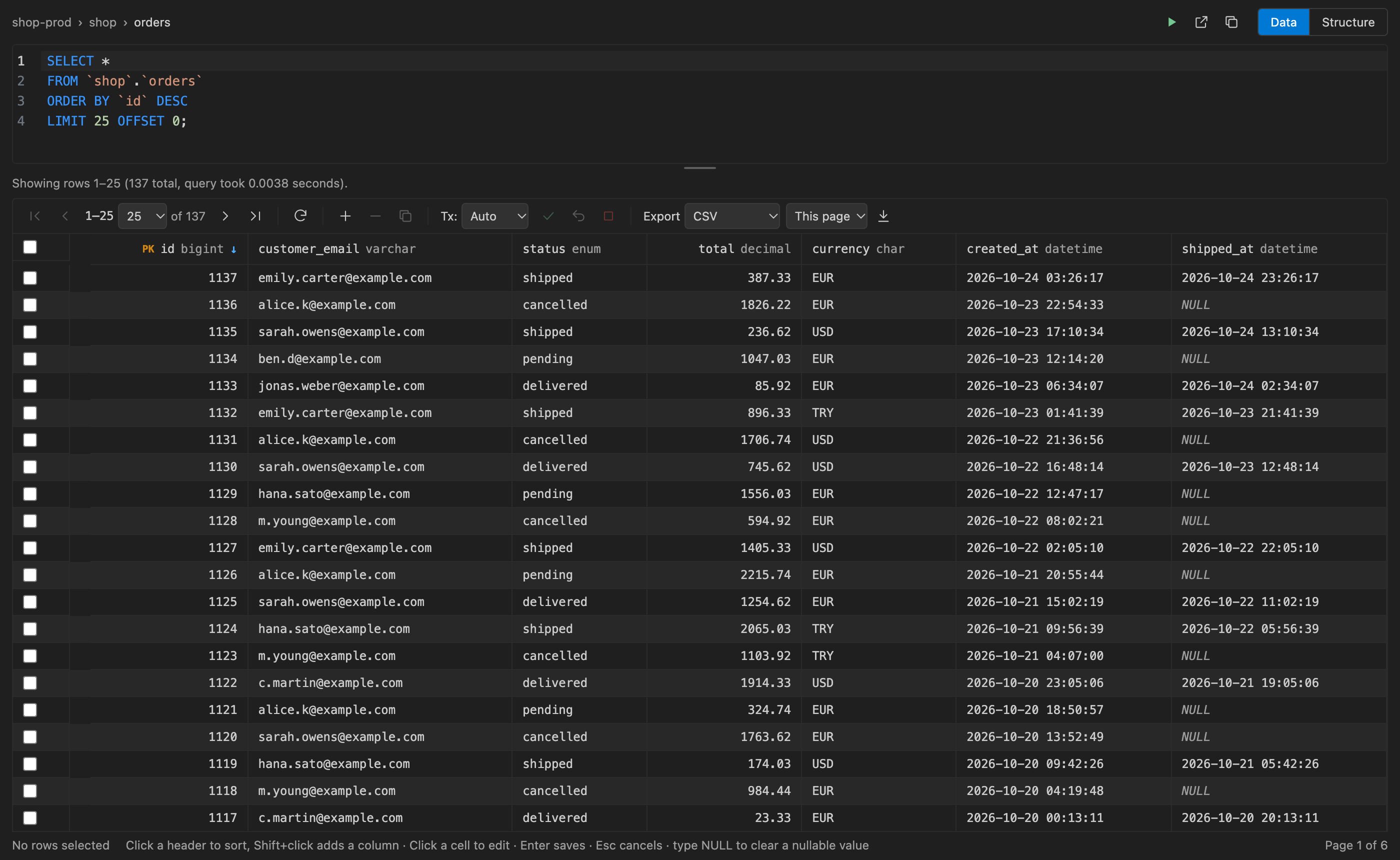
- Browse databases, tables, views and routines.
- Double-click a table to open its data view: a SQL editor whose last query fills a grid that pages, sorts, edits and
exports rows.
- Change a table's columns and indexes on the Structure tab.
- Query consoles (
console-1.sql and so on, listed under the data source) run scripts against the database of your
choice, with Messages and Execution Plan tabs.
PostgreSQL (12 or later)
- Browse databases, schemas, tables, views, materialized views, sequences, functions, procedures and types (enums,
domains, ranges and composite types).
- The database the data source names opens first, on its
public schema. Opening another database connects to it
with a connection of its own, which closes when the data source disconnects.
- Tables open in the same data view and Structure tab as MySQL's.
- Values keep the server's own text (numeric, int8, JSON, arrays, intervals, time zones). Enums and booleans get a
drop-down.
- Edits are written by primary or unique key with typed parameters, and a set of structure changes runs in one
transaction.
- Consoles pick a database and a schema (search path), show
RAISE NOTICE output and warnings under Messages, cancel a
running statement with pg_cancel_backend, and explain statements with EXPLAIN or EXPLAIN ANALYZE (rolled back).
- Right-click an object to see its definition, or a materialized view to refresh it.
- The filter searches the schemas of the database the data source connects to.
MongoDB
- Browse databases and their collections and views, and double-click one to open it.
- Find documents with a filter, projection and sort in shell syntax, e.g.
{ created: { $gt: ISODate("2026-01-01") } }.
- View documents as a list, a table or JSON, and edit them in place. Insert documents, and update or delete them by
filter.
- Run aggregation pipelines, explain queries, manage indexes and sample the schema.
- Export to JSON or CSV, and run common mongosh commands in the built-in shell.
Redis
- Browse the databases that hold keys, and double-click one to open its key browser.
- The command at the top of the key browser lists keys with
SCAN (for example
SCAN 0 MATCH user:* COUNT 500 TYPE hash). KEYS runs as SCAN, so large databases stay responsive. Other
commands typed there run like in the CLI.
- Edit strings, hashes (with per-field TTLs on Redis 7.4+), lists, sets, sorted sets and streams.
- Create, rename and delete keys, change TTLs, and export a value.
- Run commands in the built-in CLI.
Kafka
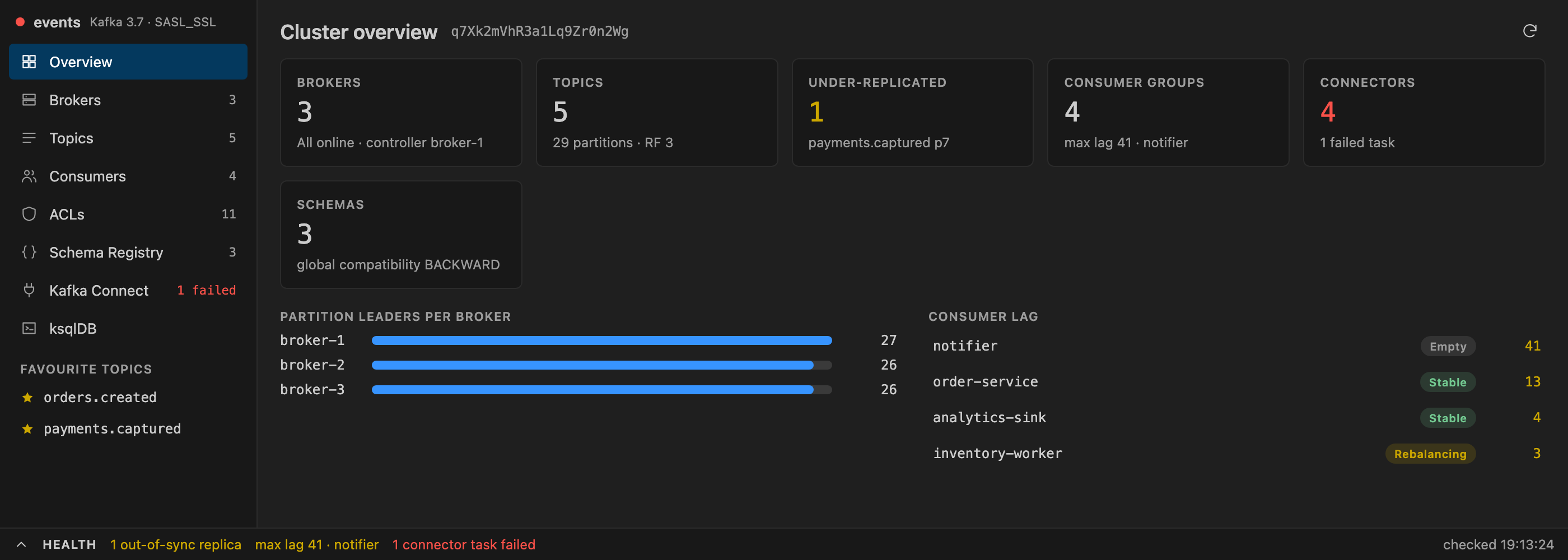
- The tree lists the sections of the Kafka workspace; double-click one to open it in the workspace.
- See the cluster overview and its health, brokers and their dynamic settings.
- Manage topics: create, clone, clear, delete, change settings and add partitions.
- Browse a topic's messages with filters, follow a live stream, produce messages and dump them to JSON Lines.
- Inspect consumer groups with their lag and reset offsets. Manage ACLs.
- With their URLs set on the data source: Schema Registry subjects, Kafka Connect connectors and a ksqlDB editor.
Requirements
VS Code 1.105 or later.
Feedback
Report bugs and request features on GitHub Issues.
Contributing
Building from source, the local test servers and the package layout are described in
CONTRIBUTING.md.
License
GNU General Public License v3.0
| |

