Baker Link Env for VS Code
A Baker Link fork of the probe-rs VS Code extension,
based on upstream 0.32.0. This is not the official probe-rs extension.
The extension icon is bundled from icon/icon.png, copied from Baker Link Env's
icon/icon.png. It does not depend on files outside this repository.
Development MVP
- Extension ID:
baker-link-lab.baker-link-env.
- Debug type:
baker-link-debug (does not claim the official probe-rs-debug type).
- Runs in the workspace extension host, inside the Dev Container.
- Reads and validates per-session connection endpoints in
.vscode/launch.json.
- Uploads one ELF with SHA-256 after
preLaunchTask succeeds, before opening DAP.
- Re-uploads the ELF before forwarding a DAP restart; failed uploads block restart.
- Provides Baker Link: Check Host Connection, Baker Link: Open Connection
Settings, a status bar entry, and a Baker Link Env output channel.
- Requires a trusted, non-virtual workspace.
Install and try
Requires VS Code >= 1.116.0 and Node >= 22, inherited from upstream.
npm ci
npm test
npm run package
In the Dev Container window, use Extensions: Install from VSIX... and select
baker-link-env-0.1.1.vsix. Verify the extension is installed in the container.
The publisher ID is reserved in the manifest only; Marketplace registration and
publication are not part of this MVP.
Configure .vscode/launch.json (replace my-project with your Cargo binary name):
{
    "version": "0.2.0",
    "configurations": [
        {
            "type": "baker-link-debug",
            "request": "launch",
            "name": "Baker Link: Debug",
            "preLaunchTask": "cargo: build",
            "remoteServerMode": false,
            "chip": "RP2040",
            "flashingConfig": {
                "flashingEnabled": true,
                "haltAfterReset": true
            },
            "bakerLink": {
                "dapServer": "host.docker.internal:50001",
                "uploadUrl": "http://host.docker.internal:50002",
                "elf": "${workspaceFolder}/target/thumbv6m-none-eabi/debug/my-project"
            },
            "coreConfigs": [
                {
                    "coreIndex": 0,
                    "programBinary": "bakerlink://my-project/debug",
                    "rttEnabled": true
                }
            ]
        }
    ]
}
Supply a cargo: build task, start Baker Link Env with Run on the host,
then press F5. bakerLink.dapServer overrides top-level server for Baker Link
artifact sessions. If omitted, server is used, then the built-in default
host.docker.internal:50001. bakerLink.uploadUrl defaults to
http://host.docker.internal:50002. Explicit invalid endpoints abort debugging.
Keep remoteServerMode: false: the HTTP upload and host-side URI resolver are
used, not upstream's base64 upload. If bakerLink is omitted, an externally
uploaded artifact can still be used without an automatic upload.
Migrating from 0.1.0
Move dapServer and uploadUrl from .bakerlink/connection.json into the
bakerLink object of each debug configuration. Keep bakerLink.elf and use
"preLaunchTask": "cargo: build" (or your chosen build task).
Remove shell-upload tasks referencing .bakerlink/upload-elf.sh, then delete
.bakerlink. Version 0.1.1 no longer reads that directory; non-default endpoints
must be migrated before upgrading. No jq, curl, or project-local upload
script is needed. Artifact transfer is implemented by the extension.
Relative bakerLink.elf paths resolve against the selected workspace folder.
For examples/release, set the appropriate build task, ELF path, and artifact URI.
Each project/profile identifier accepts 1-80 ASCII letters, digits, - or _.
Transfers have a 128 MiB limit and a 30-second timeout and can be cancelled;
errors abort debugging. Standard non-artifact probe-rs configurations remain
available under the new debug type, with local executable configuration at
bakerLink.debuggerExecutable.
Baker Link: Open Connection Settings opens the project's .vscode/launch.json.
The connection command selects a workspace and, if needed, a Baker Link debug
configuration, using that configuration's endpoints. Use literal endpoint strings
for diagnostics; debug launches can use VS Code-substituted variables.
The connection command checks TCP reachability only; it does not authenticate
the host, verify application readiness, or detect USB probes. The status is a
last-check result, not continuous monitoring. Host services have no authentication:
restrict them to trusted networks with firewall rules. For Docker, bind to a
container-reachable host address, not host loopback; Linux needs
host.docker.internal:host-gateway.
No host control API, automatic host startup, or Marketplace publication is added.
Upstream debugger
A VS Code extension for debugging embedded Rust applications using probe-rs, with support for a large range of debug probes and chips, including many variants of ARM Cortex-M, ARM Cortex-A, and RISC-V.
Documentation
Full documentation on Installation, Configuration and supported functionality
can be found at the probe-rs webpage and
under the visual tour
heading
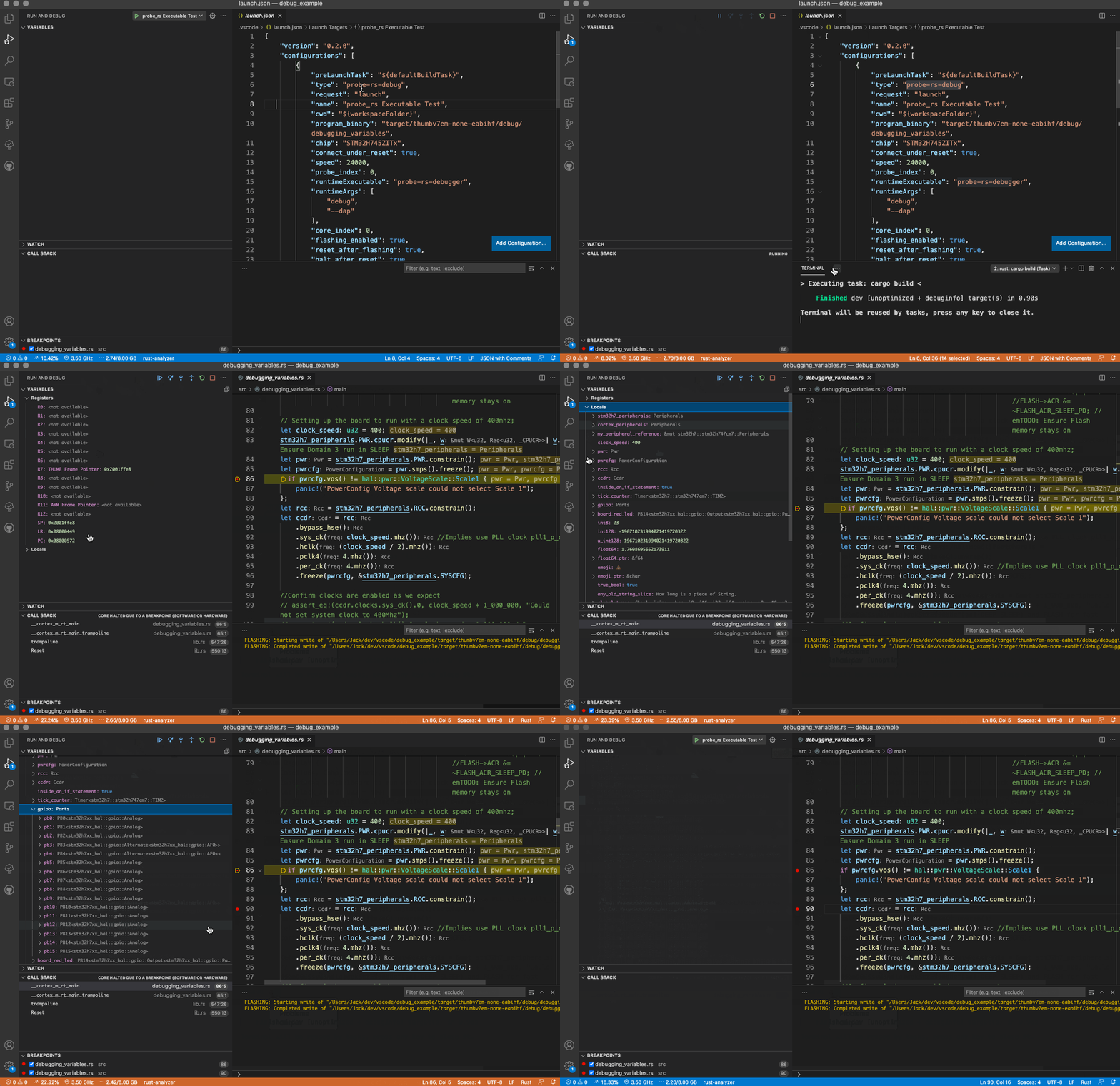
Releasing
Maintainers cut releases via GitHub Releases; the publish workflow runs gated by required approval. See PUBLISH.md for the release procedure and how the publishing pipeline is configured.

