Your Azure Boards query, ready for ExcelGetting started · Pricing · Release notes · License Documentation · Support · Privacy Documents: Pricing · Changelog · License Export an Azure Boards query to a styled Treefold adds an Export to Excel (Treefold) action to query results. Choose the columns and hierarchy layout, then download a workbook with readable rich text, identity display names and sortable Excel dates. The Export info sheet records the query and export details, including skipped work item IDs.
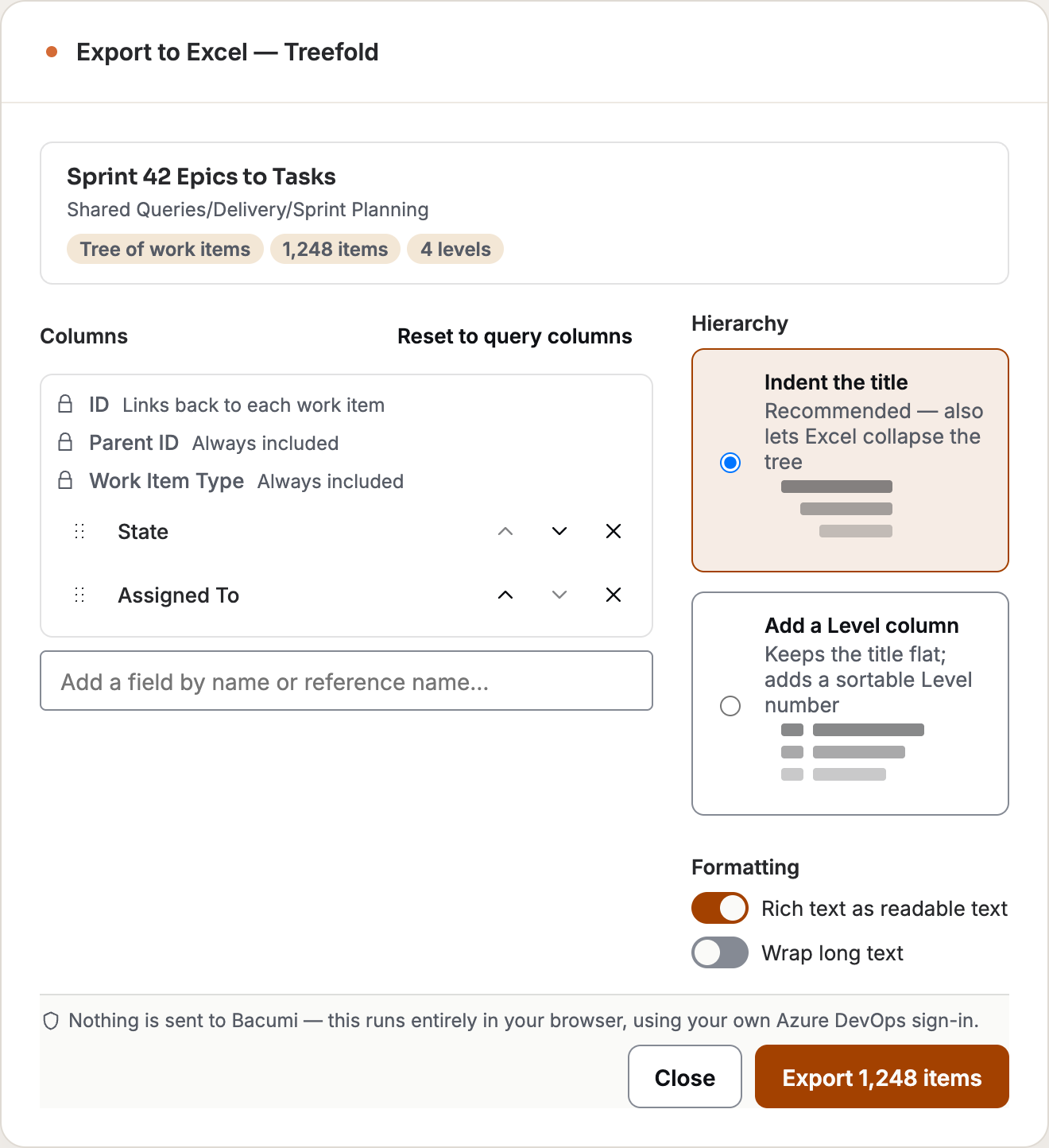
Choose what goes into your workbookOpen your query results and choose Export to Excel (Treefold). Pick the columns you need, arrange their order, and choose how to show the hierarchy. Treefold remembers your choices for the next export of that query. What you get
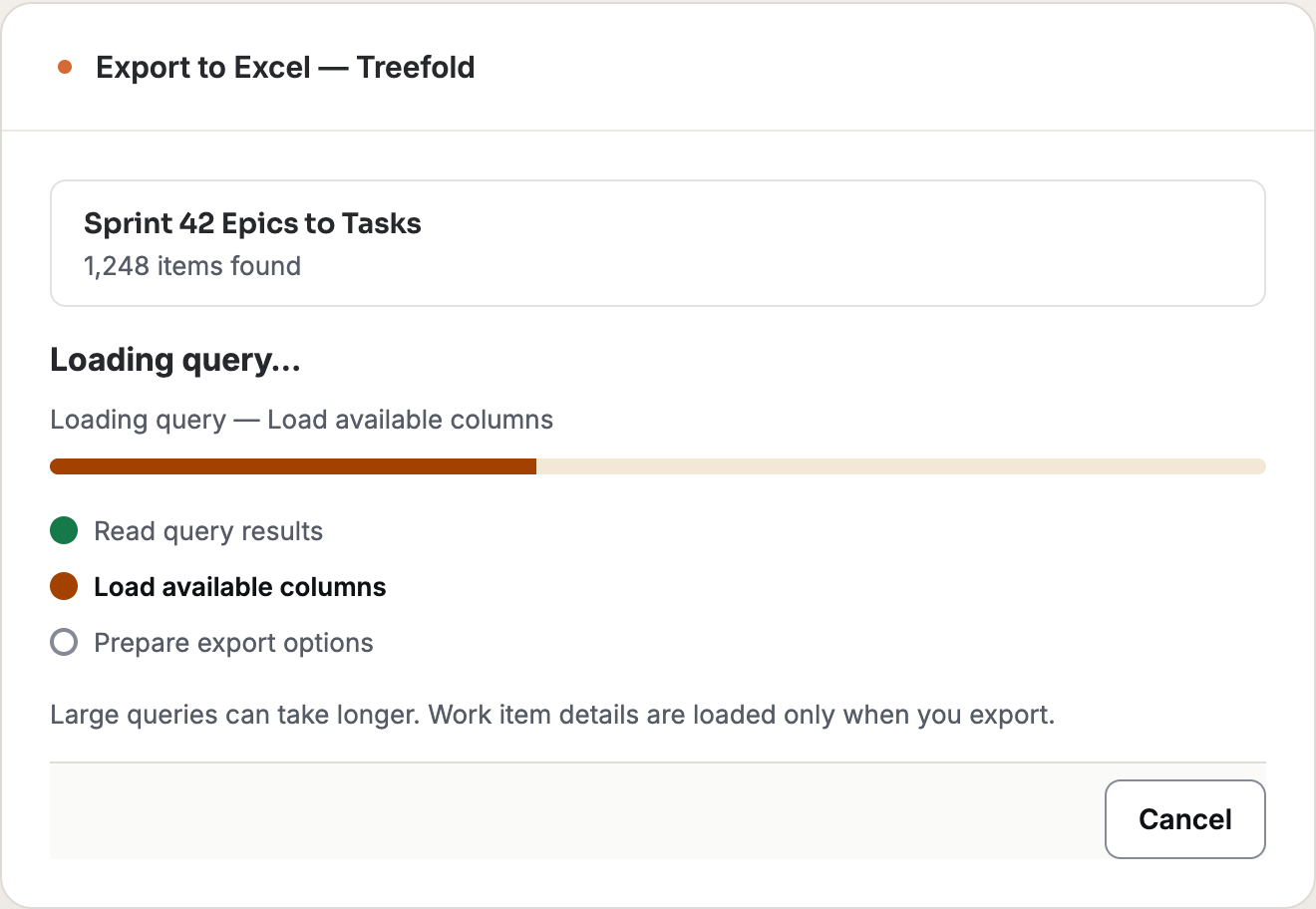
See progress while your query loadsThe export window appears before the full application loads. Query results, available fields and saved preferences load in parallel. Preparation steps show what is ready, with the actual item count as soon as the query responds. Cancel stays available, and work item details are loaded in batches only when you export.
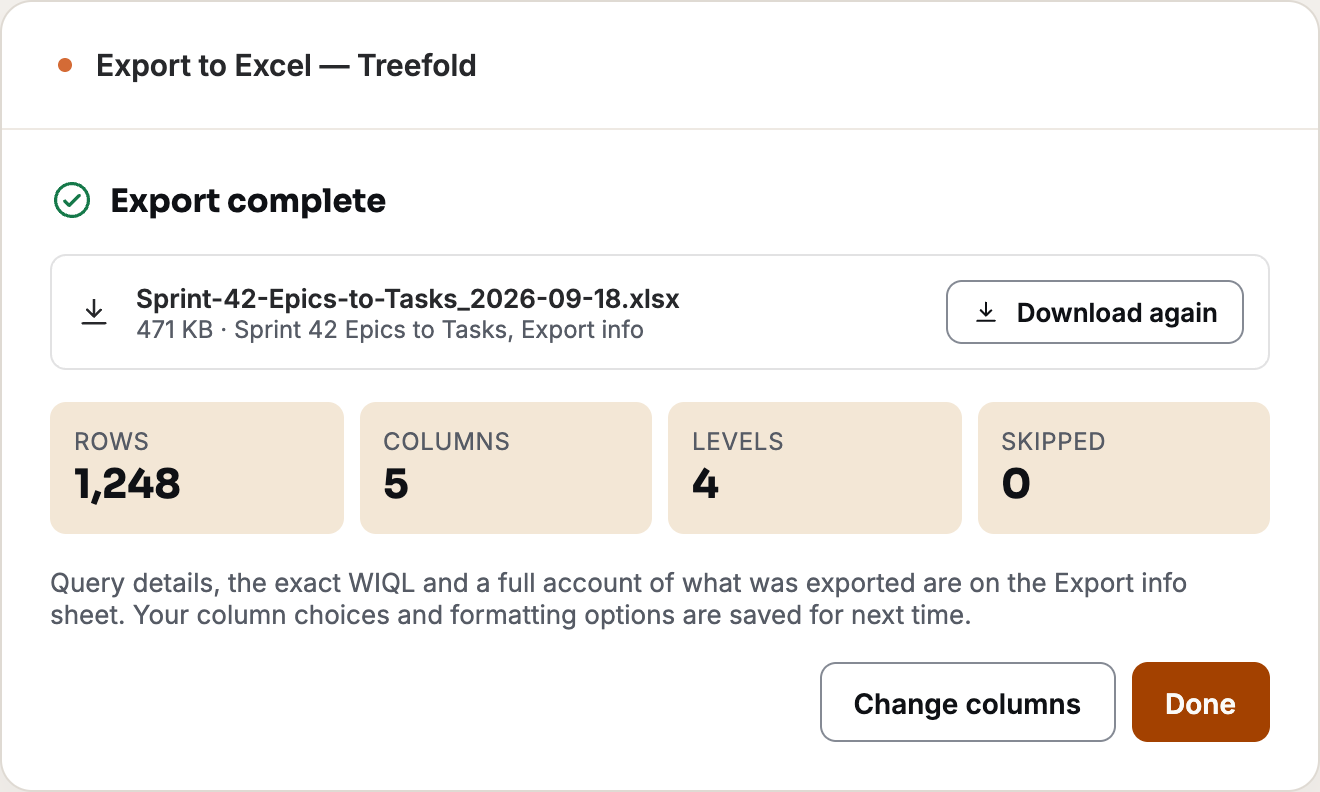
Ready to share, with the context includedThe workbook keeps work item links, readable rich text and real Excel dates. Its Export info sheet makes it easier to see where the result came from.
Images show the product interface with sample query data. How Treefold represents hierarchyFor a tree query, choose indentation with an Excel outline or a sortable level column. Flat queries are exported as a flat list. Parent ID and Work Item Type are included as fixed columns. Your export and privacyTreefold reads the query and work items from your Azure DevOps organization using your signed-in permissions. It generates the workbook in your browser; the download contains selected organization data and is saved to your device through your browser's download feature. Handle the file under your organization's data-sharing rules. The extension has no Bacumi backend and collects no usage analytics. Scope
Permissions and privacy
PricingTreefold is currently free to install and use, with no Bacumi account or payment card required. The downloaded workbook contains the data you chose to export and leaves Azure DevOps through your browser's download. Release notes
LicenseSee the Free Extension License for free personal and internal business use of the unmodified extension. Third-party licenses remain in effect. The package includes the full license. Terms and conditions · Privacy policy Connect with BacumiWebsite · LinkedIn · X · GitHub organization More from Bacumi
Getting started
Frequently asked questionsDoes it update work items? No. Treefold is read-only. Which queries work? Flat and tree queries, with up to 20,000 work items. One-hop (linked-item) queries are not supported. Narrow a larger query before exporting. Why are some items missing? Your Azure DevOps permissions still apply. Check the exported and skipped counts and skipped IDs in Export info. Where is my workbook created? In your browser. The download contains your organization's work item data; share it using your organization's normal rules. TroubleshootingRun the query again before exporting if its results have changed. If loading fails, check that you can open the query and its work items in Azure DevOps, then use Retry. Check your browser's downloads if export completes but the workbook is not visible. AvailabilityAvailable for Azure DevOps Services. Azure DevOps Server compatibility has not been validated. Check the exported workbook in the Excel client your team uses before sharing it. Support
When reporting a problem, include the extension name and version, whether it is the public, Dev or QA edition, your browser version, steps to reproduce, and the visible error message. Remove access tokens and confidential project or work item data from screenshots and logs before sharing them. |