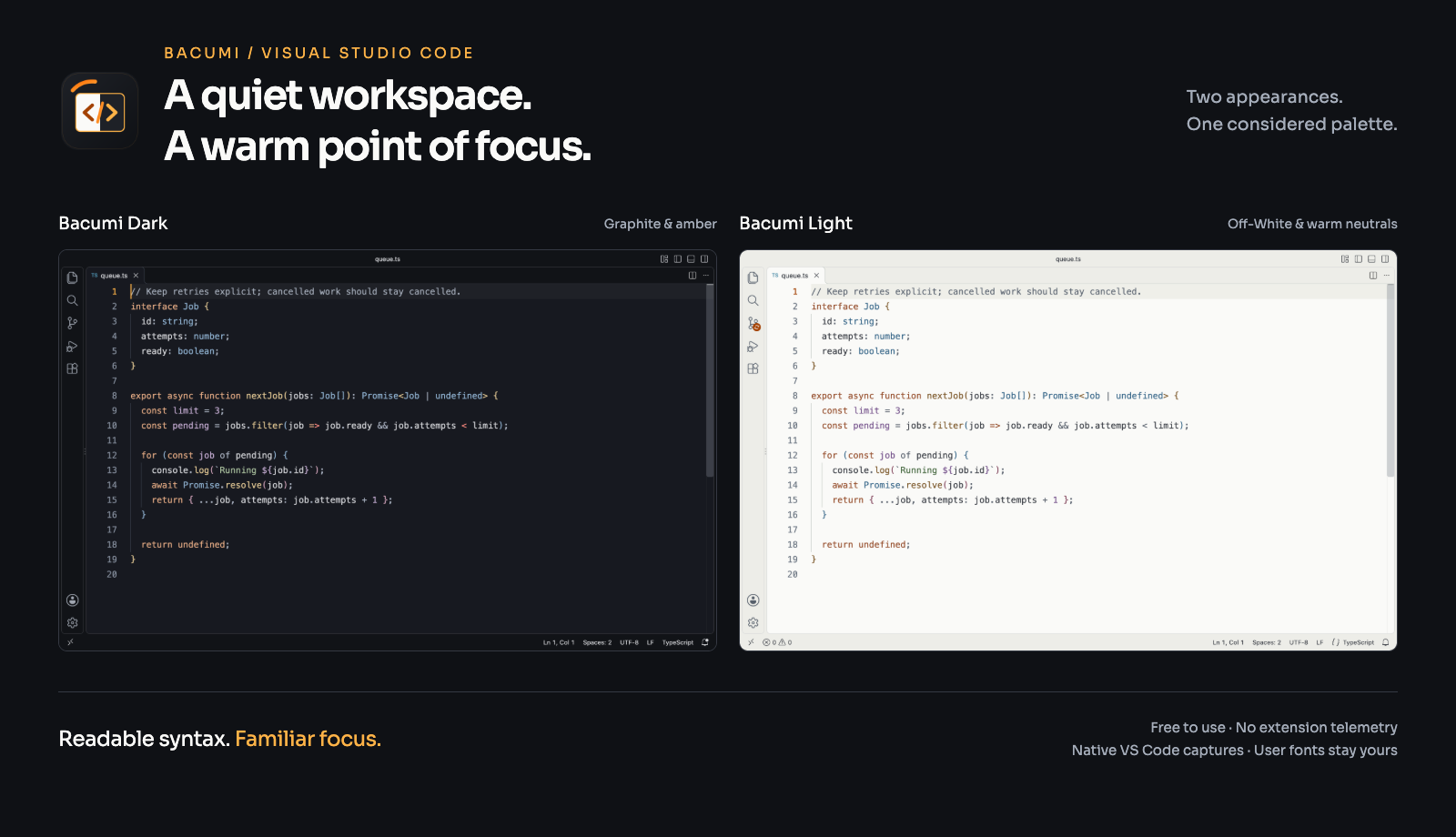
Bacumi ThemeA quiet workspace. A warm point of focus. Two coordinated color themes for Visual Studio Code: Bacumi Dark and Bacumi Light. Free to use for personal work and inside your organization.
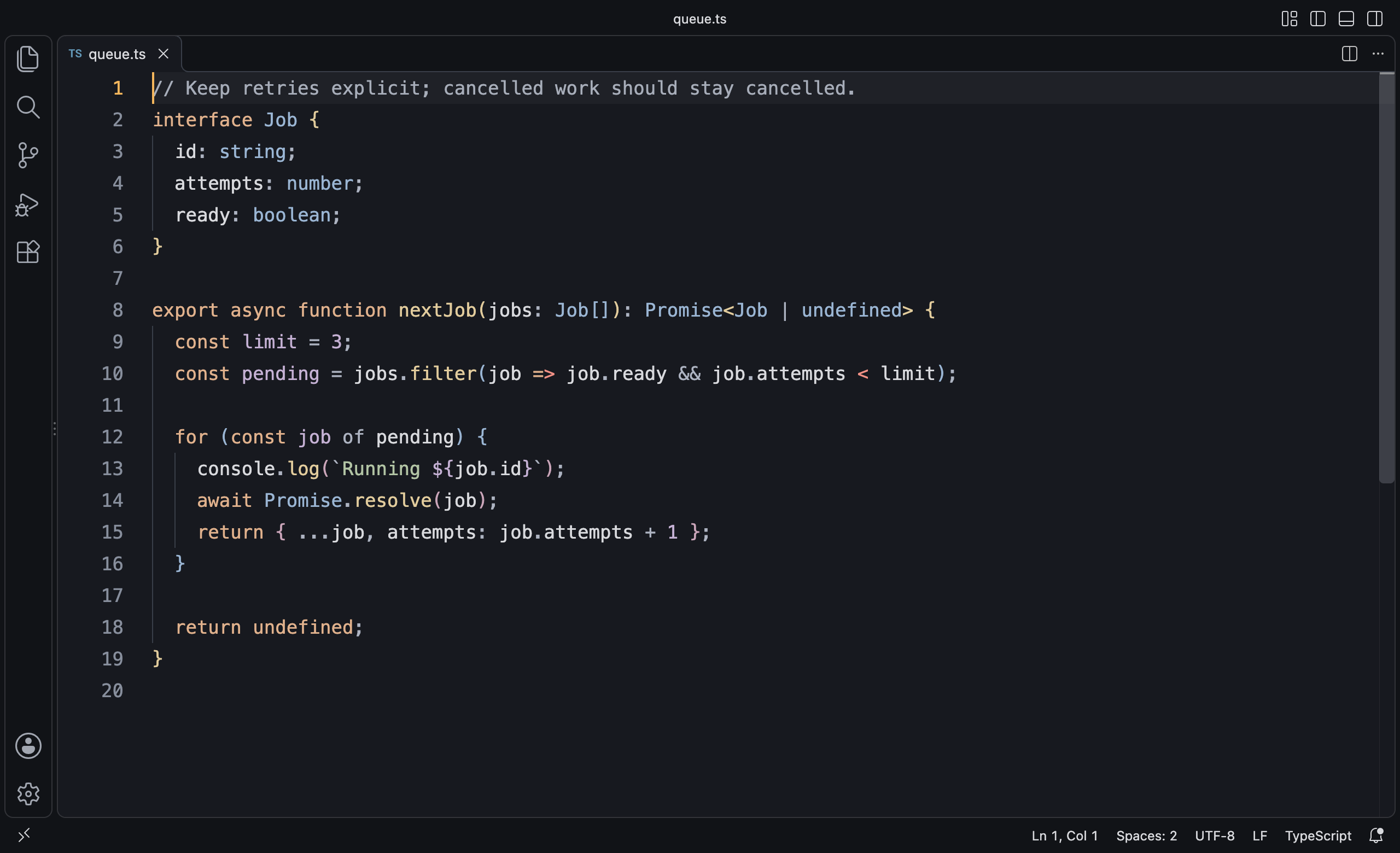
Graphite and Off-White surfaces carry the Bacumi identity. Small Orange and Amber accents mark focus and activity, while code uses a coherent palette of warm keywords, blue types, sage strings and amber functions. Bacumi DarkA graphite editor with gentle surface separation, warm focus accents and clear, restrained syntax colors.
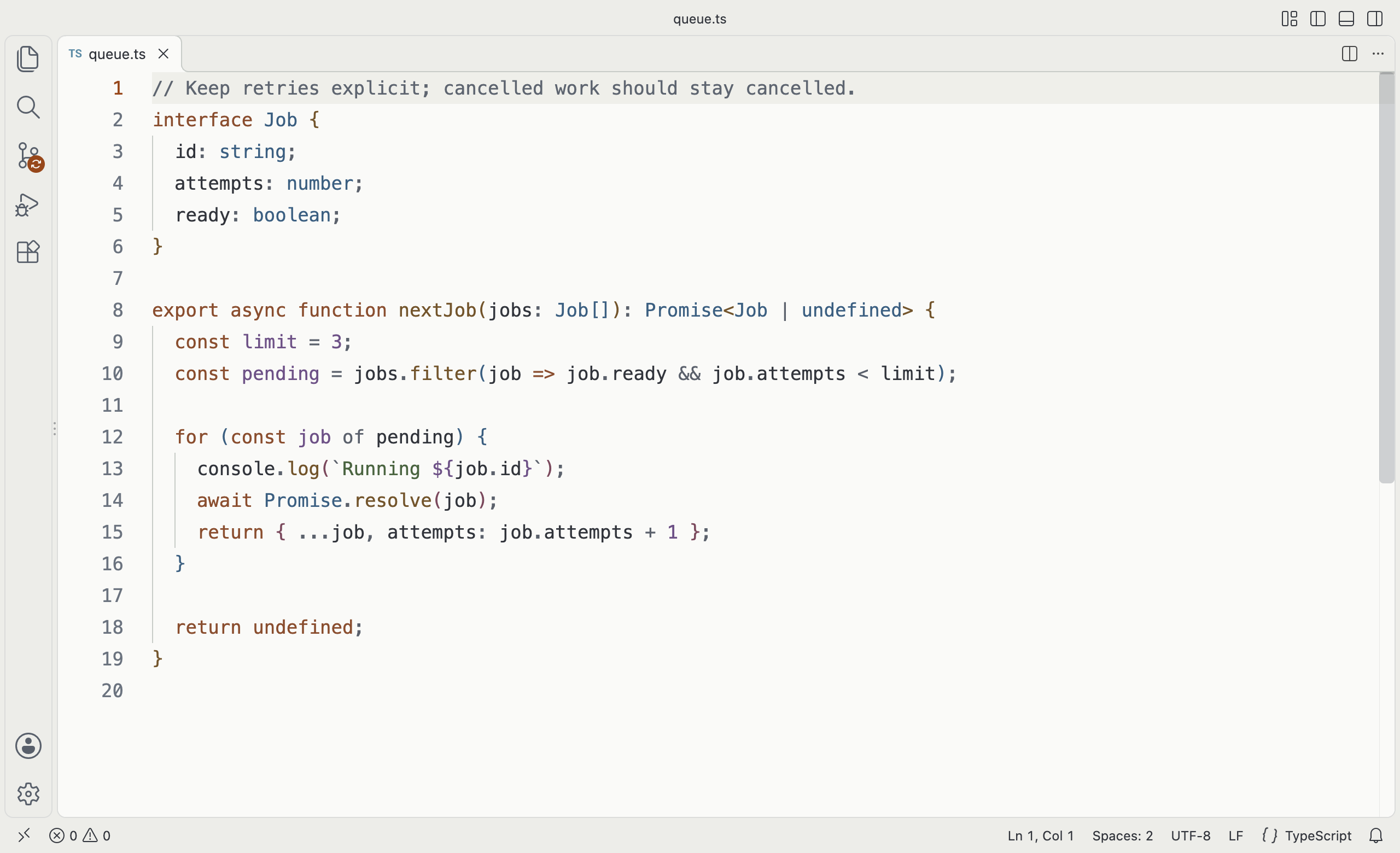
Bacumi LightAn Off-White editor with warm neutral panels and deeper syntax colors. The same roles and familiar accents carry across from Dark.
Screenshots show the actual extension running in VS Code with a sample file. Editor fonts and layout are chosen for the screenshots; the theme does not apply them to your workspace. Choose your appearanceAfter installation, open Preferences: Color Theme from the Command Palette and choose Bacumi Dark or Bacumi Light. You can also set the preferred theme for each system appearance: These settings are optional. The extension does not change your settings automatically. Designed around code
Representative syntax checks cover JavaScript, TypeScript, TSX, Python, Go, Shell, C#, Rust, HTML, CSS, JSON and Markdown. Other installed grammars inherit the shared syntax rules. Exact highlighting depends on your language extension and settings. Quiet by constructionThis is a color theme: static files, no executable entry point, no telemetry and no runtime network requests. Both appearances are designed for clear reading. Choose according to your preference and room lighting; comfort varies and no theme can guarantee reduced eye strain. CustomizeVS Code supports per-theme color overrides. For example: To investigate a syntax color, run Developer: Inspect Editor Tokens and Scopes. Semantic token behavior is controlled by your installed language extension and Editor: Semantic Highlighting settings. Built with the Bacumi Orange–Graphite brand system. Support and licenseFor color issues or feedback, email support@bacumi.com with Bacumi Theme in the subject. Include your theme variant, VS Code version and language extension. Remove sensitive information from screenshots and examples. Free to use under the Bacumi.com Theme End-User License included with this extension. Bacumi retains ownership of its theme assets and brand. VS Code color overrides for your own use are allowed. This is a proprietary extension; public redistribution and rebranding are not granted. |