Predict: Expectation CheckPractice coding reasoning while using AI. Compare your expectation with supplied code, explore optional explanations, and check a concrete input or requirement. You decide what to trust. Installation Launch VS Code Quick Open ( Ctrl+P), paste the following command, and press enter.Copied to clipboard |

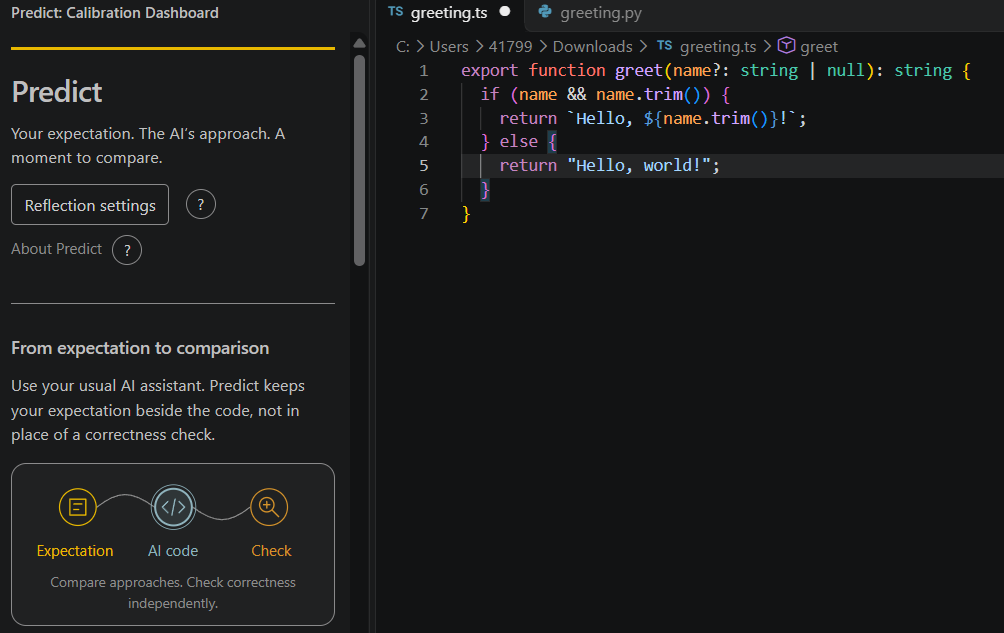
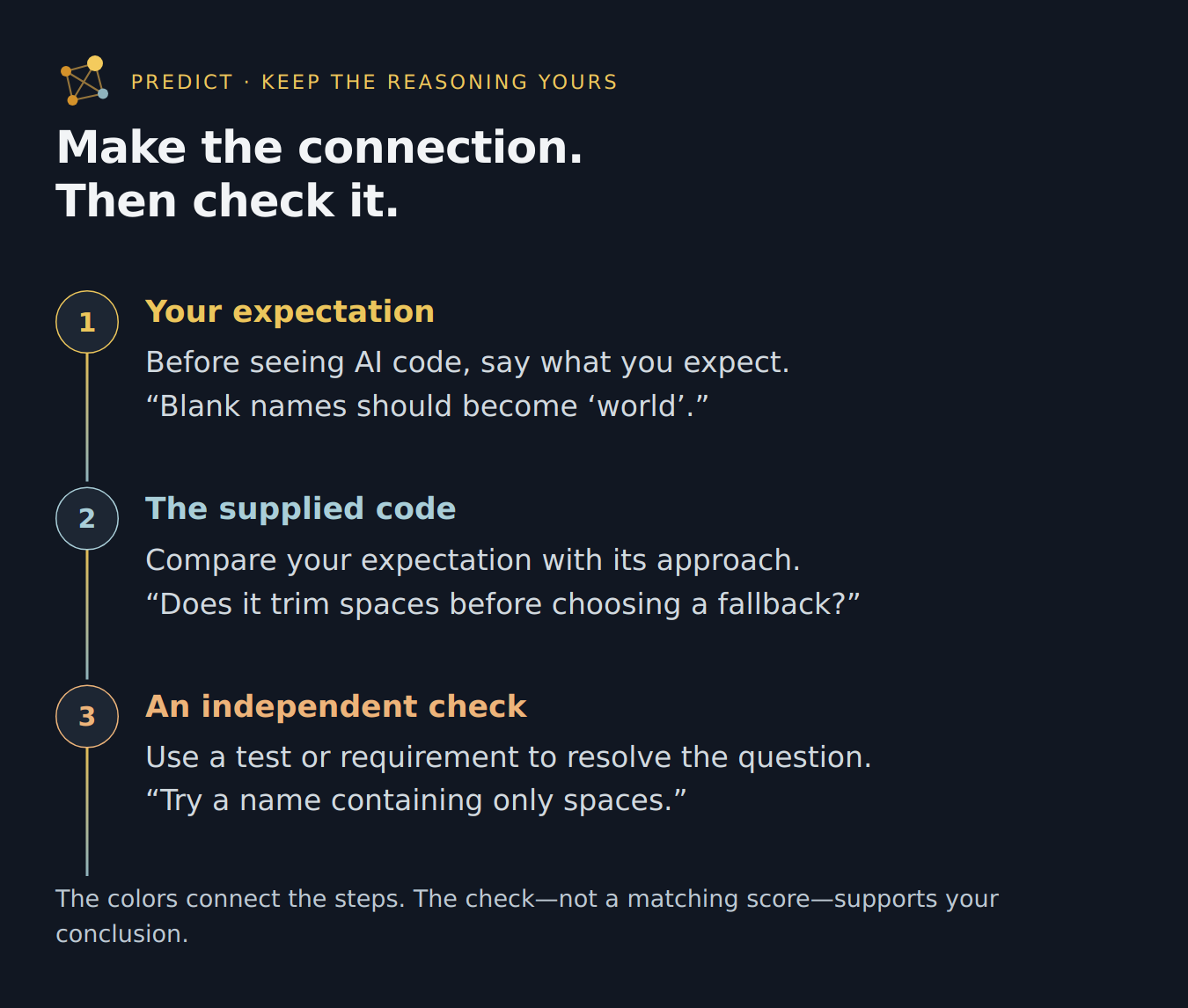
PredictKeep your reasoning involved while using AIWhile using an AI coding tool, Predict helps you practise a small reasoning loop: predict what a suggestion will do, compare it with the code, then check against a test or requirement. It is informed by memory research on retrieval practice and feedback. The useful question: what did I notice, and what should I check? Predict keeps your expectation beside the supplied code so you can inspect an assumption rather than simply accept an answer. AI can help you produce code. Learning to code gives you opportunities to ask better questions about it: what should happen, why did it fail, and how could it be improved? Predict makes room for both getting work done and practising that reasoning—with optional predictions, explanations and concrete checks. Research also suggests that learning to code may support broader thinking skills, depending on how it is taught and practised. Start with one comparisonInstall Predict: AI Coding Calibration in VS Code 1.85 or later. For a downloaded release, use Extensions → … → Install from VSIX. Open the Command Palette (
You control the timing. Predict does not intercept or hide another assistant’s suggestions. Cancel leaves a prediction pending; Predict: Skip Current Prediction clears it without deleting previous records.
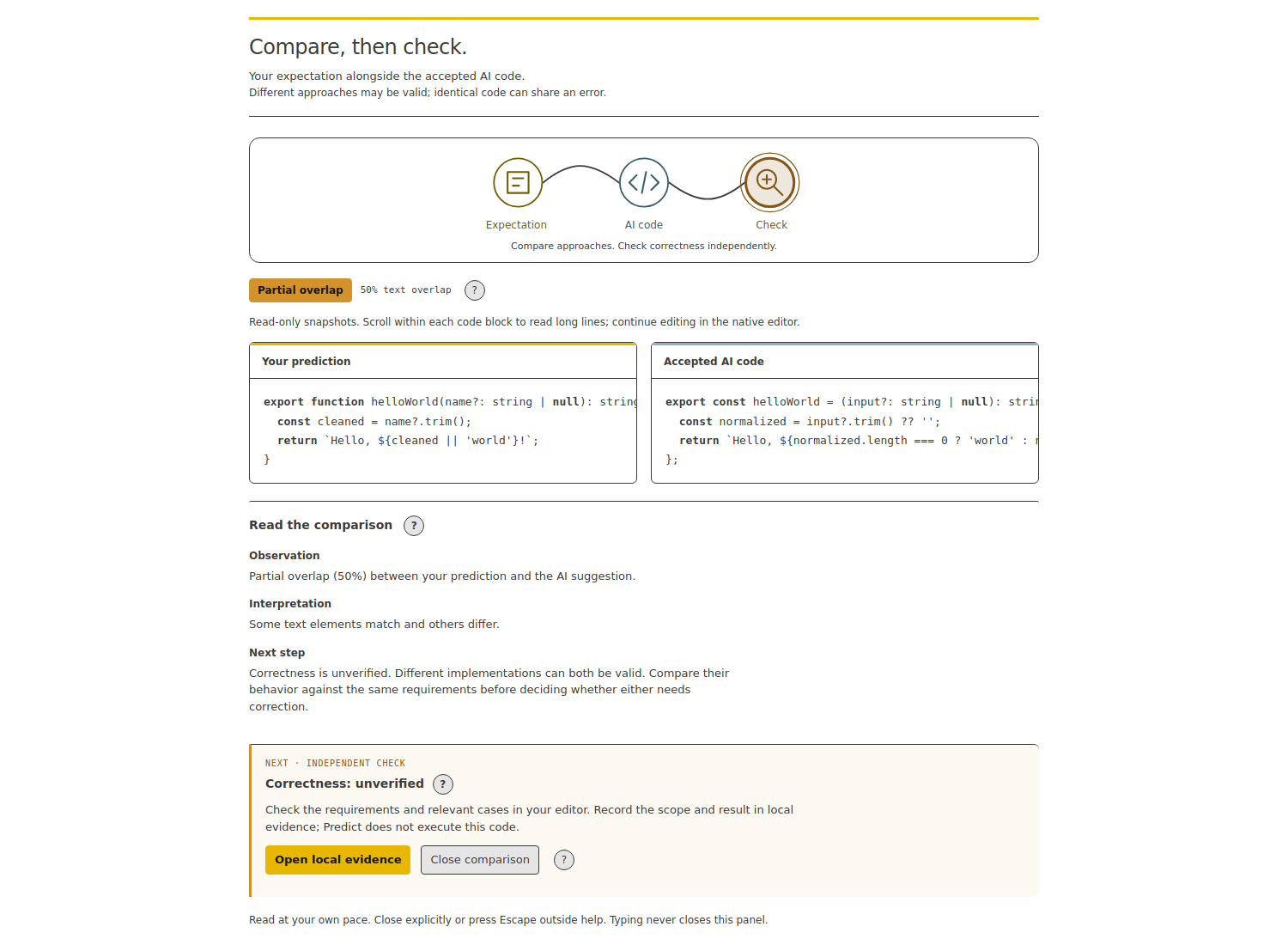
See a comparison and a checkThese two TypeScript styles implement the same greeting rule. Both pass tests for padded, blank, missing and
Three things to explore
Open Predict: Open Calibration Dashboard for these tools. Advanced statistics stay folded away. Each Exercises let you reveal an example answer, skip or disable them. There is no automatic grading or code execution. Saved responses remain unverified and separate from comparison scores. After revealing an example, open Explore why (optional) beside it to inspect a few rationales or read the explanation directly. Change your choice or close it whenever you prefer. These choices and explanations are transient: not saved, sent to the host or used in scores. Get the code—and understand the decisionAI can help you finish a function before you fully understand it. That matters when you need to change it, diagnose a failure, or decide whether its answer deserves your trust. Predict helps you practise those decisions inside your normal coding work. Record what you expect before seeing a suggestion, compare it with the code, then check one meaningful case. Instead of “this looks right,” you have a specific question to investigate. Predict grew from az8T Lab’s exploration of learning and human judgment alongside AI. Its purpose is to make room for your understanding as well as your output. A related toolFor a separate resource-conscious coding tool from az8T Lab, see Eco-Coding. Predict remains focused on comparing your expectations with AI-supplied code; Eco-Coding has its own purpose, controls and release. Practise the skills you want to useLearning to code gives you opportunities to break problems into smaller parts, explain a choice, and revise an assumption when a result surprises you. Exploring another solution adds a useful question: what makes this approach a better fit?
Compare alternatives for correctness, readability and efficiency under your actual constraints. Sometimes a simpler implementation is the better choice; sometimes performance matters enough to measure. Trying the same idea in another language can help you separate the underlying rule from its syntax. You do not need to do everything unaided or practise at every keystroke. Choose one decision worth understanding, with the tools and assistance that suit you. Why your own attempt mattersNeuroplasticity is the brain’s capacity to adapt through experience. It is the broader context for taking practice seriously: getting an answer and practising how to reach or evaluate one are different activities.
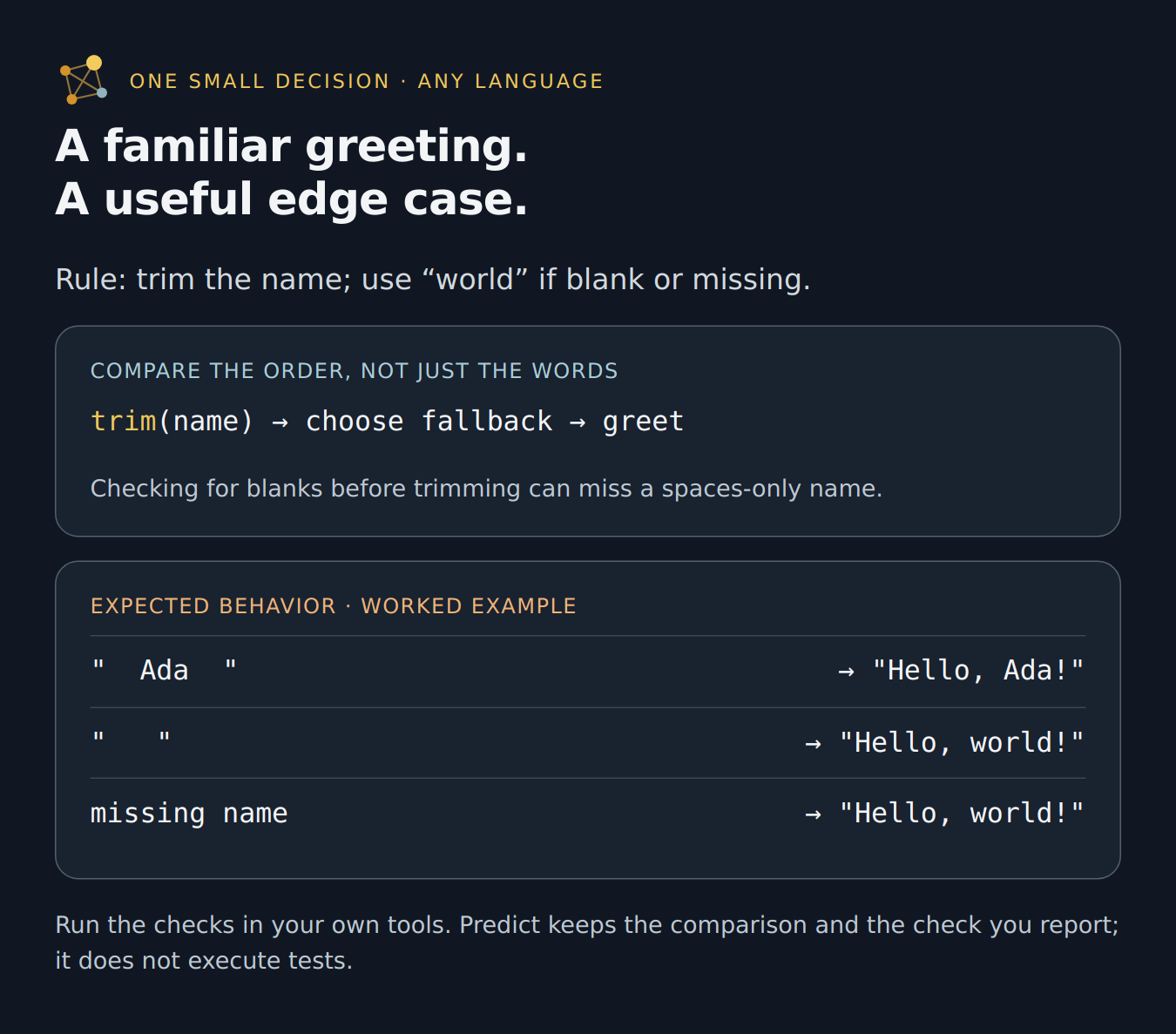
Memory research gives a more specific reason to try before looking. Recalling something you learned is retrieval practice; attempting an answer before studying it is pretesting. In Mera and colleagues’ word-pair experiments, both improved later recall compared with copying. A prediction also gives feedback something precise to address: “I expected this; what happened instead?” The gap is called prediction error. Corrective feedback can help you reconsider the assumption behind it. In coding, a test or requirement provides a firmer basis for that correction than agreement with an AI response. Try one small decisionBefore looking below: a greeting should use “world” for a blank name. What should happen if the name contains only spaces? Two implementations may look almost identical, yet checking for an empty string before trimming can miss that input. Trim first, then choose the fallback. The useful takeaway is the order of operations, not a particular language’s spelling.
Now check it: run the spaces-only case in your own test tools. Record what happened and why. Next time you meet a similar input rule, try explaining it before reopening the answer. What Predict adds to your routineTutorials explain ideas. Tests check behavior. Code review examines a solution. Predict preserves your expectation before you see that solution, beside the selected code and the check you record. This makes it easier to distinguish what you anticipated from what became obvious afterward. You could keep such notes yourself; Predict brings the comparison and local record into VS Code. Its value is a repeatable habit at the point of use, not a requirement to collect more metrics. Aim to leave a session with one clearer explanation, one corrected assumption, or one better test. Text overlap is not the goal: different solutions can both work, and matching answers can share a mistake. Prefer guidance in conversation? The Predict agent skill guides a compatible AI assistant to invite a prediction, compare explanations and update them when evidence warrants it. The extension provides the editor comparison and local records; the skill supports the conversational practice. Neither generates proof that an answer is correct. Find the help you needThese links jump to visible sections below; nothing needs to be expanded.
Research behind the approachWhy keep practising when AI can do more? Human oversight still involves understanding requirements, noticing mistakes and deciding what to trust. Keeping those activities in your work is the practical motivation for Predict. Mera and colleagues’ memory experiments, published online in 2025, support attempts followed by feedback as a learning strategy. They tested word-pair recall; prediction error is one proposed explanation, not a brain signal measured by this extension. In Shen and Tamkin’s 2026 coding study, 52 mostly junior developers learned an unfamiliar Python library. The AI-assisted group scored lower on the immediate understanding quiz. Within that group, using AI to explore explanations was associated with stronger results than delegating the work. Those interaction patterns were observed, not separately randomized. What about reliance over time? That study measured understanding minutes later, not lasting skill loss. Immediate performance, later recall and years of professional development are different questions. These findings motivate deliberate practice with AI; they do not establish that AI inevitably weakens cognition or that Predict prevents decline. Predict’s own effect on learning has not been measured in these studies. The constructive response is not to reject assistance: use it while making time to explain a decision, check a result and revisit an idea. Learning to code can build more than softwareScherer, Siddiq and Sánchez-Scherer (2021) discuss research on coding education and possible benefits for reasoning, creative thinking and mathematical skills. Their perspective draws on earlier findings, rather than reporting a new experiment. It offers a reason to value coding practice beyond producing software, but does not establish whether such benefits persist over time or transfer across learners and settings. Comparisons and settingsUse this section to interpret a comparison or adjust your workflow. In VS Code, open Settings and search for
Your data and recoveryUse this section before deleting records, making a recovery copy or moving to another machine. Run the named commands from VS Code’s Command Palette. Predict makes no network requests and collects no telemetry. Its records are encrypted locally; your AI assistant and host have their own data policies. Avoid storing secrets. Evidence is user-entered. Pass or Fail describes only the check you report; Unverified and Inconclusive preserve uncertainty. Predict does not run tests, authenticate pasted results or open references. Edit and delete notes in the sidebar. Deletion has no undo. Disabling exercises does not delete saved responses. Backups are separate. Deleting current records does not erase retained migration backups. Use Predict: Remove Retained Migration Backups to remove those copies deliberately. Confirmation is required; active records and external backups are untouched. Cleanup requires readable current stores and a completed migration. If it partly fails, some backups may remain; retrying is safe. Uninstalling is not a reliable way to erase extension storage. If records cannot be read, Predict stops rather than replacing them. Run Predict: Export Recovery Copy and choose a new local JSON filename outside shared or cloud-synced folders. Existing files are not overwritten. Cancel changes nothing. A failed export may leave an incomplete file; retry with a new name. The copy preserves stored payloads and retained migration backups, including malformed values. It does not decrypt, repair or reset them, and is not a byte-for-byte database backup. Treat it as sensitive. Predict: Inspect Recovery Copy checks the file’s structure and reports which stores are present. It does not display private payloads, decrypt, import or change anything. A valid container does not prove the records are recoverable or complete. Both recovery commands remain available during storage errors, but require local files and a non-remote workspace. Preserve the original machine, VS Code profile, extension version and backups. Recovery is not guaranteed; moving the file alone may not make it readable. |