Eco-CodingNotice avoidable work in your code. Understand the trade-off, preview supported changes, and apply or revert them yourself. Build resource-conscious habits through everyday practice. Installation Launch VS Code Quick Open ( Ctrl+P), paste the following command, and press enter.Copied to clipboard |

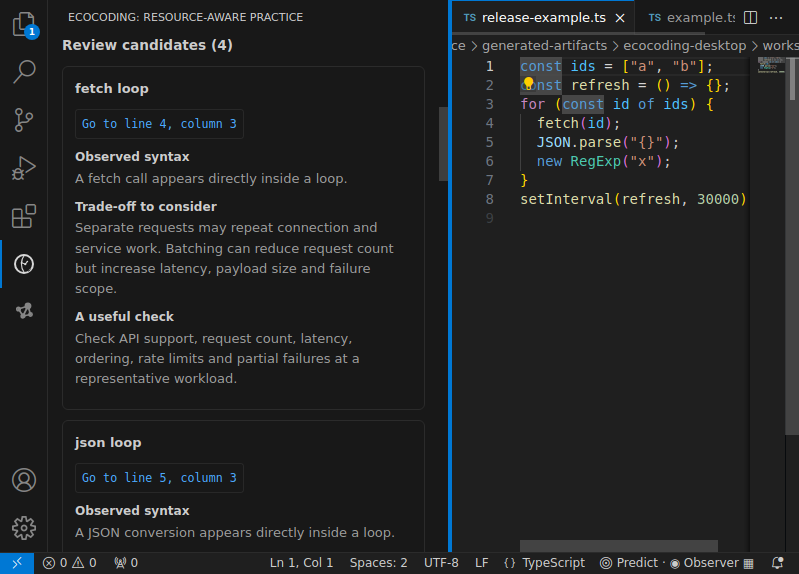
Eco-CodingBuild useful software. Understand what it costs.Make resource-conscious decisions part of everyday coding. Eco-Coding helps you notice repeated work, understand the trade-off and try a supported change without handing over control of your code. For newcomers, it connects a concrete example to the reason behind a technique. For experienced developers, it offers a focused review beside the editor: what might be avoidable, what must stay correct and what deserves measurement. You can use either approach without completing a course. Start with one real decisionOpen a supported local file and run EcoCoding: Inspect Active Document from the Command Palette. For a smaller focus, select code and run EcoCoding: Inspect Selected Code. Choose a finding to explore its assumptions. Choose Preview supported change when available to see the exact proposed edit in VS Code's syntax-highlighted diff. Preview leaves your source untouched.
Guided mode takes one decision at a time. Compact mode keeps the essential conditions, counterexample and checks close together. A short prediction is optional; reveal the explanation immediately whenever that is more useful. There are no scores, streaks or required reflection exercises.
Earlier screenshot from VS Code desktop 1.89.1 using a demonstration fixture. It illustrates inspection, not the new Apply/Revert controls or measured savings. A small change, with a reasonSuppose a list view needs just two database fields: The relationship is straightforward: full rows → required fields → potentially less transferred data. But the decision depends on every consumer. An export that needs all fields is a reason to keep the original. For supported queries, Eco-Coding asks which columns you need, opens a diff and asks for confirmation before applying it. It does not infer your schema or run the query. Check the returned columns, their order and dependent features with your usual tools. Revert restores this change only while its resulting document remains unchanged. Later edits disable reversal rather than overwrite your work. Keeping the original is a valid outcome. Source edits require a trusted local workspace; the extension does not save files automatically, although your VS Code Auto Save settings still apply. Why the habit mattersSoftware uses physical resources. Repeated computation, retained memory and unnecessary data transfer can accumulate across requests, users and services. For example, twenty 5 kB responses total 100 kB before compression and overhead. That arithmetic explains repetition—not a measured energy saving. The useful habit is notice avoidable work, understand the trade-off, verify the decision. Reliability, accessibility, maintenance and people's time belong in that decision too. Sharing a checked improvement and its conditions can help others see these often-hidden costs without treating every extra operation as waste. Eco-Coding complements tutorials, which teach techniques, and profilers, which measure runtime behavior. Its role is connecting a possible improvement to the conditions under which it makes sense. An optional prediction gives you a moment to form your own explanation before comparing. Memory research on attempting answers motivates that choice; it did not test this extension. The same care applies to AI-assisted work: state the outcome, supply relevant context and choose a stopping check. Model inference uses computation and memory; necessary help remains worthwhile. Eco-Coding itself makes no AI calls. EcoCoding: Open Guide includes resource arithmetic and practical prompting guidance, available locally after installation. Coverage at a glance
Inspection recognizes bounded syntax patterns, not whole-program behavior. No findings does not mean the code is optimal. No energy or carbon measurement is performed. EcoCoding: Open Guide → Using Eco-Coding explains exact editing conditions, commands and recovery.
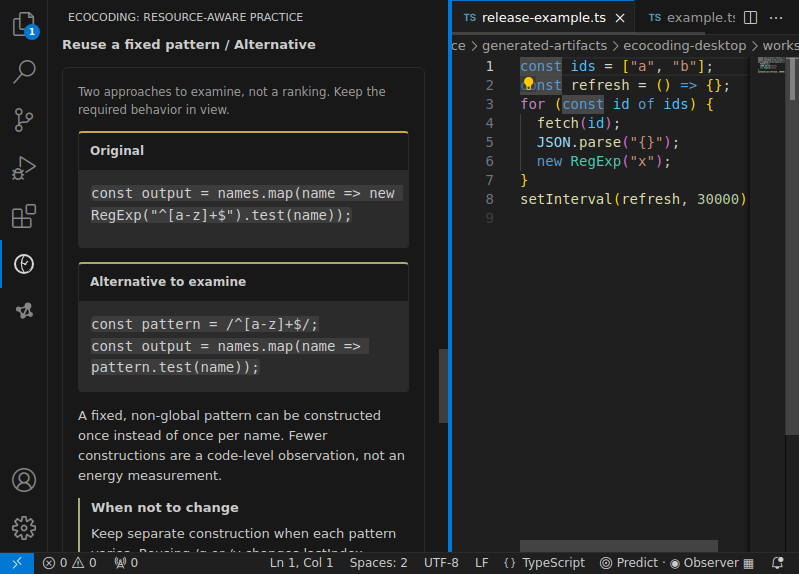
Earlier worked-example view; not evidence that an edit improved a live project. Your work stays yoursNo account, telemetry, background scans or network requests. Lessons and change proposals are session-only. The optional notebook saves only when you ask, using local encryption. EcoCoding: Open Guide → Privacy and recovery explains storage, reload behavior and host settings; Release notes in the same guide menu summarizes changes. These guides ship inside the extension, so they do not depend on unpublished GitHub pages. |