ayoub Theme
a warm monochrome theme for VS Code — in dark and light.
 ayoub lksna
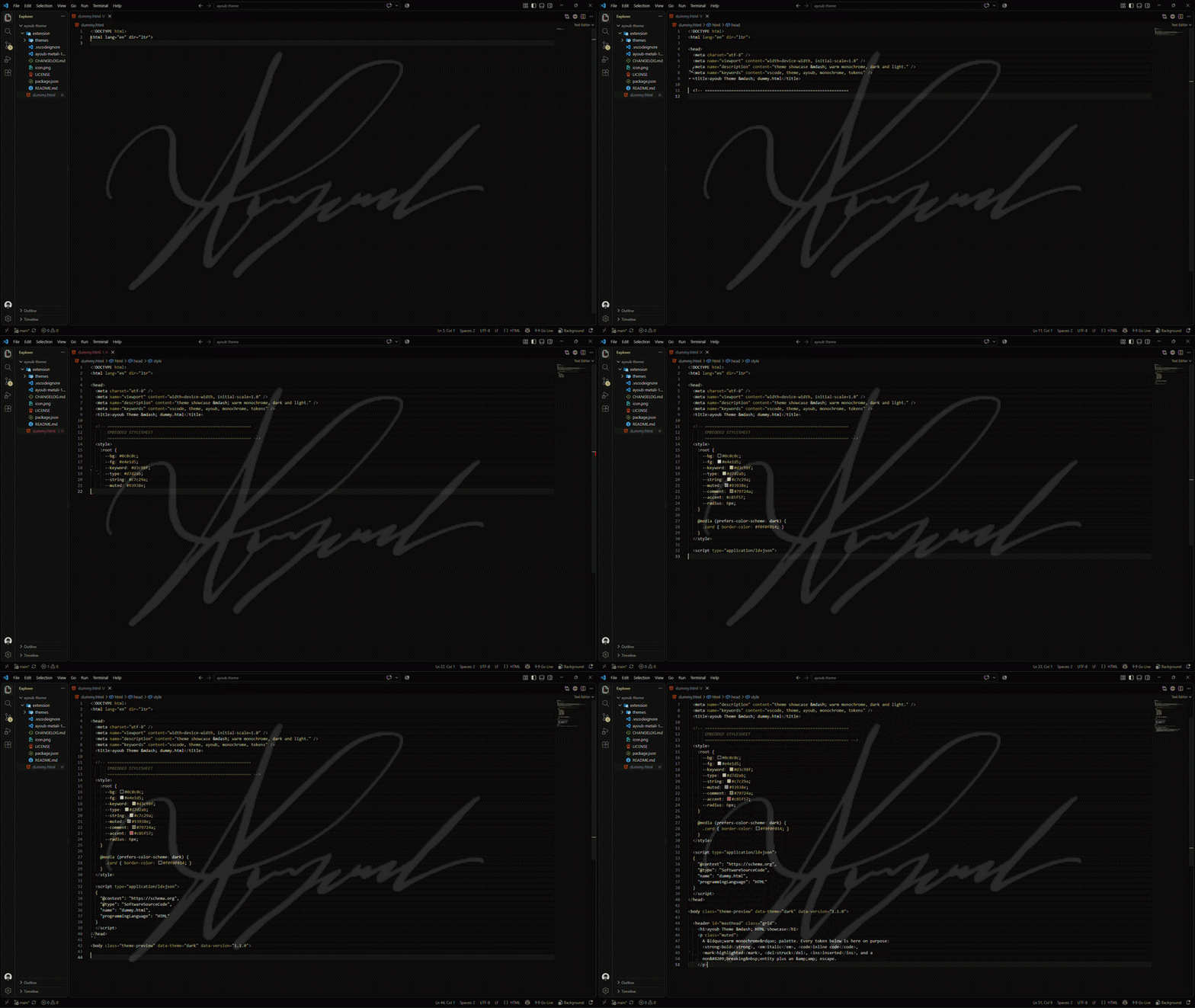
no neon, no shouting colors. just warm off-black paper, milky sand
text, and a handful of muted gold and clay accents that stay readable for
twelve hours straight.
Screenshots
ayoub Theme Dark
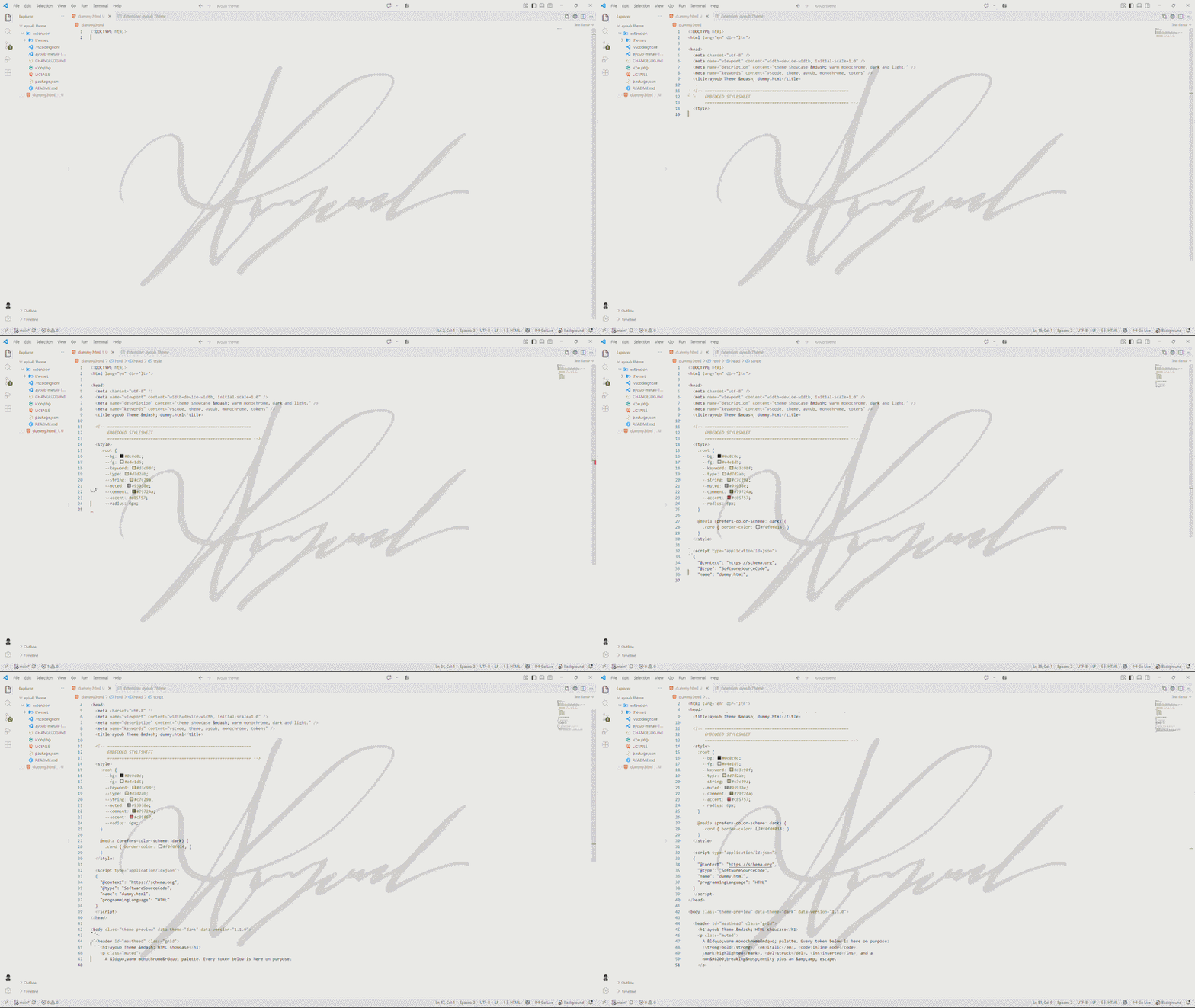
ayoub Theme Light
Features
- two full themes, not one —
ayoub Theme Dark and ayoub Theme Light, both
first-class. the light one is a real palette, not an inverted dark one.
- the whole workbench is themed, not just the editor. tabs, sidebar, status
bar, activity bar, terminal, minimap, git decorations, peek view, quick pick,
notifications, breadcrumbs, scrollbars.
- 304 / 303 workbench colors and 247 token rules per theme, built
role-for-role so dark and light feel like the same theme.
- semantic highlighting enabled in both, with overrides for
enumMember,
variable.constant and variable.defaultLibrary.
- low contrast on purpose. accents are muted so long code doesn't get
visually loud, but every token still clears WCAG AA against its background.
- diff, markdown, git and terminal colors all match the palette, so a merge
conflict doesn't turn into a rainbow.
- works with every language — the token rules cover JS/TS, Python, Rust,
Java, C/C++, CSS/SCSS/LESS, Go, Ruby, PHP, Haskell, Elixir, Unison, JSON, YAML,
XML, Markdown, and generic TextMate scopes for everything else.
The palette
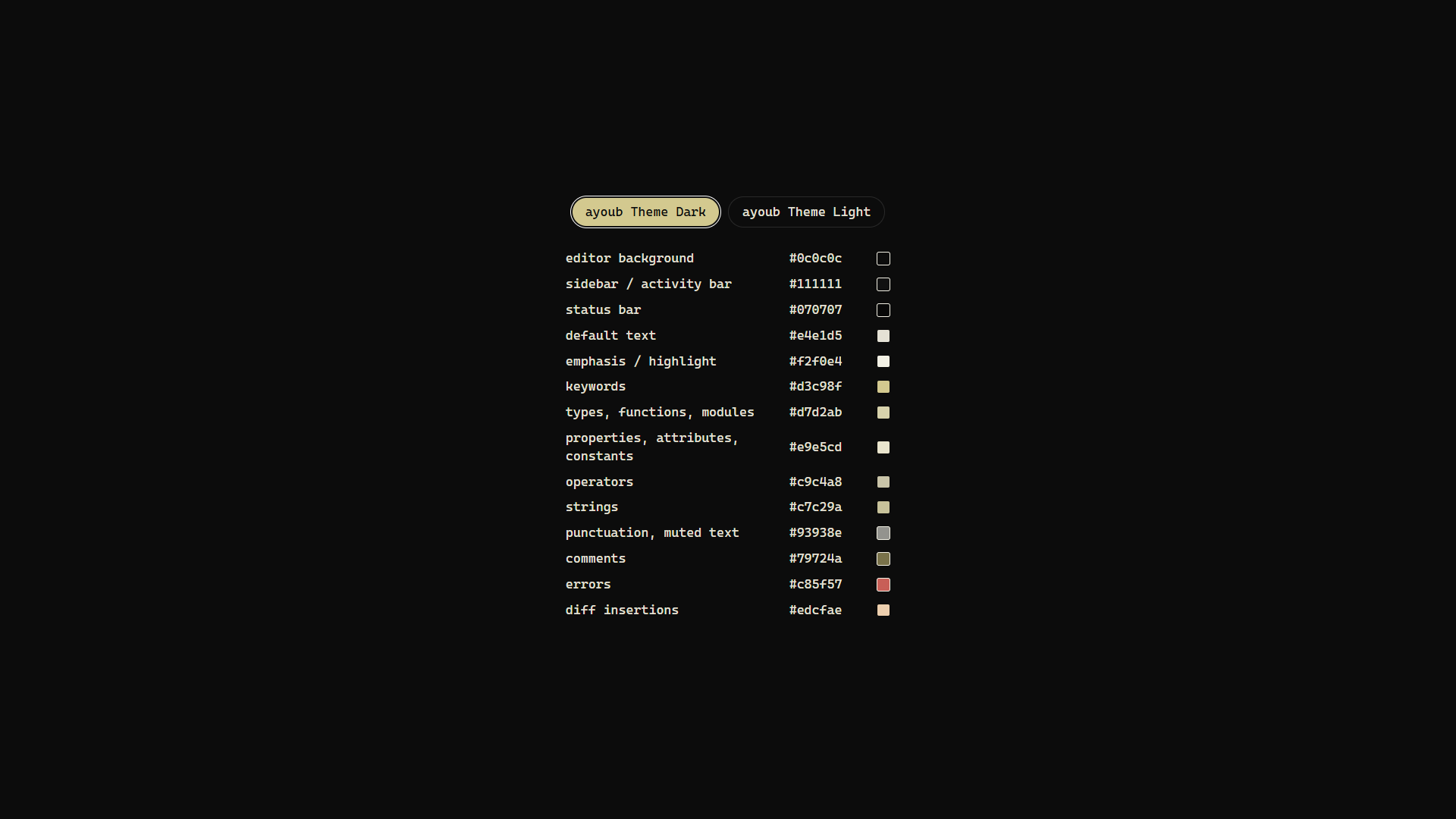
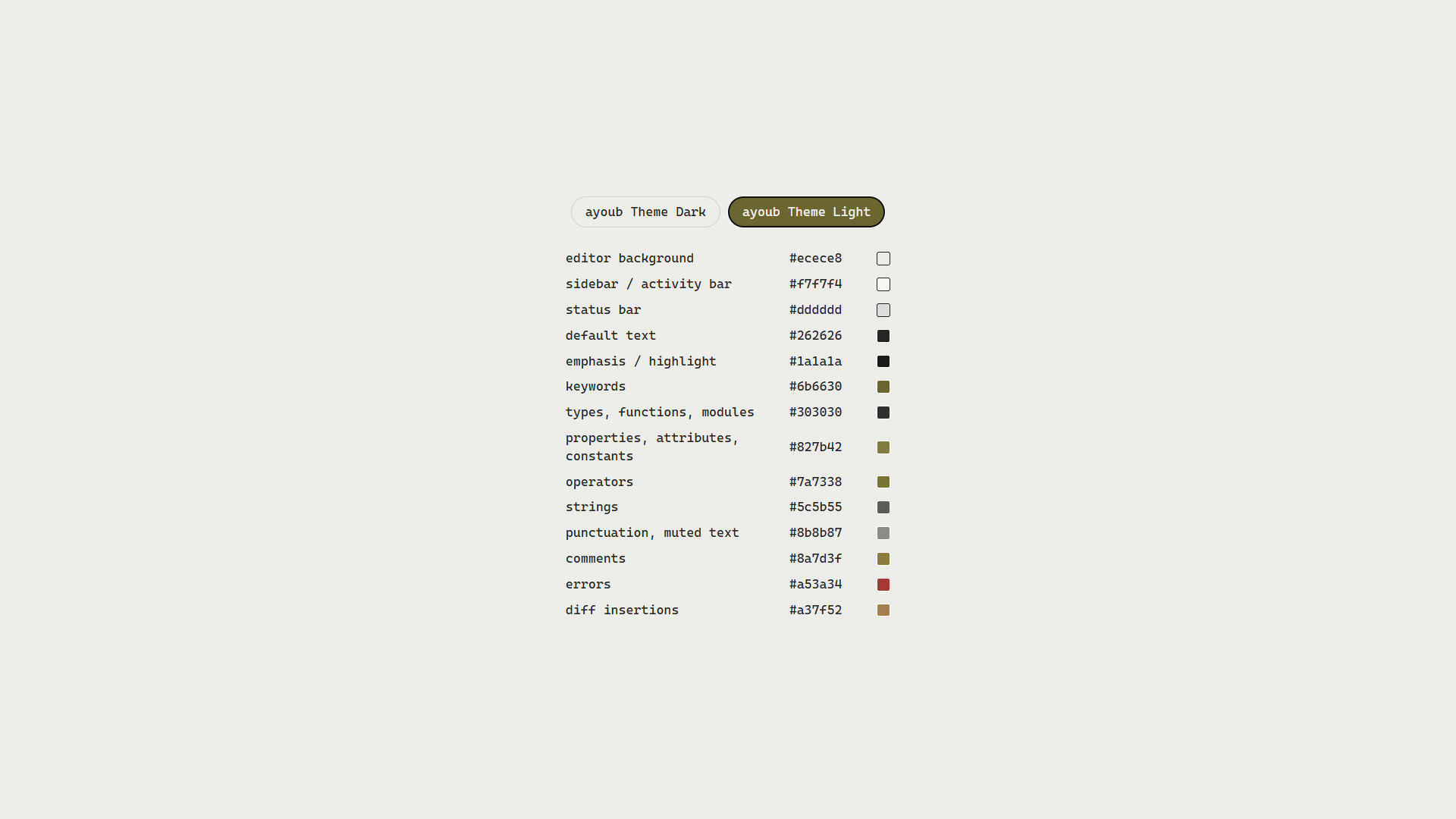
Both themes share the same role map. same color, different lightness.
ayoub Theme Dark
ayoub Theme Light
Install
- open the Extensions view (
Ctrl+Shift+X / Cmd+Shift+X)
- search ayoub Theme
- click install
Ctrl+K Ctrl+T (or Cmd+K Cmd+T) and pick ayoub Theme Dark or
ayoub Theme Light
to flip between dark and light without leaving the editor, tie it to your OS
with Preferences: Color Theme in settings, or just use the command above.
Requirements
VS Code 1.82.0 or newer. no dependencies, no settings to configure, no
workbench.colorCustomizations needed.
Keyboard shortcuts
useful ones if you needed them ._. :
- split editor —
Ctrl+\ (Cmd+\ on macOS)
- toggle preview —
Ctrl+Shift+V (Shift+Cmd+V on macOS)
- command palette —
Ctrl+Shift+P (Cmd+Shift+P on macOS)
- change color theme —
Ctrl+K Ctrl+T (Cmd+K Cmd+T on macOS)
- quick open file —
Ctrl+P (Cmd+P on macOS)
for more, see VS Code's keyboard reference.
Changelog
see CHANGELOG.md. short version:
- 1.1.0 — the redesign. purple is gone.
ayoub Theme Dark rebuilt from
scratch on a warm monochrome palette, and ayoub Theme Light added as a full
matching theme.
- 1.0.1 — the original purple release.
Links
License
MIT © ayoub lksna (see the LICENSE file)
have fun with the code. and have fun with your life, you only got one.
| |

