SVG Editor — Axialis IconVectors
Create and refine SVG icons visually, then bring them back into your project.
Axialis IconVectors is a native vector editor for developers and icon
designers. This free VS Code companion connects your SVG files, references and
static inline artwork to that editor.
Requires IconVectors 2.20 for Windows, installed separately, and local desktop
VS Code 1.101 or later. The desktop application requires its own license or
unexpired trial. The extension is free; it does not include the application.
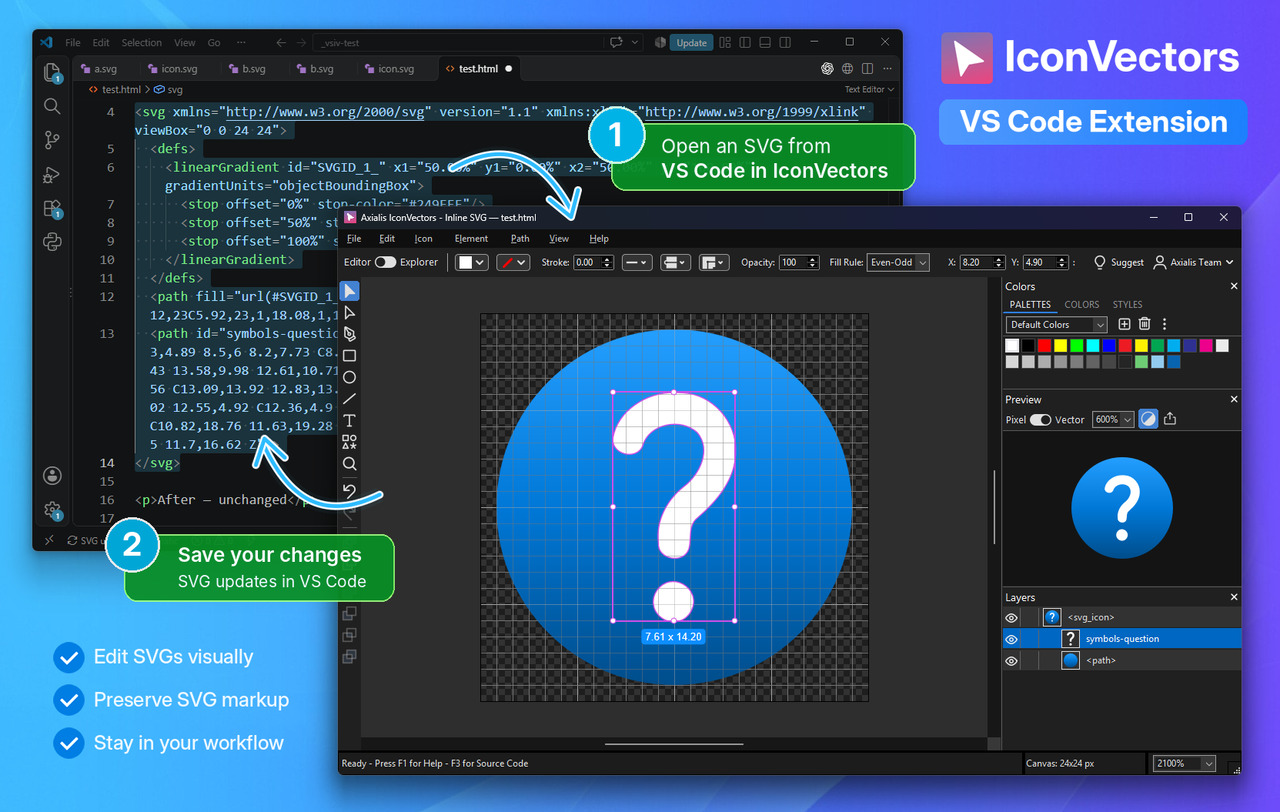
Edit SVG icons visually from VS Code.
Use it from VS Code
- Direct file. Right-click a local SVG, use its editor-title button, or run
Edit SVG in IconVectors. Native Save writes the SVG file. VS Code handles
the normal external-file reload and conflicts.
- By reference. Put the cursor on a supported literal HTML/CSS reference or
static import and run Edit Referenced SVG in IconVectors. Edit and save
the actual local SVG; the reference in your project stays unchanged.
- Inline SVG. Put the cursor inside a static
<svg> block and run
Edit Inline SVG in IconVectors. Native Ctrl+S updates only that tracked
block in the VS Code buffer, with one Undo step per accepted update. Save the
host file normally, or use VS Code Auto Save. Local edits or Undo pause
synchronization. Review Inline Changes is optional and off by default.
Each inline window has its own association. Closing it ends that association
while retaining work needing recovery. Open Folder in IconVectors browses a
project's icons; New SVG Icon Here… starts an asset. Editing requires a trusted
local workspace. Remote/WSL, browser VS Code and dynamic framework expressions
are not supported.
A complete workspace for SVG icons
- Edit shapes and paths precisely. Draw vector shapes, adjust nodes and
curves, combine artwork, and control position, size, alignment and stroke geometry.
- Build consistent appearances. Work with colors, gradients,
currentColor
and palettes. Capture named styles with fill, stroke, opacity and line settings,
or manage supported embedded SVG styles inside an icon.
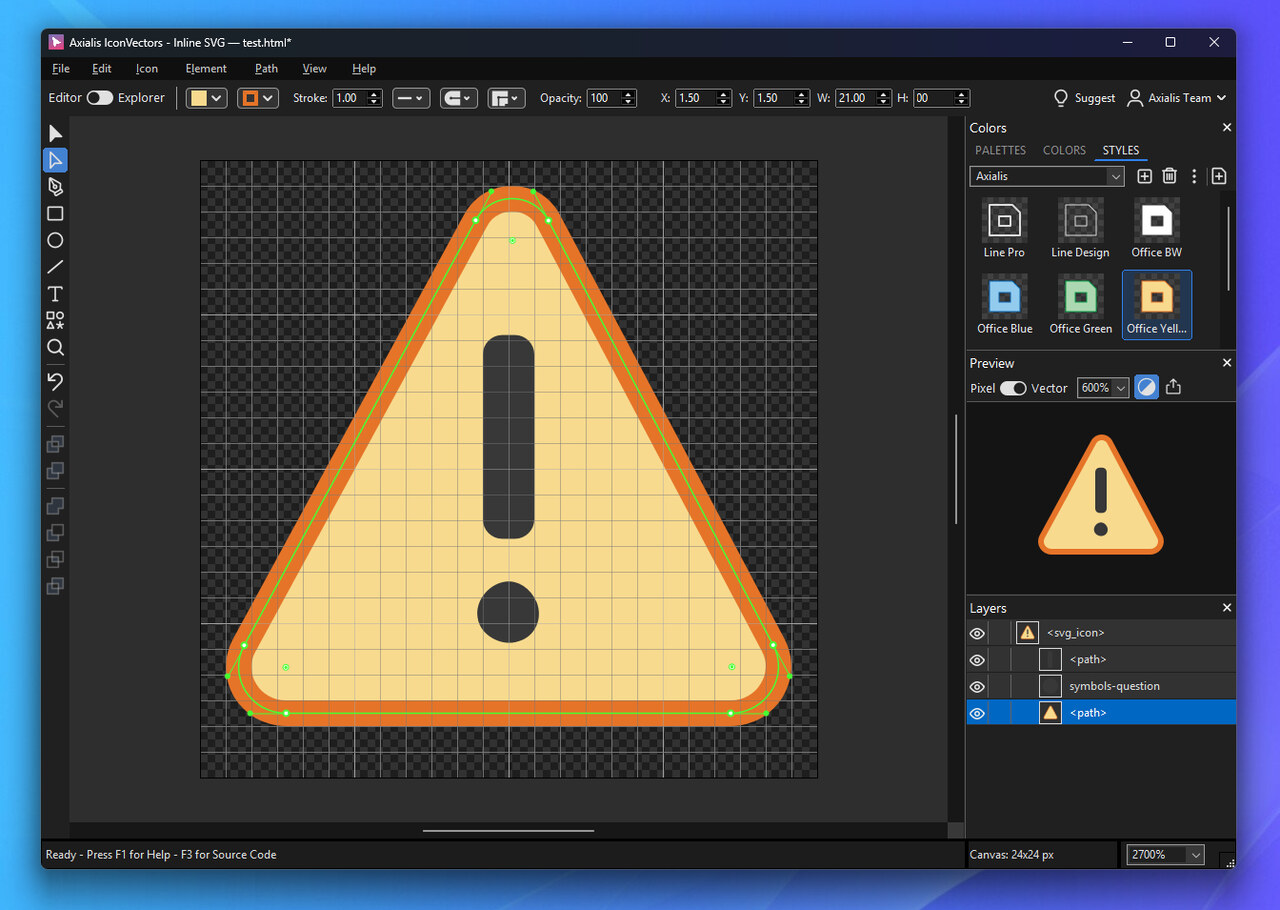
Reuse named appearances in the Styles panel.
- Browse whole icon folders. The Icon Explorer provides thumbnails,
selection, filtering and file management, with quick movement between browsing
and editing.
- Process libraries in batches. Adjust colors, palettes and strokes; center,
fit, resize, rotate or flip artwork; outline strokes; add badge overlays; create
versions or bitmap outputs; and optimize SVGs. Preview before modifying originals
or creating copies.
- Keep developer-friendly output. View live SVG, XAML, React, Vue and SwiftUI
code. Diagnose opening errors in the source-repair editor, save vector artwork,
or export PNG/ICO assets. CLI and MCP workflows complement visual editing.
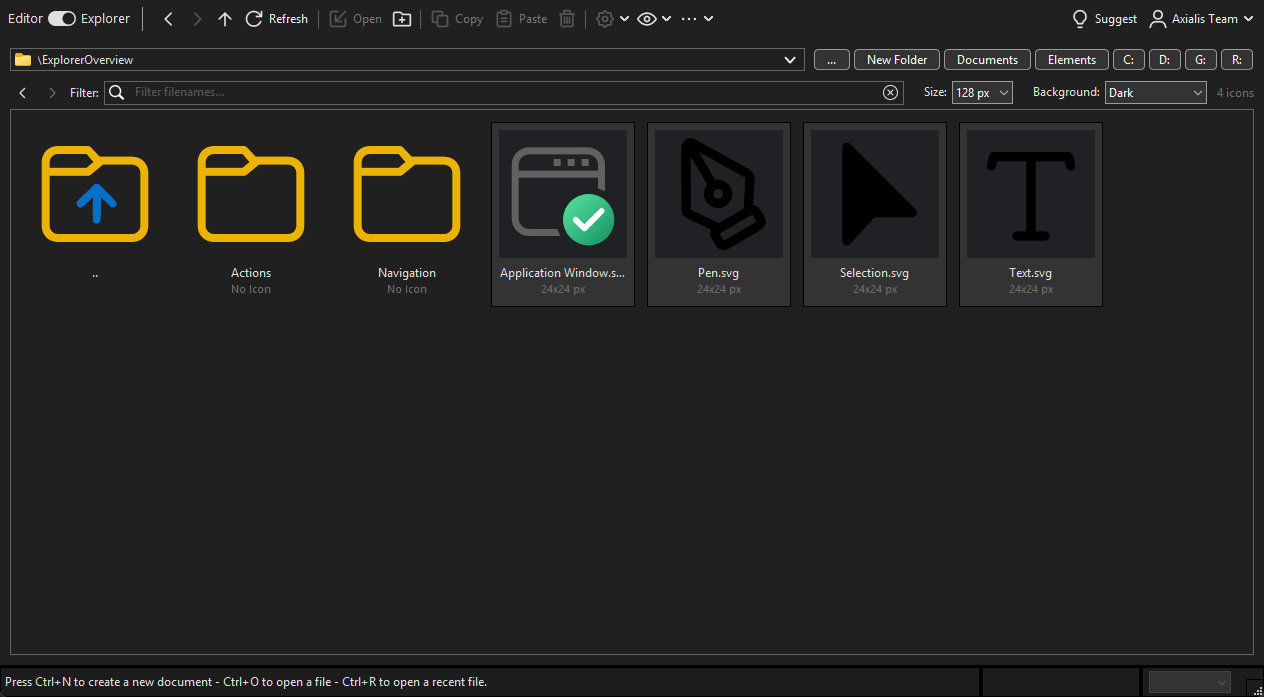
Browse SVG collections in the Icon Explorer.
Install and learn more
Install the extension from the VS Code Marketplace, then install IconVectors
separately. The companion discovers the application automatically unless you set
an explicit path. Bundled installation remains available through
File → Install Visual Studio Code Extension... in IconVectors, or VS Code's
Install from VSIX… command for offline use.
Get IconVectors ·
Integration help ·
VS Code walkthrough ·
Developer features ·
MCP integration

