Skip to content
| Marketplace
Sign in
Visual Studio Code>Other>Terminal Notebook for MarkdownNew to Visual Studio Code? Get it now.
Terminal Notebook for Markdown

Terminal Notebook for Markdown

awsxxf

|
21,097 installs
| (0) | Free
A notebook extension that opens Markdown as a notebook and sends code cells to the active terminal. Supported file suffixes are .mdnb and .md
Installation
Launch VS Code Quick Open (Ctrl+P), paste the following command, and press enter.
Copied to clipboard
More Info

Notebook with support for vscode terminal

HomePage


Tutorials

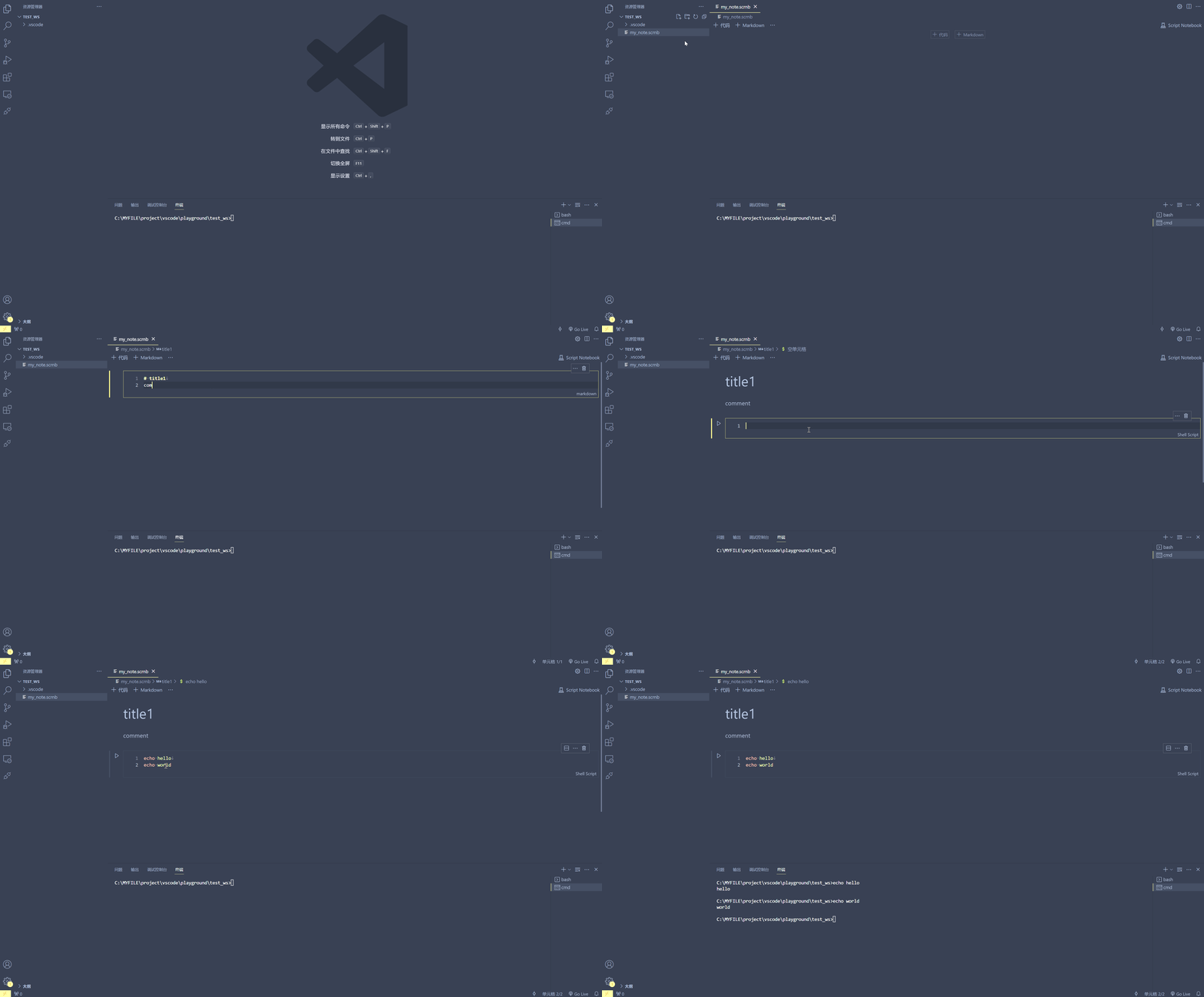
scrnb.gif

  1. Install this extension

  2. Create and open a file with the .srcnb extension

  3. Add a code block and fill in the code

  4. Click the Run button to the left of the code block

  • Contact us
  • Jobs
  • Privacy
  • Manage cookies
  • Terms of use
  • Trademarks
© 2026 Microsoft