mddiff — High-Fidelity Markdown Review and Diff for the AI EraBuilt for the AI era: high-fidelity rendered diffs for Markdown plans, specs, skills, reports, and docs. Installation Launch VS Code Quick Open ( Ctrl+P), paste the following command, and press enter.Copied to clipboard |

mddiff — High-Fidelity Markdown Review and Diff for the AI EraBuilt for the AI era: high-fidelity rendered diffs for Markdown plans, specs, skills, reports, and docs. DemoThe demo shows what mddiff is built for: reviewing AI-generated Markdown changes as rendered documents, with clearer handling for rewrites, tables, lists, code blocks, and larger structural edits. Why mddiffAI coding agents now generate and rewrite large amounts of Markdown: plans, specs, skills, reports, implementation notes, changelogs, and documentation. As AI writes more, human review becomes more important. Markdown is ultimately read as a document, not as source code. Rendered diffs help bridge that gap, but rendering alone is not enough. Many rendered diff tools struggle to preserve review fidelity as Markdown structures become more complex. Tables, lists, rewritten sections, and larger structural edits often degrade into noisy or misleading diffs that are difficult to review with confidence. mddiff is built around high-fidelity document review. It aligns and renders changes in a way that preserves meaning across complex Markdown structures, helping reviewers understand what actually changed instead of fighting diff noise. Whether you’re reviewing a skill generated by Claude Code, a design document rewritten by Codex, an AI-generated report, or a large README update, mddiff helps you focus on the document changes that matter. Highlights
Use ItOpen rendered diffs from multiple Markdown review workflows:
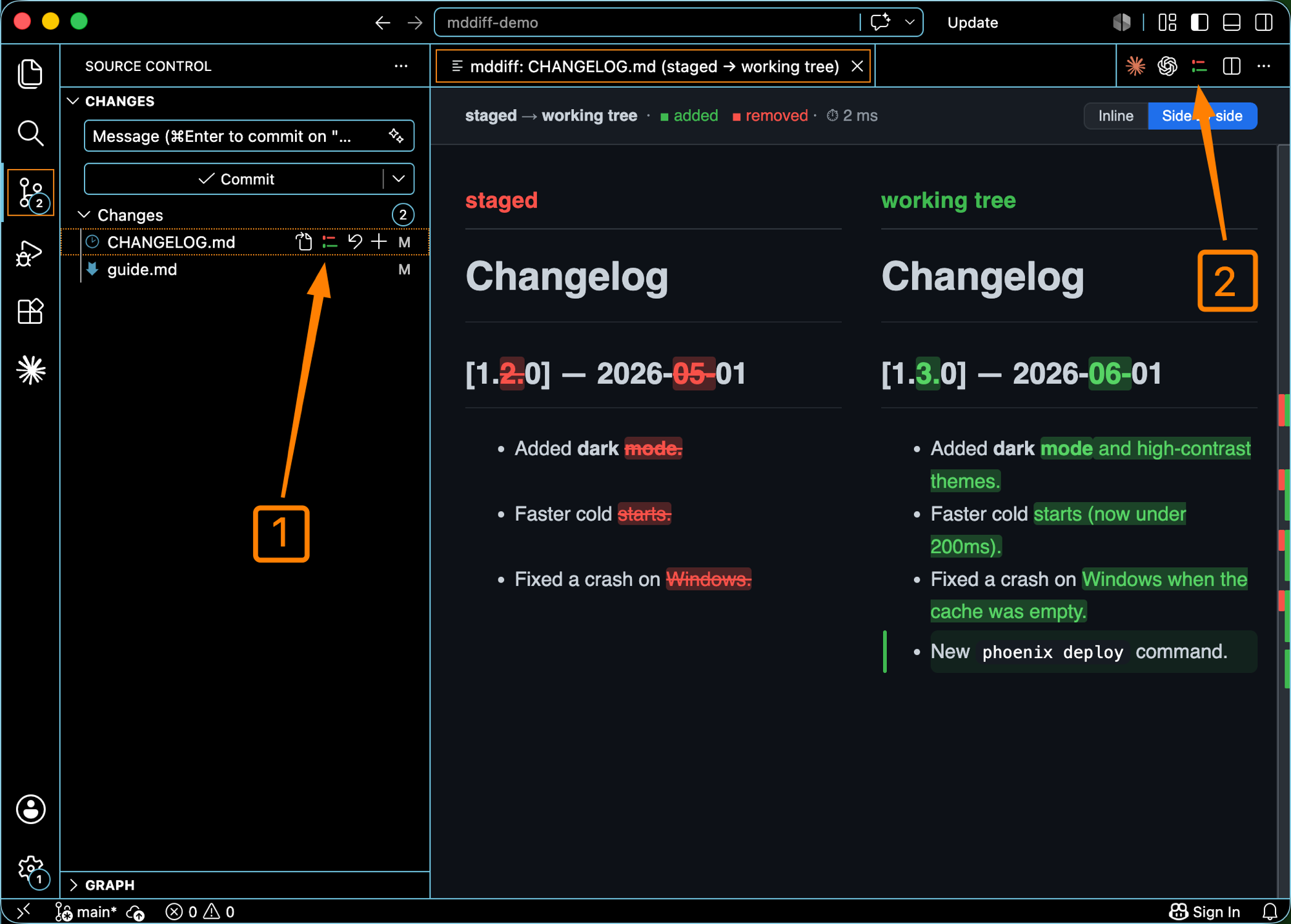
mddiff integrates naturally with existing VS Code workflows, so you can review rendered Markdown diffs wherever you normally compare changes.
In the shot: ① the Source Control glyph, ② the editor title-bar button — both open a rendered diff. 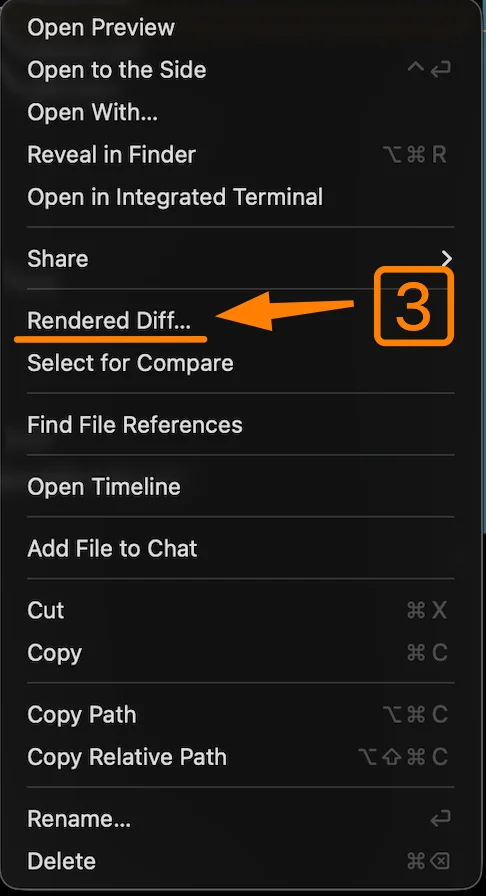
In the shot: ③ the Explorer right-click menu — choose Rendered Diff… on a markdown file. InstallOpen Extensions in VS Code, search mddiff, and click Install — or run: The same diff engine also ships as a Homebrew CLI (macOS) that opens the diff in your browser: TroubleshootingNot seeing the entry points after installing? Reload the window — open the Command Palette ( Feedback & feature requestsBug reports, feature requests, and general feedback are welcome — email awesomele.dev@outlook.com. Licensemddiff is distributed as a free-to-use proprietary developer tool. The VS Code extension, mddiff core, the Homebrew-distributed binary, and related tooling are not open source and are not licensed under MIT. Third-party open-source dependencies remain governed by their respective licenses. |