Avenor
Refined Color. Clear Code.
Premium VS Code themes crafted for clarity, character, and comfortable long coding sessions. Avenor pairs a coherent semantic syntax language with ten deliberately different workspace foundations: nine dark themes and one light theme.


Avenor Signature
The flagship Avenor experience uses a balanced neutral-cool foundation, disciplined contrast, and subtle blue-gray depth. It is the recommended starting point for the collection.
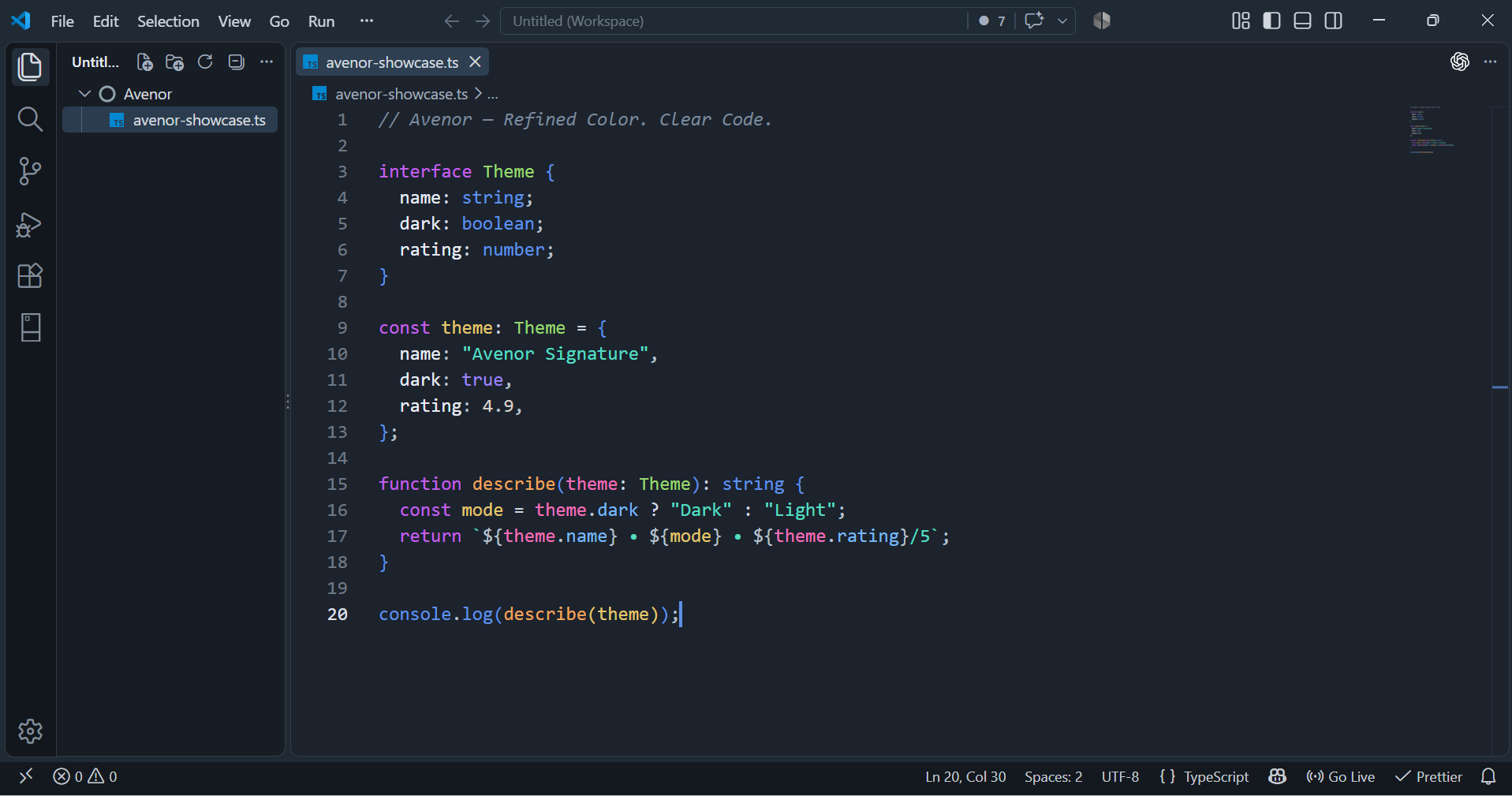
Theme Collection
Every variant preserves Avenor's semantic intent while giving the workbench its own atmosphere.
| Theme |
Foundation |
Character |
| Avenor Signature |
Neutral cool graphite |
Balanced, polished, and quietly dimensional |
| Avenor Cobalt |
Deep cobalt blue |
Rich, saturated, and crisply layered |
| Avenor Charcoal |
Neutral charcoal |
Understated, focused, and clean |
| Avenor Gunmetal |
Cool metallic gray |
Structured, modern, and substantial |
| Avenor Indigo |
Blue-violet slate |
Refined, atmospheric, and softly chromatic |
| Avenor Jade |
Green charcoal |
Mineral, calm, and subtly distinctive |
| Avenor Navy |
Blue-black navy |
Deep, composed, and low-glare |
| Avenor Obsidian |
Near-black graphite |
Minimal, concentrated, and finely layered |
| Avenor Twilight |
Muted violet night |
Soft, immersive, and atmospheric |
| Avenor Ivory |
Cool white |
Bright, precise, and restrained |
Theme Gallery
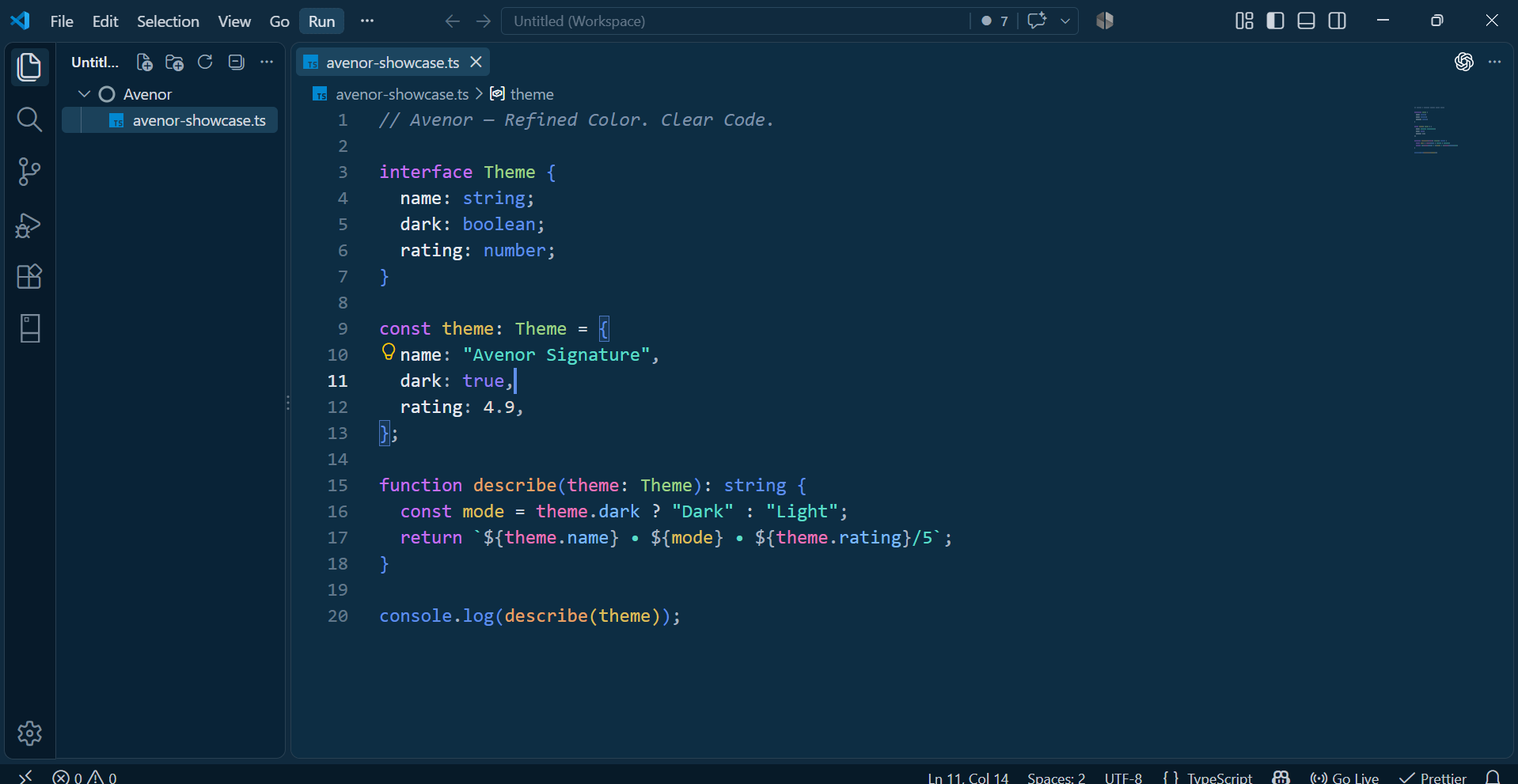
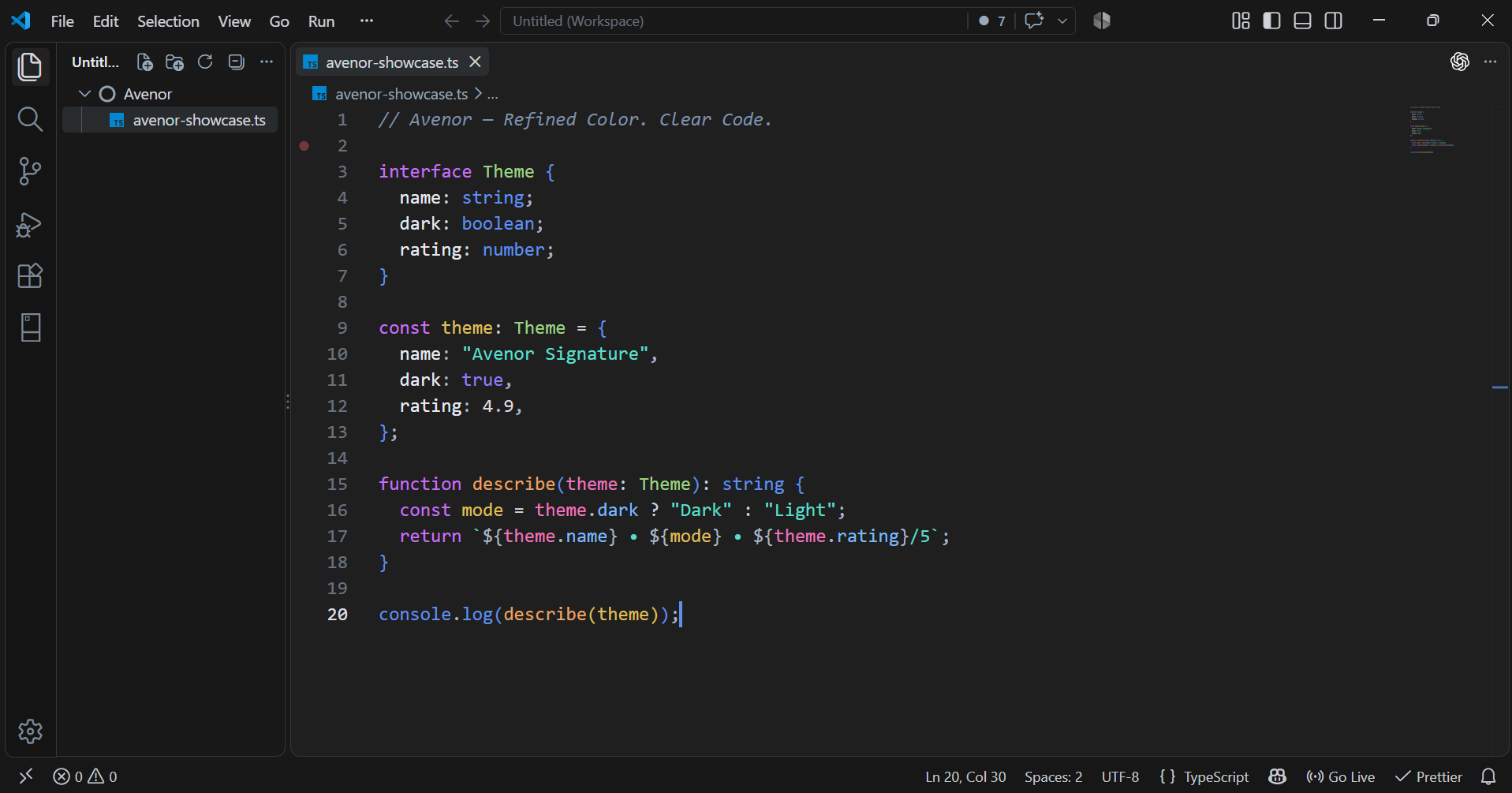
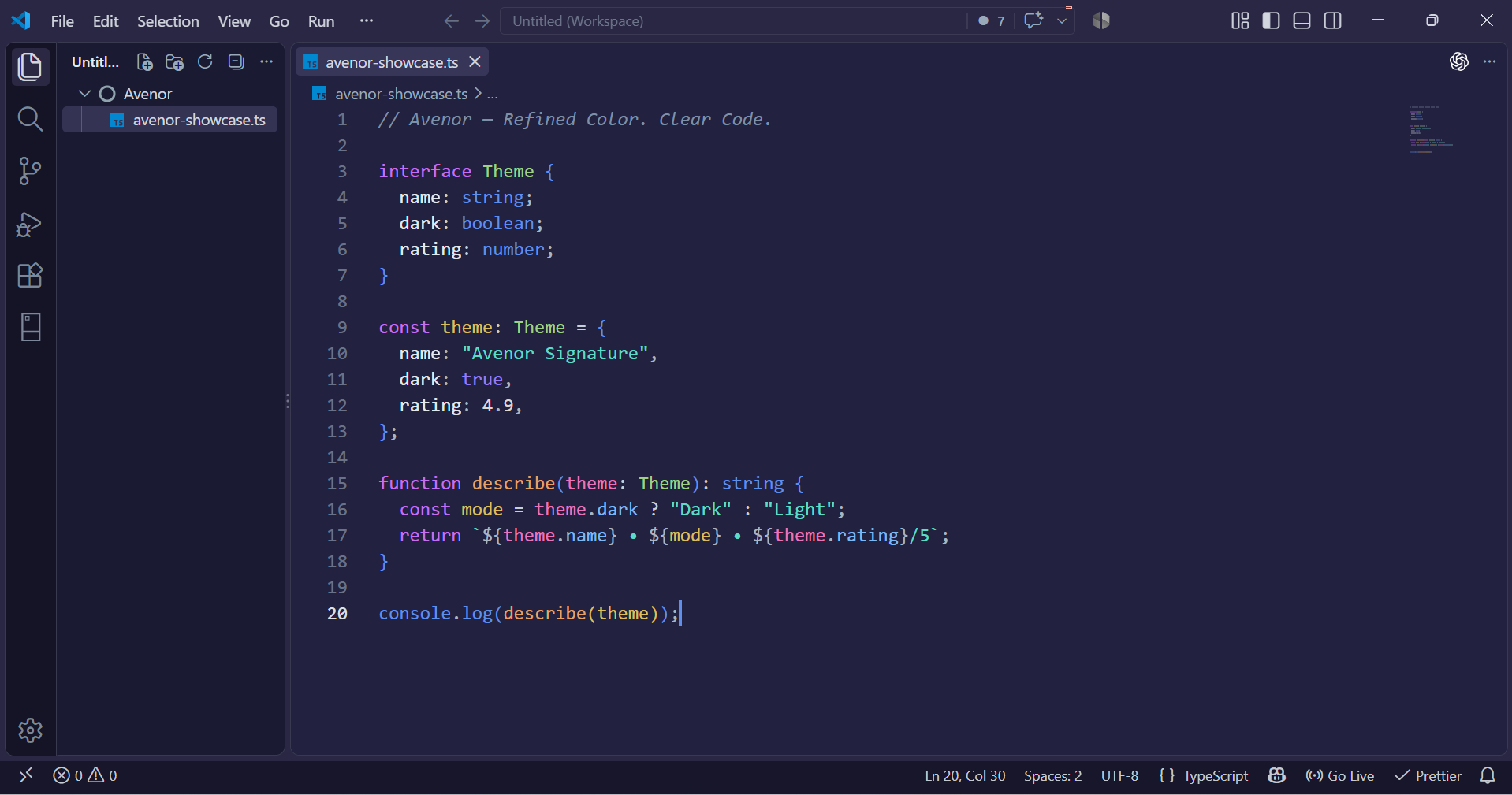
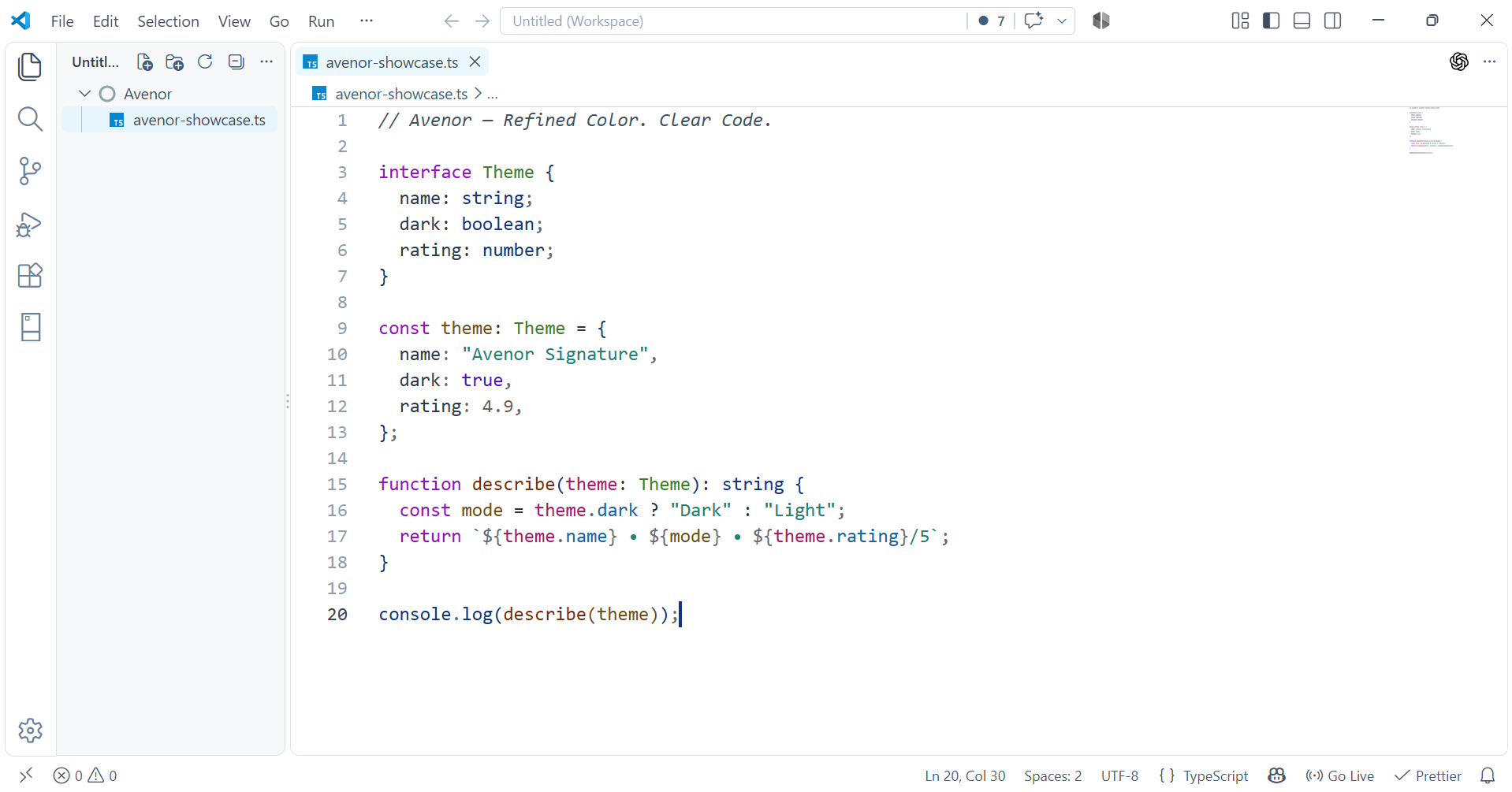
The same workspace and code sample are used for every capture, so the palette is the meaningful visual change.
Avenor Cobalt
Avenor Charcoal
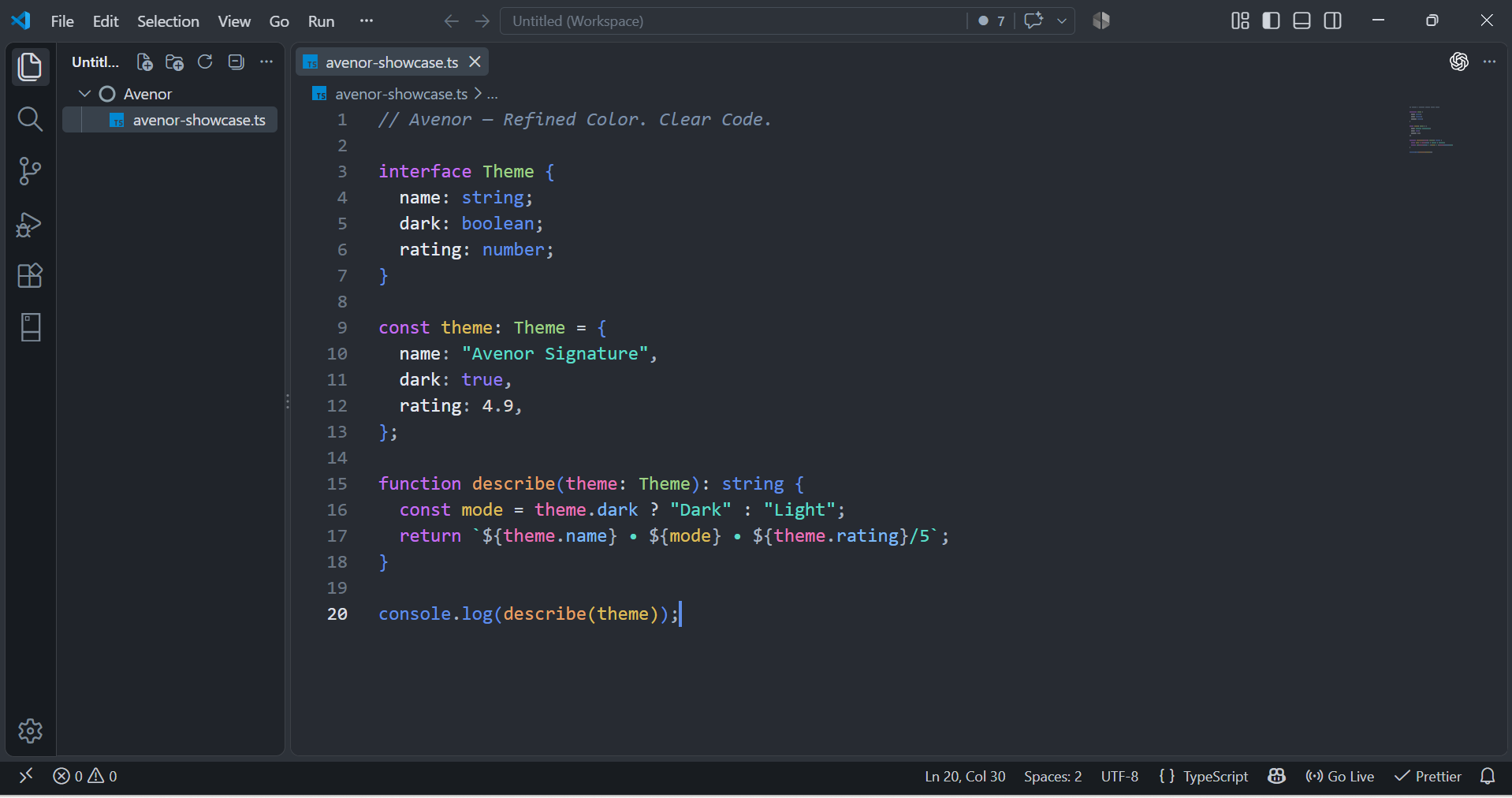
Avenor Indigo
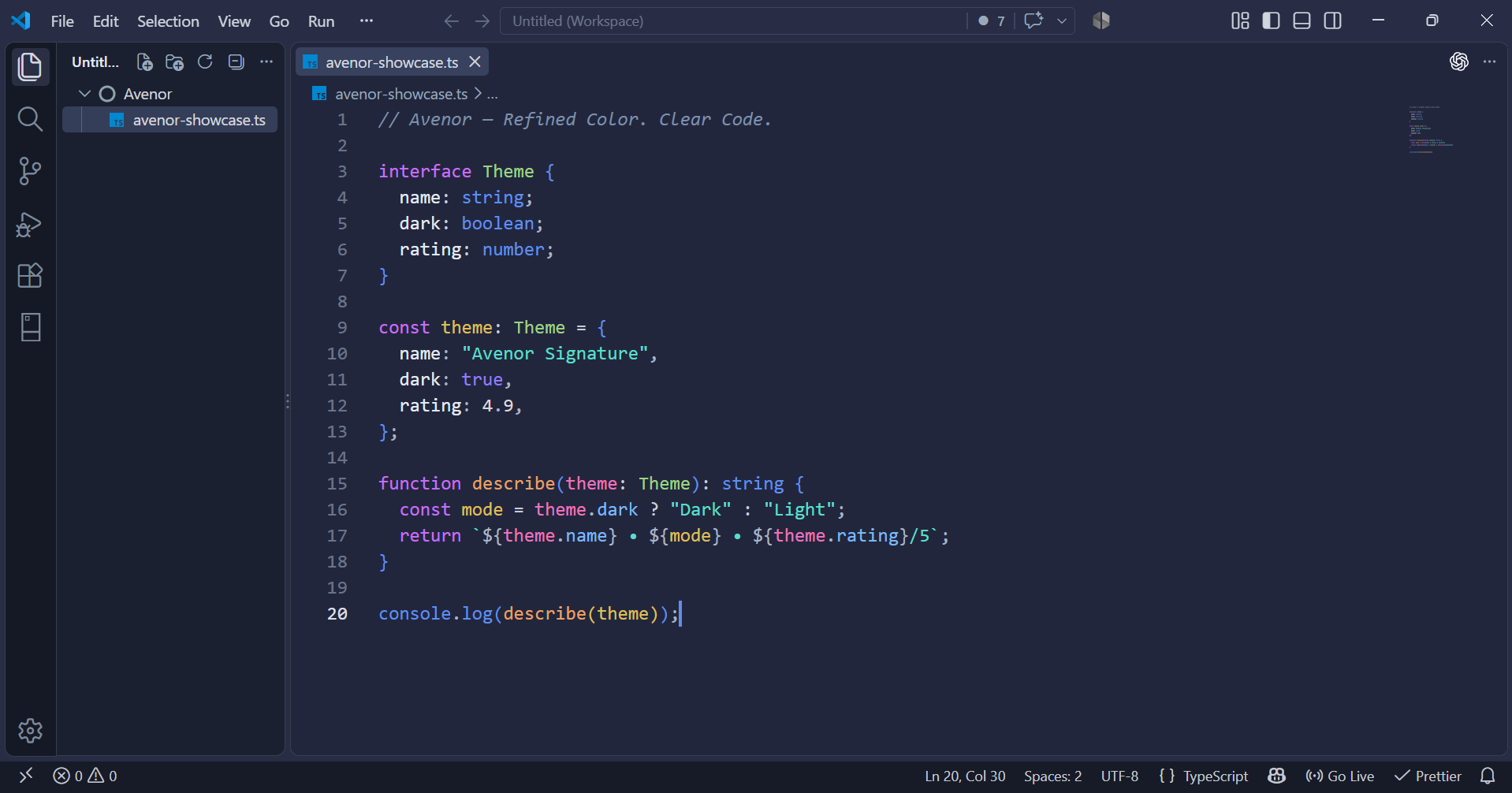
Avenor Jade
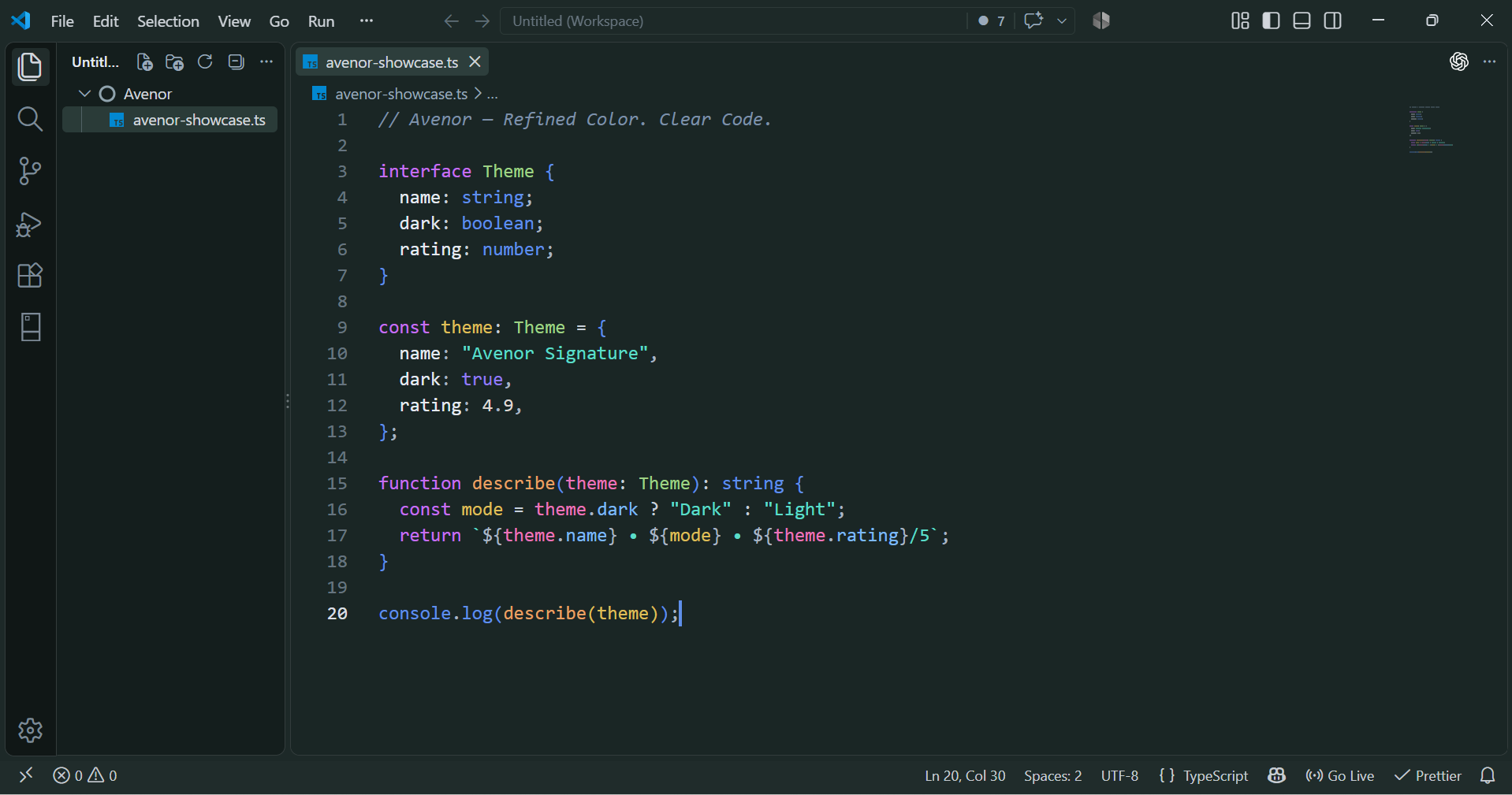
Avenor Navy
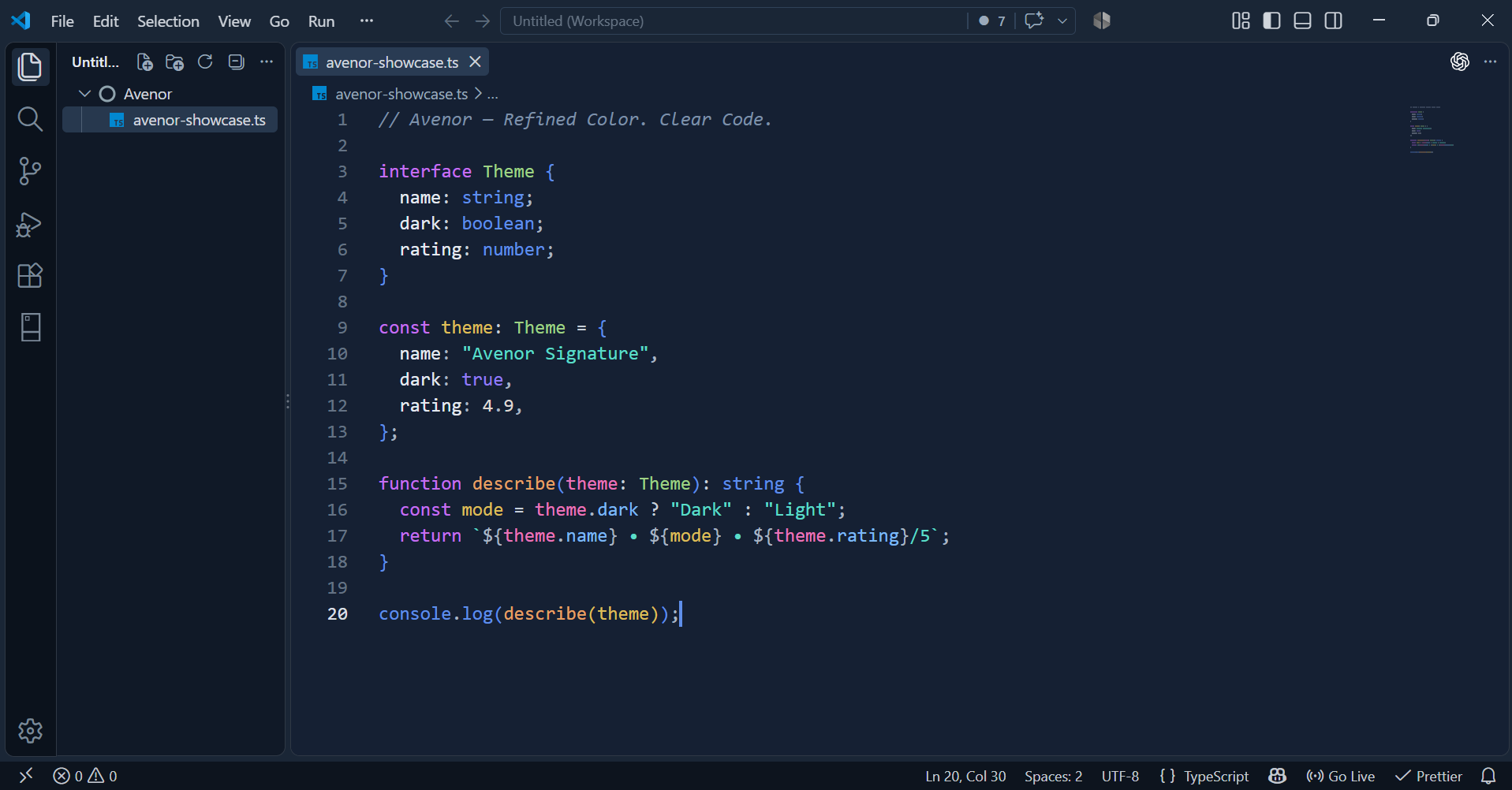
Avenor Obsidian
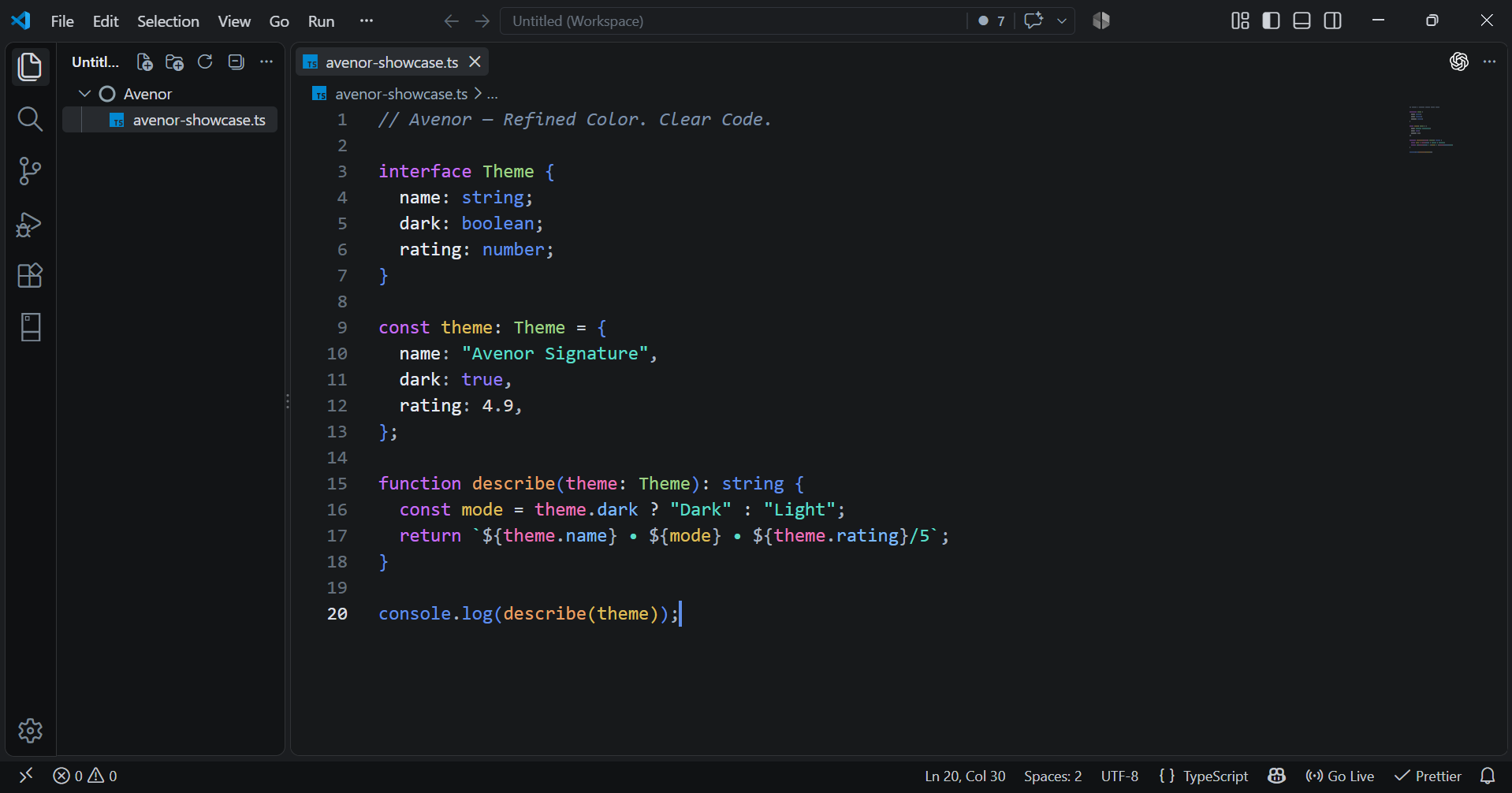
Avenor Twilight
Avenor Ivory
Why Avenor?
- Controlled vibrancy — expressive syntax without turning the editor into a rainbow.
- Semantic clarity — stable visual roles help related code constructs read as a system.
- Surface hierarchy — editors, sidebars, tabs, panels, inputs, and elevated widgets form deliberate depth layers.
- Consistent identity — variants feel related even when their foundations change significantly.
- Long-session comfort — contrast and saturation stay readable without making the palette lifeless.
Syntax Language
| Color family |
Primary roles |
| Purple |
Keywords, control flow, declarations, tags, and selectors |
| Teal |
Strings and regular expressions |
| Warm orange |
Functions and methods |
| Green |
Types, interfaces, classes, and structs |
| Blue |
Properties, fields, built-ins, namespaces, and modules |
| Pink |
Parameters, decorators, and annotations |
| Gold |
Constants, enums, readonly values, and labels |
| Neutral foregrounds |
Variables, object keys, numbers, operators, and punctuation |
Installation
Open the Extensions view in VS Code with Ctrl+Shift+X and search for Avenor Theme.
Extension ID:
avenor.avenor-theme
Command-line installation after Marketplace publication:
code --install-extension avenor.avenor-theme
Select a Theme
Open Preferences: Color Theme and choose any Avenor variant. Start with Avenor Signature for the flagship dark experience or Avenor Ivory for the light experience.
Feedback
Found a highlighting issue? Open an issue and include the active Avenor theme, language extension, VS Code version, and a minimal reproduction.
License
Avenor is available under the MIT License.
Designed around Refined Color. Clear Code.
| |

