AutoGit Pro
One-click Git workflow automation with AI-powered commit messages



✨ Features
🚀 One-Click Commit & Push
Stage, commit, and push all your changes with a single keyboard shortcut. No more switching between terminal and editor.
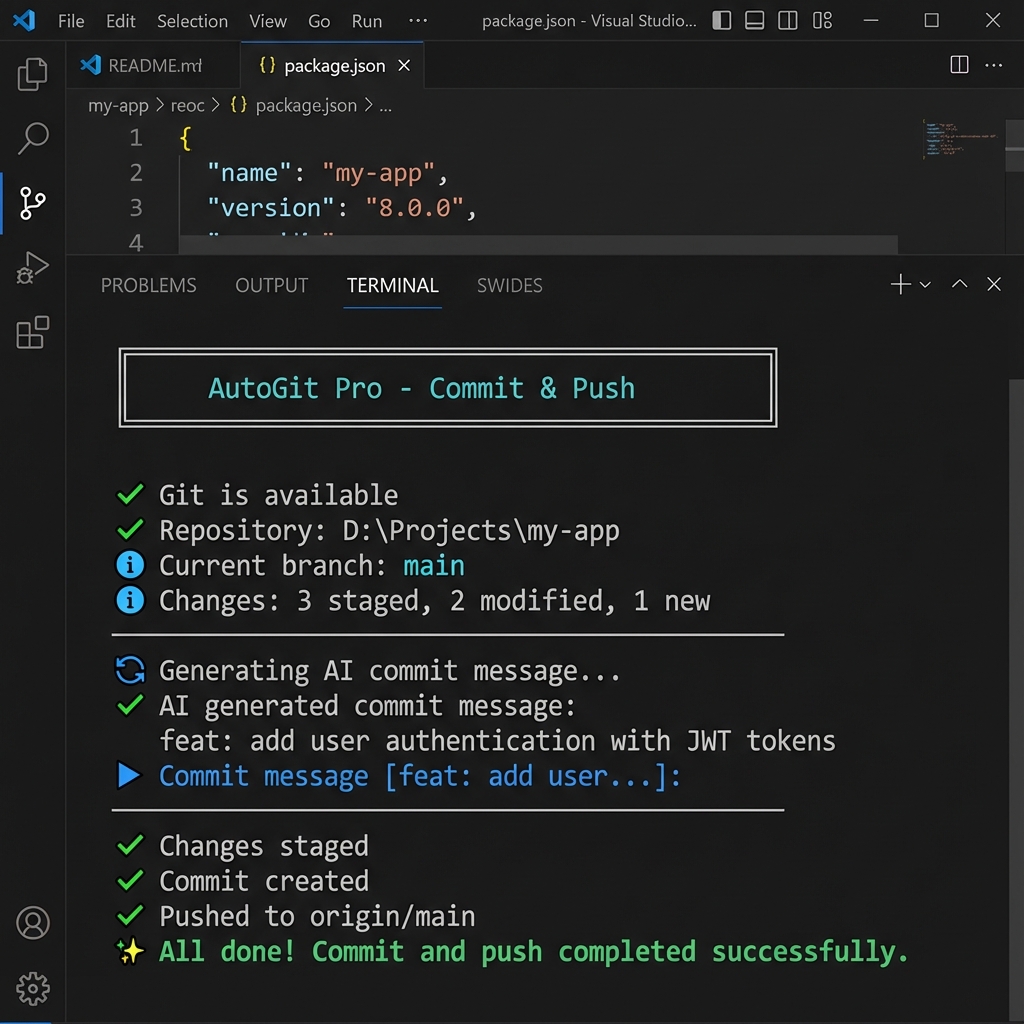
🤖 AI-Powered Commit Messages
Let AI analyze your changes and generate meaningful, conventional commit messages. Supports:
- Groq (FREE - Recommended!)
- OpenAI (GPT-4)
- Google Gemini
🔄 Full Git Sync
Pull remote changes AND push local commits in one action. Perfect for team collaboration.
⚡ Quick Mode
Skip all prompts and commit instantly with AI-generated messages. Ideal for rapid iteration.
🛡️ AI-Powered Error Analysis (NEW in v1.1.1!)
When conflicts or errors occur, AI explains what went wrong in plain language and provides step-by-step fixes.
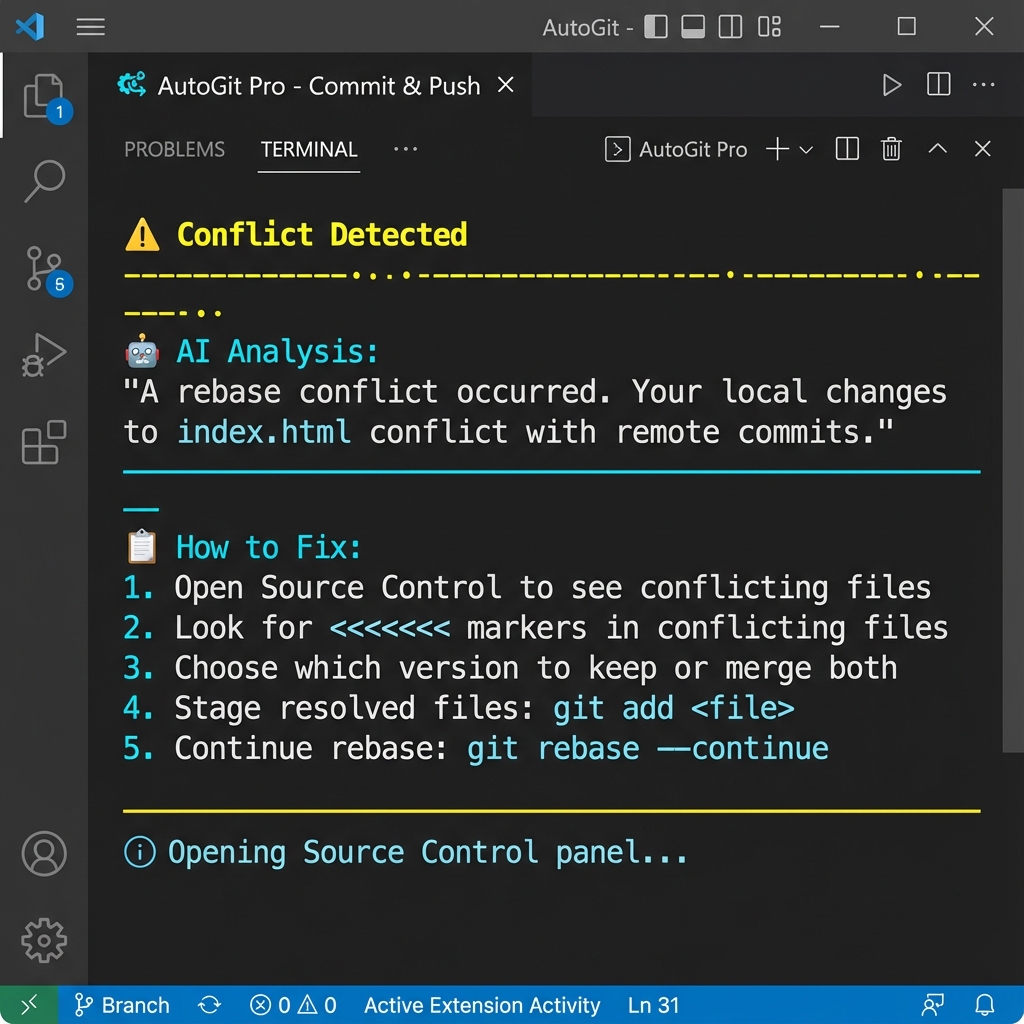
- Detects rebase, merge, and pull conflicts
- Provides tailored resolution instructions
- Works with Groq, OpenAI, and Gemini
- Falls back to formatted display if AI isn't configured
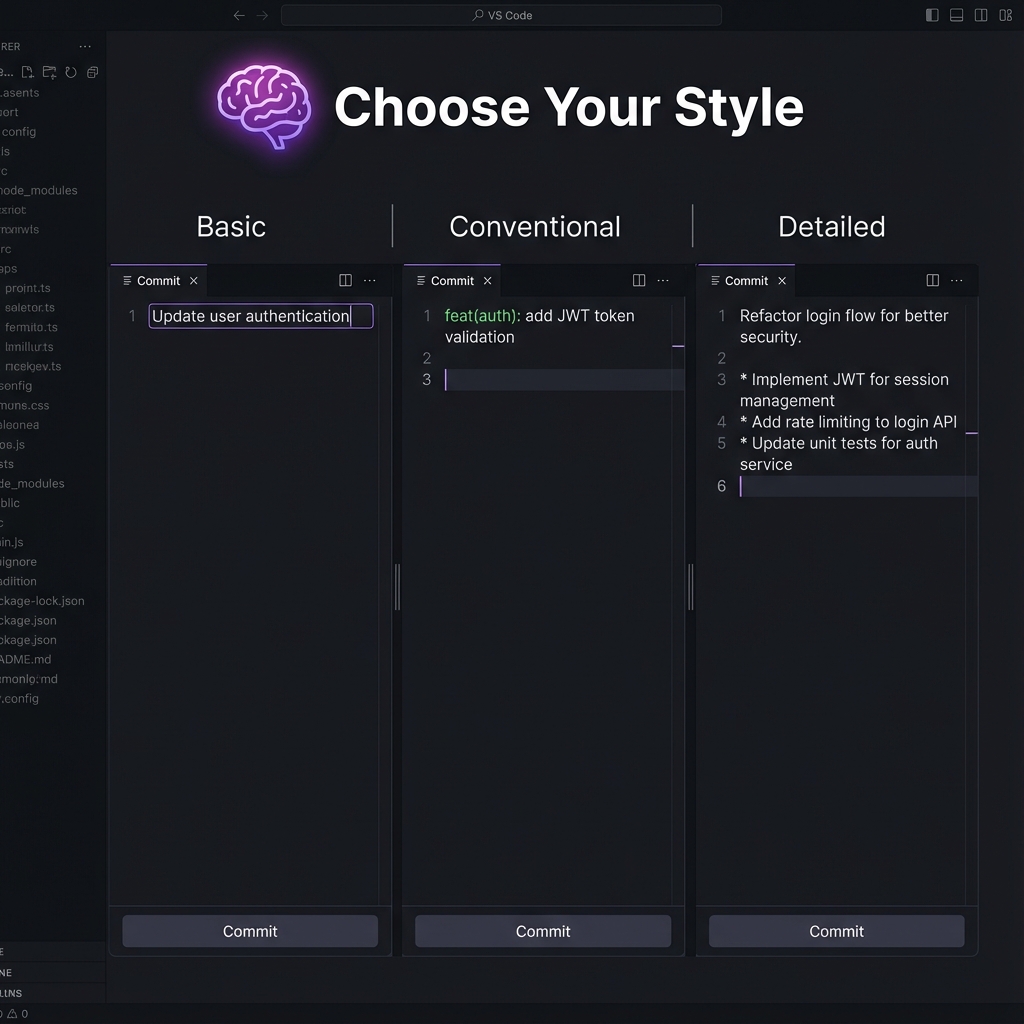
🎨 Advanced Commit Styles (NEW in v1.2.0!)
Choose your preferred commit message format:
- Basic: Simple descriptive messages
- Conventional:
feat(scope): description format
- Detailed: Multi-line with bullet points
📝 Custom Templates (NEW in v1.2.0!)
Save and reuse your favorite commit message patterns with variable support.
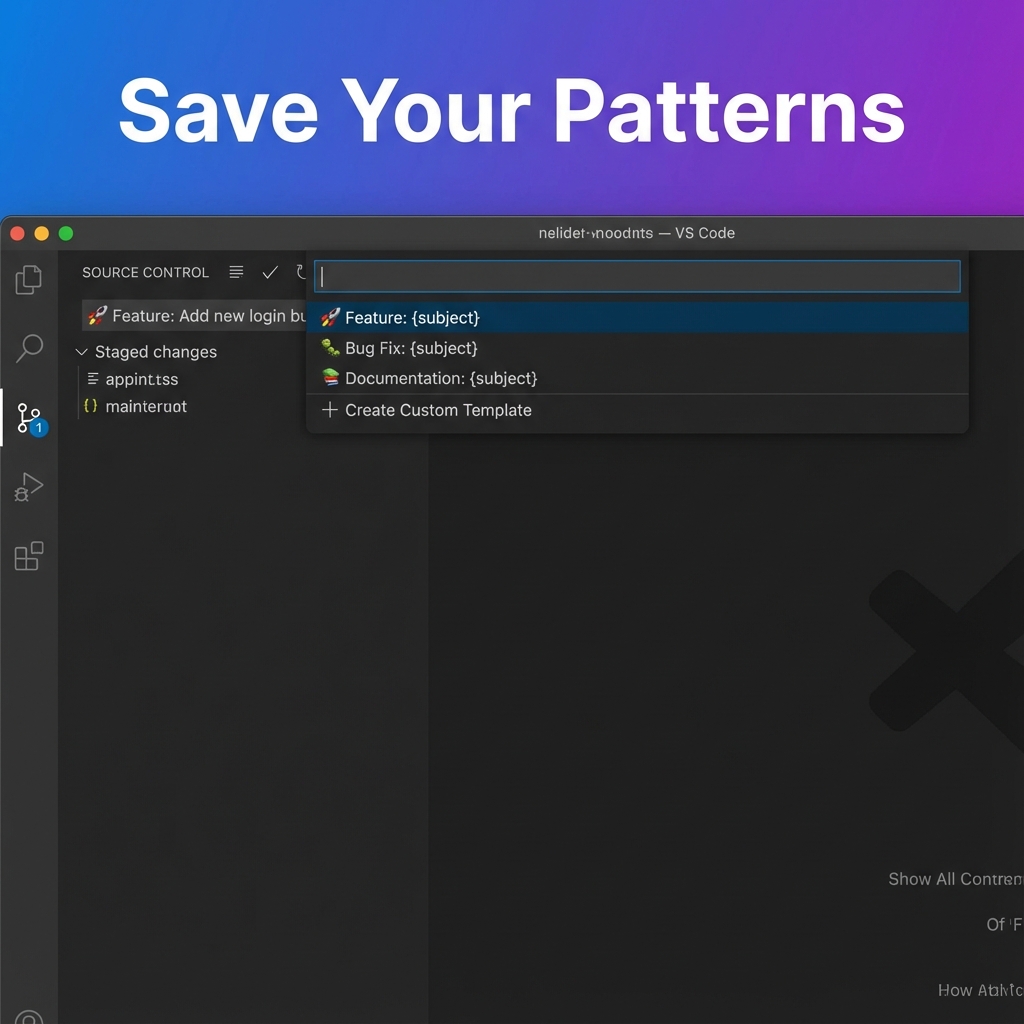
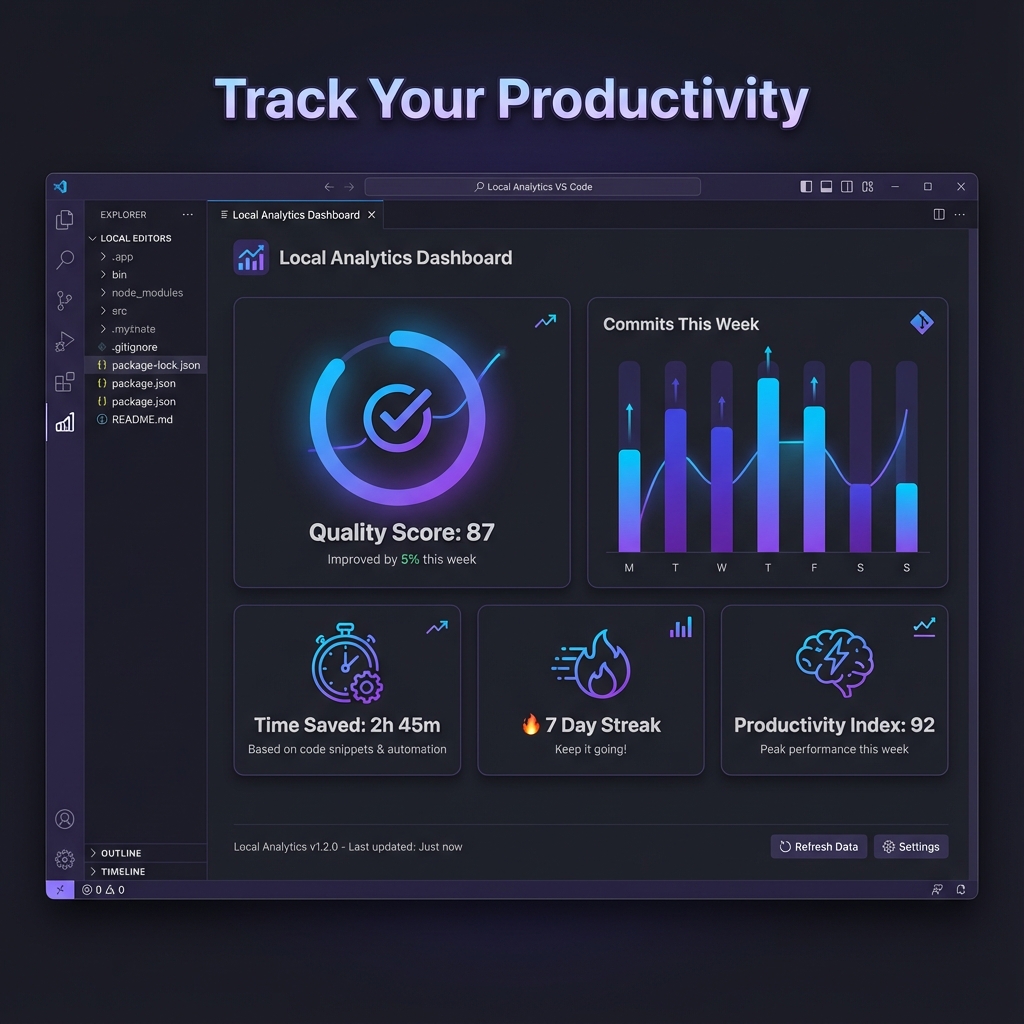
📊 Analytics Dashboard (NEW in v1.2.0!)
- Track commits, pushes, pulls, and AI messages
- See your estimated time saved
- View Commit History & Analysis with quality scoring
⚡ Auto-Commit on Save (NEW in v1.2.0!)
Enable automatic commits when you save files with debounced batching.
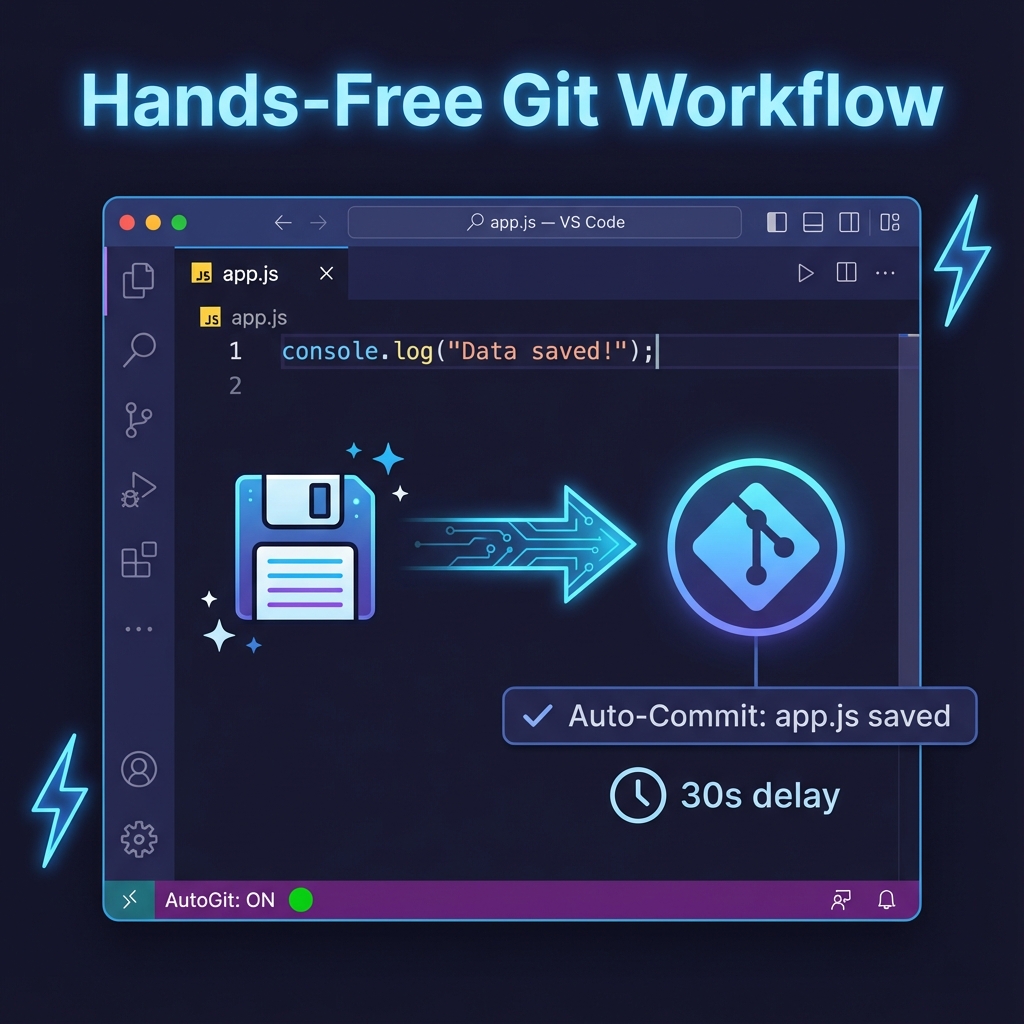
Click the AutoGit Pro icon in the status bar for a dropdown with all commands - no more Command Palette hunting!
🎯 Quick Start
Step 1: Install
Search for "AutoGit Pro" in VS Code Extensions, or:
code --install-extension autogit-pro.autogit-pro
Step 2: Get a FREE API Key
For AI commit messages, get a free Groq API key (no credit card needed):
- Go to console.groq.com
- Create an account
- Generate an API key
- Open VS Code Settings (
Ctrl+, or Cmd+,)
- Search for "autogit-pro"
- Set AI Provider to
groq
- Paste your Groq API Key
Step 4: Use It!
Press Ctrl+Alt+G (Windows/Linux) or Cmd+Alt+G (Mac) and follow the prompts!
⌨️ Keyboard Shortcuts
| Command |
Windows/Linux |
Mac |
Description |
| Commit & Push |
Ctrl+Alt+G |
Cmd+Alt+G |
Full interactive workflow with prompts |
| Quick Commit |
Ctrl+Shift+Alt+C |
Cmd+Shift+Alt+C |
⚡ Instant commit with AI message (no prompts) |
| Sync (Pull & Push) |
Ctrl+Shift+Alt+P |
Cmd+Shift+Alt+P |
🔄 Pull remote + push local commits |
| Show My Stats |
— |
— |
📊 View usage analytics and time saved |
| Commit History |
— |
— |
📈 Open history dashboard with AI analysis |
| Toggle Auto-Commit |
— |
— |
⚡ Enable/disable auto-commit on save |
| Manage Templates |
— |
— |
📝 Create and manage commit templates |
📋 Workflow Examples
Standard Commit & Push
╔══════════════════════════════════════════╗
║  AutoGit Pro - Commit & Push             ║
╚══════════════════════════════════════════╝

✓ Git is available
✓ Repository: D:\Projects\my-app
ℹ Current branch: main
ℹ Changes: 2 staged, 1 modified, 3 new
──────────────────────────────────────────────
▸ Push to branch [main]:
⟳ Generating AI commit message...
✓ AI generated commit message:
  feat: add user authentication with JWT tokens
▸ Commit message [feat: add user authentication...]:
──────────────────────────────────────────────
ℹ Current branch: main
ℹ Message: feat: add user authentication with JWT tokens
▸ Proceed with commit and push [Y/n]:
──────────────────────────────────────────────
✓ Changes staged
✓ Commit created
✓ Pushed to origin/main
✨ All done! Commit and push completed successfully.
Sync (Pull & Push)
╔══════════════════════════════════════════╗
║  AutoGit Pro - Commit & Push             ║
╚══════════════════════════════════════════╝

✓ Git is available
✓ Repository: D:\Projects\my-app
✓ Working directory is clean
ℹ Current branch: feature-branch
✓ Found 1 remote(s): origin
──────────────────────────────────────────────
⟳ Fetching from origin...
✓ Fetch complete
▸ Pull branch [feature-branch]:
──────────────────────────────────────────────
ℹ Will pull from: origin/feature-branch
ℹ Into local branch: feature-branch
▸ Proceed with pull [Y/n]:
──────────────────────────────────────────────
✓ Pull completed successfully!
✓ Pushed local commits to origin/feature-branch
✨ All done! Pull and push completed successfully.
🤖 AI Providers Comparison
| Provider |
Cost |
Speed |
Best For |
| Groq ⭐ |
FREE |
⚡ Fastest |
Everyone (Recommended!) |
| OpenAI |
Paid ($) |
Fast |
Enterprise with existing OpenAI usage |
| Gemini |
Free tier |
Fast |
Google Cloud users |
Getting API Keys
⚙️ All Settings
| Setting |
Default |
Description |
autogit-pro.aiProvider |
groq |
AI provider: groq, openai, gemini, or none |
autogit-pro.groqApiKey |
— |
Your Groq API key |
autogit-pro.groqModel |
llama-3.1-8b-instant |
Groq model to use |
autogit-pro.openaiApiKey |
— |
Your OpenAI API key |
autogit-pro.openaiModel |
gpt-4o-mini |
OpenAI model to use |
autogit-pro.geminiApiKey |
— |
Your Gemini API key |
autogit-pro.geminiModel |
gemini-2.0-flash-001 |
Gemini model to use |
autogit-pro.defaultRemote |
origin |
Default remote for push/pull |
autogit-pro.autoStageAll |
true |
Automatically stage all changes |
autogit-pro.pushAfterCommit |
true |
Automatically push after commit |
autogit-pro.confirmBeforePush |
true |
Show confirmation before pushing |
autogit-pro.commitStyle |
basic |
AI commit style: basic, conventional, detailed |
autogit-pro.includeScope |
true |
Include scope in conventional commits |
autogit-pro.multiRepoMode |
ask |
Multi-repo handling: ask, all, active |
autogit-pro.scanNestedRepos |
false |
Scan for nested repos (monorepos) |
autogit-pro.autoCommit.enabled |
false |
Enable auto-commit on file save |
autogit-pro.autoCommit.delay |
30 |
Seconds to wait before auto-committing |
🆕 New Repository Setup
Don't have Git initialized? No problem!
- Open a folder without
.git
- Run Commit & Push (
Ctrl+Alt+G)
- Enter your GitHub repository URL when prompted
- Extension runs
git init -b main and adds remote
- Ready to commit!
🔧 Troubleshooting
"Git not found"
- Install Git from git-scm.com
- Ensure Git is in your system PATH
- Restart VS Code after installation
"AI generation failed"
- Check your API key is correct
- Verify internet connection
- Try a different AI provider
"Push rejected"
- Extension automatically pulls and retries
- If conflicts exist, Source Control view opens automatically
- Fixed in v1.1.0! Extension now handles this automatically
- Occurs when remote repo was initialized with README
Terminal closes too fast
- Fixed in v1.1.0! Terminal now stays open on errors
📦 Requirements
- VS Code 1.85 or higher
- Git installed and in PATH
- API Key (optional) for AI commit messages
🔄 What's New in v1.2.0
🎉 Major Feature Release! This version brings 6 powerful new features:
- 🎨 Advanced AI Commit Styles - Choose Basic, Conventional, or Detailed format
- 📝 Custom Commit Templates - Save and reuse your favorite patterns
- 🔀 Multi-Repo Support - Work with monorepos and multiple repositories
- 📊 Local Analytics - Track productivity and time saved
- 📈 Commit History Dashboard - Beautiful WebView with quality scoring
- ⚡ Auto-Commit on Save - Automatic commits with debouncing
See CHANGELOG.md for full history.
👨💻 Developer
Mushfiqur Rahman
📄 License
MIT License © 2025 Mushfiqur Rahman
See LICENSE for details.
🙏 Contributing
Contributions welcome! Please:
- Fork the repository
- Create a feature branch
- Make your changes
- Submit a pull request
Made with ❤️ by Mushfiqur Rahman
Star ⭐ this repo if you find it useful!

