Auric Artisan File SystemA file workspace for VS Code Explorer: batch rename, templates, related files, tags, graphical Properties, duplicate review and restorable trash. Installation Launch VS Code Quick Open ( Ctrl+P), paste the following command, and press enter.Copied to clipboard |

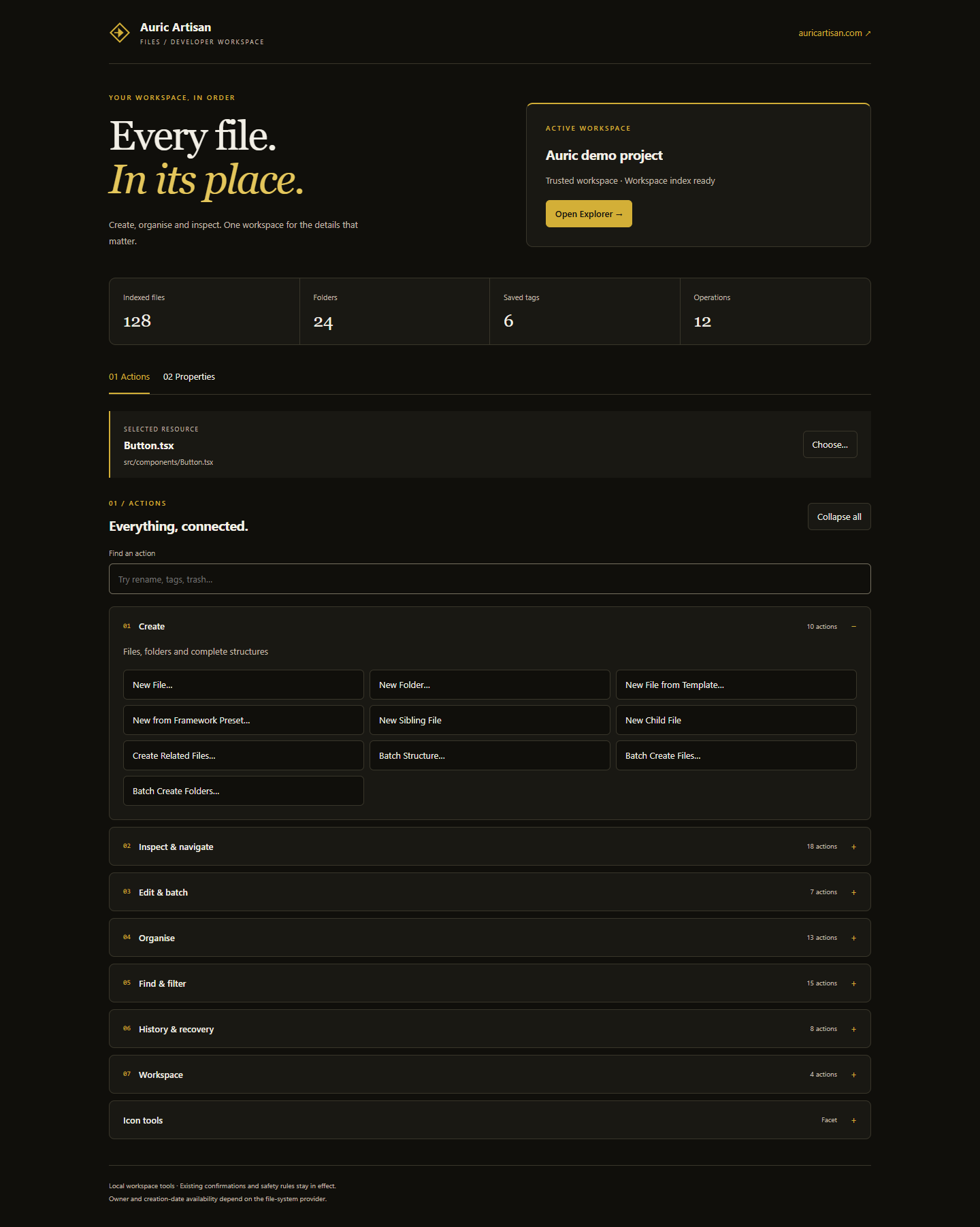
Auric Artisan File SystemEvery file. In its place.A file workspace for VS Code Explorer. Create project structures, rename in batches, find related files, organise working sets and inspect file properties—without replacing the native Explorer. Website · Source code · Support · Release notes
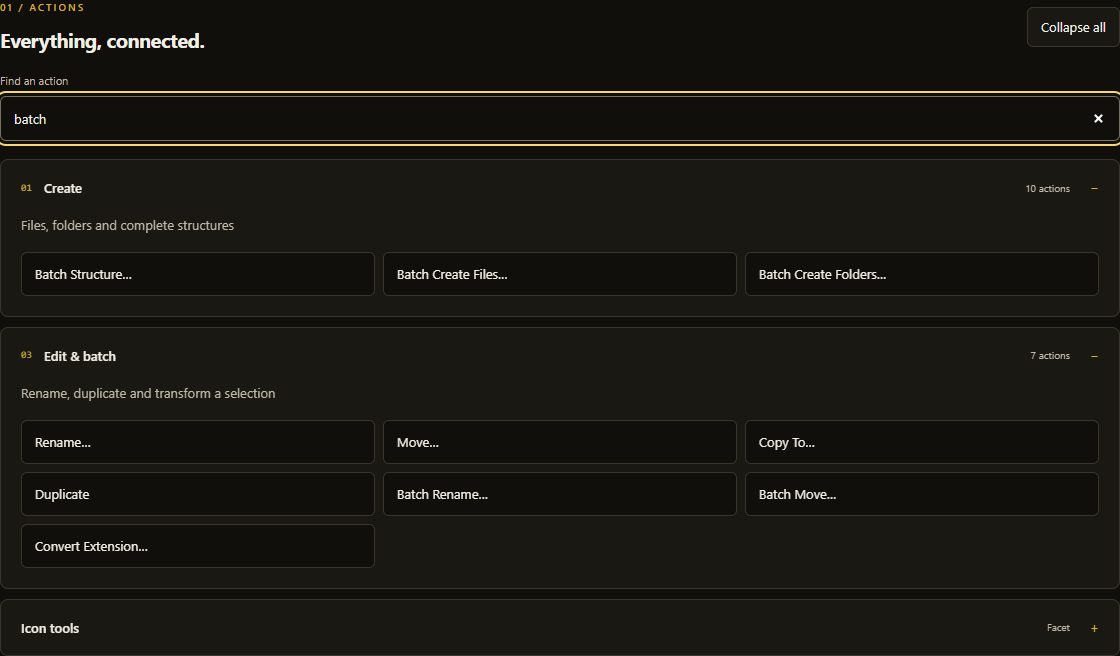
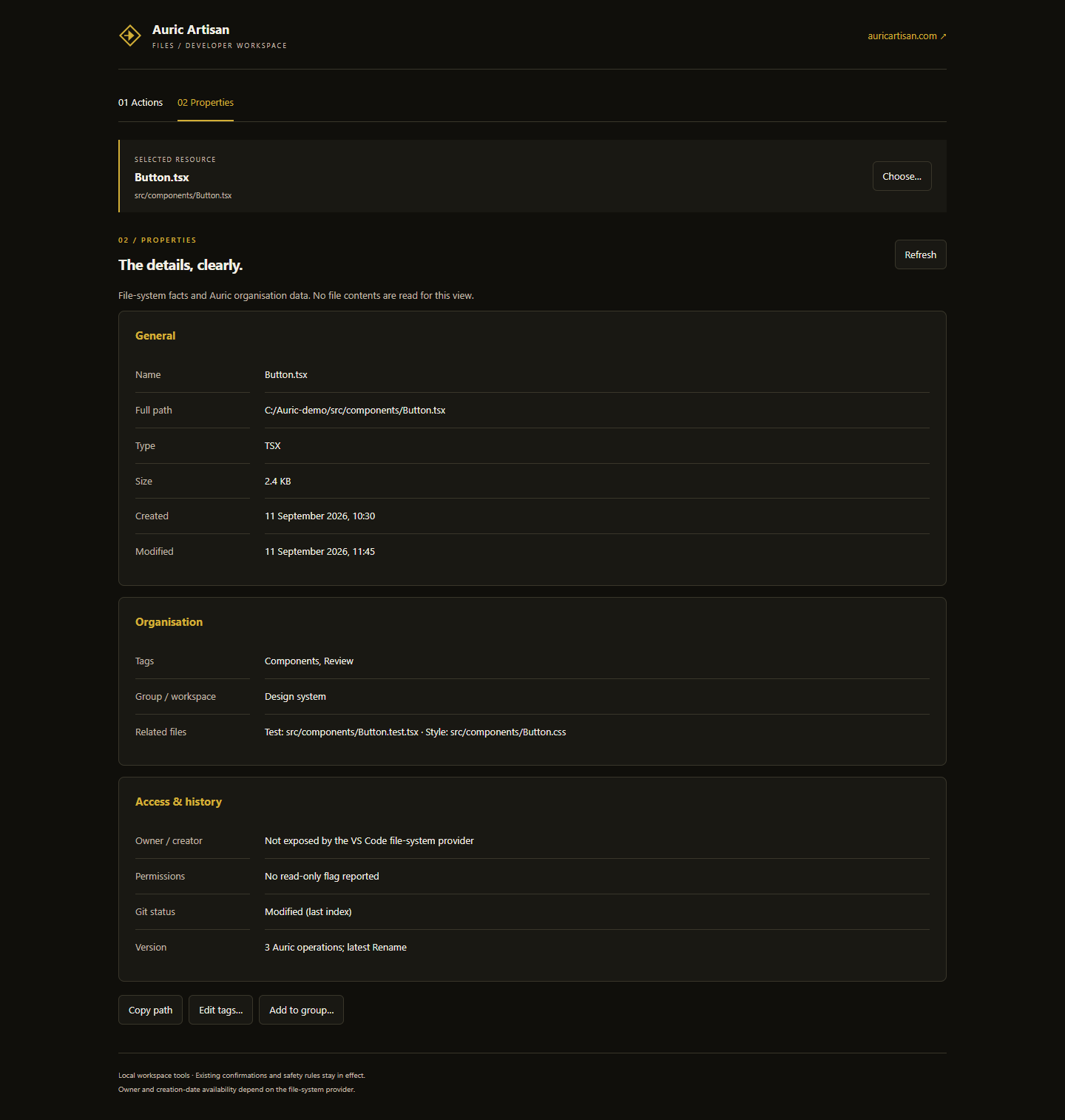
Images show the actual v0.1.0 webview renderer with illustrative sample data. They are not full VS Code application captures. No personal workspace data is used. Start in a minute
Native New File, New Folder, Rename and drag-and-drop remain familiar VS Code interactions. Quick Actions… remains available if you prefer a keyboard-first command picker. One workspace. Seven groups.
Search narrows the action list instantly. Disclosure groups automatically collapse their siblings when no search is active. Keyboard focus and native wheel scrolling work in both the editor workspace and narrow sidebar.
Properties that put the details firstOpen File Properties to inspect a resource in the existing workspace panel, or switch the sidebar to 02 Properties.
Properties reads filesystem metadata, not file contents. Owner/creator, full access-control lists and some timestamps are not available from every provider; missing values are not invented. Folder size is not a recursive disk-usage calculation. Git status is labelled as cached, and related-file discovery requires an index. The same tools beside your editorThe Auric Files Explorer section provides the same actions and Properties without opening a second file tree. Its Open workspace button opens the larger editor interface. 
The icon-tools section can inspect, assign or clear resource icons through the active Auric Facet or Playful theme. Those extensions are optional; File System does not bundle them or change their own context-menu contributions. Build and refactor with context
Read the complete source-backed feature inventory and all 81 commands. Safety and recoveryAuric's guarded operations use path checks, workspace-trust rules, collision planning, configurable confirmation and history. Workspace Trash supports restoration, retention and size limits. Permanent deletion remains a separate action. Native Explorer operations keep VS Code's own behaviour. Auric history records Auric file operations, not every editor change or historical copies of file contents. Review batch previews and keep normal project backups or version control. For a resource outside the workspace, the panel allows inspection but blocks workspace file actions. For creation directly at a single-folder workspace root, use the native Explorer; panel target actions require a file or subfolder. Requirements and boundaries
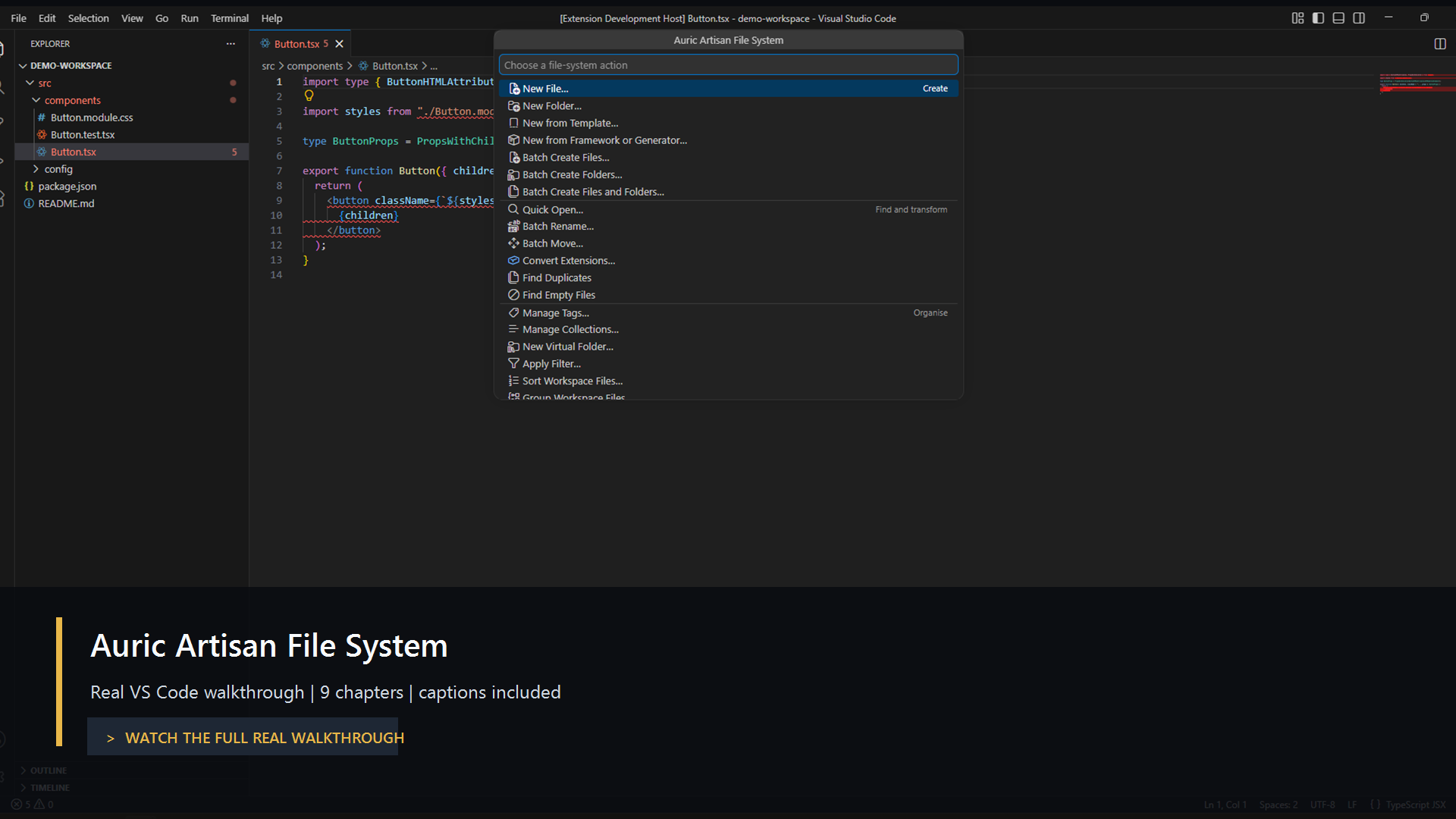
Keyboard and settingsExplorer-focused shortcuts include Alt+Enter for Properties and Ctrl/Cmd+Shift+M for compact metadata hovers. If VS Code supplies no selected URI, Properties opens a resource picker. The wider shortcut deck is opt-in: enable Run Auric Files: Open Settings for the 48 configuration options covering creation, relations, templates, filters, indexing, safety, history and shortcuts. Earlier workflow videoThe earlier walkthrough demonstrates existing file-operation workflows. Its menus predate the v0.1.0 redesign; use the screenshots above for the current layout.
Support and licenceContact Auric Artisan with your extension version, VS Code version, operating system and minimal reproduction steps. Remove private paths, secrets and file contents from reports. Free to use under the existing Auric Artisan Free Use Licence. This is not an MIT-licensed extension; redistribution and other terms are described in the licence. |