Skip to content
| Marketplace
Sign in
Visual Studio Code>Other>Antigravity Token UsageNew to Visual Studio Code? Get it now.
Antigravity Token Usage

Antigravity Token Usage

aungsh2003

|
5 installs
| (1) | Free
Shows Antigravity Token Usage in Activity Bar
Installation
Launch VS Code Quick Open (Ctrl+P), paste the following command, and press enter.
Copied to clipboard
More Info

Antigravity Token Usage

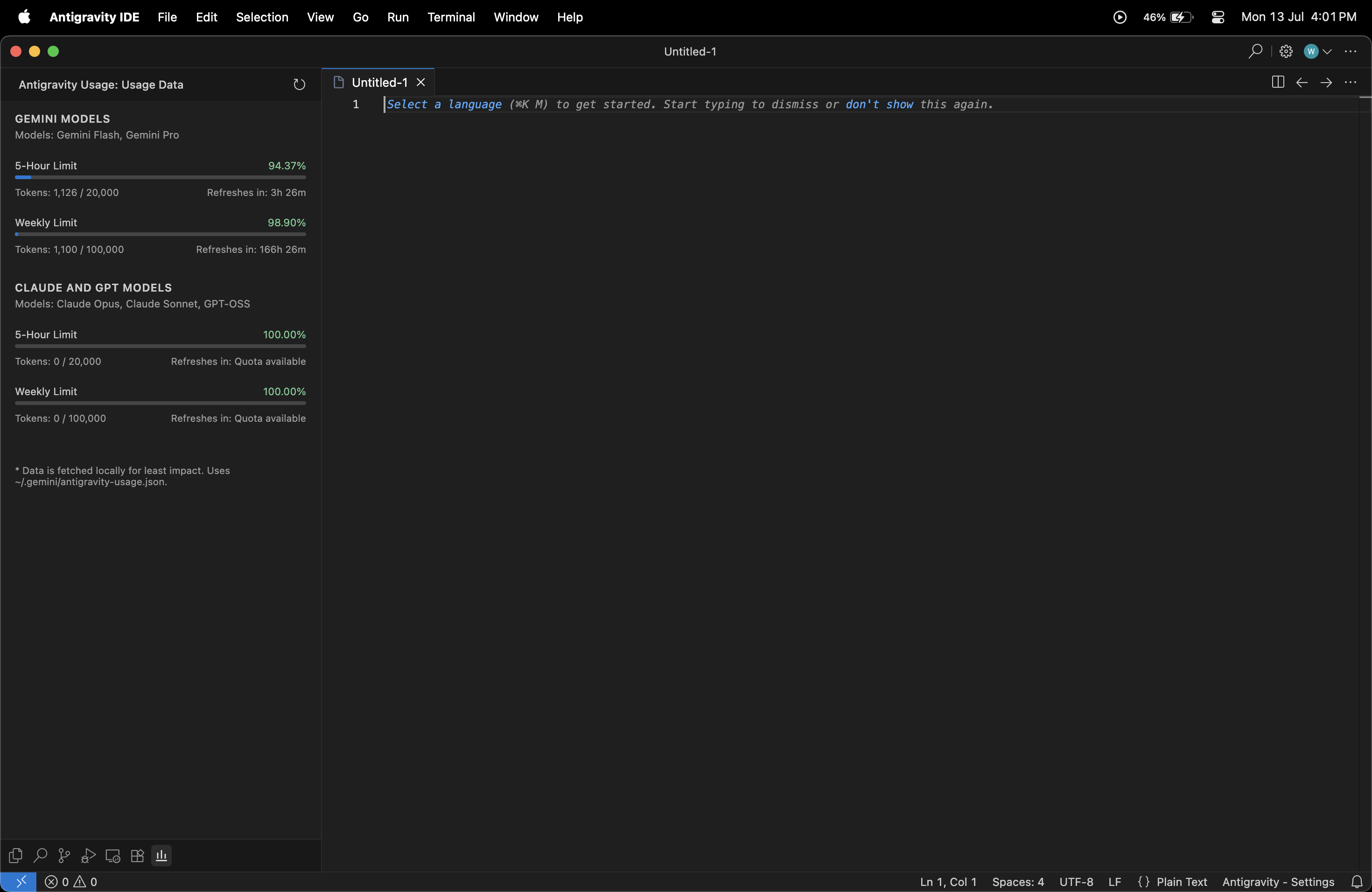
A minimalistic, clean, and native VS Code extension to show your Antigravity token quotas directly in the Activity Bar.

View on GitHub

Main

Features

  • Clean, native layout blending seamlessly with your VS Code theme.
  • View real-time quotas for different model groups (e.g., Gemini Models, Claude, GPT).
  • Visual progress bars for 5-hour and Weekly limits.
  • Exact countdowns for limit resets.

How to get started

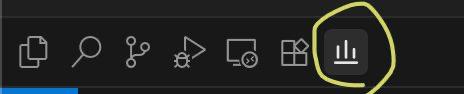
Just install the extension, open the "Antigravity Usage" panel in your Activity Bar, and the limits are loaded automatically based on your current workspace configuration.

Activity Bar

  • Contact us
  • Jobs
  • Privacy
  • Manage cookies
  • Terms of use
  • Trademarks
© 2026 Microsoft