Skip to content
| Marketplace
Sign in
Visual Studio Code>Programming Languages>Asomiya (অসমীয়া)New to Visual Studio Code? Get it now.
Asomiya (অসমীয়া)

Asomiya (অসমীয়া)

Asomiya

|
1 install
| (0) | Free
Write code in Assamese: syntax colours, errors as you type, hover help, a Run button and Show in Python for the Asomiya programming language.
Installation
Launch VS Code Quick Open (Ctrl+P), paste the following command, and press enter.
Copied to clipboard
More Info

Asomiya (অসমীয়া) for VS Code

Editor support for Asomiya, a small programming language in Assamese. Write in Assamese script, or in English letters (dhora, kowa, jodi) if you don't have an Assamese keyboard.

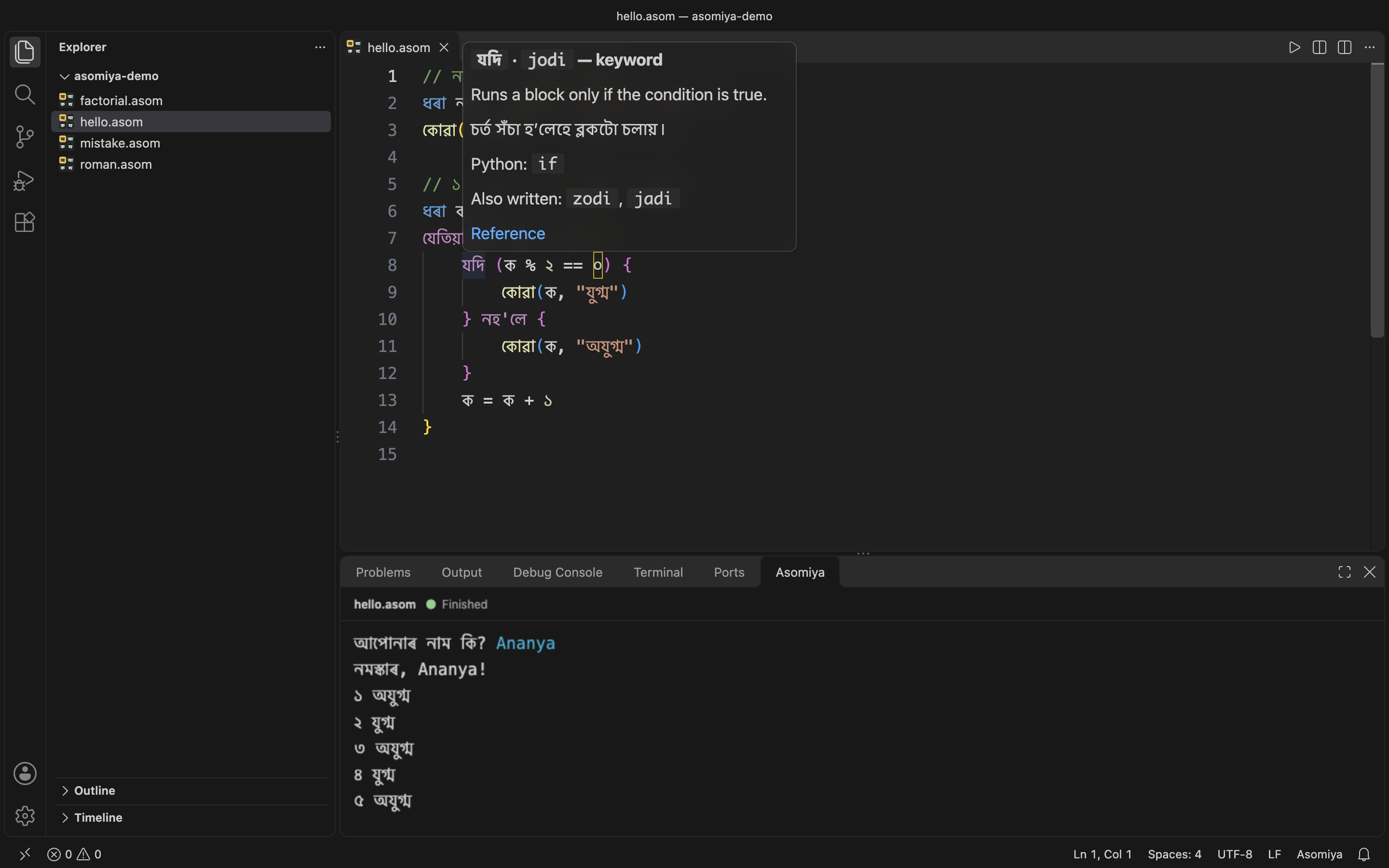
Asomiya in VS Code: a program, the help for যদি, and the output in the Asomiya panel

What it does

Colours. Keywords, built-ins, text, numbers (১২৩ and 123) and comments are coloured in both scripts. Every spelling the language accepts works, so nohole, noh'le and নহ'লে are all the same keyword.

Run. Press ▶ in the editor title, or Cmd/Ctrl+F5. The output appears in the Asomiya panel next to Terminal. (The terminal itself can't join Assamese letters properly, which is why the output has its own panel.) Nothing else to install: the interpreter is inside the extension.

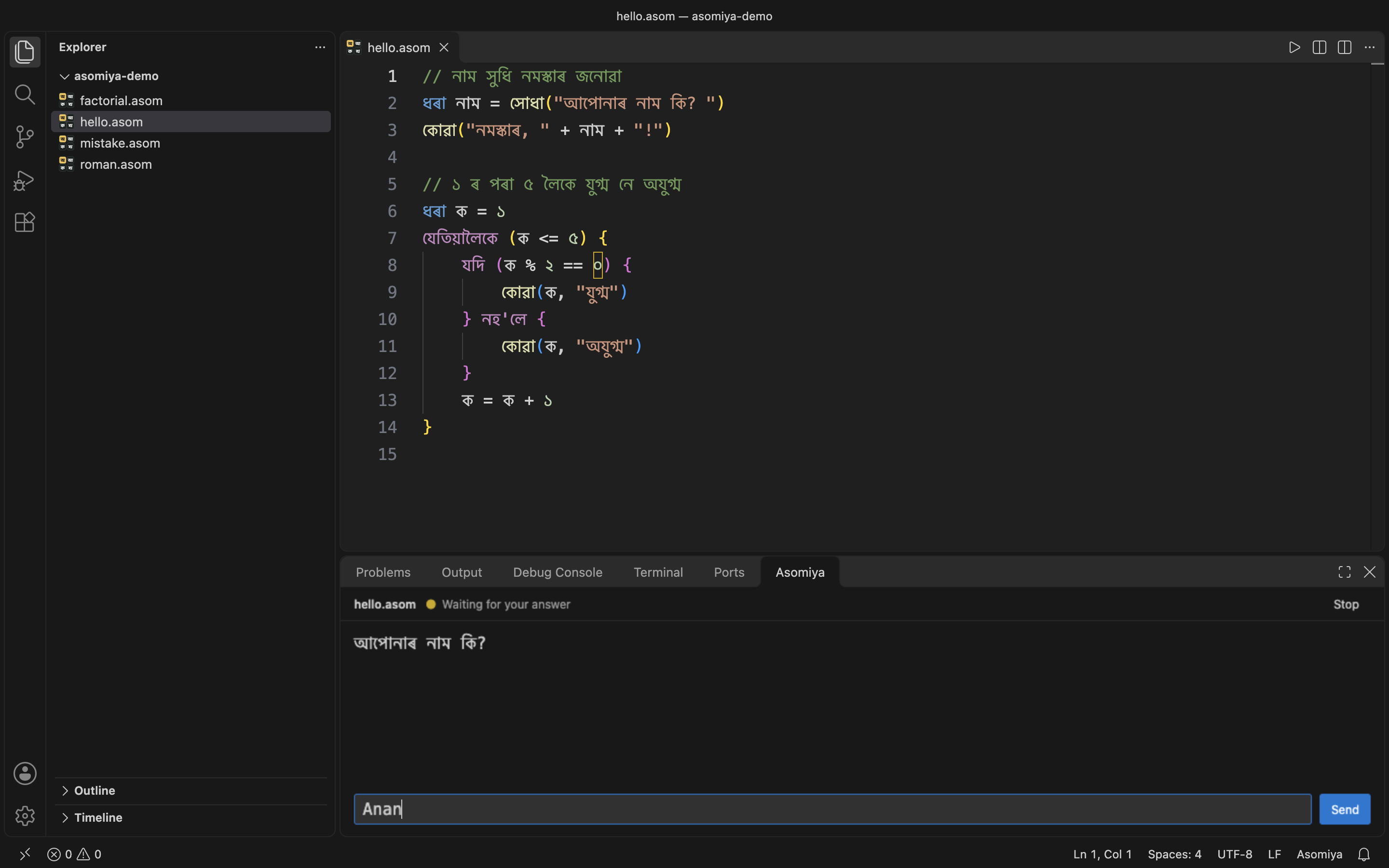
Questions. When a program asks something with সোধা / xudha, a box appears at the bottom of the panel. Type the answer and press Enter. Stop ends a program that runs too long.

A program waiting for an answer in the Asomiya panel

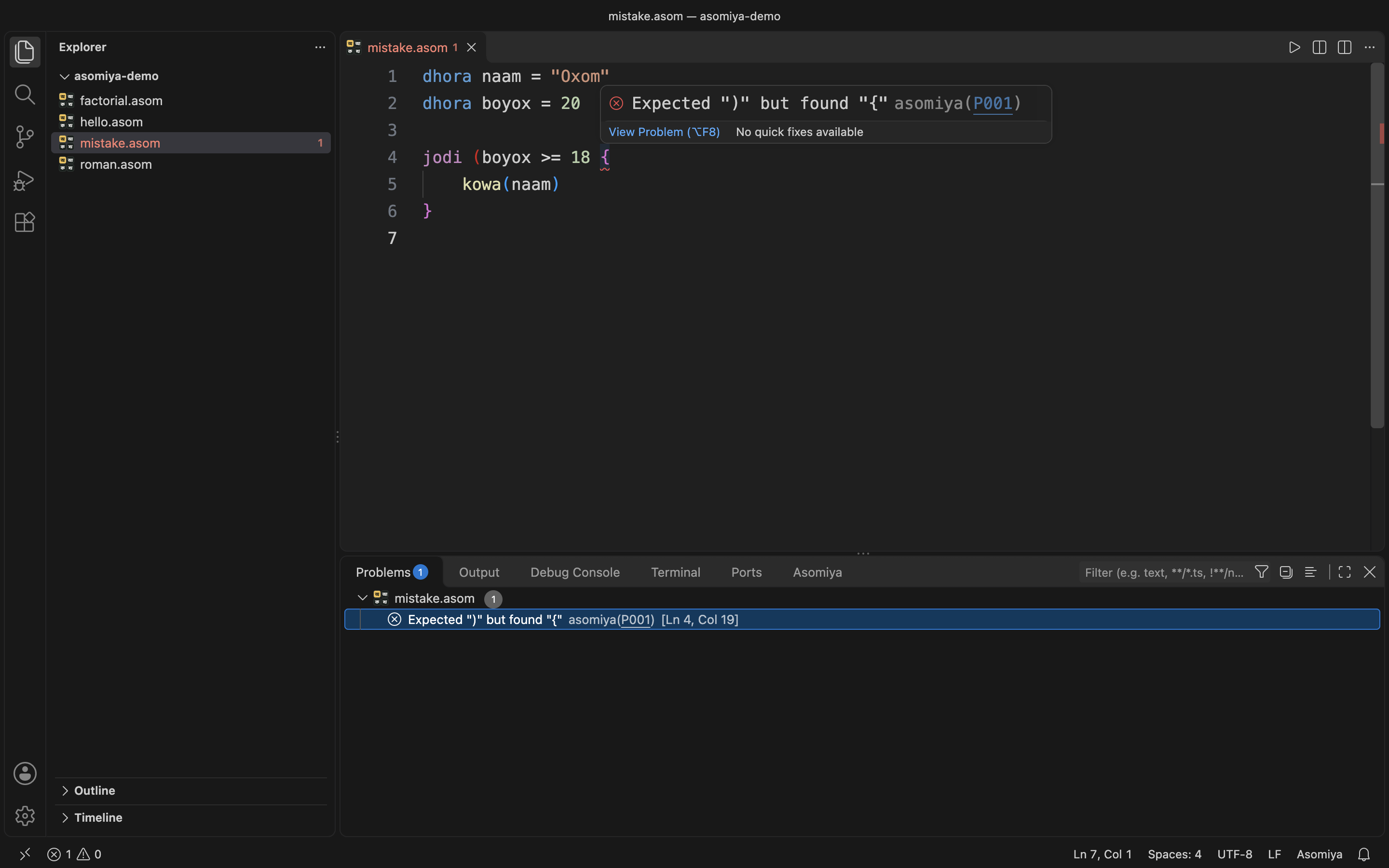
Mistakes, underlined as you type. Each one has a code (like P001) that links to an explanation, and the message can be in Assamese or English.

A missing bracket underlined, with the error in the Problems list

Help on hover. Point at a keyword or built-in to see what it means, in English and Assamese, and what it's called in Python.

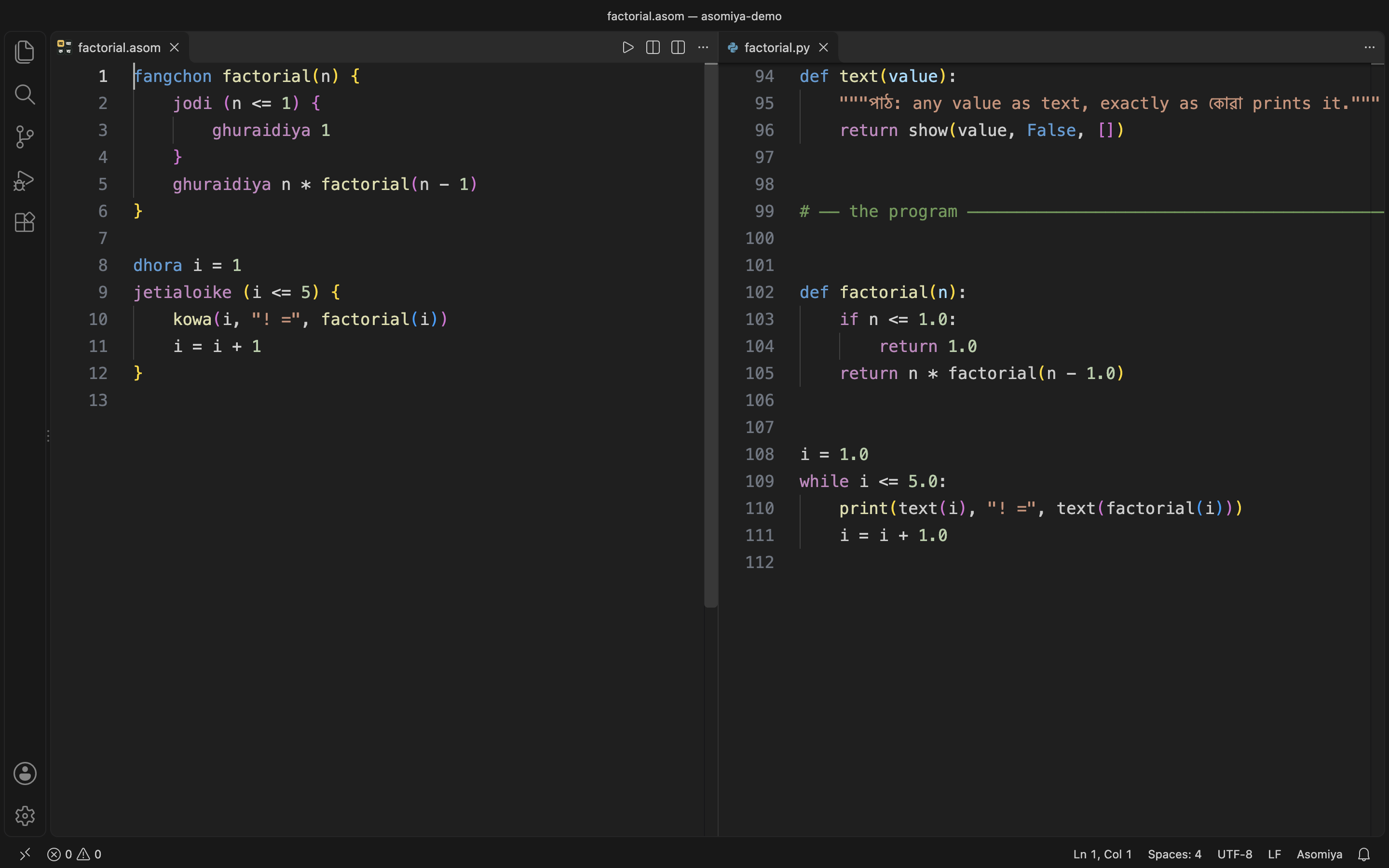
Show in Python. The split button in the editor title opens the same program in Python next to yours, and it updates as you type. Asomiya: Save Python Version As… saves it as a .py file.

An Asomiya program and its Python version side by side

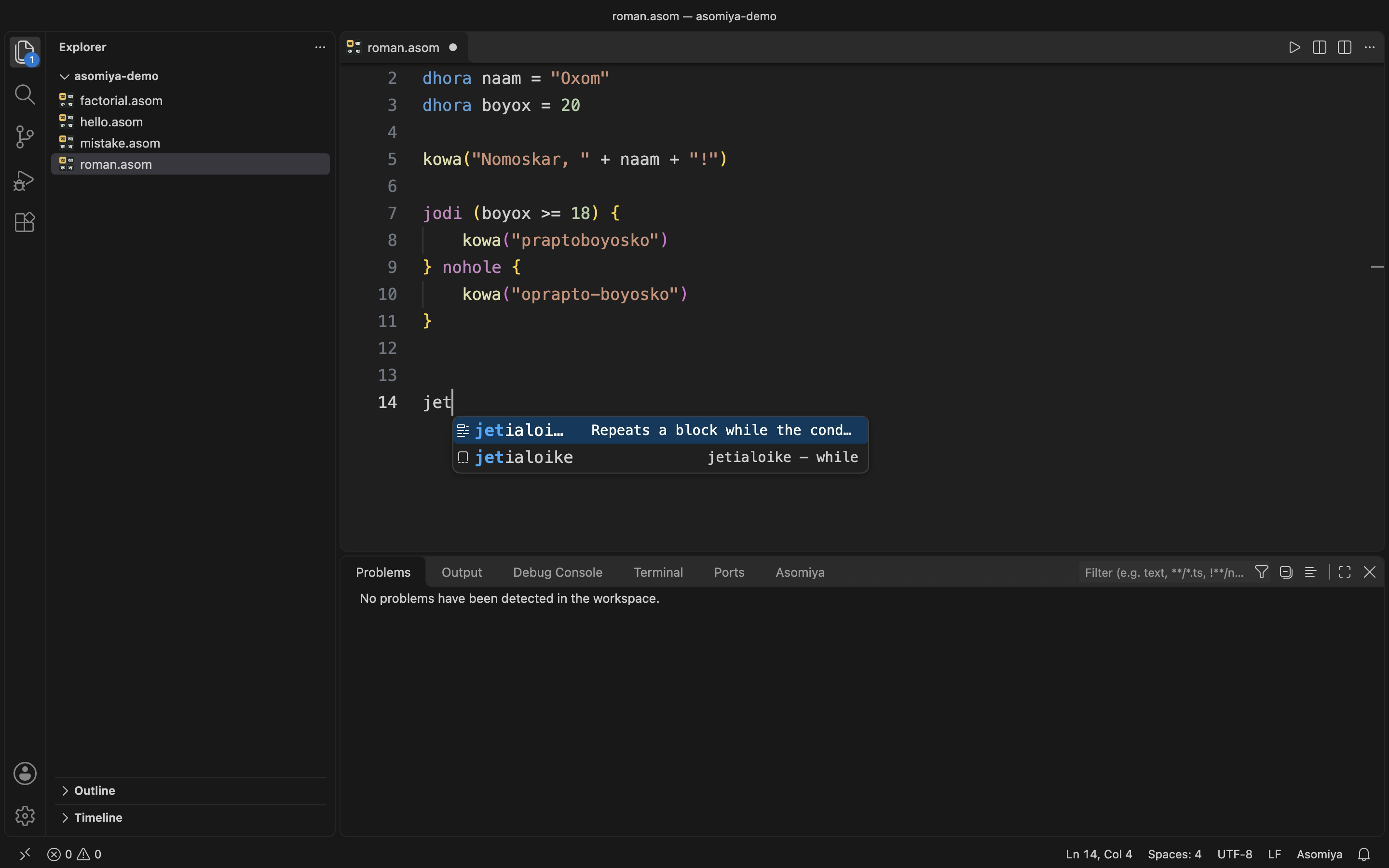
Suggestions and snippets. Keywords and built-ins are suggested in the script you're writing in. Type jodi, jetialoike, fangchon, যদি or ফাংচন and press Tab for a ready-made block.

Suggestions while typing jet…

Try it

Make a file called hello.asom:

ধৰা নাম = সোধা("আপোনাৰ নাম কি? ")
কোৱা("নমস্কাৰ, " + নাম + "!")

or, in English letters:

dhora naam = xudha("Apunar naam ki? ")
kowa("Nomoskar, " + naam + "!")

Then press ▶. If you're new to programming, the tutorial starts from the beginning.

Settings

Setting Default What it does
asomiya.errorLanguage as Error messages in Assamese (as) or English (en).
asomiya.digits auto Print numbers as ১২৩ or 123. auto uses 123 for English letters.
asomiya.checkAsYouType true Underline mistakes while typing.

Good to know

  • Checking for mistakes only reads your code. Nothing runs until you press ▶.
  • Asomiya programs can't touch your files or the network, and Stop always works.
  • No dependencies, no telemetry.

Found a problem or a word that sounds wrong in Assamese? Open an issue. The source is on GitHub.

  • Contact us
  • Jobs
  • Privacy
  • Manage cookies
  • Terms of use
  • Trademarks
  • Your Privacy Choices
  • Consumer Health Privacy
© 2026 Microsoft