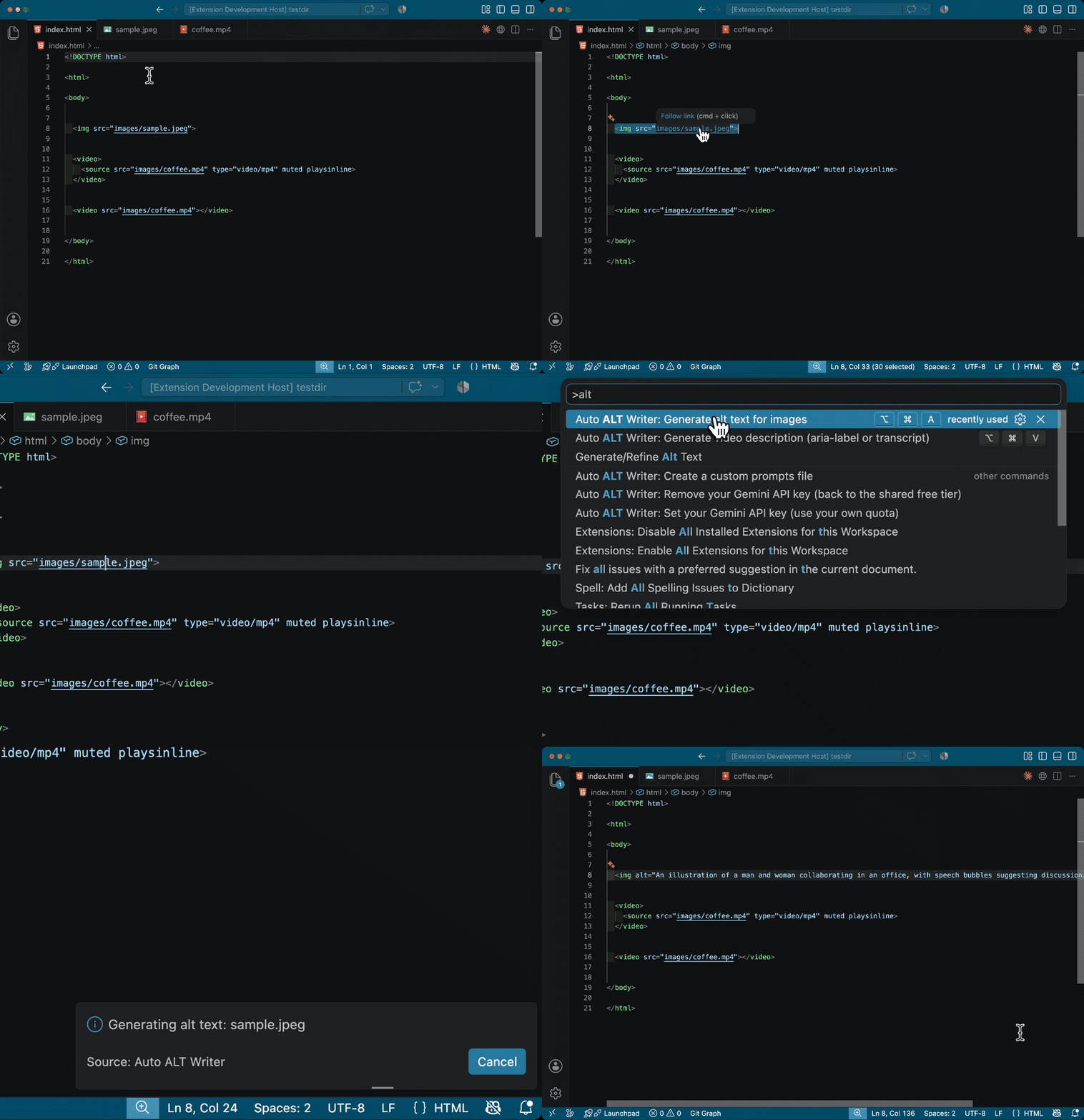
Auto ALT Text WriterAuto-generate and insert alt and aria-label attributes with Gemini API. Context-aware, and leaves decorative images empty (HTML/PHP/JSX/TSX, static paths). Installation Launch VS Code Quick Open ( Ctrl+P), paste the following command, and press enter.Copied to clipboard |

Auto ALT Text WriterA VS Code extension that generates and inserts
UsageNo API key needed. A shared free tier is built in, so it works right after installing. Data you send through the free tier may be used by Google to improve its AI, including for training. See Google's terms for details. Don't send sensitive or private images through it.
For videos, By default you confirm each result before it is inserted. To skip that, set Insertion Mode to "Insert automatically". About video alternative text
Prefer a description before or after the video, or audio descriptions via SettingsPress
Decorative Keywords is a case-insensitive substring match on the filename. Keep the trailing hyphen ( Custom promptsYou can replace the instructions sent to the AI with a Markdown file you write. Run Auto ALT Text Writer: Create a custom prompts file from the Command Palette. It writes a working file and opens it. The whole format is two rules.
That replaces the SEO instruction and nothing else. Headings you leave out keep the built-in prompt. Headings you can use
Case does not matter. If a heading is none of these four, you get a notification. The model is fixed at The output language and the surrounding-text rules are added by the extension. You never write them into the prompt — the settings are what decide them. A file using all four is at docs/custom-prompts.example.md. Where the file can live
An absolute path in Workspace or Folder settings is ignored. The file's contents are sent to the Gemini API, so a repository must not be able to read files outside the workspace. The file must be 256KB or smaller. Supported filesHTML (.html), PHP (.php), JavaScript/JSX (.js .jsx), TypeScript/TSX (.ts .tsx). Everything except HTML supports static paths only (a path built from a variable or template literal cannot be detected — see "How paths are written" below). Images: JPG, PNG, GIF, WebP, BMP. SVG is not supported by the Gemini API — convert to PNG or JPG first. Videos up to 20MB (10MB or less recommended). Writing pathsNext.js, Vite, Create React App, Astro and Remix are detected automatically, and paths starting with When something does not workImage not found
Check the path. In a framework project, start it with 429 Too Many Requests The shared free tier allows 15 requests per minute. Wait a minute, or set your own API key. A dynamic src cannot be processed
A path like Content Blocked
Gemini's safety filter triggered. Write the Large batches are slow Work is chunked into groups of 10. Context analysis adds time per item — turn it off when you are in a hurry. Using your own API key (optional)Your own key gives you your own rate limits, and sends images and videos directly to Google rather than through the shared service. A free key doesn't change whether your data can be used for training, though — enable billing on the key if you want to opt out of that.
Run "Auto ALT Text Writer: Remove your Gemini API key" to go back to the shared free tier. Where the key is stored, and where it is sentThe key is stored in your OS keychain through VS Code SecretStorage (macOS Keychain, Windows Credential Manager, Linux Secret Service). It is never written to How it works, and the security modelDefault path: so it works with no API key, requests go through a Cloudflare Worker proxy. The real Gemini key exists only on the proxy and is not part of the extension. The proxy allow-lists model names and rate-limits by IP. With your own key: requests go straight to Google, bypassing the proxy. The model name is restricted to an allowed character set and the host is a fixed constant. Fetching images: remote images cannot reach private IP ranges (SSRF protection), and the connection is pinned to the address that was validated. Local images are confined to the workspace, and realpath prevents escaping it through a symlink. Custom prompts: the file may be supplied by a repository, so Workspace Trust is required. The parser uses no regular expressions and stays linear on adversarial input. When a transcript is written as a comment, comment terminators in it are neutralized first. Regular expressions: the tag-detection patterns are checked against ReDoS. Memory: batches are processed in chunks of 10, and caches are dropped after each chunk. LicenseMIT |