AI Java Reviewer
Enterprise-grade AI-powered Java & Spring Boot code review — deterministic static analysis paired with actionable AI explanations.




Features •
Providers •
Installation •
Configuration •
Contributing
Features
- Autonomous MR / PR Diff Review: Right-click any file, folder, or use Command Palette to run "Run AI MR/PR Review". Paste any public or private GitLab MR URL (
https://gitlab.example.com/.../merge_requests/24), GitHub PR URL (https://github.com/owner/repo/pull/2), or local branch ref (origin/main...HEAD). Parses unified diff hunks and scopes code review strictly to modified line ranges.
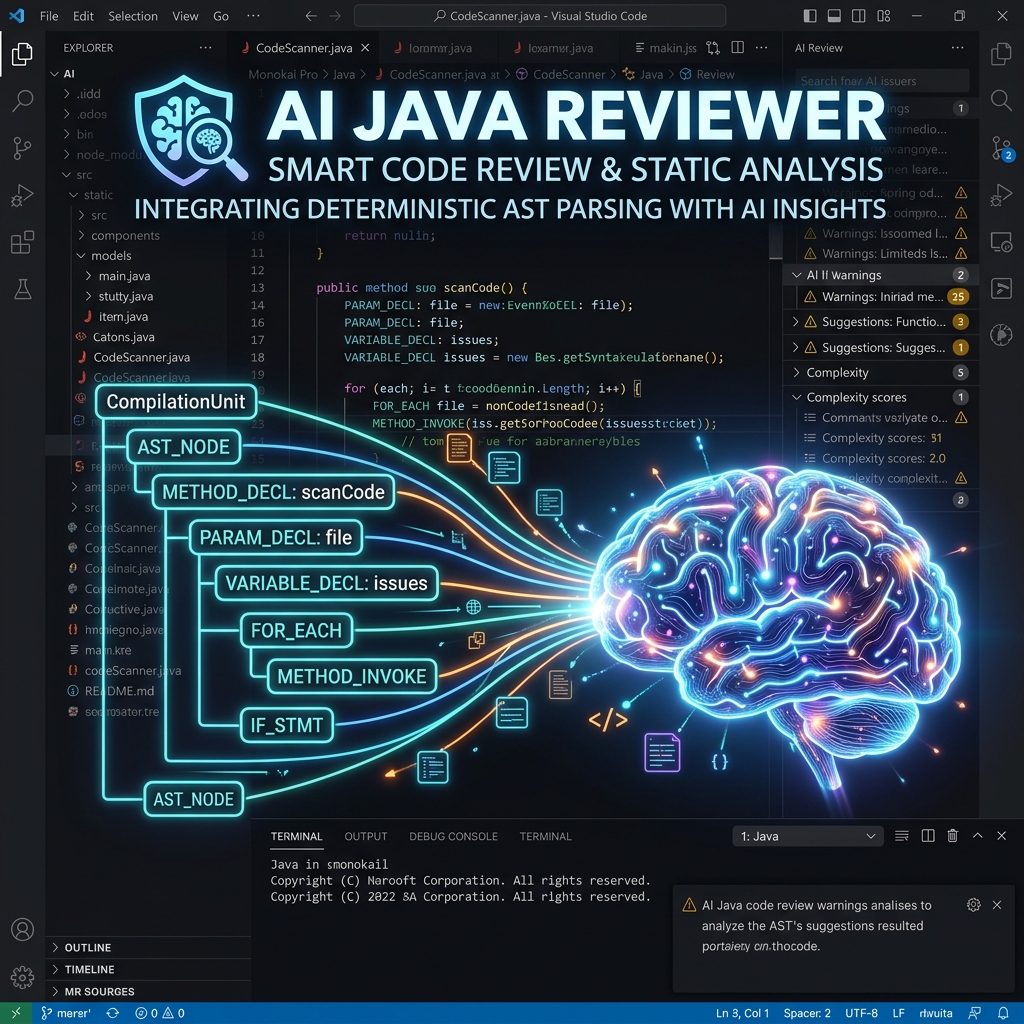
- Deterministic AST Rule Engine: Local syntax parser evaluates 11 static analysis rules in milliseconds to detect critical architectural flaws (Field Injection
@Autowired, Raw System.out.println, Missing @Transactional, N+1 Repository queries in loops, Missing @Valid on @RequestBody, Unpaginated findAll(), Hardcoded secrets).
- Enterprise Guideline Alignment: Loads custom organizational review guidelines directly from
.reviewai.yml or project rules. Enforces standard single-line severity formatting (🔴 CRITICAL, 🔴 MAJOR, 🟡 MINOR, 🔵 SUGGESTION) with zero truncation (reports ALL findings without artificial caps).
- Token Optimization (~80% Savings): Replaces raw code dumps with target path listings (
## In-Scope Target File Paths), reducing prompt payload from ~16,700 tokens to ~3,000 tokens per review.
- Interactive MCP Agentic Discovery Tools: Provides 9 built-in Model Context Protocol (MCP) tools (
readFile, readMethod, getClassSummary, getClassSource, getMethod, findSpringBeans, getStaticFindings, getScorecard, getDependencies) for tool-capable AI models.
- Executive Scorecard & Grading: Calculates overall letter grades (A+ to F) and category scores across Architecture, Security, Performance, and Testing with interactive Markdown issue cards.
- Fail-Safe Prompt Artifacts: Automatically generates
prompt-<timestamp>.md alongside reports in .review-ai/reports/ for instant copy-pasting into Web AI interfaces (Antigravity Chat, Gemini, ChatGPT, Claude).
- Enterprise Customization (
.reviewai.yml): Define project Java version, framework (Spring Boot, Quarkus, Micronaut, Jakarta EE), custom organizational rules, rule severity overrides, and custom report output directories.
- Multi-Provider & Keyless IDE Support: Connect to VS Code Chat LM API (
vscode-lm for native Antigravity and Copilot Chat models), OpenAI (gpt-4o), Google Gemini (gemini-1.5-pro), Anthropic Claude (claude-3-5-sonnet), Groq (llama-3.3-70b), OpenRouter, or run 100% offline with Ollama.
- OS Keychain Encryption & Privacy First: Encrypts API keys using native VS Code
SecretStorage API (OS Keychain). Automatically redacts secrets (glpat-, ghp_, sk-proj-) and absolute system paths before sending prompts.
Supported AI Providers
- VS Code & Antigravity Chat API (
vscode-lm): Native IDE models (Antigravity, Copilot Chat, Gemini), no external API key required. Supports manual model family fallback.
- OpenAI:
gpt-4o, gpt-4-turbo
- Google Gemini:
gemini-1.5-pro
- Anthropic Claude:
claude-3-5-sonnet-20241022
- Groq:
llama-3.3-70b-versatile (Ultra-fast LPU inference)
- Ollama:
llama3, mistral, codellama (local, offline)
- OpenRouter: Access to hundreds of community models.
Architecture
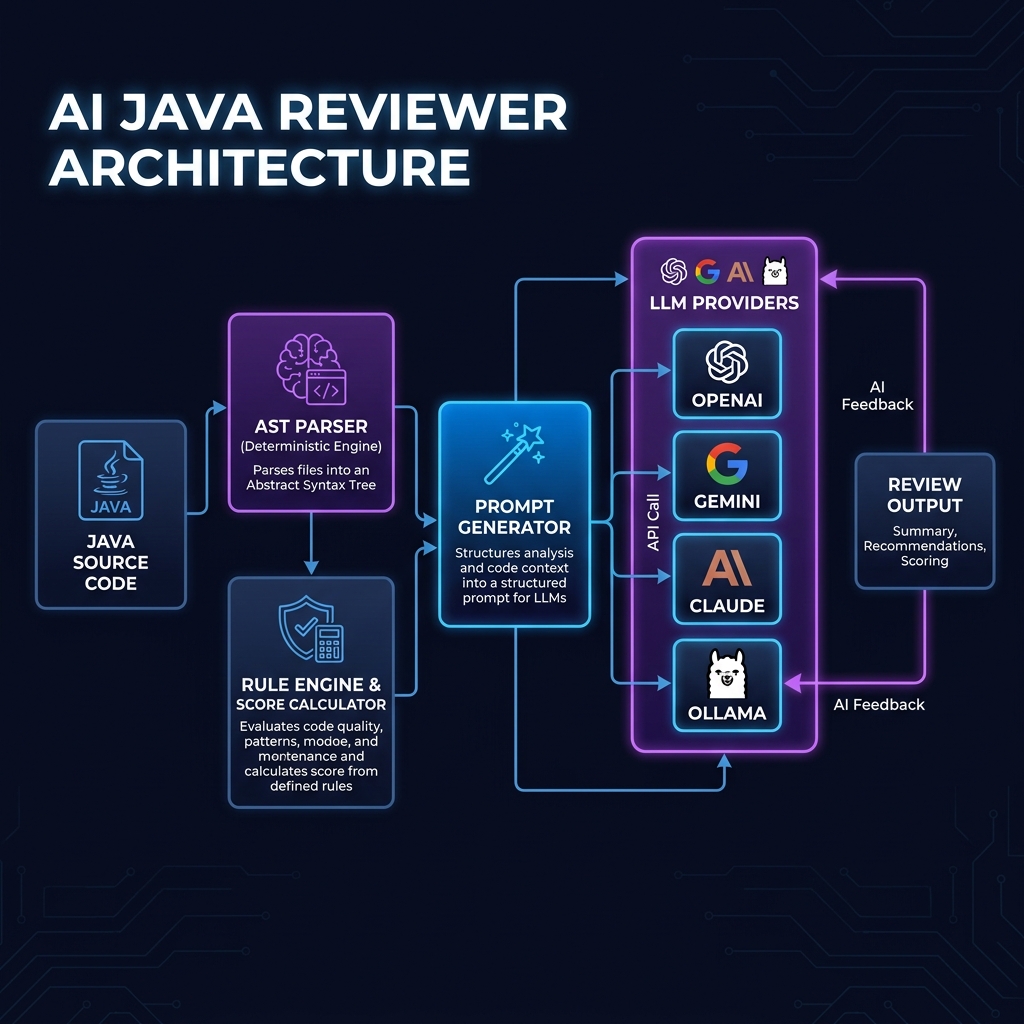
Our extension uniquely combines a Deterministic Static Analyzer with an LLM Orchestrator to guarantee 0% hallucination on known enterprise rules, while preserving the LLM's ability to spot unknown business logic flaws.
Installation
You can install the extension directly from the Visual Studio Code Marketplace:
- Open VS Code.
- Press
Ctrl+Shift+X (or Cmd+Shift+X on Mac) to open the Extensions view.
- Search for
AI Java Reviewer.
- Click Install.
How to Use It (Step-by-Step)
- Open the Command Palette (
Cmd+Shift+P on Mac, Ctrl+Shift+P on Windows).
- Type AI Java Reviewer: Configure AI Provider and hit Enter.
- Select your preferred provider (e.g.,
vscode-lm, openai, gemini, claude, groq, ollama).
- Enter your API Key or select your local/host model. (API keys are encrypted in VS Code
SecretStorage).
2. Full Workspace Review
- Open any Java / Spring Boot project in VS Code.
- Open the Command Palette and type AI Java Reviewer: Run AI Review.
- Alternatively, right-click any folder or
.java file in the Explorer and select Run AI Review.
3. MR / PR Diff Review (GitHub & GitLab)
- Open the Command Palette and select AI Java Reviewer: Run AI MR/PR Review (or right-click a folder/file).
- Paste your GitLab MR URL (e.g.
https://gitlab.example.com/owner/repo/-/merge_requests/24), GitHub PR URL (e.g. https://github.com/owner/repo/pull/2), or local branch ref (origin/main...HEAD).
- The extension automatically fetches unified diff hunks, extracts modified line ranges, and performs a targeted line-by-line code review!
What happens when you run a review?
When you trigger a review, the extension follows a strict, privacy-first pipeline:
- Deterministic Scan: Local engine parses Java AST syntax trees and dependencies to find explicit architectural anti-patterns in milliseconds.
- Scoring: Grades code quality (A+ through F) across Architecture, Security, Performance, and Testing.
- Company Guidelines Integration: Automatically loads organizational guidelines from
.reviewai.yml or project rules configuration.
- Contextual Prompt Generation: Generates a dense, token-optimized prompt with target file paths and findings.
- AI Refactoring & Explanations: Streams context to your configured AI Provider to produce actionable refactoring diffs.
Where is the result saved?
Once the AI finishes generating the review, the extension automatically:
- Creates a
.review-ai/reports/ folder at the root of your workspace.
- Saves a permanent Markdown report (
review-{timestamp}.md) and fail-safe prompt artifact (prompt-{timestamp}.md).
- Opens the Markdown report natively in a new VS Code editor tab.
You can view the latest report at any time by running AI Java Reviewer: Show Latest Report!
Configuration
To customize how the AI Java Reviewer behaves, you can create a configuration file at the root of your project workspace.
- Folder Location: The very top-level root of your project (same folder as your
pom.xml or build.gradle)
- Exact File Name:
.reviewai.yml
Sample .reviewai.yml (With All Keys)
Here is a complete, exhaustive sample of everything you can configure. You can copy-paste this into your .reviewai.yml file and modify what you need:
# Target Java version
javaVersion: "21"

# Framework type (spring-boot | jakarta-ee | quarkus | micronaut)
framework: "spring-boot"

# Optional AI provider & model override (Overrides VS Code settings)
# provider: "openai"
# model: "gpt-4o"

# Output directory for generated Markdown reports
outputDir: ".review-ai/reports"

# --- AI Persona & Prompt Overrides (Optional) ---
systemPrompt: "You are a senior software architect specializing in Java & Spring Boot code reviews."

# --- Custom Organizational Rules (Sample) ---
rules:
  dependency_injection:
    - "Use constructor injection only; avoid field injection with @Autowired."
  security:
    - "Never hardcode API keys or secret tokens."
  architecture:
    - "Keep Controllers thin and move business logic into Service classes."

# --- Severity Classification Overrides (Sample) ---
severity:
  BLOCKER:
    - "hardcoded secret"
    - "SQL Injection risk"
  CRITICAL:
    - "field injection"
    - "direct repository access from controller"

# --- Static Rule Overrides (Sample) ---
ruleOverrides:
  - id: "RULE_FIELD_INJECTION"
    severity: "critical"
Custom Organizational Rules
The rules: array in .reviewai.yml is an incredibly powerful feature. You can add any custom English instruction or business logic restriction to this list. The ReviewOrchestrator dynamically injects these into the AI's prompt, forcing the AI to strictly enforce your organization's unique coding standards during the review.
java • spring • spring-boot • code-review • ai • static-analysis • pull-request • merge-request • pr-review • mr-review • security • linter • copilot • antigravity • gemini • openai • claude • groq • ollama • sonarqube • clean-architecture
Contributing
See our Contributing Guide for details on how to set up the repository for local development and submit Pull Requests.
License
MIT © AI Java Reviewer
| |

