
Unity ShaderUnity and Unreal Shader language support for VS Code - syntax highlighting, code completion, hover tips and more for .shader, .cginc, .hlsl, .compute, .usf, .ush files Installation Launch VS Code Quick Open ( Ctrl+P), paste the following command, and press enter.Copied to clipboard |

Unity Shader Language Support
English | Simplified Chinese Provides complete Unity and Unreal Engine Shader language support for VS Code, including syntax highlighting, intelligent completion, symbol navigation, semantic analysis, and more. Supports file types such as ✨ Main Features
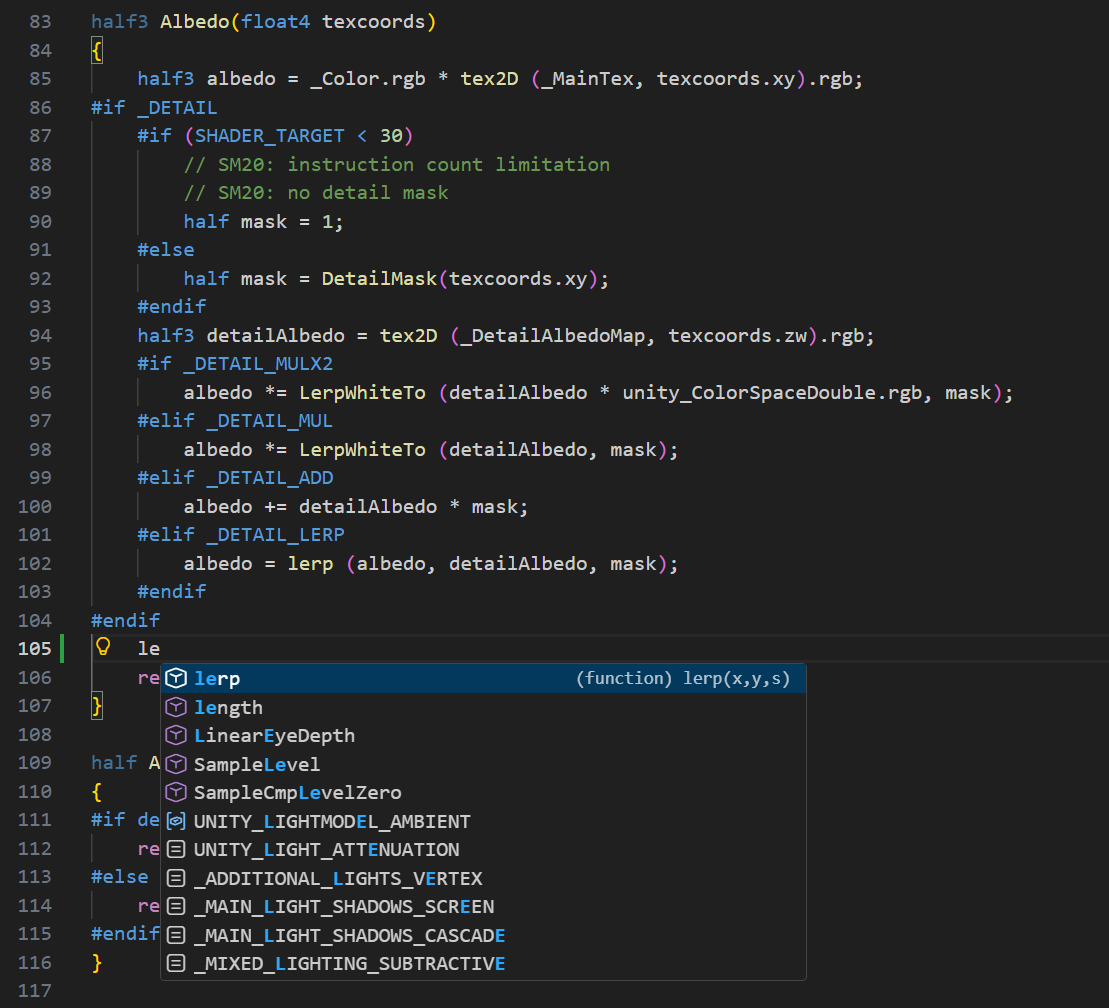
📸 Feature ShowcaseIntelligent Code Completion
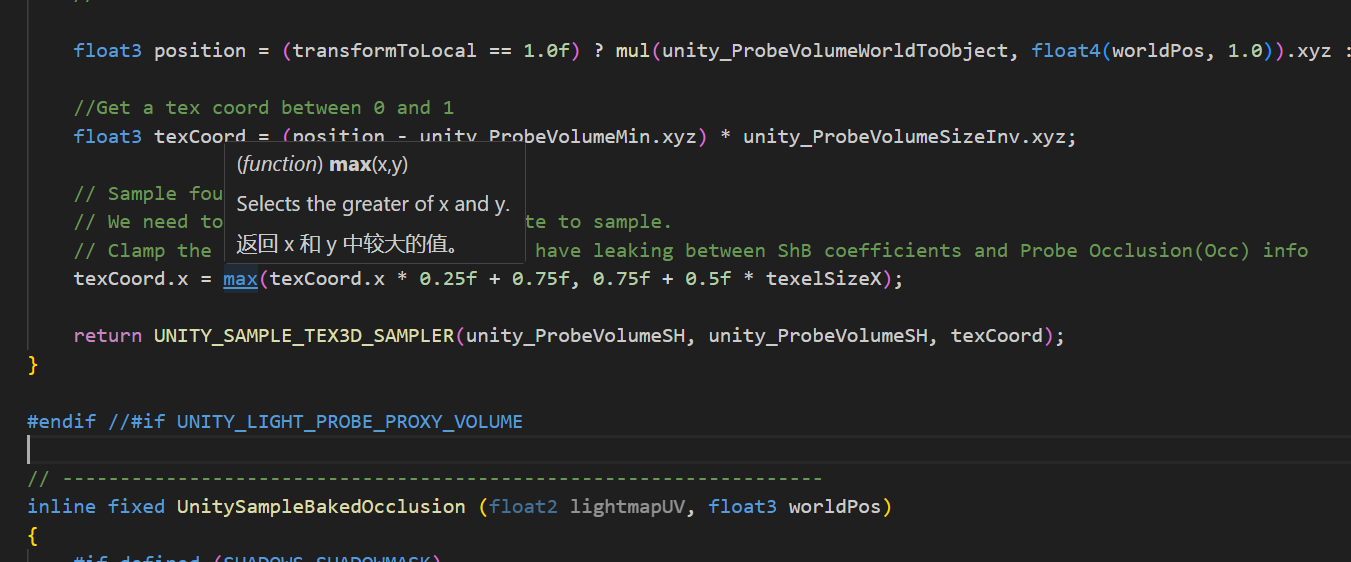
Hover Documentation Tips
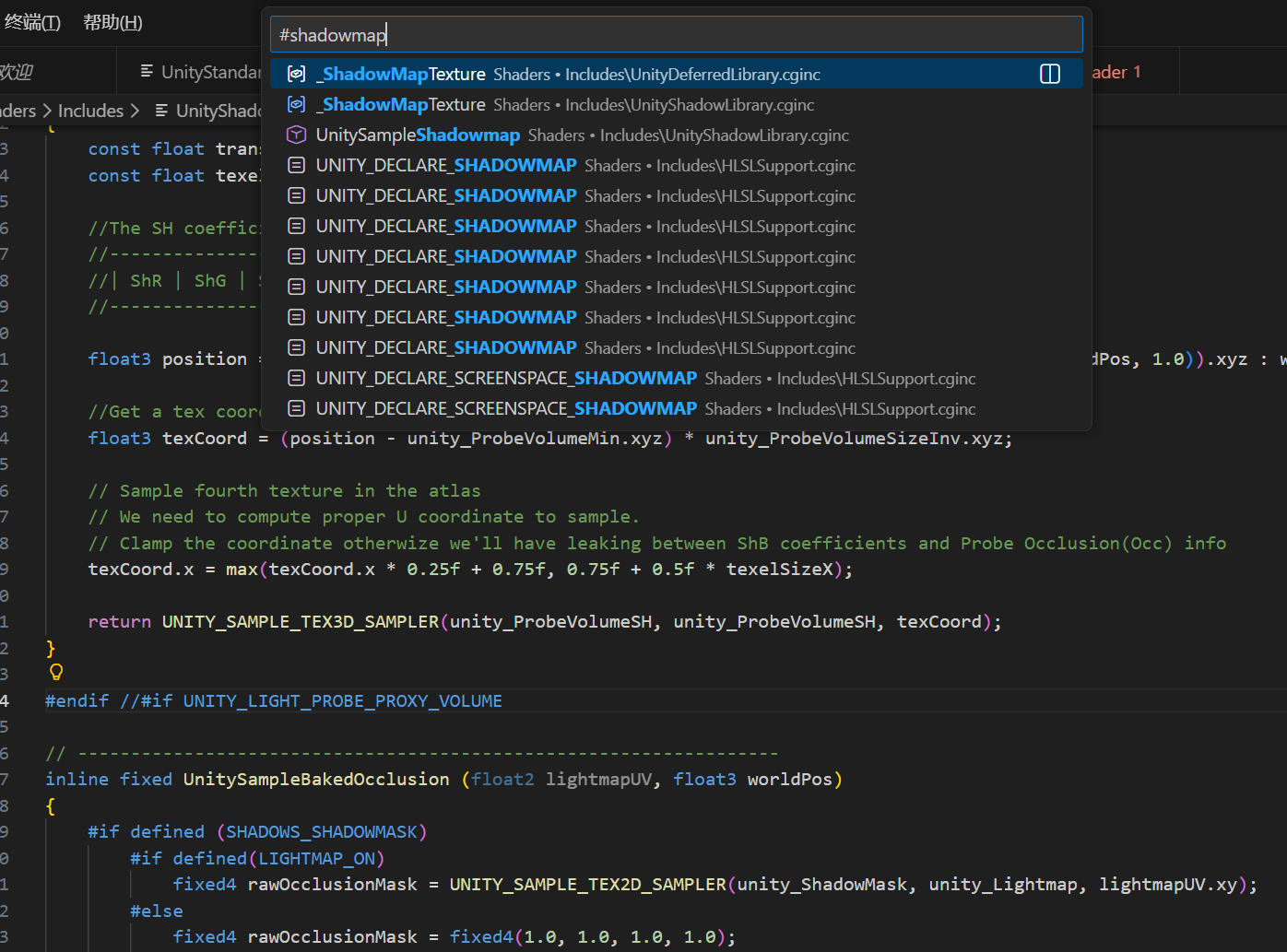
Go to Workspace Symbol
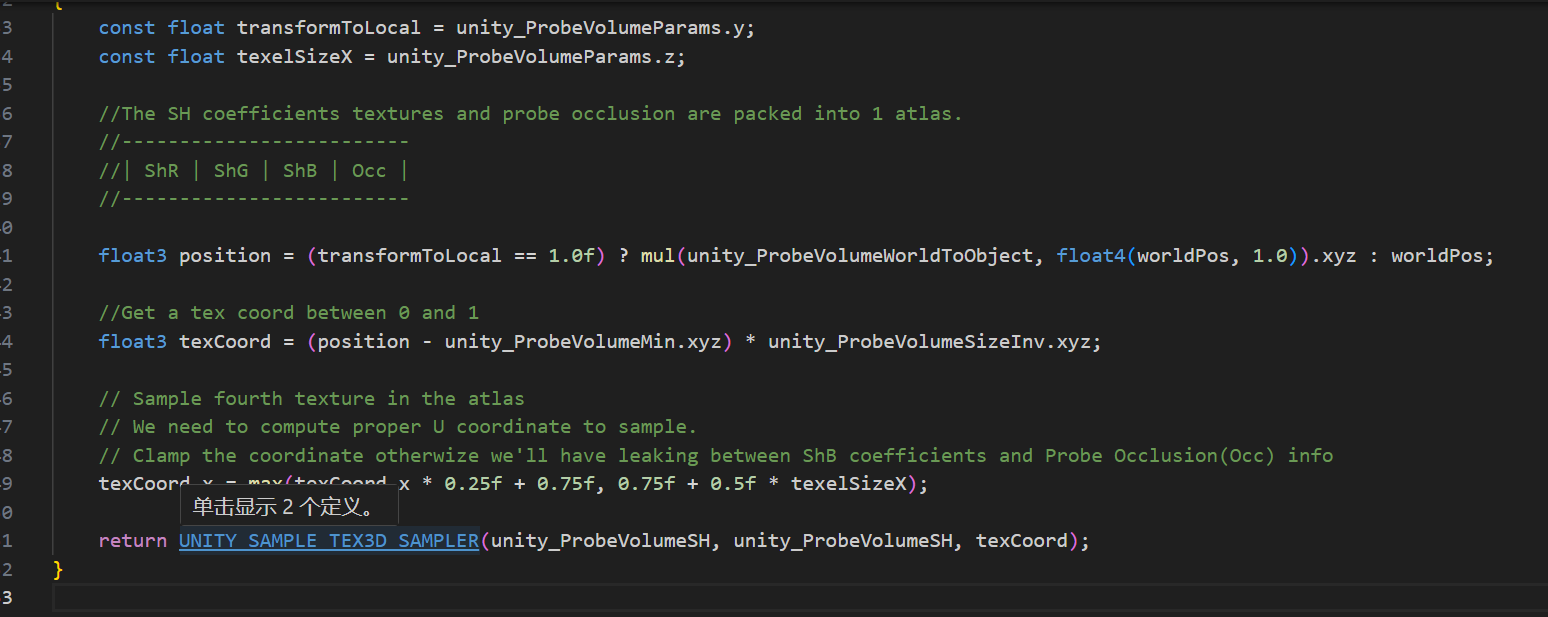
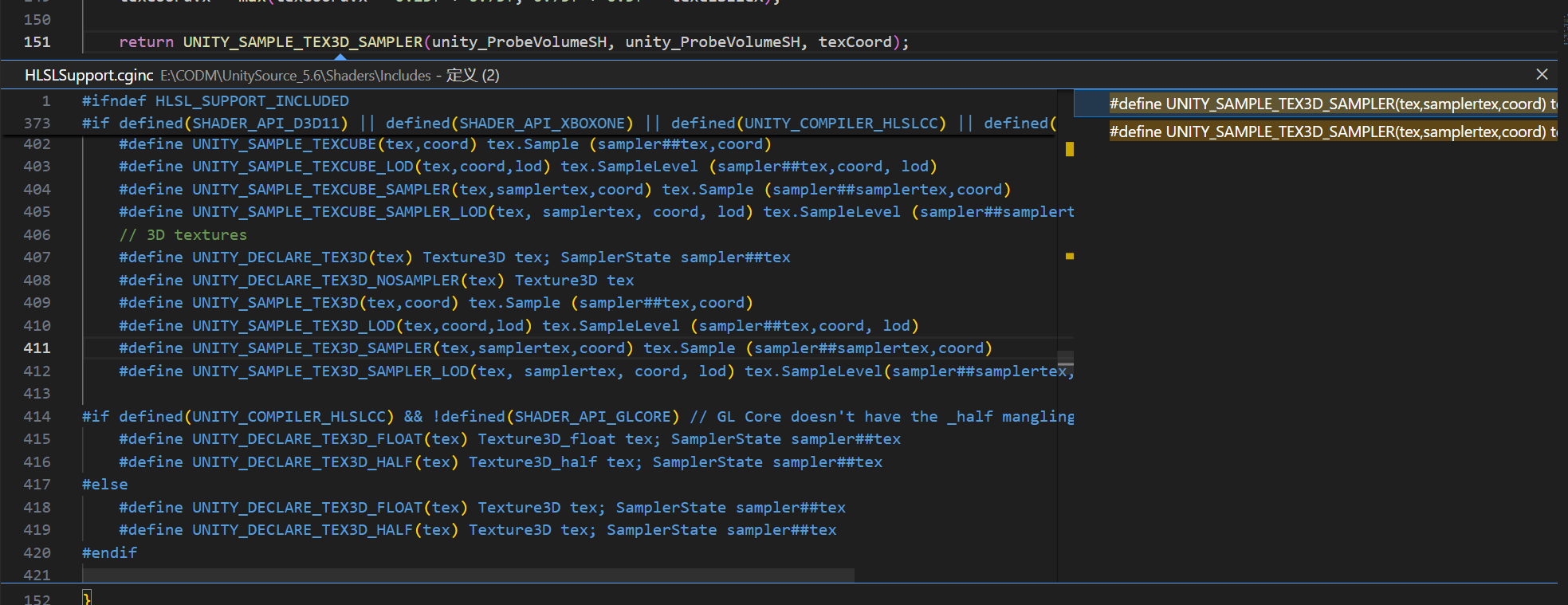
Go to Definition
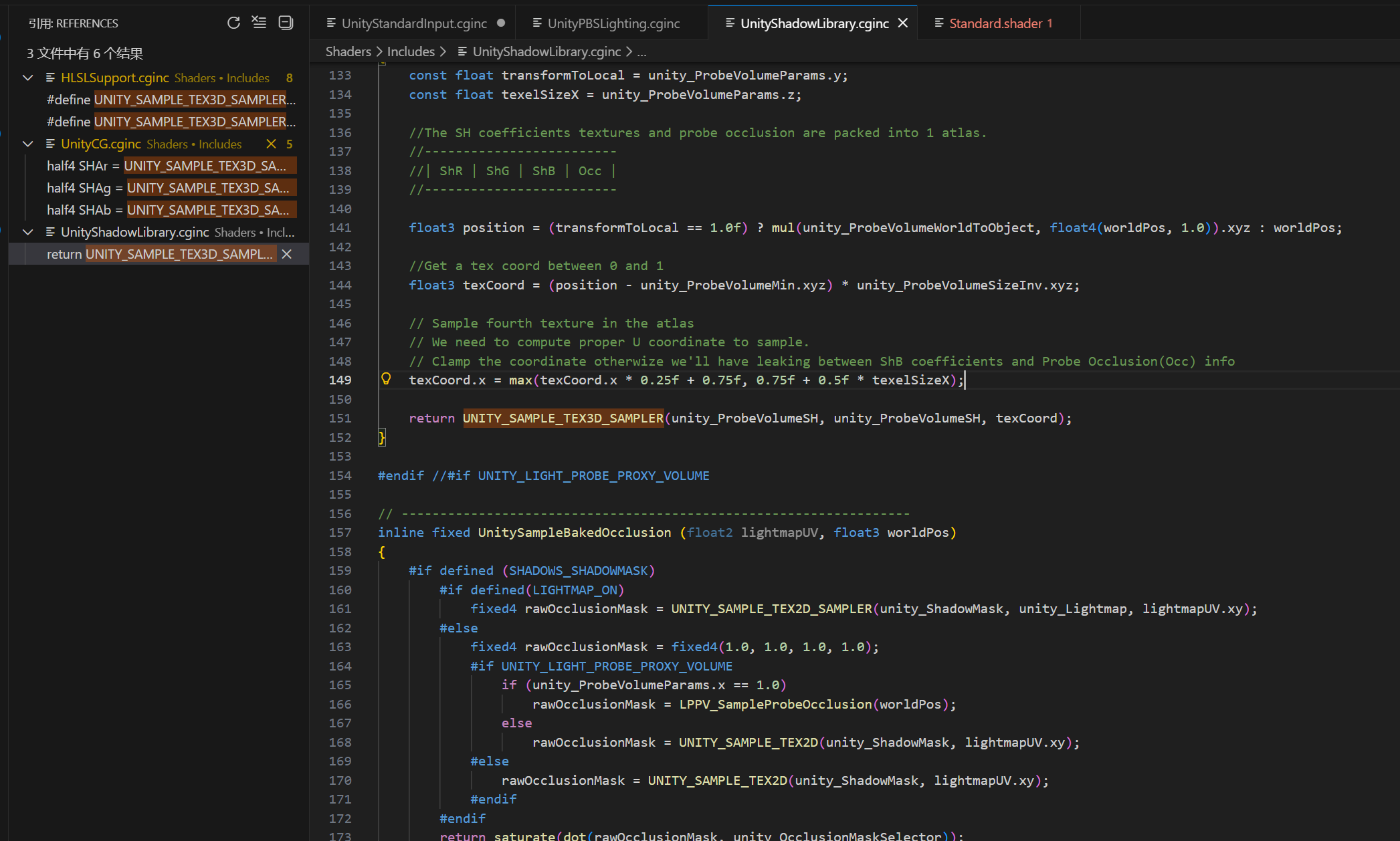
Find All References |



| Extension | Language | Description |
|---|---|---|
.shader |
ShaderLab | Unity ShaderLab file |
.cginc |
HLSL/CG | CG include file |
.hlsl |
HLSL | HLSL shader file |
.hlsli |
HLSL | HLSL include file |
.compute |
HLSL | Compute shader file |
.cg |
CG | CG shader file |
.usf |
HLSL | Unreal Shader file |
.ush |
HLSL | Unreal Shader Header |
⚙️ Configuration Options
Search for unityshader in VS Code settings to find all configuration items.
Code Completion Settings
| Configuration | Default Value | Description |
|---|---|---|
unityshader.suggest.basic |
true |
Enable/disable HLSL basic function completion |
unityshader.suggest.unity |
true |
Enable/disable Unity built-in variable and function completion |
unityshader.suggest.urp |
true |
Enable/disable URP (Universal Render Pipeline) completion |
Analysis Settings
| Configuration | Default Value | Description |
|---|---|---|
unityshader.analysis.semanticAnalysis |
true |
Enable/disable semantic analysis (type inference, unused variable detection) |
unityshader.mobile.enabled |
true |
Enable/disable mobile optimization analysis |
Example Configuration
Add the following to settings.json:
{
  "unityshader.suggest.basic": true,
  "unityshader.suggest.unity": true,
  "unityshader.suggest.urp": true,
  "unityshader.mobile.enabled": true,
  "unityshader.analysis.semanticAnalysis": true
}
🛠️ Development
Environment Requirements
- Node.js >= 14.x
- npm >= 6.x
- VS Code >= 1.87.0
Build and Package
This project provides automatic version management and packaging scripts:
# Daily fix packaging (patch version: 1.0.0 → 1.0.1)
npm run build

# New feature release (minor version: 1.0.0 → 1.1.0)
npm run build:minor

# Major update (major version: 1.0.0 → 2.0.0)
npm run build:major
For details, please refer to BUILD_GUIDE.md
Development Scripts
# Install dependencies
npm install

# Development mode (watch for file changes and auto-compile)
npm run watch

# Compile TypeScript
npm run compile

# Type checking
npm run check-types

# Code checking and auto-fix
npm run lint
npm run lint -- --fix
Project Structure
vscode-unitylabshader/
├── src/                    # TypeScript source code
│   ├── hlsl/              # HLSL language support
│   │   ├── completionProvider.ts
│   │   ├── hoverProvider.ts
│   │   ├── definitionProvider.ts
│   │   └── ...
│   ├── data/              # Data files (function definitions, documentation, etc.)
│   └── extension.ts       # Plugin entry point
├── syntaxes/              # Syntax highlighting definitions
├── snippets/              # Code snippets
├── out/                   # Compilation output
└── package.json           # Plugin configuration
📚 Documentation
- Feature Documentation - Complete feature descriptions and usage examples
- Technical Specification - Architecture design and technical details
- Build Guide - Build and packaging instructions
- Change Log - Version history and change records
- Task List - Development progress and plans
🤝 Contribution
Contributions, bug reports, and suggestions are welcome!
Reporting Issues
If you find a bug or have a feature suggestion, please submit it to GitHub Issues.
Contributing Code
- Fork this repository
- Create your feature branch (
git checkout -b feature/AmazingFeature) - Commit your changes (
git commit -m 'Add some AmazingFeature') - Push to the branch (
git push origin feature/AmazingFeature) - Open a Pull Request
📝 License
This project is licensed under the MIT License - see LICENSE.md for details.
🙏 Acknowledgments
Thanks to the following projects and resources:
- Visual Studio Code - Excellent code editor
- HLSL Tools for Visual Studio - HLSL language support reference
- Unity Documentation - Unity Shader documentation
- Unreal Engine Documentation - Unreal Shader documentation
📮 Contact
- Issue Feedback: GitHub Issues
- Feature Suggestions: GitHub Discussions
If this plugin is helpful to you, please give it a ⭐️ Star!
Made with ❤️ for Unity and Unreal Engine developers