Arxo Law for VS Code
Write Arxo Law canons (a law, a tariff, a standard, a
rulebook) with a language server behind every keystroke: diagnostics with
stable codes, hover cards with the pinned source text, completion, signature
help, inlay labels, navigation, rename and formatting. Works in VS Code and
Cursor.
Install · Features · Settings · Commands · Links
Install
- Install Arxo Law (
arxo.law) from the Visual Studio Marketplace or
Open VSX, or run code --install-extension arxo.law.
- Put the language server
law-lsp on PATH. It ships with the law
command line in the same release: brew install arxohq/tap/law, the
install script,
the arxo-law APT package or a
release archive.
Elsewhere, set law.lsp.path to the binary.
- Open a folder with
.law files and a law.toml, or start one with
law init <dir>.
Native compiler commands such as formatting use law engine from the public
CLI when law is on PATH. A configured law.lawcPath can point to that binary
or to a direct law-cli compiler build.
Without law-lsp the extension still works: highlighting, snippets and
built-in JavaScript providers (diagnostics included) take over automatically,
and a bundled WebAssembly build of the compiler runs check, lower,
expand, test, explain and why-not from the command palette.
Features
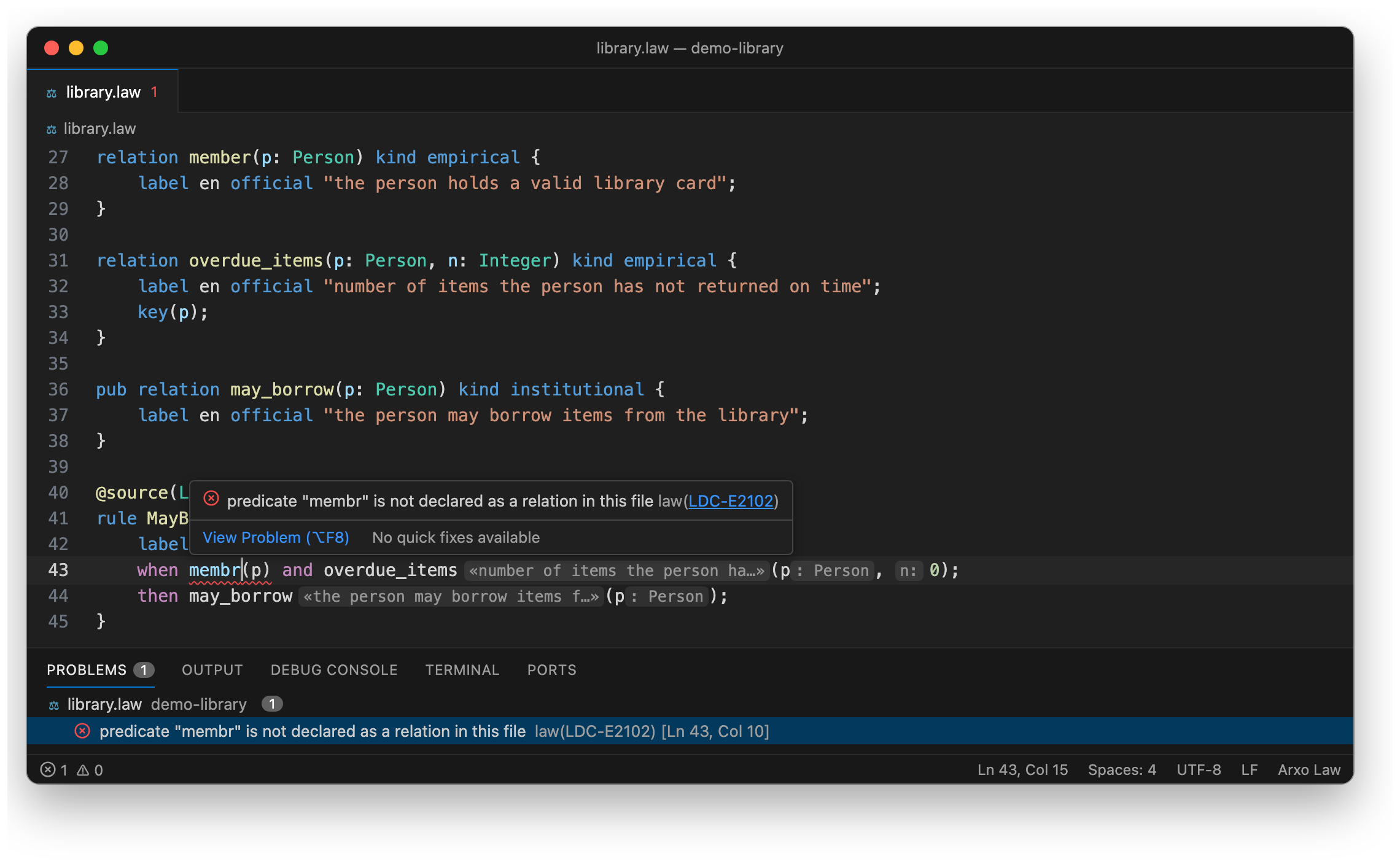
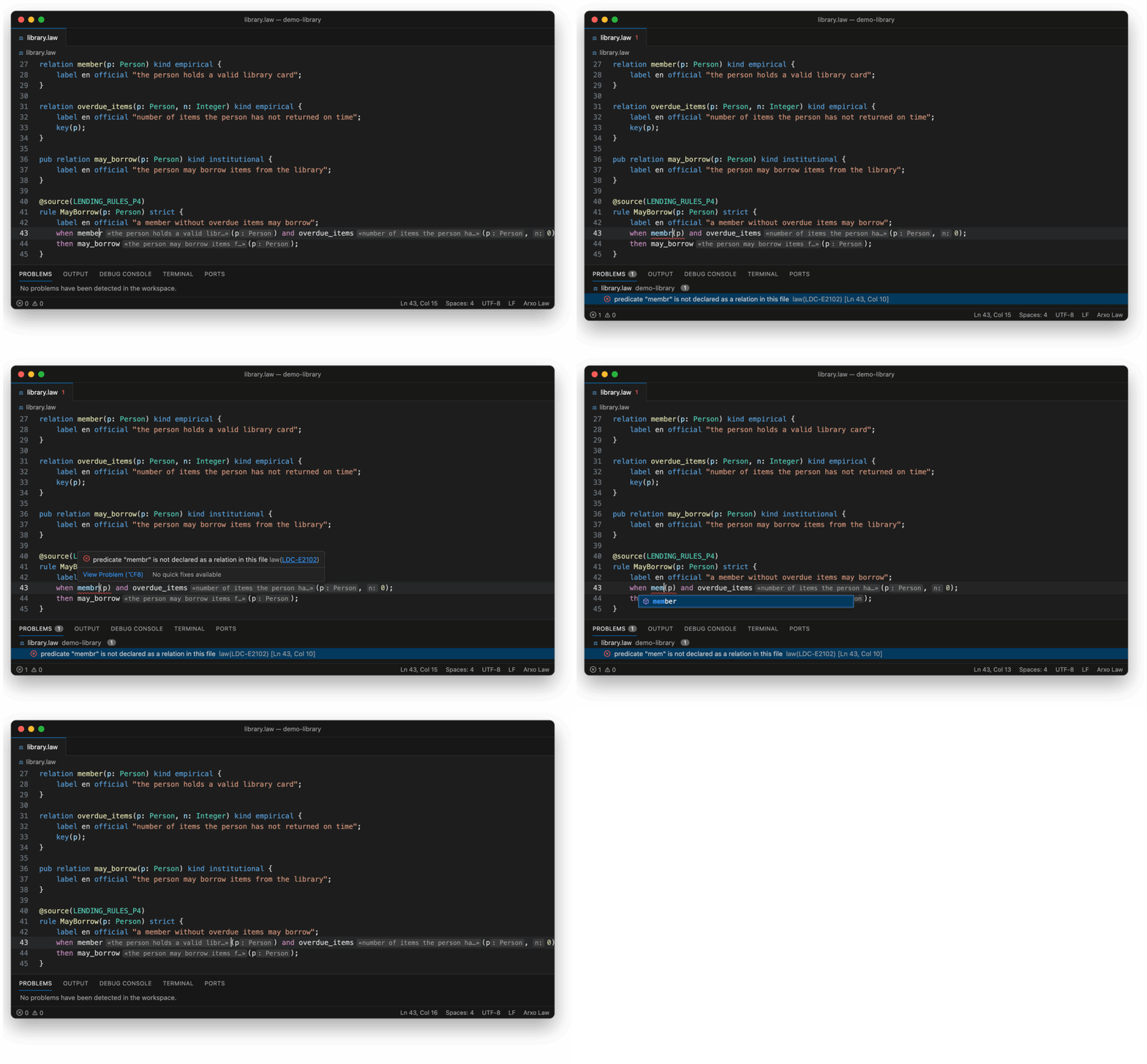
Diagnostics while you type
The server checks the whole package on every change. Each problem carries a
stable code (LDC-E…, LDC-W…) that links to its page on
docs.arxo.io, and several have quick fixes: add a
missing label, make a rule defeasible, substitute the actual text hash of a
source fragment, add a name to use self, pick between ambiguous names.
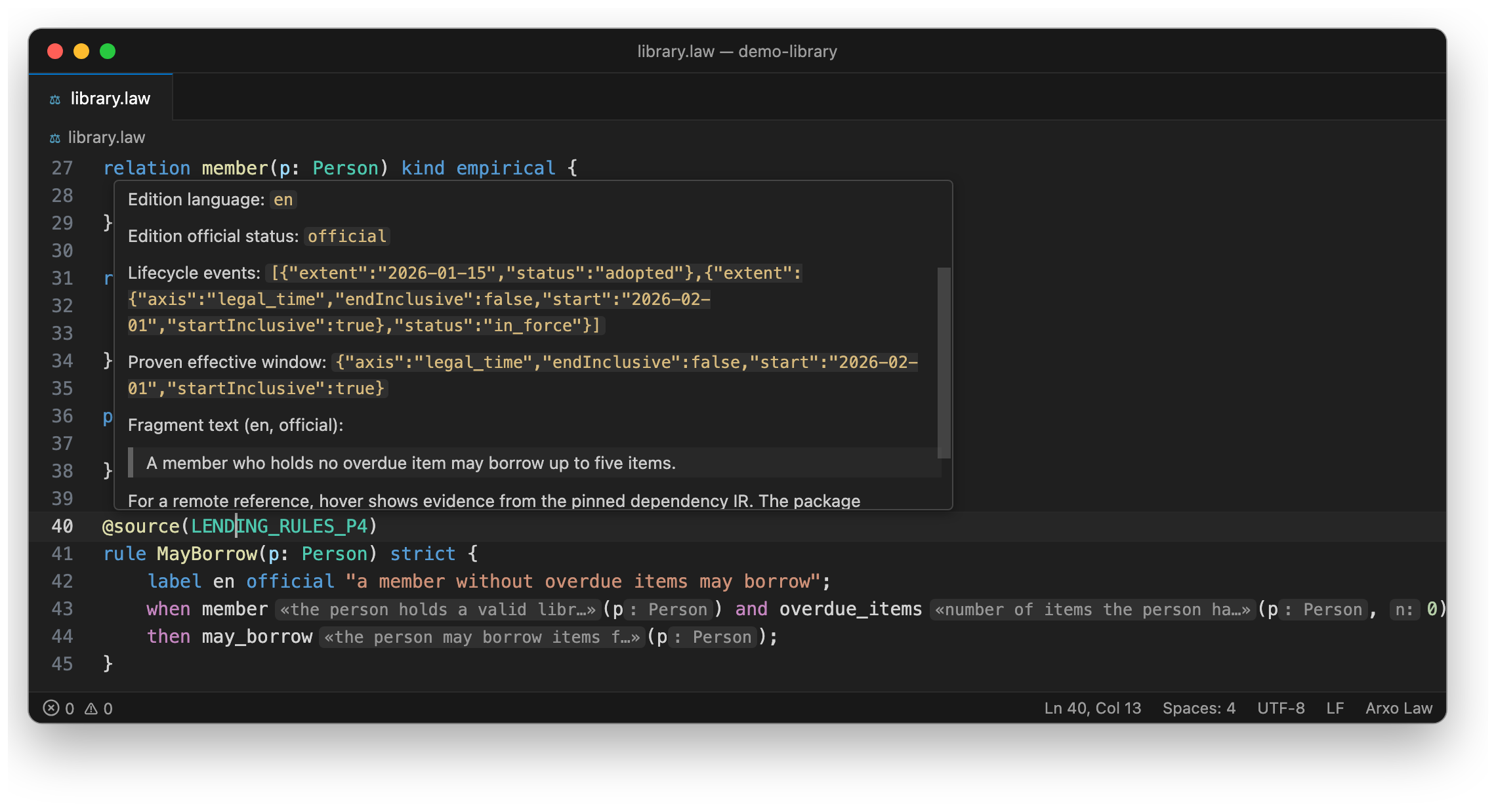
Hover cards with the source text
Hover a declaration to see its signature, labels and source lines. Hover
@source(...) to see what the rule rests on: the fragment, its edition,
language, official status, the window it is in force, and the text of the
fragment itself.
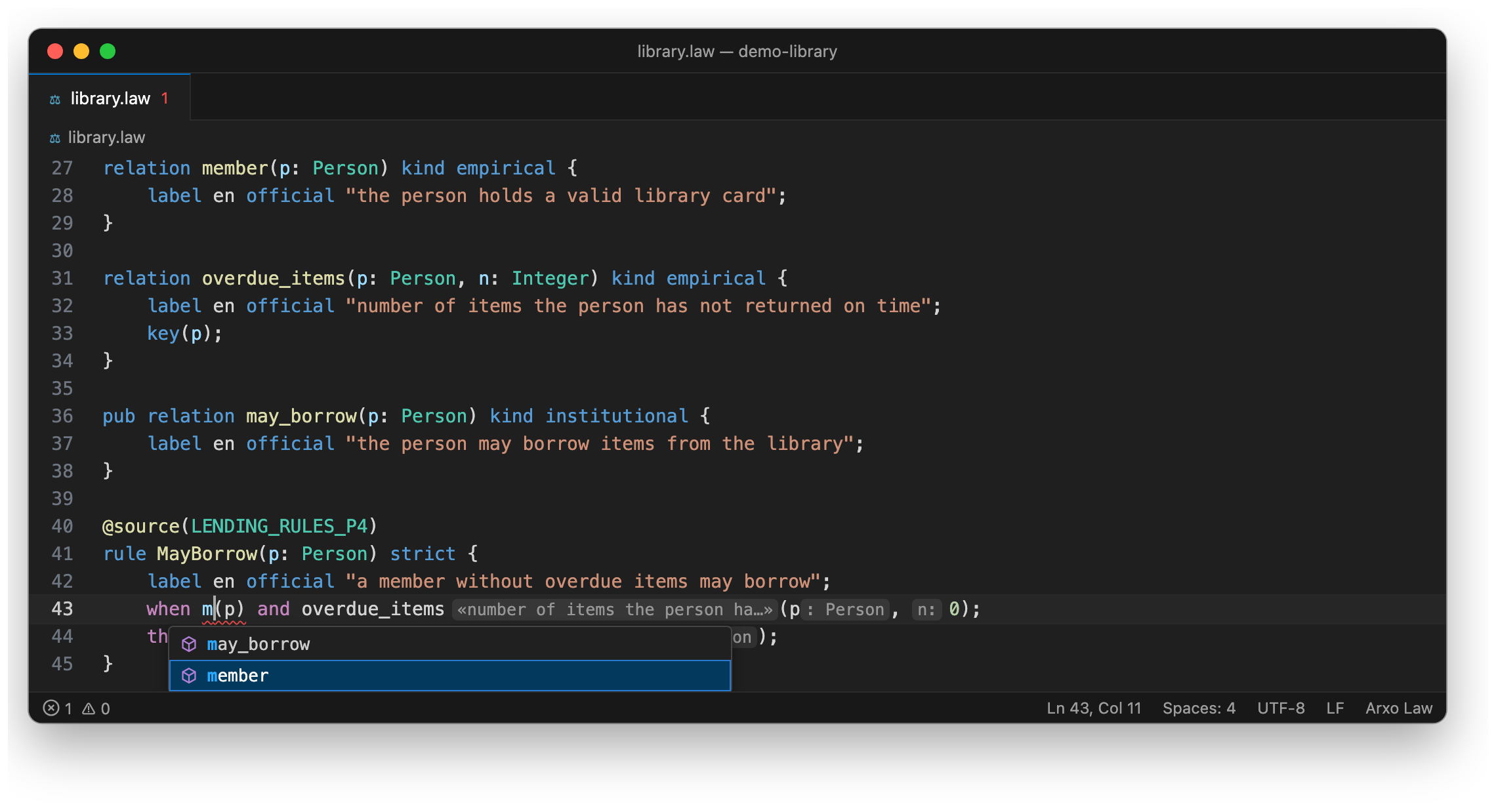
Completion that knows the position
In a rule condition, completion offers relations; elsewhere it offers the
package's declarations with their signatures, rule parameters, and built-in
types and keywords with their reference card as documentation.
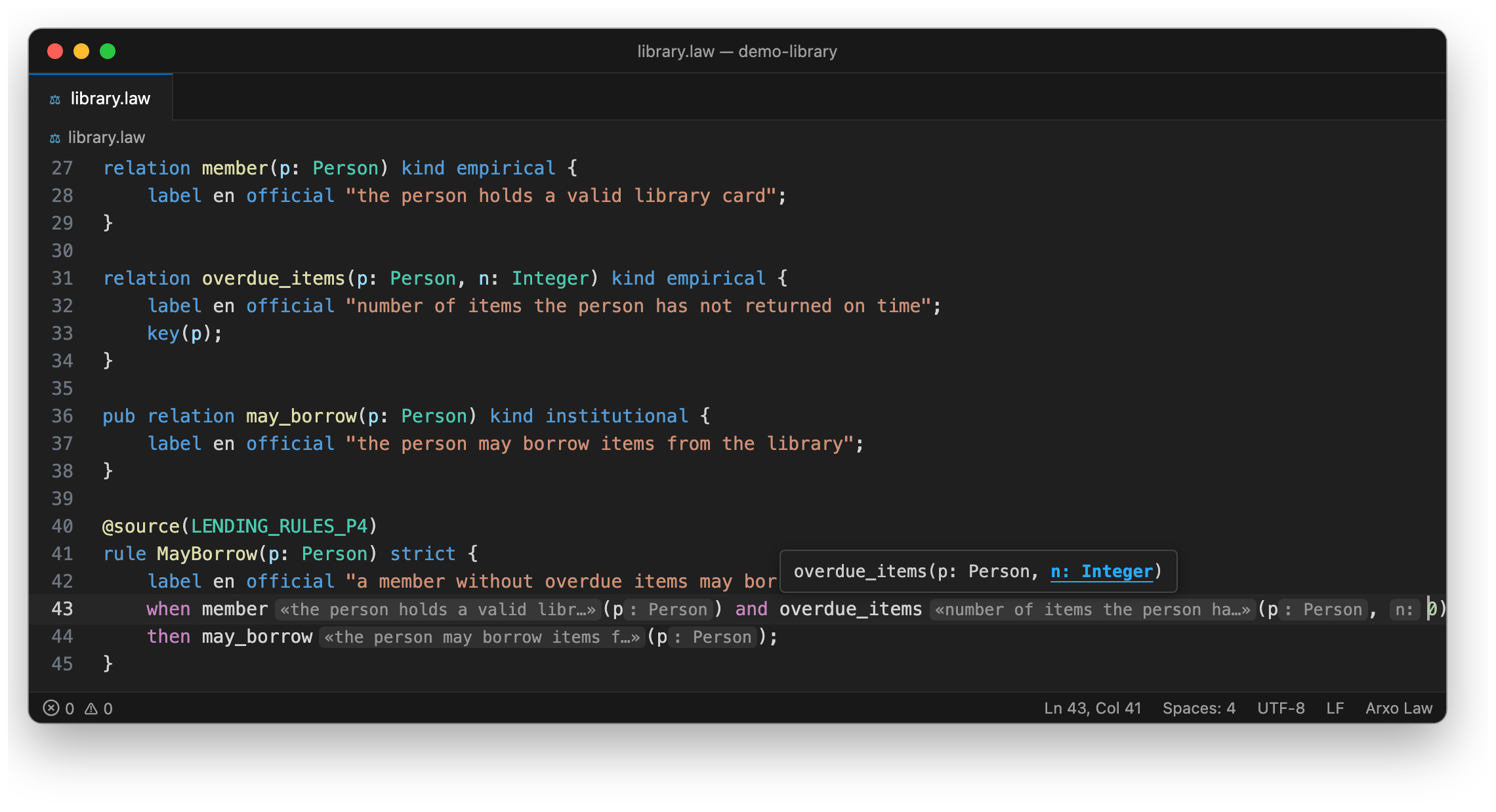
Signature help and inlay hints
Inside a call, signature help follows the active parameter. Inlay hints show
each relation's label next to its name and the parameter name or type next to
each argument, so a rule reads as a sentence.
And the rest
- Navigation: Go to Definition (F12), Find All References, document
highlights, Outline, workspace symbols (⌘T / Ctrl+T).
- Rename of a declaration and its uses.
- Formatting of
.law files (Format Document).
- Semantic highlighting on top of the TextMate grammar.
- Package manifest
law.toml: highlighting, checks of keys, values,
scenario files and pins, completion, F12 to the named file or package.
- Highlighting for
.law, cases .lawcase, scenarios .lawtest, LawQL
.lawq and law code blocks inside literate .law.md.
- Explorer views for a proof tree and for "why not", scene lenses above
rules ("which scenarios check this rule"), LawQL query commands.
The pictures above are rendered from a real law-lsp session over a small
fictional package; inlay labels are shown in English (law.inlay.language set
to en).
Settings
| Setting |
Default |
What it does |
law.lsp.path |
law-lsp |
Path to the language server. A bare name is looked up on PATH; a relative path is resolved from the first workspace folder. |
law.lsp.legacyProviders |
false |
Use the built-in JavaScript providers instead of law-lsp. Reload the window after changing. |
law.check.enabled |
true |
Show check diagnostics in the Problems panel. |
law.hover.enabled |
true |
Show the language reference card on hover over a keyword. |
law.hover.detail |
full |
full: labels, relation kind and key, annotations, source lines, the comment above, the official source text and the location. compact: kind, name, signature and reference only. |
law.hover.maxLines |
14 |
Lines of declaration source in the hover; the rest collapses. |
law.inlay.labels |
true |
Labels next to relation names in rules and expansion instances. |
law.inlay.parameters |
all |
Parameter hints for call arguments: all, differing (only where the argument name differs) or off. |
law.inlay.parameterForm |
smart |
smart, name, type or both: what a parameter hint prints. |
law.inlay.language |
ru-KZ |
Label language for inlays (exact match, then base language). Set en for English labels. |
law.inlay.maxLength |
40 |
Longer inlay text is truncated; the full text is in its hover. |
law.lens.scenes |
true |
"Who checks this rule" lens: package scenarios that cover the rule. |
law.lens.verbalize |
true |
"In plain language" lens above a rule. |
law.dependencies |
auto |
Where declarations behind pkg::name come from: auto, source or off. |
law.engine |
auto |
What runs palette commands: auto (bundled WebAssembly when present, otherwise the CLI), wasm or cli. |
law.enginePath |
empty |
Directory with a custom WebAssembly engine bundle. |
law.lawcPath |
empty |
Path to the native compiler binary for commands that need it. |
law.query.corpus |
* |
Package-name glob for the LawQL snapshot. |
law.query.limit |
0 |
Limit on eval() materializations in LawQL (0: no flag). |
Commands
Open the command palette and type Law:. The main ones:
- Law: check file with the compiler, Law: strict package check
- Law: run test, Law: why not, Law: vector proof tree
- Law: show CLIR, Law: show expanded view, Law: semantic hash of file
- Law: scene from rule (a
.lawtest draft from a rule's body and head)
- Law: run LawQL query (⌘Enter / Ctrl+Enter in a
.lawq file)
A few commands need the native compiler (law-cli on PATH or
law.lawcPath): semantic hash, running a vector, the strict import check and
formatting when the language server is off. Some repository tasks
(verbalization, change impact against a corpus) only work inside the Arxo
development tree and stay hidden elsewhere.
Links
The extension shows what the language server and compiler report; it has no
semantics of its own and does not replace reading the act.
License
Code: Apache-2.0. Hover dictionary, snippets and schema copies are derived
from the language specification, CC BY 4.0. See LICENSE and NOTICE.

