Lucy
An AI coding agent for VS Code that works with any OpenAI-compatible
model provider (OpenAI, Anthropic, Google Gemini, Groq, OpenRouter, Mistral,
DeepSeek, xAI, Ollama, or your own gateway). Zero external dependencies — runs on
VS Code's bundled Node runtime.
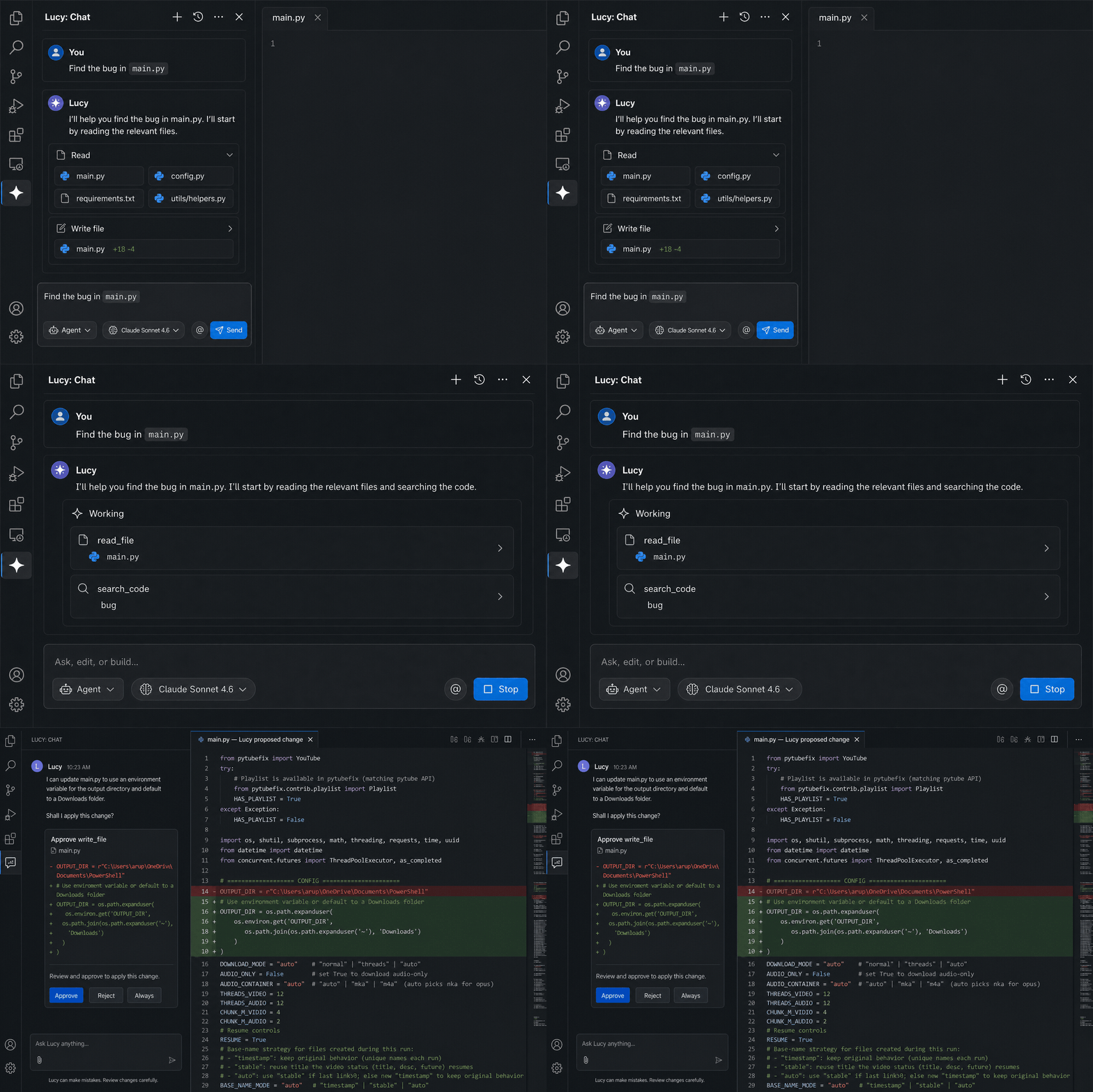
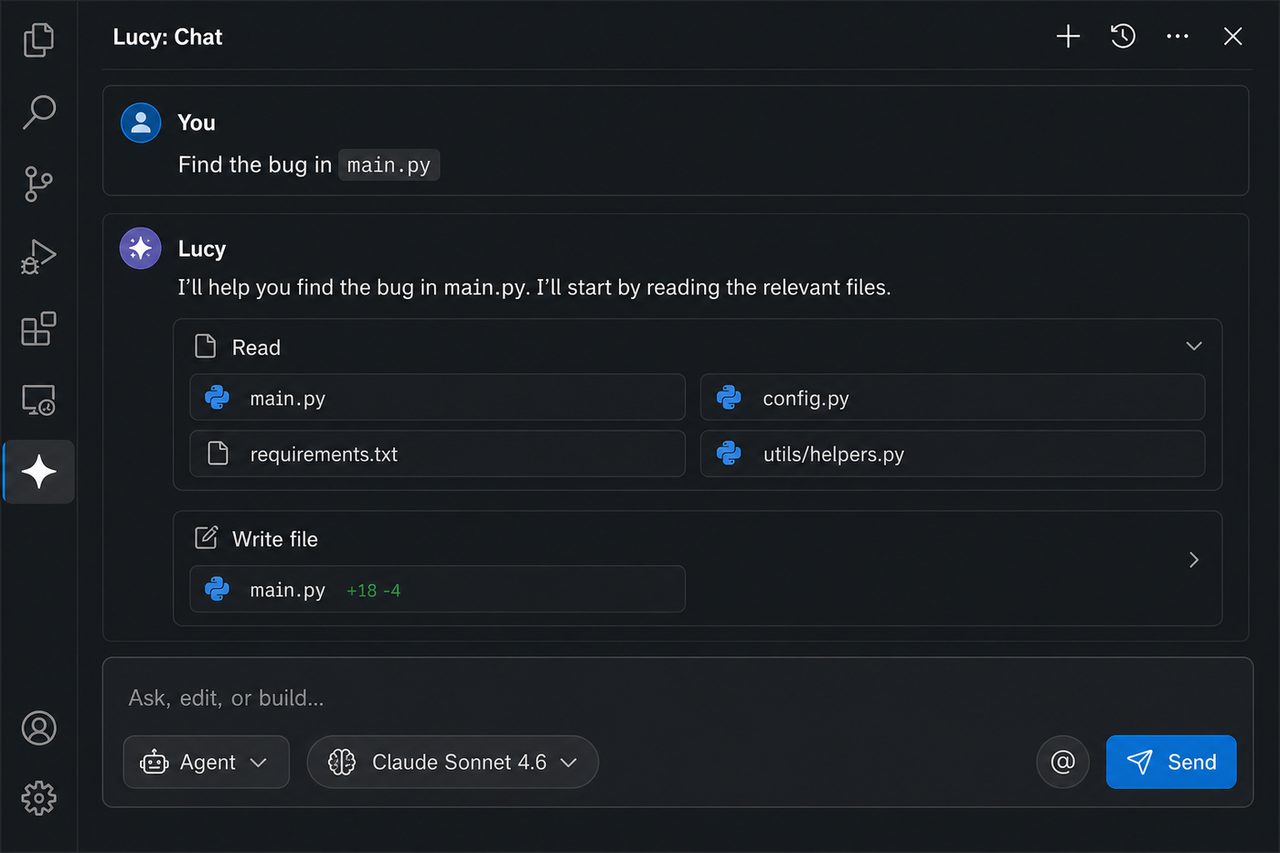
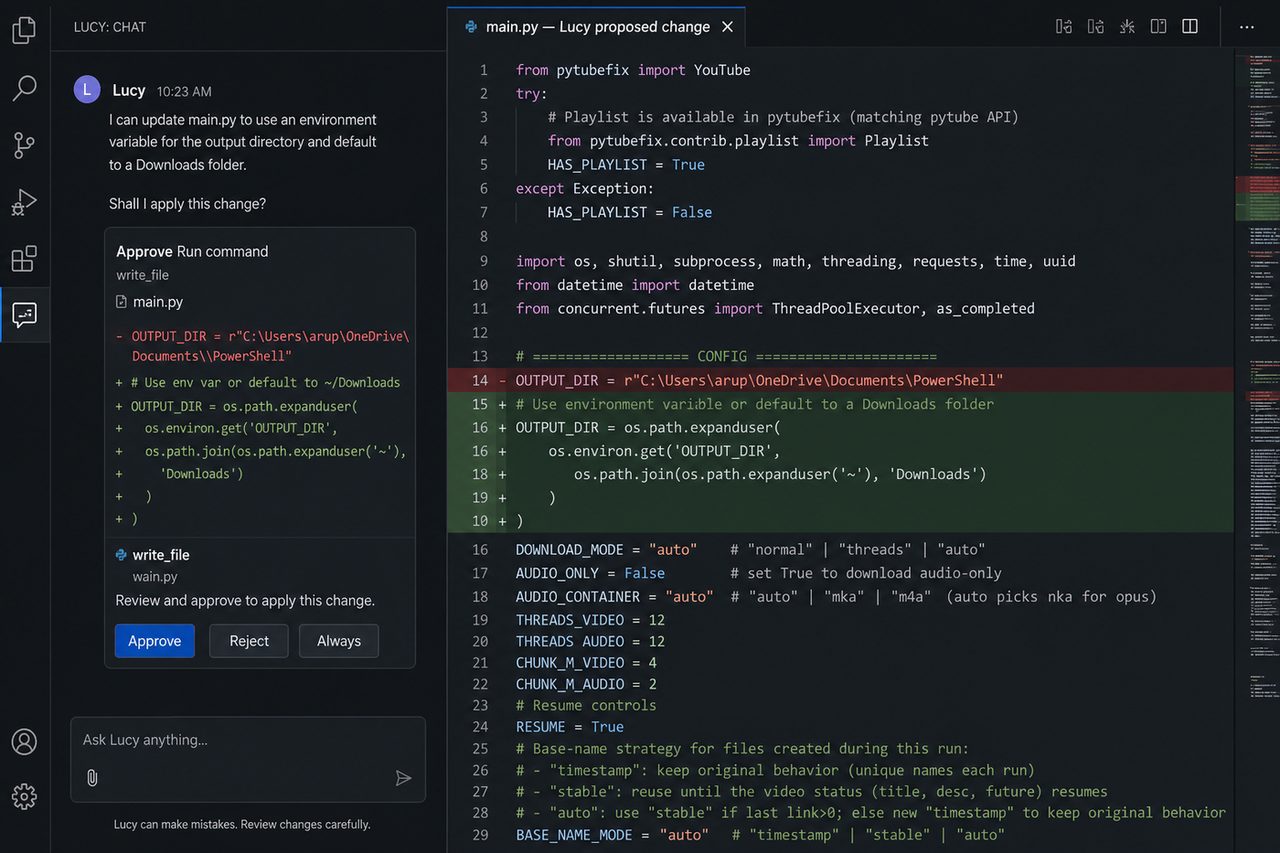
Ask Lucy to find a bug or apply a change. It reads the repo, shows a diff, and
waits for Approve, Reject, or Always before writing files or running
commands.
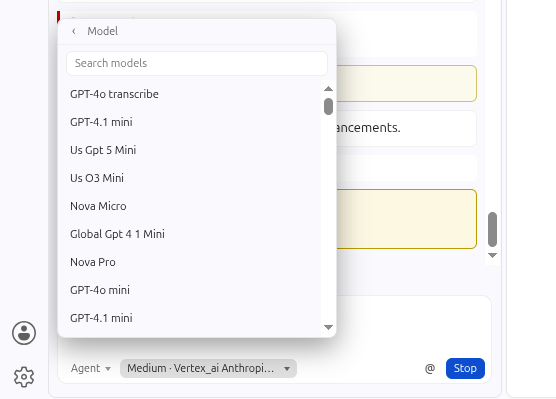
Pick Agent, Plan, or Ask, then choose a model from the composer pill
(list is alphabetical, with search):
Features
- Agent chat with tools: read/list/search files, write files, run commands.
- Ask mode: read-only Q&A over your codebase.
- Plan mode: research the repo and write an implementation plan (no edits).
- Multiple providers: connect several OpenAI-compatible endpoints; models appear in the picker grouped by provider.
- Inline diff apply: file writes open a diff you approve/reject (no blind writes).
- Inline edit (Cmd+I / Ctrl+I): select code in the editor and describe a change; it's rewritten in place.
- Autocomplete: inline tab completions as you type (opt-in in Settings).
- Codebase indexing +
@codebase: semantic search over your repo using embeddings.
- Rich
@ context: Files, Folder, Code symbol, Problems (diagnostics), Git diff, Current selection, Codebase.
- Slash commands:
/edit, /explain, /test, /comment, /fix, /review, /commit.
- Multiple chat tabs with history and persistence across reloads.
- MCP tool support: launch MCP servers and use their tools from the agent.
- Custom rules: auto-loads
.lucy/rules.md, AGENTS.md, and other common project rule files.
- Friendly model names + auto-detect of the models your API key can use.
Setup
- Open the Lucy view in the Activity Bar.
- Click the gear → set your Base URL (e.g.
https://api.openai.com/v1) and paste your sk-... API key → Save Key.
- (Optional) Add more providers under Other AI providers.
- Pick a model in the composer and start chatting.
Usage
- Chat / agent: type a request, pick Agent, Plan, or Ask, press Enter.
- Context: click @ to attach files, folders, symbols, problems, git diff, selection, or a codebase search.
- Inline edit: select code → Cmd+I (Ctrl+I on Windows/Linux) → describe the change.
- Open chat: Cmd+Shift+L (Ctrl+Shift+L on Windows/Linux).
- Stop: click Stop in the composer, or run Lucy: Stop.
- Codebase search: run Lucy: Index Codebase once (command palette), then use
@codebase or the agent's search_codebase tool.
- Slash commands: start a message with
/test, /fix, /commit, etc.
- History: the clock icon in the view title reopens past/closed chats.
Settings
All under lucy.* (Settings UI in the gear panel):
baseUrl, model, models, mode, providers, activeModelmaxIterations, maxFileCharsautoApproveReads / autoApproveWrites / autoApproveCommandsautocomplete.enabled, autocompleteModelembeddingModel, indexMaxFileseffort, contextBudgetrulesFilemcpServers — e.g. [{ "name": "fs", "command": "npx", "args": ["-y", "@modelcontextprotocol/server-filesystem", "/path"] }]. Lucy speaks official MCP Content-Length framing.
Security
- API keys are stored in VS Code SecretStorage (OS keychain), never in plain files.
- File reads, writes, and directory listings are confined to the open workspace (including
.. and absolute-path attempts). read_file also refuses .env / key files.
- File writes, shell commands, MCP tools, and subagent spawns require approval by default (toggle auto-approve at your own risk).
- Codebase indexing skips
.env / key material and honors .gitignore, .cursorignore, and .lucyignore.
@git context runs git via execFile (no shell). A short denylist blocks a few obviously destructive commands (rm -rf /, mkfs, dd if=).
License
MIT. See LICENSE.
| |

