Human JSON — tolerant data format with unquoted strings, optional commas, comments
YTSON
.ytson
Yeet JSON — HJSON with key attributes inspired by Clearsivler HDF
YTGMR
.ytgmr, .yeet
YeetCode PEG grammar files for parsing custom syntax
YTMPL
.ytmpl, .yt
YeetCode template files with configurable delimiters
Screenshots
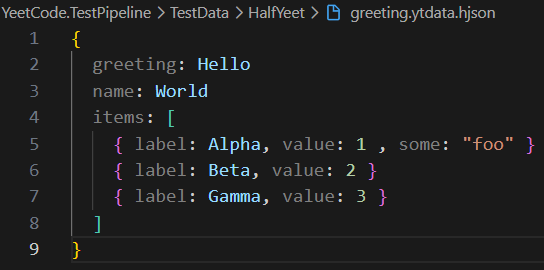
HJSON Data Files
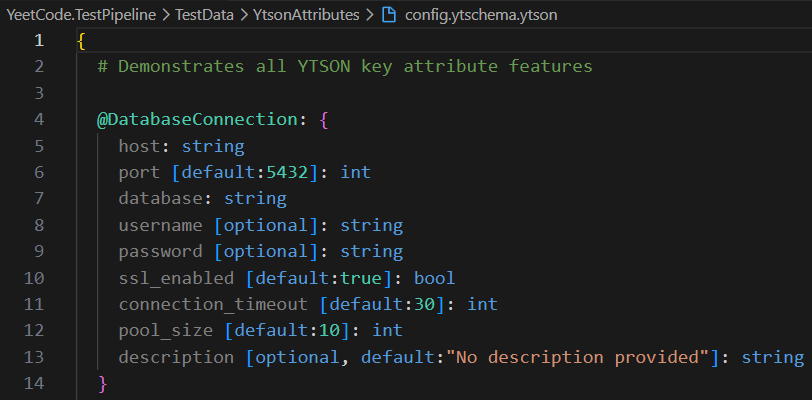
YTSON Schema Files
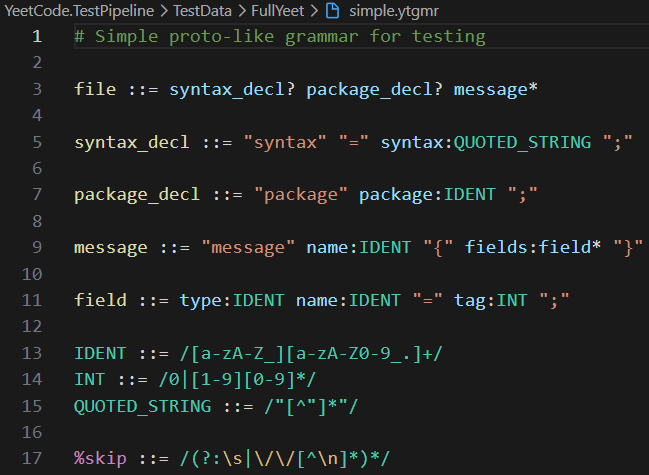
YTGMR Grammar Files
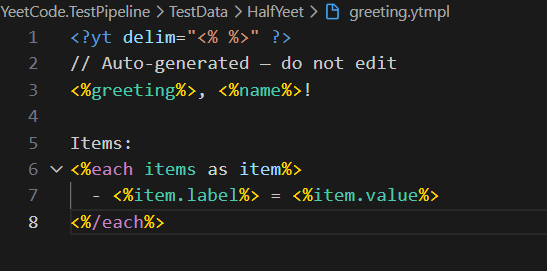
YTMPL Template Files
Color Philosophy
HJSON: Value-emphasized — keys are muted grey, unquoted values are bright blue, quoted strings are orange, numbers/booleans are green. Structure fades, data pops.
YTGMR: Grammar-focused — ::= is a keyword, regex patterns are teal/type-colored, string literals are orange, captures are light blue.
YTMPL: Code-like — <%/%> delimiters are grey, directives are blue keywords, source paths are green, local variables are light blue.
All colors are theme-aware — they adapt to your active VSCode color theme.